Tab Tweak
- By
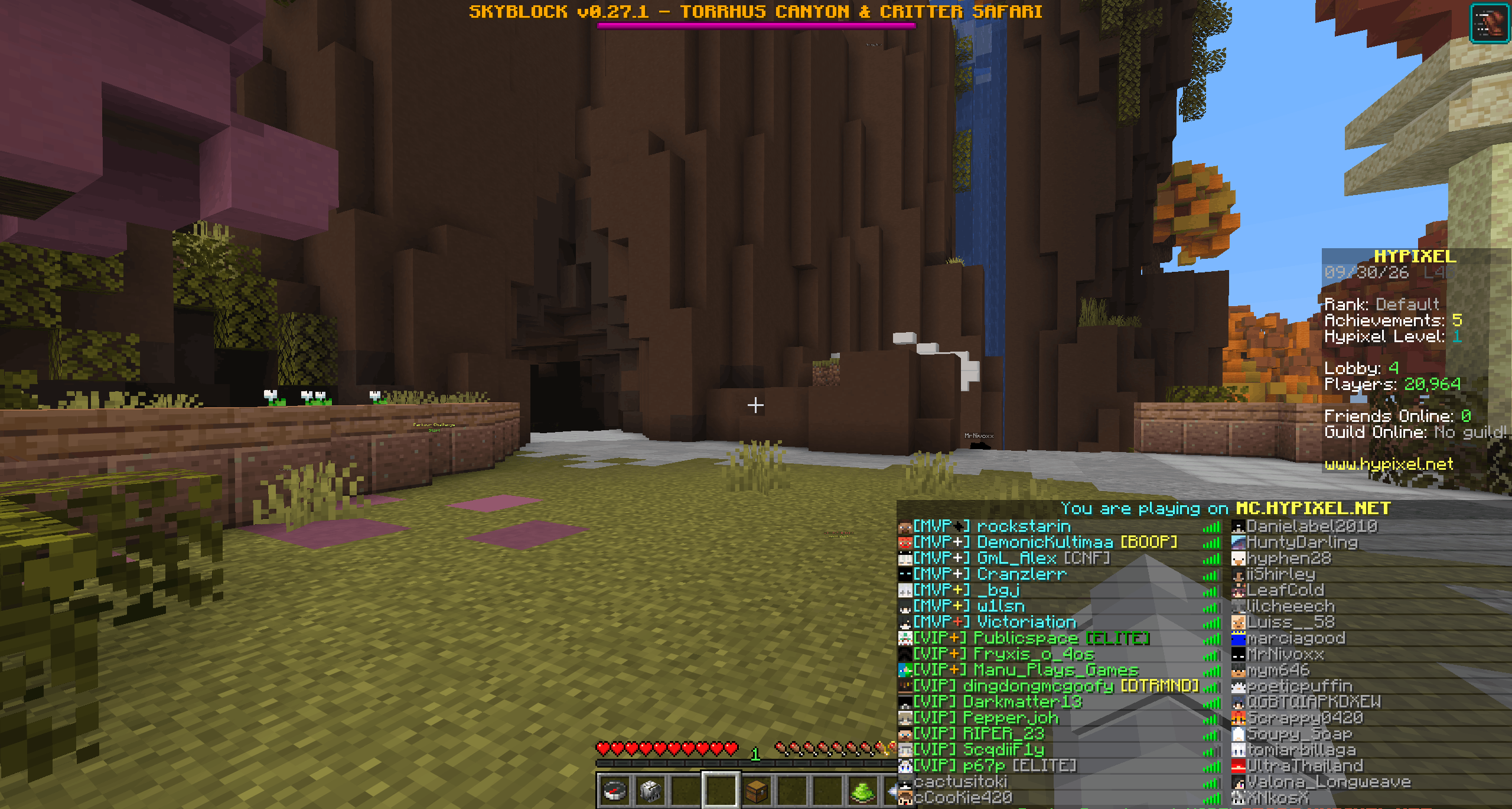
Here u can saw one of the default place of tab menu in presets
Description
Tab Tweak
Take control of Minecraft's player list — toggle it on with a keypress, place it where you want.
TabTweak is a lightweight, client-side mod that gives you full control over the vanilla Tab menu. No more holding Tab just to see who's online — press once to lock the list on screen, press again to hide it. And when you want it somewhere else, open the config with F10, pick a corner, and your new position is applied as soon as you save.
✨ Features
🔒 Toggle the player list
Press Tab to lock the vanilla player list on screen. Press it again to hide it. The list stays visible until you decide otherwise — no need to hold the key.
📍 Move the player list anywhere
Press F10 to open the config screen and choose where the list should appear:
- Top Left, Top Center, Top Right
- Bottom Left, Bottom Center, Bottom Right
- Custom position with fine-tuned X and Y offsets
The new position is applied after you save and close the config — so you can fine-tune and preview your choice before committing.
⚙️ Rebindable keys
Both hotkeys can be changed in Options → Controls → Key Binds, under the "TabTweak" category:
- Toggle player list — default
Tab - Open config — default
F10
🧩 Mod Menu support
If you have Mod Menu installed, the config screen is also accessible directly from the mod list — no need to remember the keybind.
🪶 Lightweight & client-side
- Works entirely on the client — no server-side installation needed.
- No performance impact.
- Only touches the vanilla player list. Nothing else is modified.
🎮 How to Use
-
Install Fabric Loader, Fabric API, and TabTweak.
-
(Optional) Install Mod Menu to access the config from the mod list.
-
Launch the game and join any world.
-
Press Tab to toggle the player list on or off.
-
Press F10 to open the position config, pick your preferred spot, and save — the list will move to the new position.
📦 Requirements
| Dependency | Required |
|---|---|
| Fabric Loader | ✅ Yes |
| Fabric API | ✅ Yes |
| Mod Menu | ⚪ Optional (recommended) |
| Minecraft | 1.21.11 |
❓ FAQ
Does this work on servers?
Yes. TabTweak is fully client-side and works on any server, including vanilla.
Will it conflict with other HUD mods?
It only modifies the vanilla player list rendering. Mods that completely rewrite the Tab list may conflict — if you run into issues, leave a comment.
Can I change the hotkeys?
Yes. Both keys are rebindable in Options → Controls → Key Binds.
Do I need Mod Menu?
No, but it makes opening the config much more convenient.
Does it change chat or other HUD elements?
No. TabTweak only affects the vanilla player list.
Why doesn't the list move immediately when I pick a new position?
Position changes are applied after you save and close the config screen. This lets you fine-tune your choice before committing it.
Tab Tweak Team