screenshot5.png
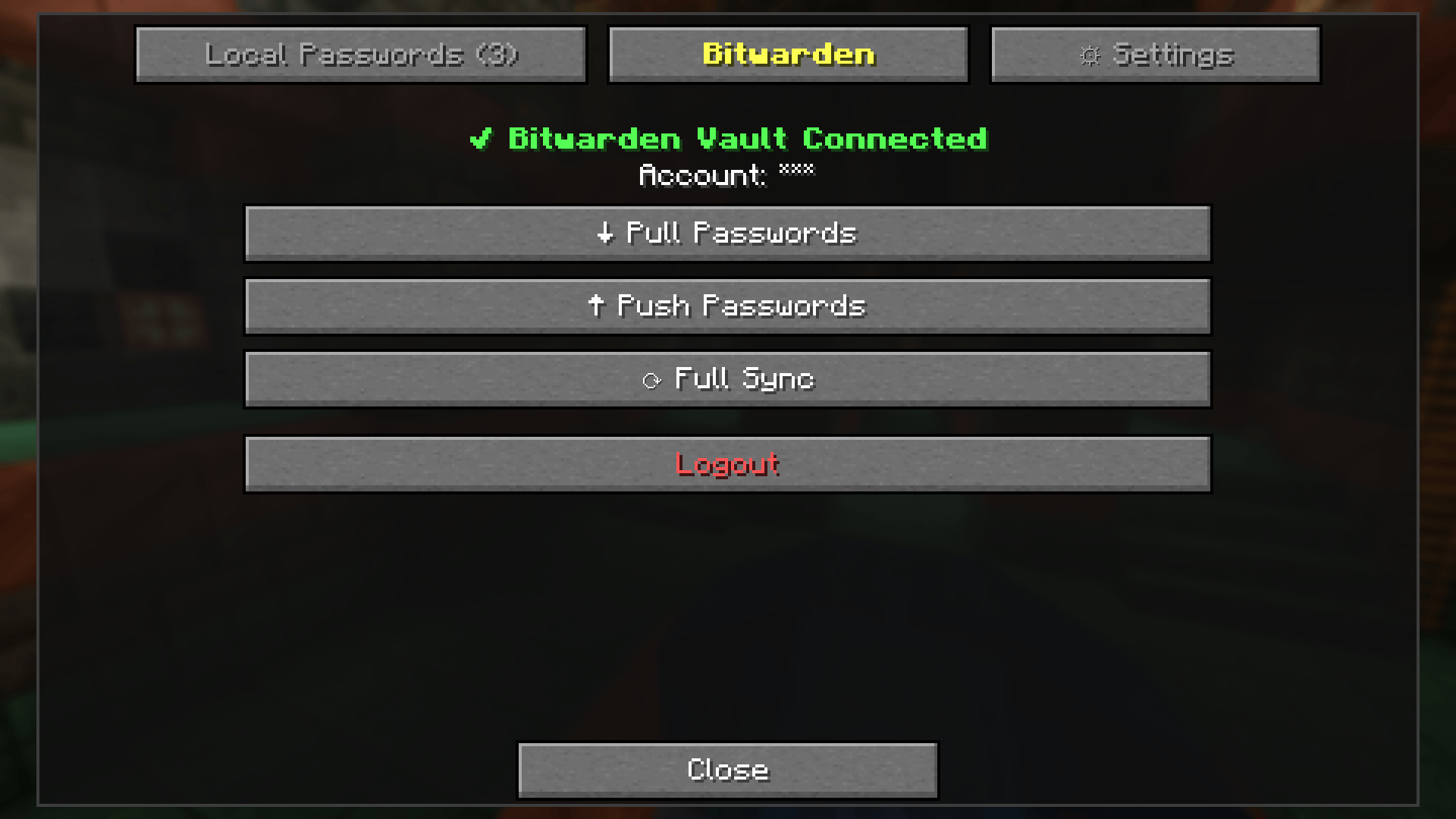
ÐнÑмок_20260917_124829.png
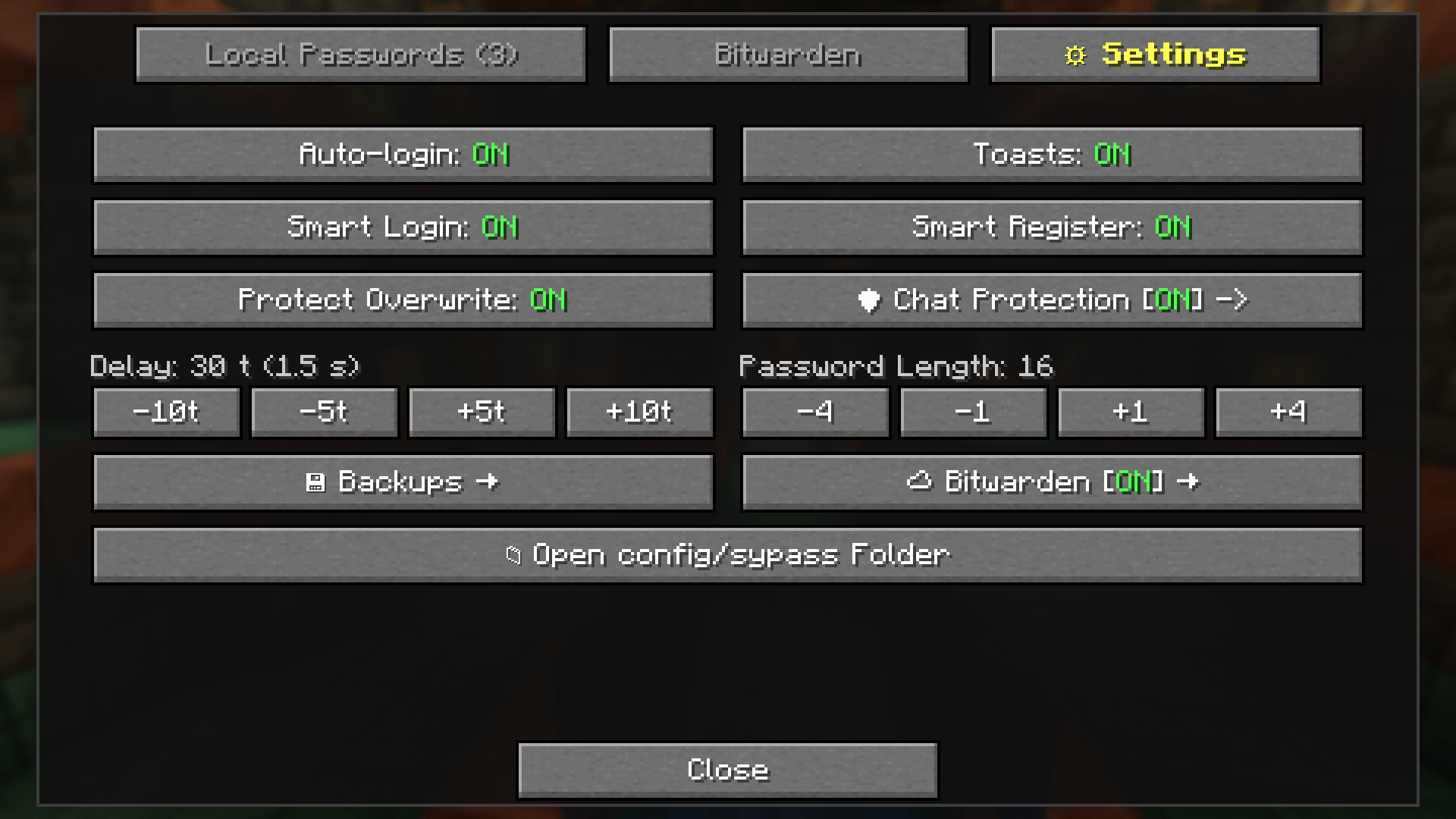
ÐнÑмок_20260917_124836.png
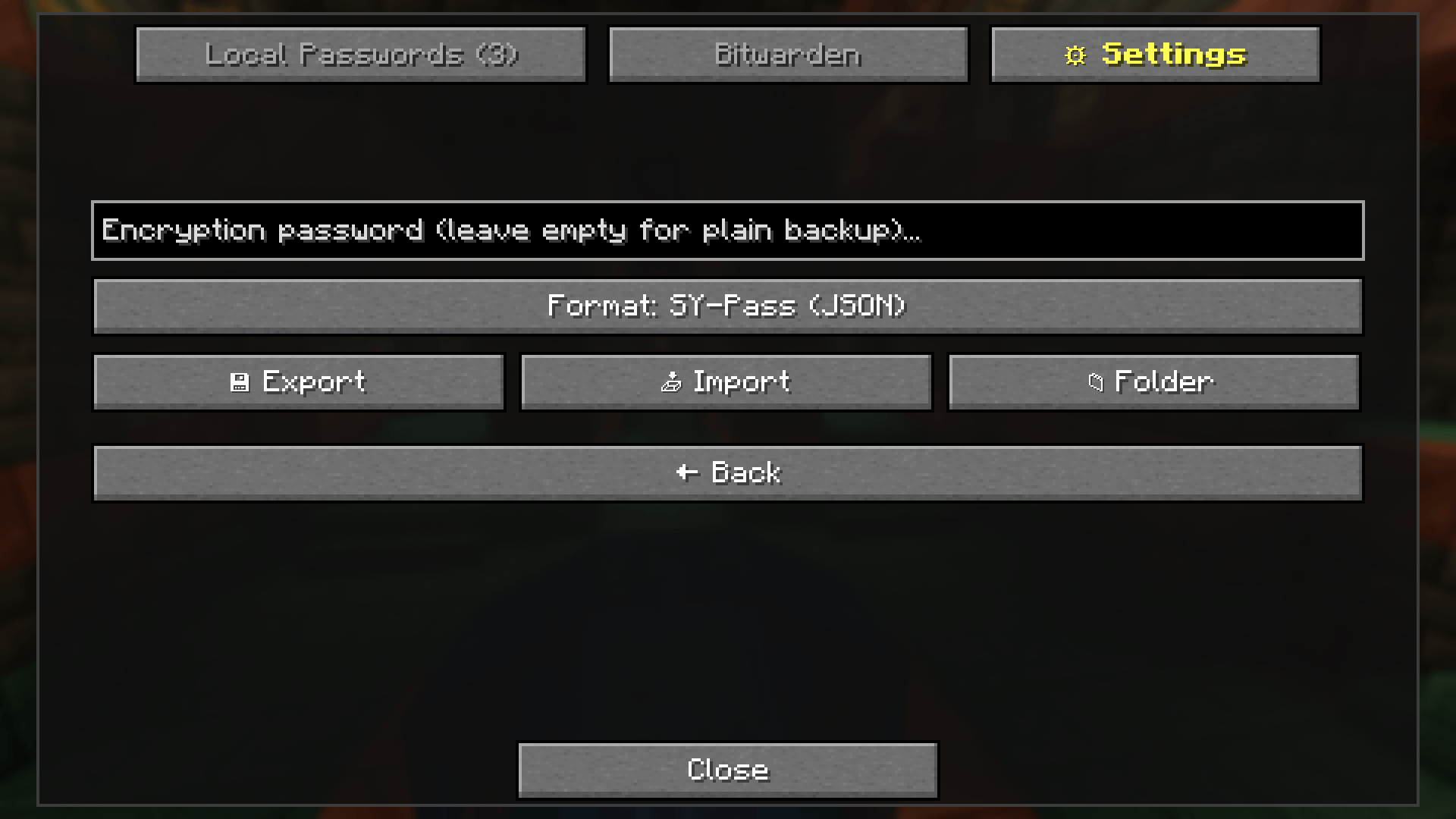
ÐнÑмок_20260917_124844.png
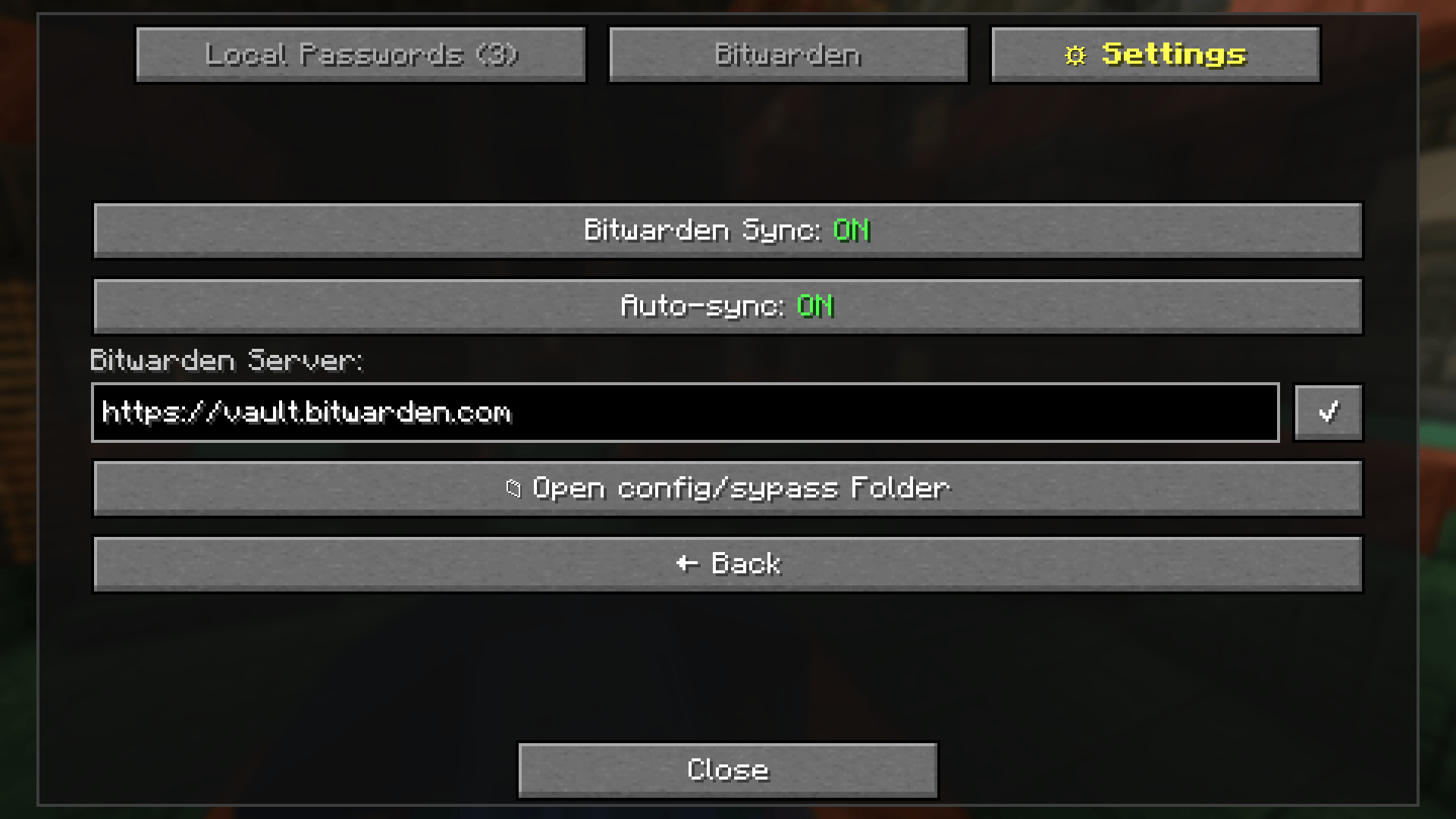
ÐнÑмок_20260917_124851.png
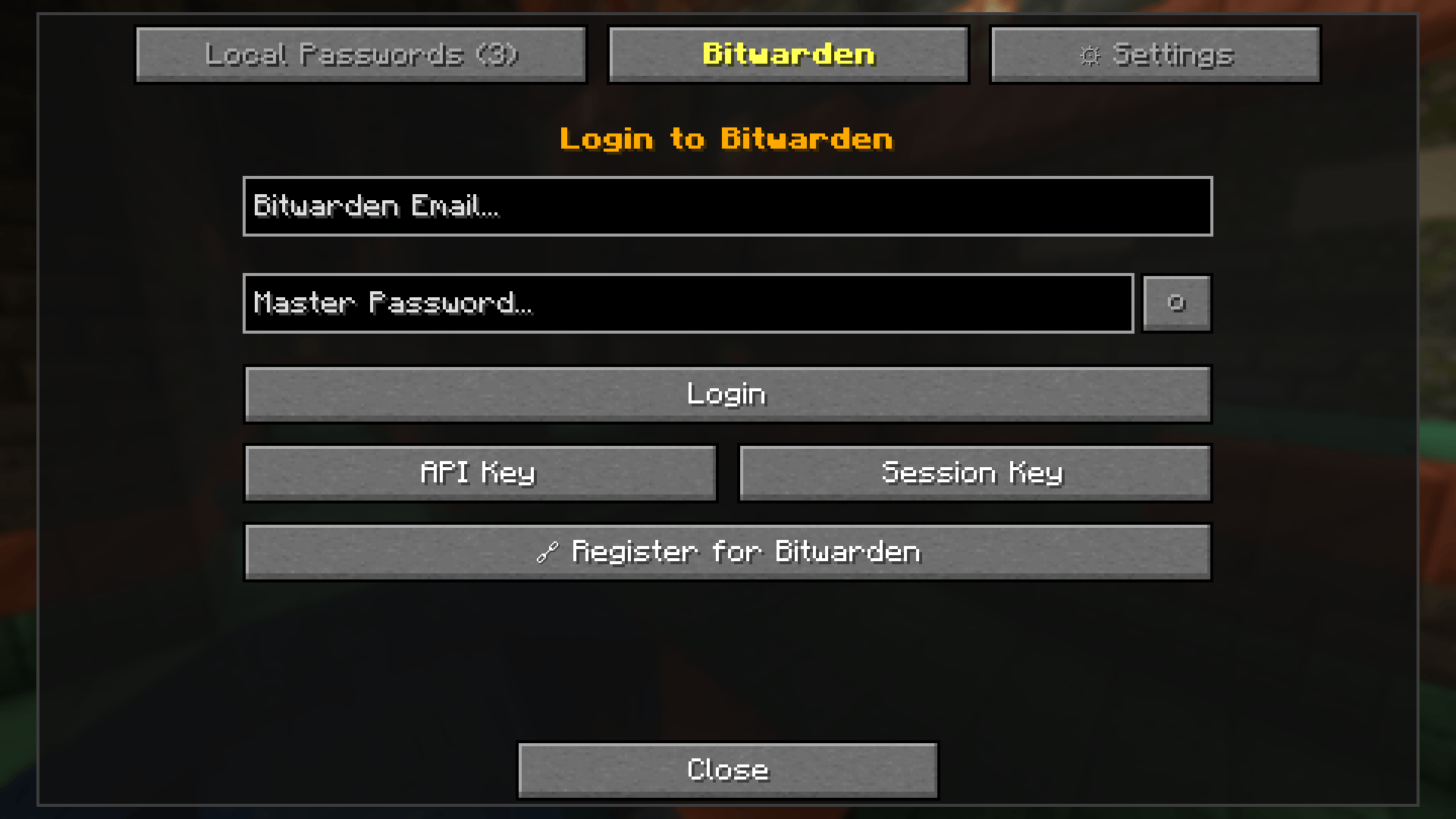
ÐнÑмок_20260917_132648.png
Description
SY-Pass
SY-Pass is an open-source, client-side password manager and authentication utility for Fabric, Quilt, and NeoForge (Minecraft 1.21 – 1.21.1). It provides hardened local credential storage (AES-256-GCM), automated server login, chat password leak protection, and optional cloud synchronization via the official Bitwarden CLI or self-hosted Vaultwarden instances.
Starting with v2.0.0, SY-Pass features Zero External UI Dependencies — completely dropping owo-lib in favor of high-performance, vanilla Minecraft 1.21.1 GUI components on a modern multi-loader architecture (Architectury Loom).
The mod operates strictly client-side and requires no server-side installation or support.
🚀 Key Features
- ⚡ Multi-Loader Support: Fully compatible with both Fabric (and Quilt) and NeoForge on Minecraft 1.21 – 1.21.1 with shared common logic.
- 🎨 Zero External UI Dependencies: Built entirely using vanilla GUI components (
Screen,ContainerObjectSelectionList,EditBox,Button,Toast), ensuring zero mod conflicts, native look-and-feel, and blazing-fast loading speeds. - 🔑 Hardened Local Vault (AES-256-GCM): Passwords are encrypted locally with strict owner-only file permissions (
0600), atomic writes to eliminate file truncation/corruption risks, and automatic migration from legacy vaults. Plaintext credentials never touch your drive. - 🛡️ Chat Password Leak Protection: Client-side outgoing chat interception. If you accidentally hit Enter on a message containing a saved password, sending is cancelled locally with an on-screen toast warning. Powered by the Aho-Corasick algorithm ($O(N)$ complexity) with configurable scope: Current Server Only (default) or All Servers (Global).
- ⚡ Smart & Automated Server Authentication:
- Static Delay Login: Authenticates after a configurable tick delay upon joining.
- Smart Auto-Login: Dynamic chat & action bar prompt scanning (
/login,/l) for instant authentication. - Anti-Spoofing: Built-in safeguards against fake chat prompts from other players.
- Quick Re-Login Hotkey: Dedicated hotkey (
K) for instant manual re-authentication.
- ✨ Quick & Smart Auto-Registration: One-step registration (
/sypass register [len]or/sypass quickreg). Generates a cryptographically strong password, copies it to your clipboard, saves it to the vault, triggers cloud sync, and submits/register <password> <password>. Features Overwrite Protection to prevent accidental credential loss. - 🖼️ Real Server Favicons: Automatically loads and caches server icons (
server.png/ favicon) from yourservers.datlist or active connection with zero-overhead GPU texture caching. - ⭐ Favorites, Sorting & Filters: Pin favorite servers (★), filter favorites in 1 click, and cycle sort modes: Favorites First, Alphabetical (A–Z), or Last Used (🕒).
- 🎯 Active Account Highlighting: Accounts matching your currently active Minecraft nickname are highlighted in bright green with an ambient border and tooltip.
- 🔒 Process Argument Isolation (Zero-Leakage): Communicates with the Bitwarden CLI strictly via standard input (
stdin). Passwords, session tokens, and vault payloads are invisible to system monitors (ps, Task Manager, Process Explorer) and command-line audit logs. - ☁️ Bitwarden & Vaultwarden Cloud Sync: Full two-way sync (Pull, Push, Full Sync) via the official CLI. Disabled by default for a 100% local-first experience. Supports self-hosted custom server API URLs.
- 🛡️ Multi-Factor Auth & Zero-Password Routing: Native support for Authenticator apps (TOTP), Email 2FA, API Keys, and direct Session Key (
BW_SESSION) unlock — allowing you to access your vault without ever entering your master password inside the game! - 📥 Bitwarden CSV Import & Export: Export and import credentials in standard Bitwarden CSV format to seamlessly migrate between Bitwarden, KeePassXC, 1Password, or Proton Pass.
- 💾 Local Encrypted Backups: Export and import encrypted backups (PBKDF2-derived) or portable unencrypted backups with restricted filesystem permissions.
- 🌐 Smart Address Matching: Automatically normalizes server IPs and hostnames, resolving connections regardless of default port specifications (
:25565) or letter casing. - 🎲 Password Generator: Cryptographically secure password generation with custom length steppers in GUI and
/sypass generate [len]. - 🌐 Multilingual: Full localization for English (
en_us), Ukrainian (uk_ua), and Russian (ru_ru).
💻 Client Commands
| Command | Description |
|---|---|
/sypass set <password> |
Save or overwrite password for the current server |
/sypass setcustom <command> <password> |
Save password with a custom authentication command |
/sypass register [length] (or /sypass quickreg) |
Quick-register on the current server with an auto-generated password |
/sypass remove |
Delete stored credentials for the current server |
/sypass generate [length] |
Generate a secure password and copy it to the clipboard |
🎮 Controls & GUI Integration
- Default Hotkeys:
[— Open SY-Pass Vault Screen (configurable)K— Quick Re-Login (configurable)- (Optional) — Customizable hotkey for Quick Register
- Menu Integration:
- Fabric / Quilt: Integrated into ModMenu.
- NeoForge: Integrated into the native NeoForge Mods Config Screen.
- Password Masking: Passwords remain masked by default with one-click toggles to reveal, copy, or edit.
🛠️ Requirements
- Minecraft: 1.21 – 1.21.1
- Java: 21+
- Mod Loader:
- Fabric: Fabric Loader (
>= 0.16.0) + Fabric API - NeoForge: NeoForge (
>= 21.1.0)
- Fabric: Fabric Loader (
- (Optional) Bitwarden CLI: Only required if Bitwarden sync is enabled. Install via system package managers (
winget install Bitwarden.CLI,brew install bitwarden-cli,npm install -g @bitwarden/cli) or place the binary manually intoconfig/sypass/bw/(bw.exeon Windows).
🔒 Security Notice (CurseForge Compliant): SY-Pass never downloads external binaries or scripts at runtime. It interfaces strictly with locally installed or user-provided official Bitwarden CLI binaries.
⚖️ Disclaimer & Notice
This project is an independent open-source tool and is not affiliated with, endorsed by, or sponsored by Bitwarden Inc. "Bitwarden" is a registered trademark of Bitwarden Inc.
The SY-Pass Team