


Survival AutoBuilder
- By
A client-side NeoForge mod for Minecraft 1.21.1 that makes your own player build a structure from a schematic in survival mode. It walks there, places blocks, fixes mistakes, builds and removes its own scaffolding, and fetches materials from chests. The server does not need to install anything.
简体中文说明见下方。
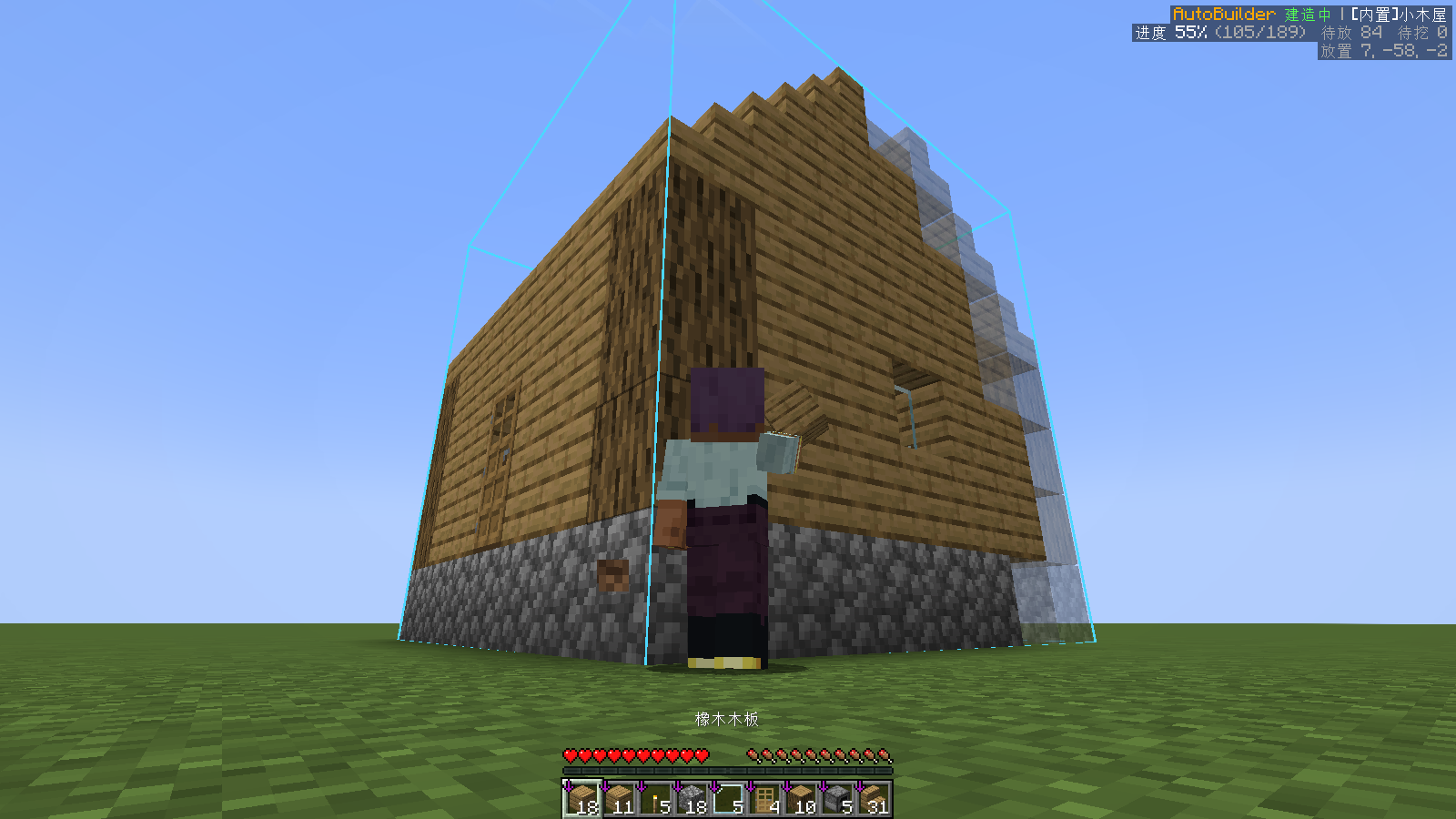
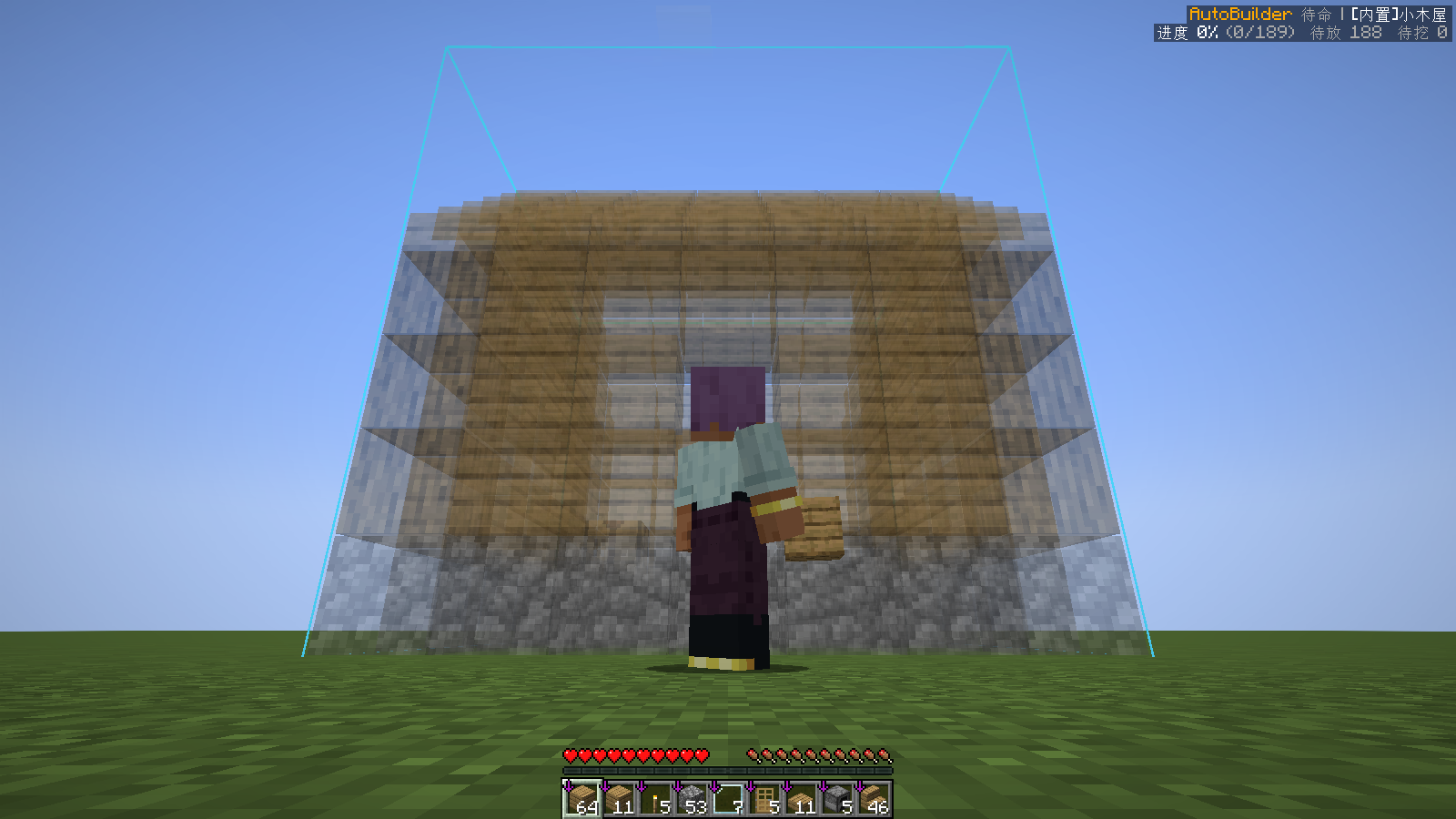
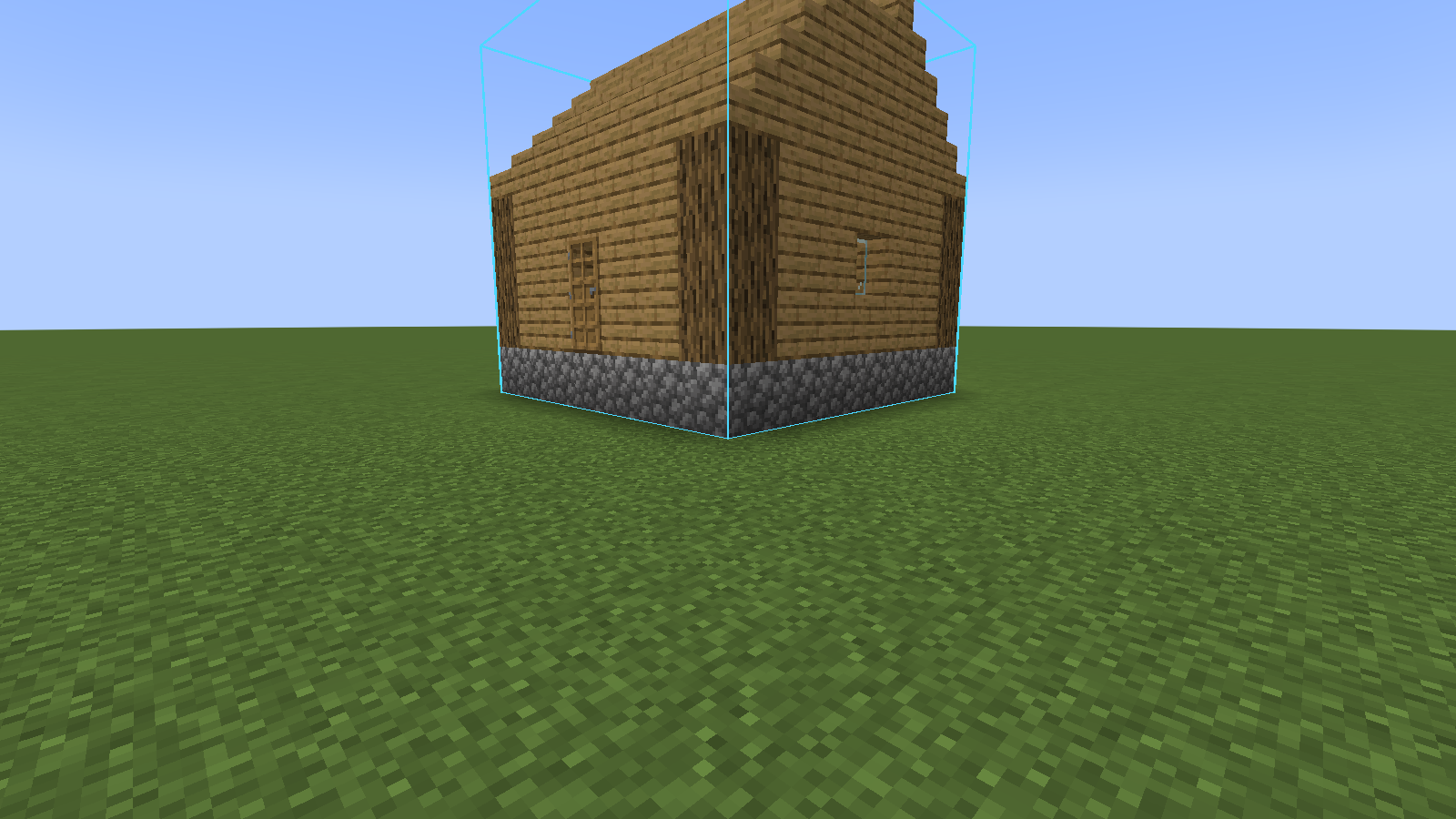
| Translucent preview | Finished |
|---|---|
 |
 |
Features
- Schematic formats: Litematica
.litematic, Sponge.schem(v2/v3), vanilla structure.nbt, plus three built-in presets (cabin, watchtower, fenced yard). - Fully automatic building: A* pathfinding (walk, jump, fall, pillar up, bridge, dig through terrain), bottom-up layer order, correct facing for stairs, logs, doors, ladders, torches, etc.
- Fixes the world: breaks wrongly placed blocks and blocks where the schematic has air; flips levers/repeaters/comparators/note blocks to the right state.
- Redstone machines and fluids: places water/lava sources with buckets in a safe order (fluids only after their layer is enclosed), waterlogs blocks, places observers only after the block they watch is final, refills water buckets from infinite sources.
- Scaffolding: pillars and bridges with cheap blocks (dirt, cobblestone…) and removes them top-down when finished. Avoids sealing itself inside the building.
- Supply chests: register chests / barrels / shulker boxes; when materials run out it walks over, deposits junk and takes what it needs.
- Resume: progress is saved per world and dimension; after disconnecting or restarting, press N to continue.
- Save buildings: select two corners and save any build as a
.nbtschematic. - Safety: auto-eats, stops on low health, escapes lava, pauses as soon as you press a movement key.
- Preview: translucent ghost blocks and outlines for blocks to break.
Usage
- Put schematic files in
.minecraft/autobuild/(with version isolation:versions/<version>/autobuild/). - Press B to open the main screen, pick a schematic and click Load in front of me. Rotate / mirror / move it until the preview is where you want it.
- Put the materials in your inventory (or register supply chests) and press N to start. Press N again or any movement key to pause.
Type /ab help in chat for the full command list (hover over a command for details, click to fill it in).
| Key | Action |
|---|---|
| B | Open main screen |
| N | Start / pause |
[ / ] |
Selection corner 1 / 2 (block under crosshair) |
Settings: Settings… button on the main screen, /ab config, or Mods → AutoBuilder → Config.
Multiplayer and server opt-out
AutoBuilder uses the normal block interaction packets a player sends. By default it places blocks directly at the target position ("air place"); servers with anti-cheat may reject this, so switch Place mode to Click adjacent face in the settings. Only use it on servers whose rules allow automation.
Server owners can disable automatic building for all AutoBuilder users on their server. Either:
- put
[NoAutoBuilder]anywhere in the server MOTD, or - send players a system message containing
[NoAutoBuilder](e.g. in a join message or withtellraw). A message consisting only of the marker is hidden from chat.
When disabled, AutoBuilder will not move or place anything; previewing and saving schematics still work. Singleplayer is never affected.
Requirements
- Minecraft 1.21.1
- NeoForge 21.1.x
- Client only (works on vanilla, Paper and modded servers)
Links
- Source code & issues: https://github.com/Superbaaaaber/autobuilder
- License: MIT
简体中文
Minecraft 1.21.1 NeoForge 纯客户端 mod:在生存模式下让玩家自己按蓝图自动盖房子。它会自动寻路、放方块、挖掉放错的方块、搭脚手架并在完工后拆掉、去材料箱取料。服务器不需要安装。
功能
- 蓝图格式:
.litematic、.schem(v2/v3)、原版结构.nbt,另带 3 个内置建筑(小木屋、瞭望塔、围栏小院)。 - 全自动建造:A* 寻路(走、跳、下落、垫柱子、搭桥、挖开挡路的地形),从下往上一层层建,楼梯、原木、门、梯子、火把等方块朝向正确。
- 修正世界:挖掉放错的方块和蓝图里应为空气的方块;拉杆、中继器、比较器、音符盒自动调到蓝图的状态。
- 红石机器与液体:用桶放水源和岩浆源,等液体所在层围好后再倒;含水方块;侦测器等它盯着的方块就位再放;水桶空了自动去无限水打水。
- 脚手架:用泥土、圆石等便宜方块垫柱子、搭桥,完工后从上往下拆掉;不会把自己封在建筑里。
- 材料箱:登记箱子、木桶或潜影盒,缺料时自动走过去存杂物、取材料。
- 断点续建:进度按世界和维度保存,掉线或重启后按 N 接着建。
- 保存建筑:选两个角就能把任何建筑存成
.nbt蓝图。 - 安全:自动吃东西、低血量停止、掉进岩浆自救、一按移动键就暂停。
- 预览:半透明的待放方块,待挖方块有描边。
用法
- 把蓝图放进
.minecraft/autobuild/(开了版本隔离就放在versions/<版本>/autobuild/)。 - 按 B 打开主界面,选蓝图,点「加载到面前」,用旋转、镜像、移动把预览摆到想要的位置。
- 材料放进背包(或登记材料箱),按 N 开始。再按 N 或按任意移动键暂停。
聊天栏输入 /ab help 查看全部指令(鼠标悬停看说明,点击填进聊天栏)。设置:主界面右上角「设置…」、/ab config,或 模组 → AutoBuilder → 配置。
多人游戏与服务器禁用
AutoBuilder 发送的是玩家正常的放置、挖掘数据包。默认「直接放」模式不需要依附面,装了反作弊的服务器可能会拒绝,这时在设置里把「放置方式」改成「点相邻方块的面」。请只在规则允许自动化的服务器上使用。
服务器管理员可以禁止本服玩家使用自动建造,任选一种:
- 在服务器 MOTD 里任意位置加上
[NoAutoBuilder]; - 给玩家发一条含
[NoAutoBuilder]的系统消息(如进服欢迎语或tellraw)。只有这个标记的消息不会显示出来。
禁用后 AutoBuilder 不会移动或放置任何东西,预览和保存蓝图照常可用。单人游戏不受影响。
Survival AutoBuilder Team
