supermodmenu

A focused, modern mod menu for Fabric with favorites, notes, an in-game mod browser, and a one-click update checker.
img_3.png
img_3.png

img_1.png

img_1.png

img_2.png

img_2.png

Description

Super Mod Menu

Download, manage, and update mods — all in-game.
Super Mod Menu

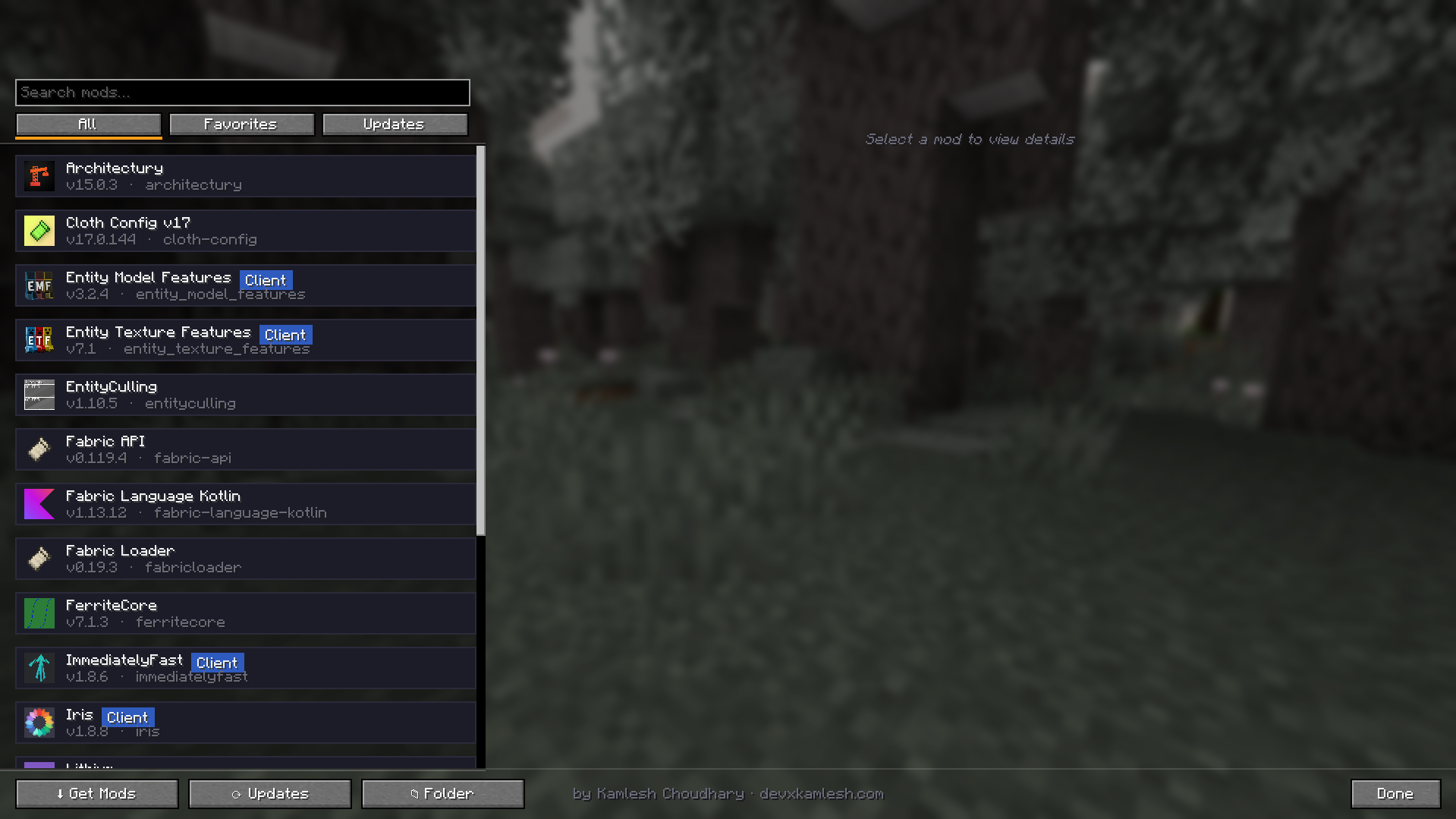
A clean, modern replacement for the in-game mod list. Manage your installed mods, keep them up to date, and discover new ones — all from one polished screen.

Features

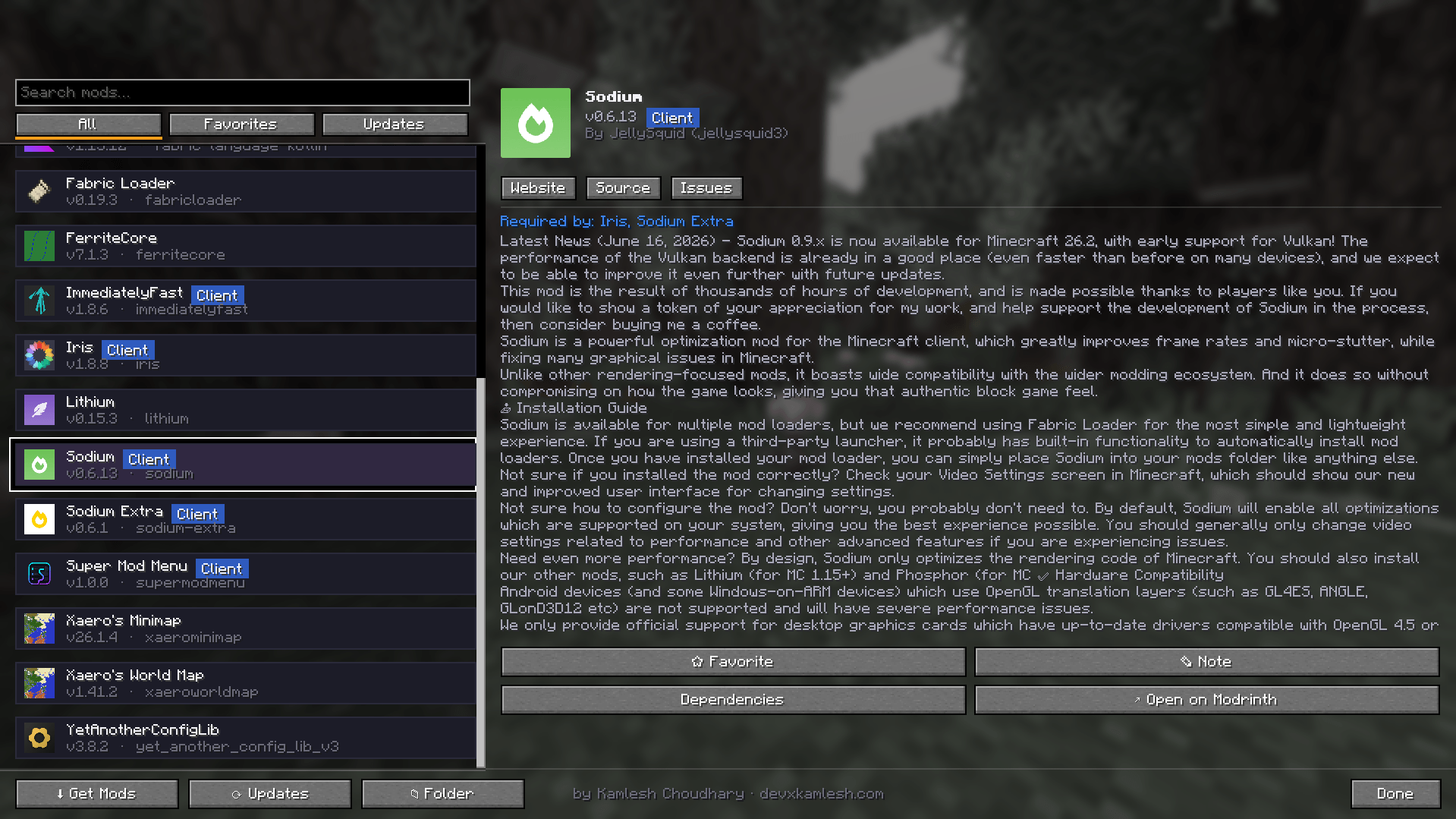
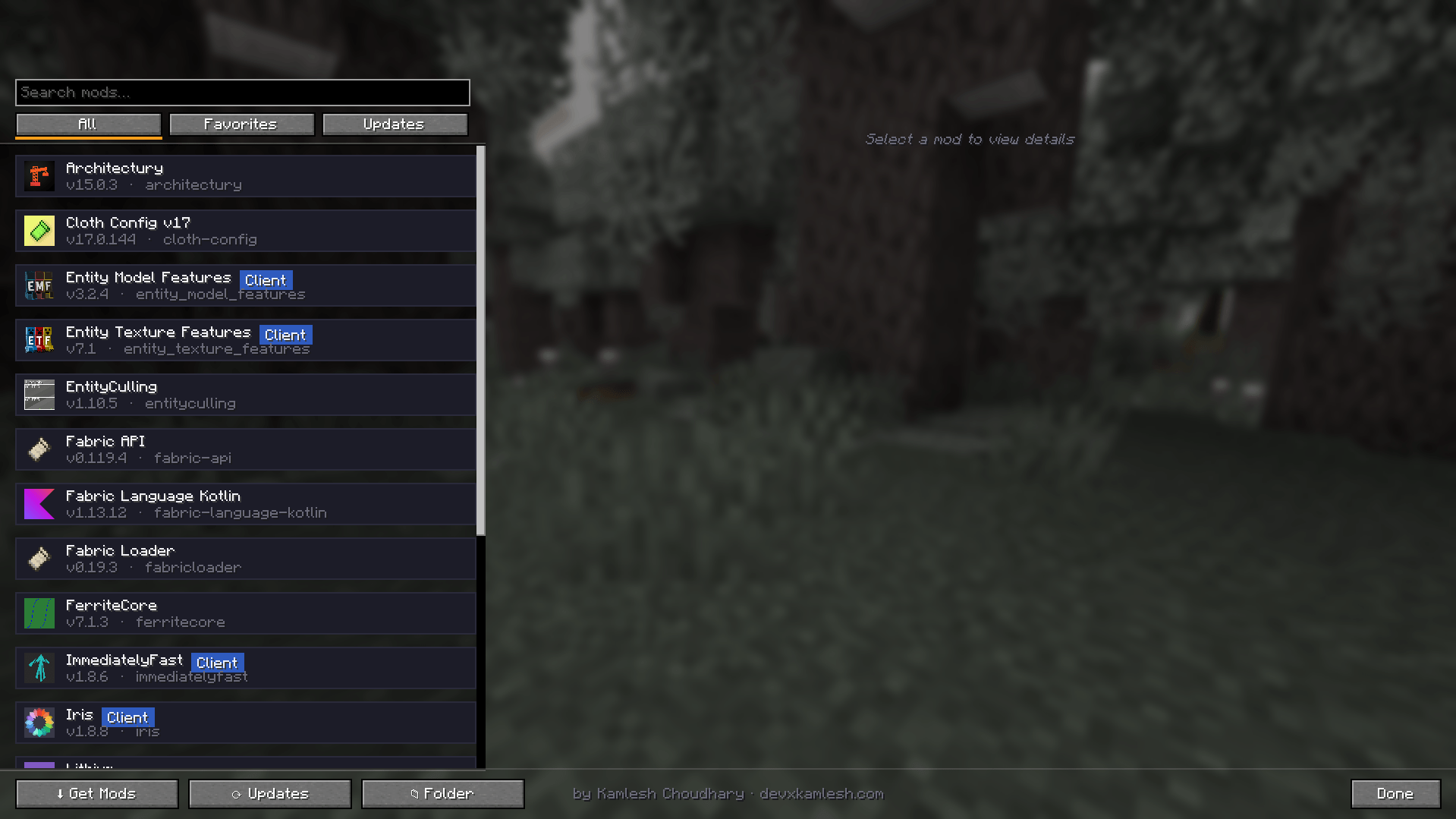
  • Modern mod list — searchable, with quick filters (All, Favorites, Updates) and Client / Server badges.
  • Rich detail panel — icon, version, author, full description, Website / Source / Issues links, and a Required By section that explains why a library is installed.
  • Favorites — star mods to pin them to the top of the list.
  • Notes — attach personal notes to any mod.
  • Update checker — instantly see which mods have newer versions and update them with a single click.
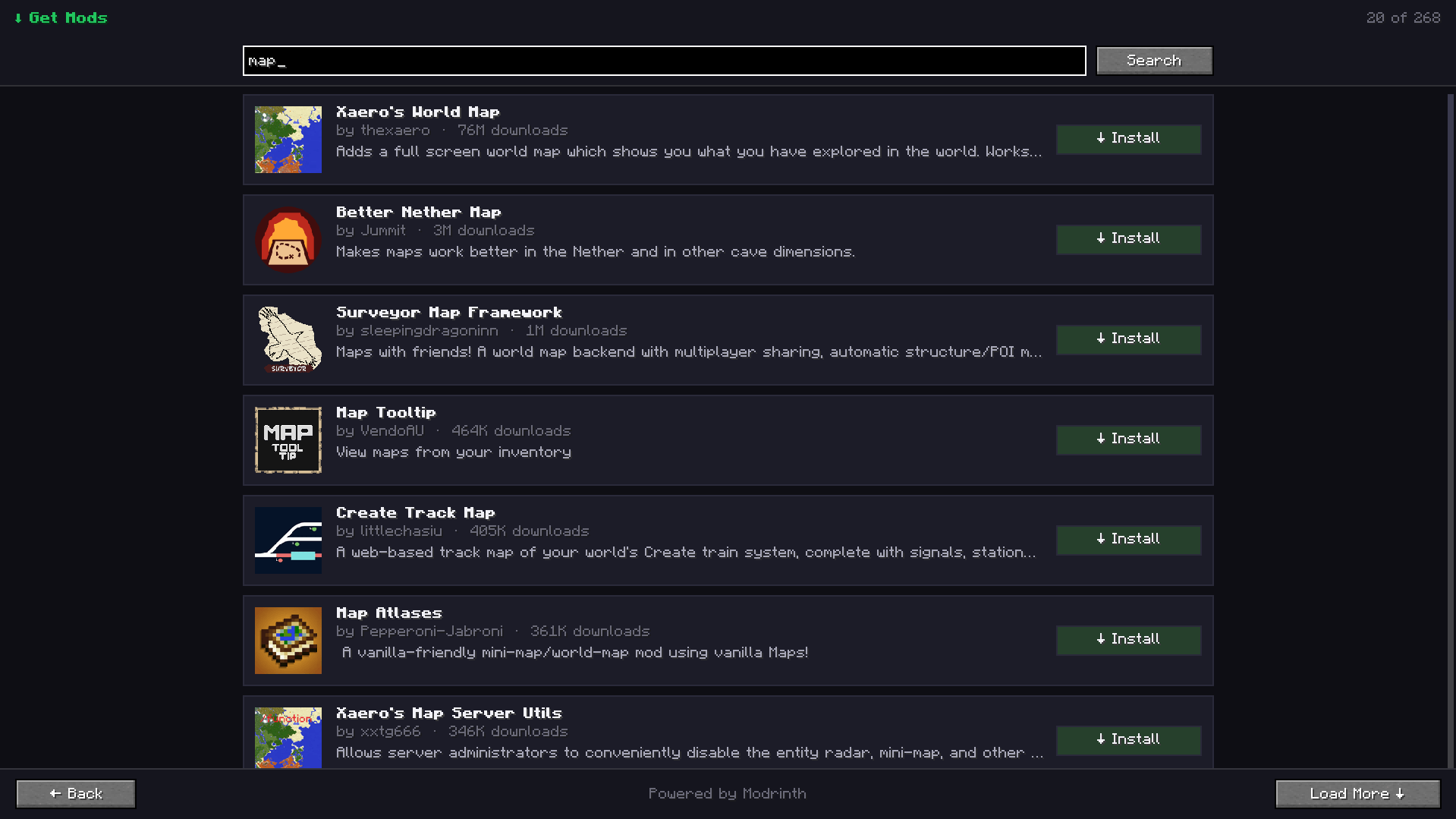
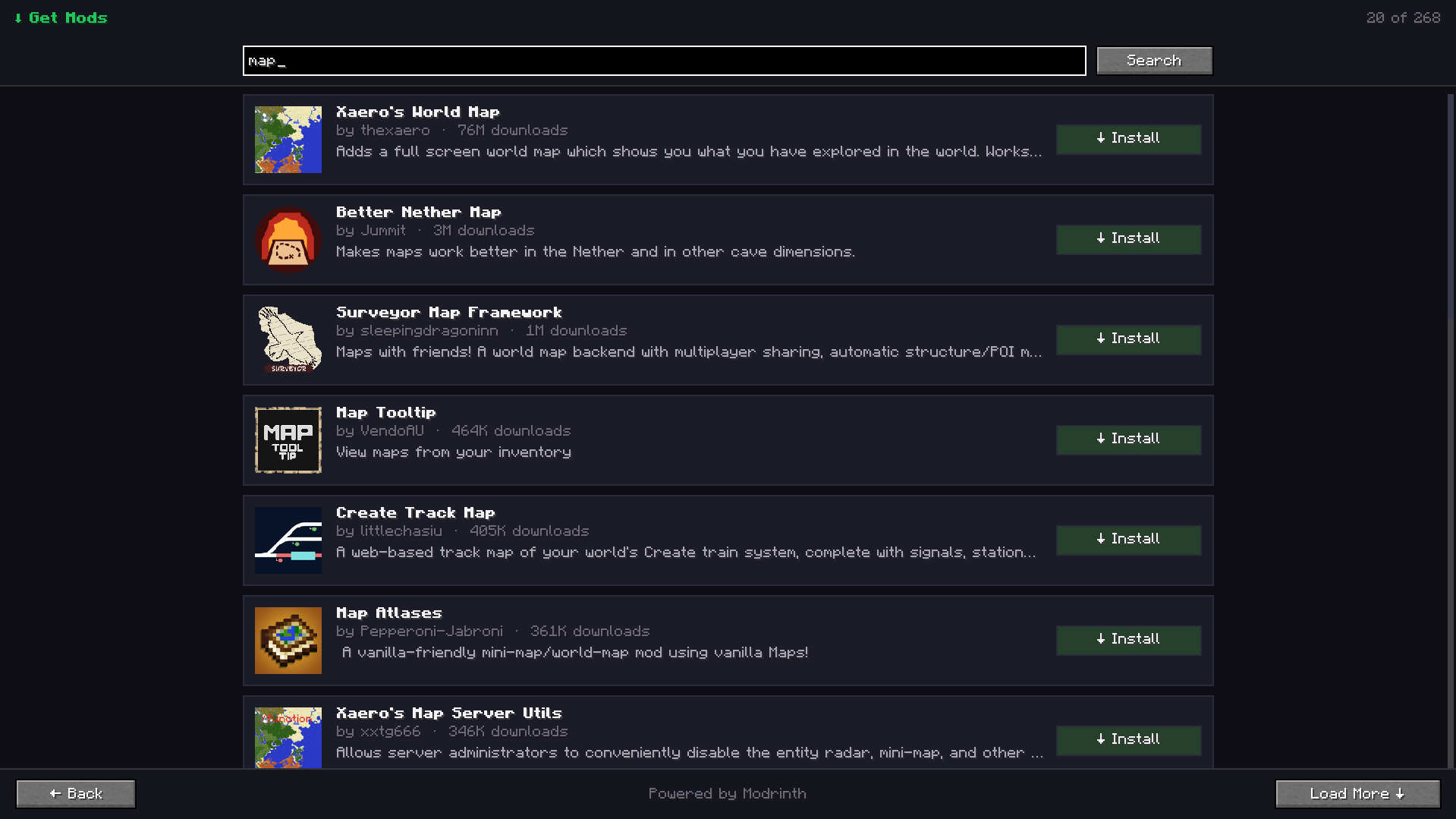
  • In-game mod browser — discover and install new mods without leaving Minecraft.
  • Dependency view — see mod dependencies and dependents.
  • Open mods folder with one click.
  • Mod Menu config integration — open a mod's settings screen when available.
  • Blurred menu background for a modern and polished appearance.
Browse and install mods

Usage

  • Open Mods from the title screen (bottom-right corner) or the pause menu.
  • Left-click a mod to view details.
  • Right-click a mod to add or edit notes.
  • Use Check Updates to scan for newer versions.
  • Click Update to download and install updates.
  • Use Get Mods to search for and install new mods.
  • Click Open Folder to access your mods directory.
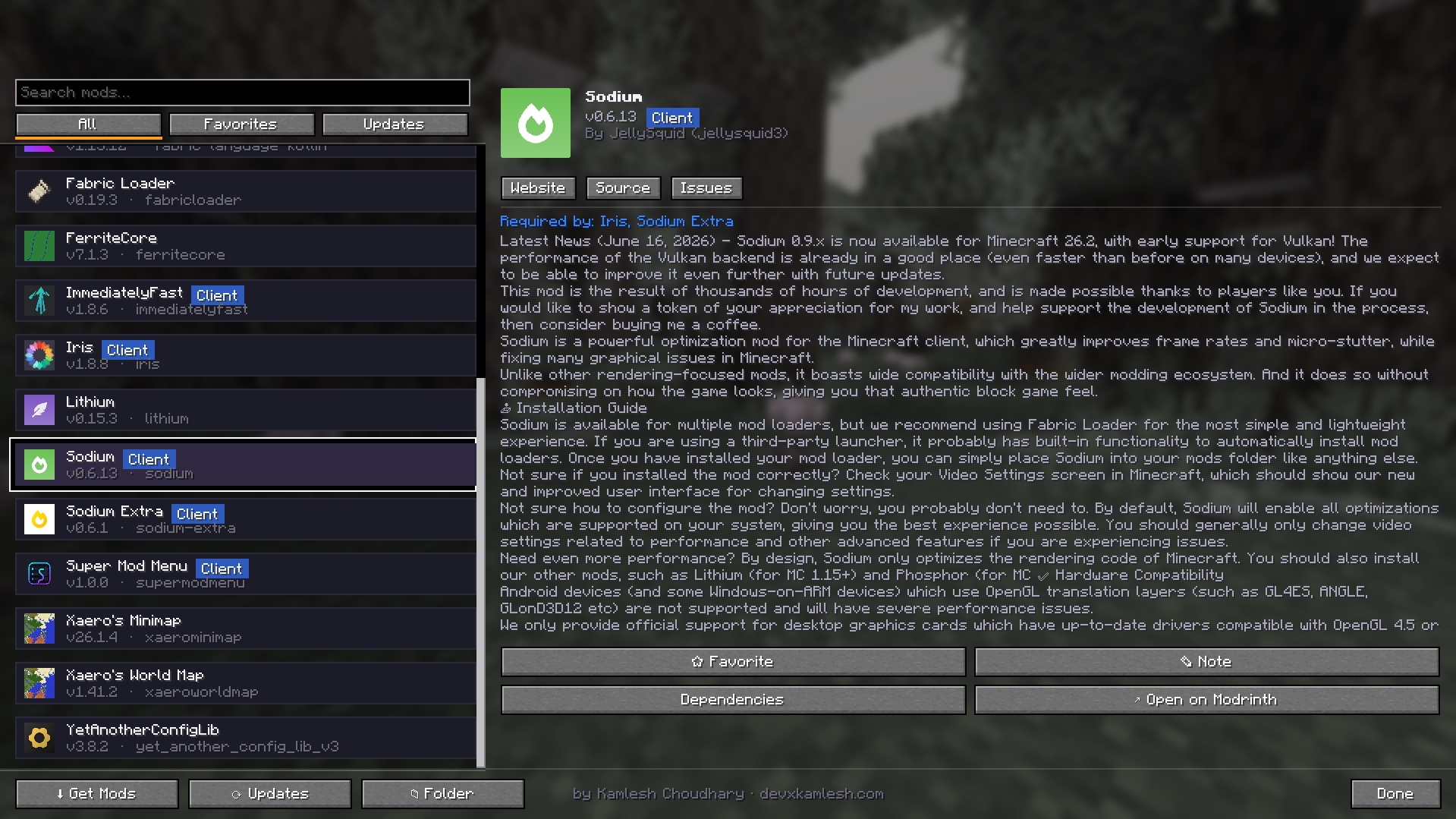
Update checker and details

Requirements

  • Minecraft 1.21.4
  • Fabric Loader 0.16.0 or newer
  • Fabric API
  • Optional: Mod Menu (enables per-mod configuration buttons)

Network Access

Super Mod Menu connects to the internet to:

  • Search for mods
  • Download mods
  • Check for available updates

No personal data is collected or transmitted. Downloads are only performed when you explicitly choose to install or update a mod.

Notes

  • Installing or updating a mod requires restarting Minecraft.
  • Super Mod Menu is a client-side mod and is not required on servers.

The supermodmenu Team

profile avatar
  • 1
    Followers
  • 5
    Projects
  • 53.1K
    Downloads

More from devxkamleshView all

  • Screenshot Pro project image

    Screenshot Pro

    • 6
    • Mods

    A polished in-game screenshot manager: gallery, albums, tags, favorites, trash, search and a fullscreen viewer.

    • 6
    • July 1, 2026
    • Mods
  • Smart FPS Booster project image

    Smart FPS Booster

    • 48.0K
    • Mods

    The ultimate Minecraft FPS optimization mod - boost your FPS, reduce lag, and improve performance automatically!

    • 48.0K
    • June 30, 2026
    • Mods
    • +2
  • AutoInventorySorter — Smart Inventory & Hotbar Organizer project image

    AutoInventorySorter — Smart Inventory & Hotbar Organizer

    • 679
    • Mods

    Press R to instantly sort your inventory. Smart item categorization, hotbar slot locking, auto-refill, chest sorting, blacklist support & 5 sort modes. Lightweight, client-side, multiplayer safe. Fabric | 1.21.5–1.21.x

    • 679
    • May 30, 2026
    • Mods
    • +1
  • Totem Auto-Equip project image

    Totem Auto-Equip

    • 4.3K
    • Mods

    Never die because you forgot to re-equip your totem! This lightweight Fabric mod automatically detects when your Totem of Undying is used and instantly equips a new one from your inventory.

    • 4.3K
    • January 12, 2026
    • Mods
    • +1
  • Screenshot Pro project image

    Screenshot Pro

    • 6
    • Mods

    A polished in-game screenshot manager: gallery, albums, tags, favorites, trash, search and a fullscreen viewer.

    • 6
    • July 1, 2026
    • Mods
  • Smart FPS Booster project image

    Smart FPS Booster

    • 48.0K
    • Mods

    The ultimate Minecraft FPS optimization mod - boost your FPS, reduce lag, and improve performance automatically!

    • 48.0K
    • June 30, 2026
    • Mods
    • +2
  • AutoInventorySorter — Smart Inventory & Hotbar Organizer project image

    AutoInventorySorter — Smart Inventory & Hotbar Organizer

    • 679
    • Mods

    Press R to instantly sort your inventory. Smart item categorization, hotbar slot locking, auto-refill, chest sorting, blacklist support & 5 sort modes. Lightweight, client-side, multiplayer safe. Fabric | 1.21.5–1.21.x

    • 679
    • May 30, 2026
    • Mods
    • +1
  • Totem Auto-Equip project image

    Totem Auto-Equip

    • 4.3K
    • Mods

    Never die because you forgot to re-equip your totem! This lightweight Fabric mod automatically detects when your Totem of Undying is used and instantly equips a new one from your inventory.

    • 4.3K
    • January 12, 2026
    • Mods
    • +1