


stow
- By

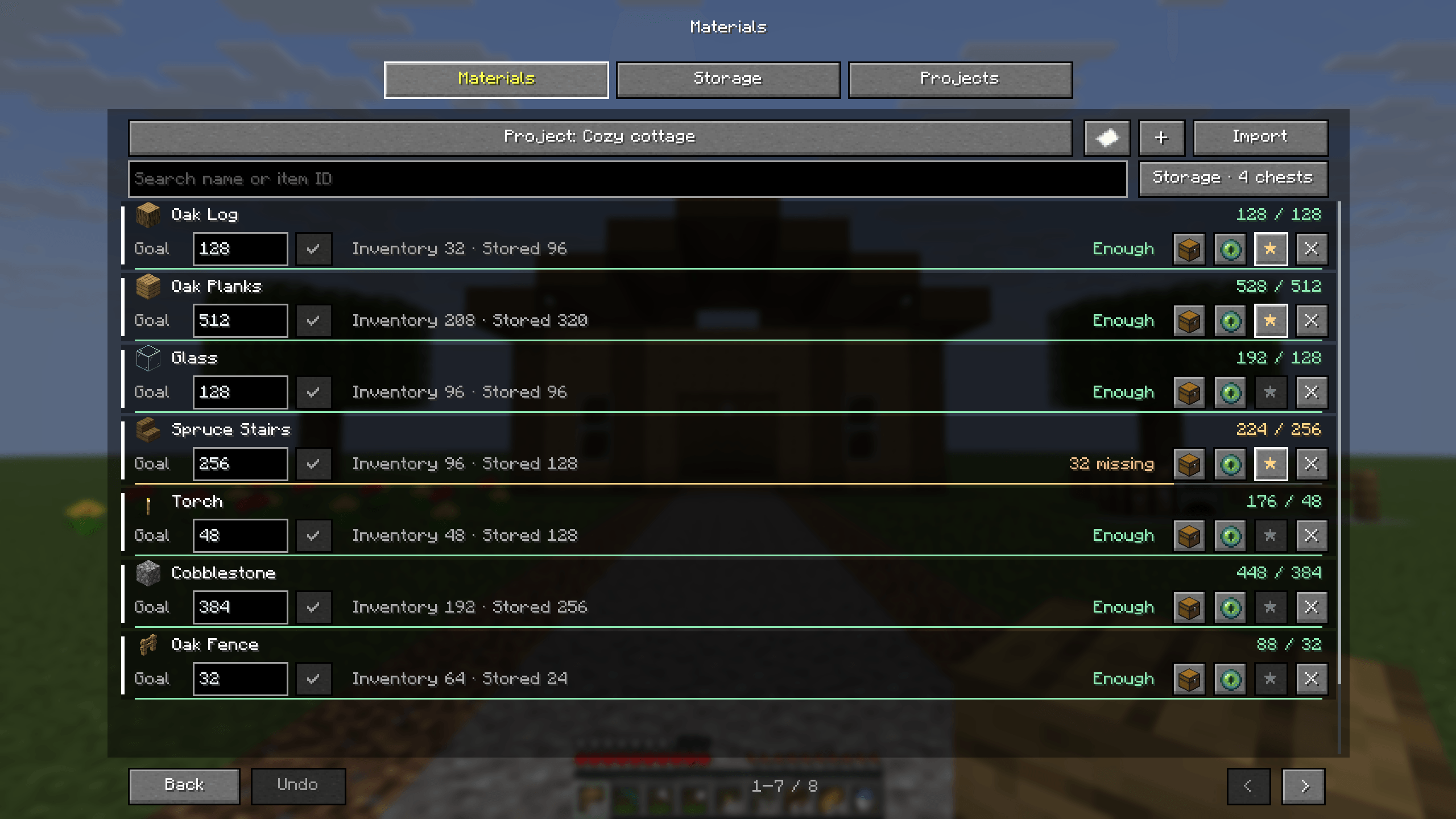
More material rows, live inventory and remembered-storage totals, editable targets, pixel priority stars, import and plain-text export.
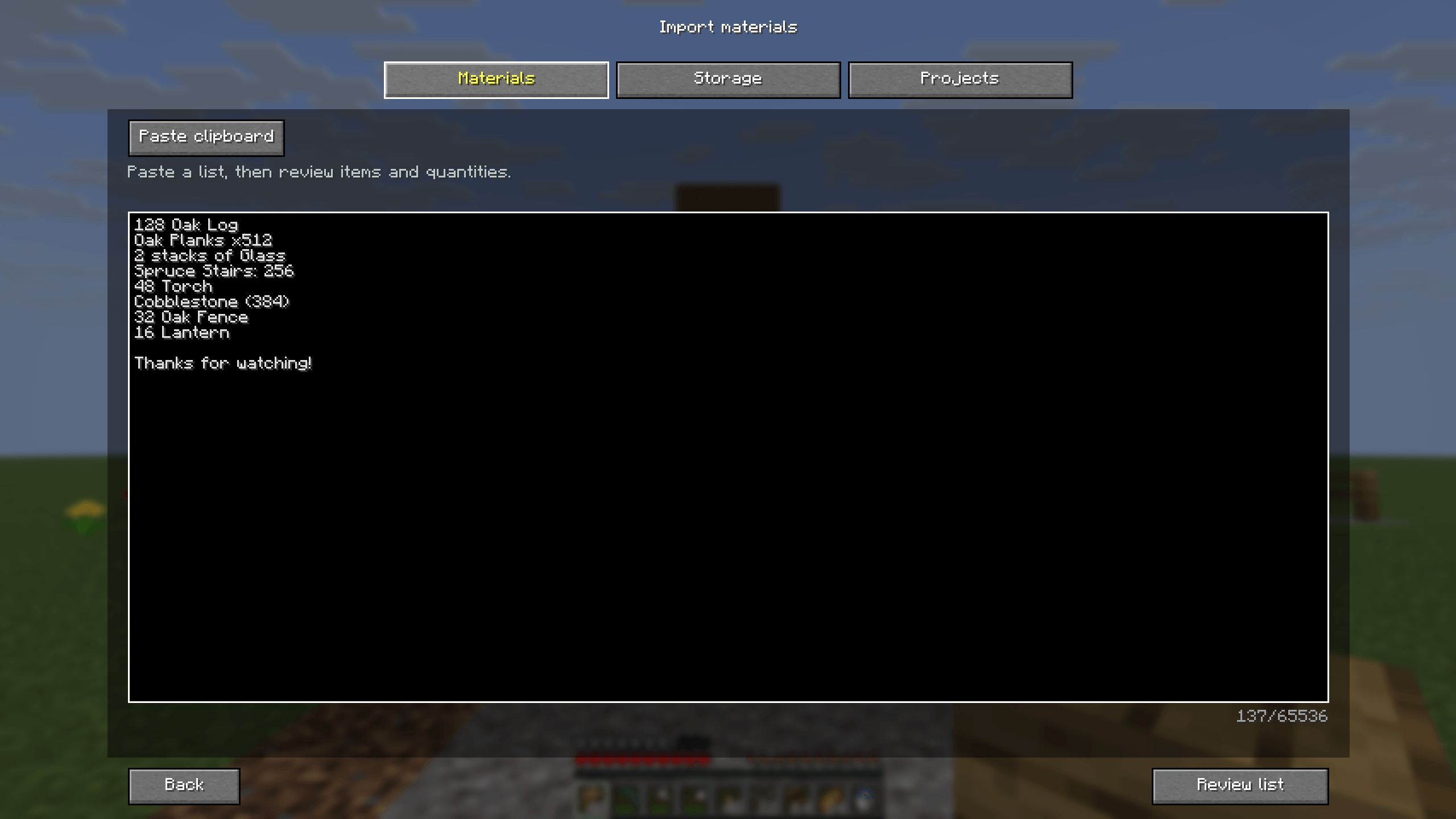
Paste ordinary text from a video description or build guide. Names, item IDs, counts and stacks can be reviewed before anything changes.
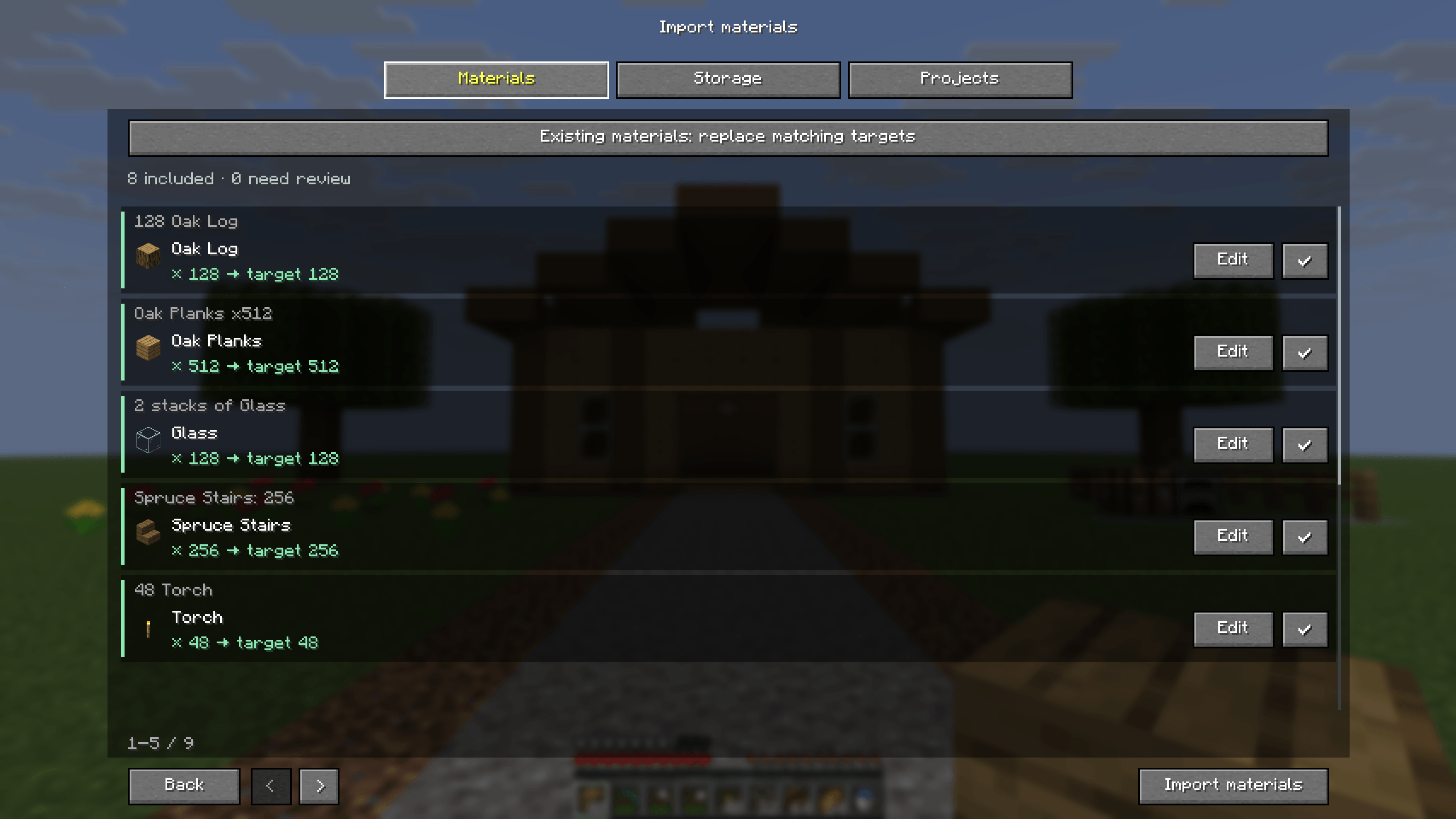
Review recognized items and target quantities, edit uncertain rows, skip unrelated text and choose how matching project targets are updated.
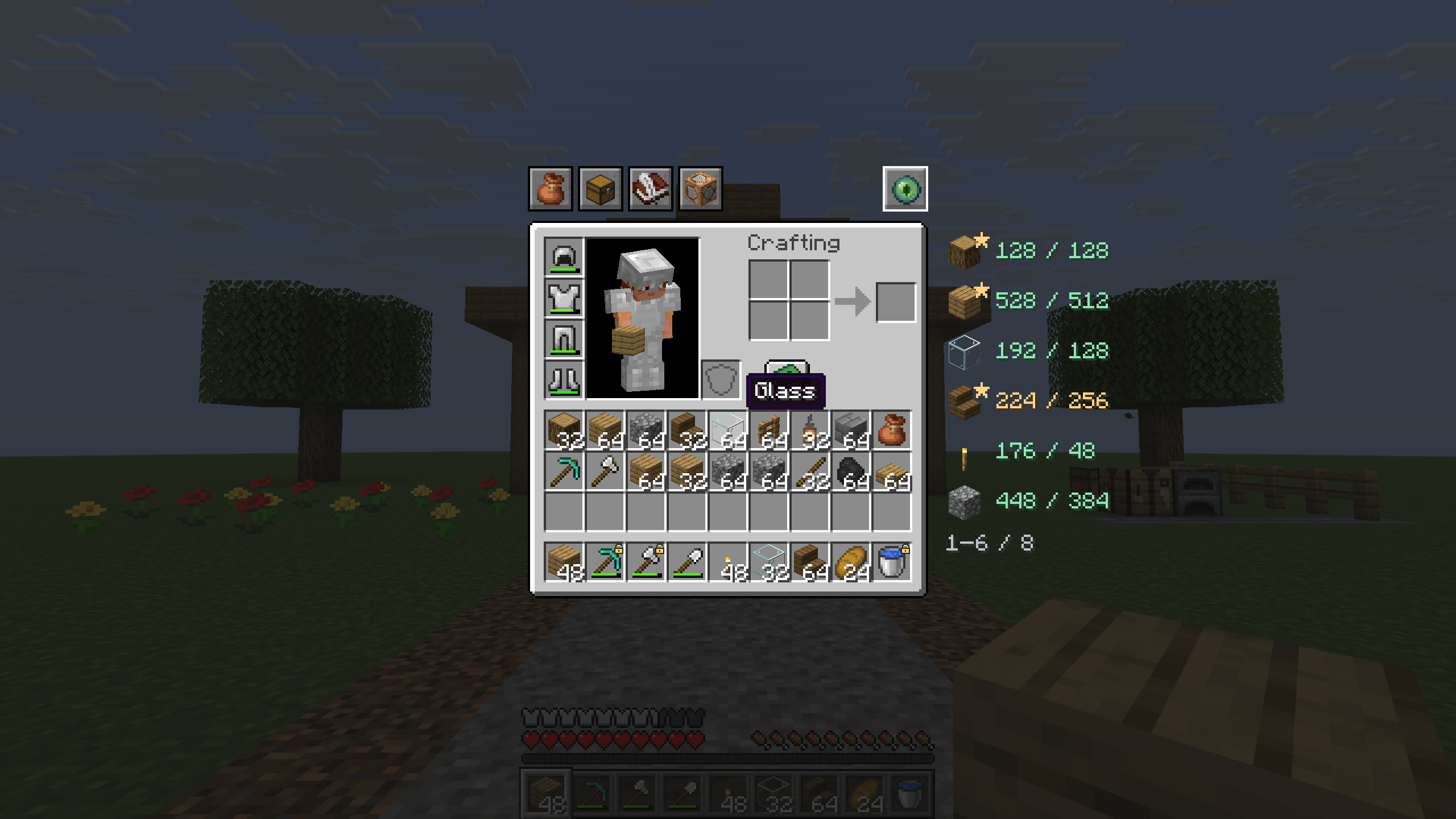
Minecraft item icons, pinned hotbar slots, material priorities and inventory totals sit beside the vanilla survival inventory.
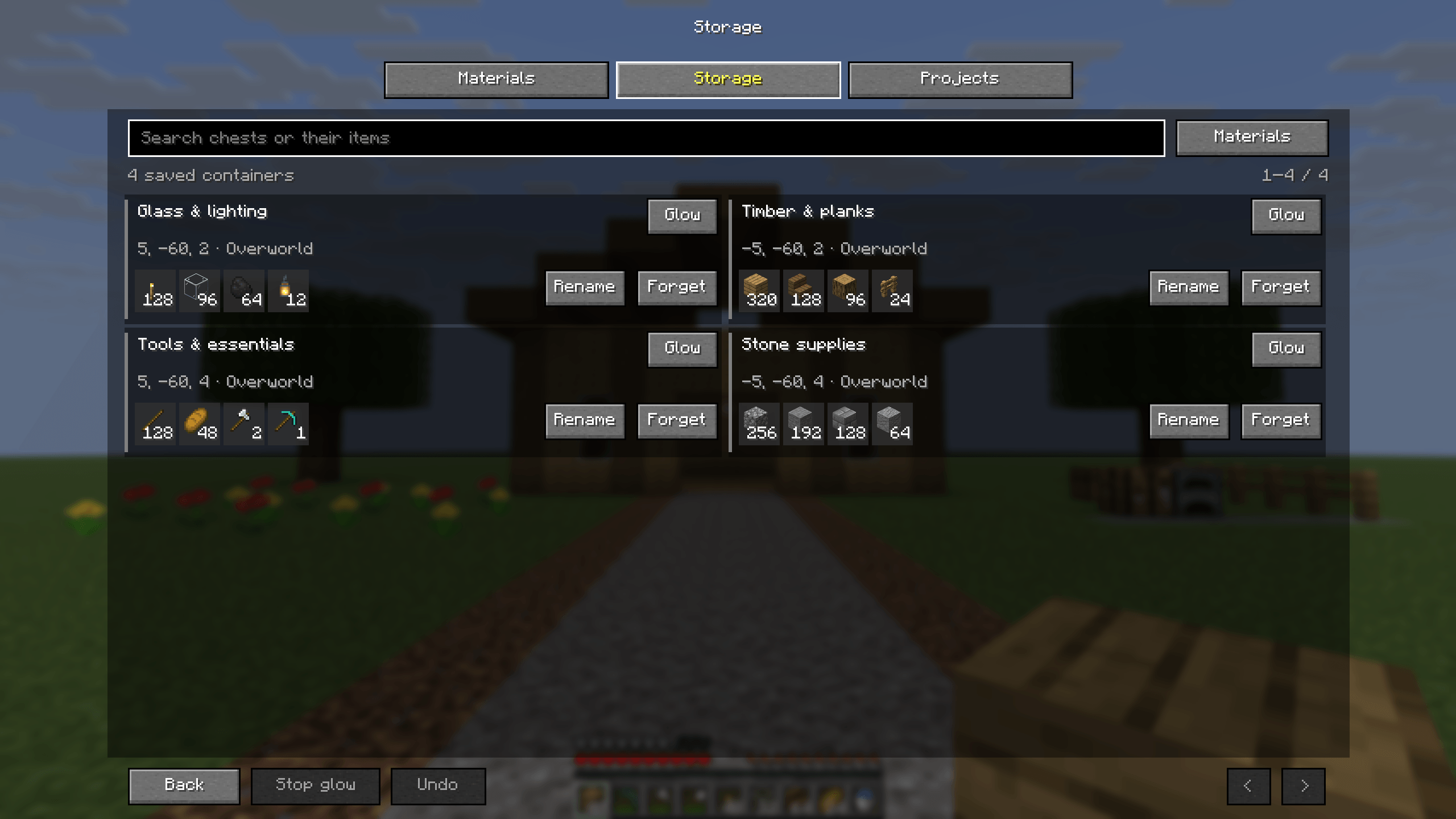
Named storage, clear item previews, search and source highlighting help you find supplies from your last chest visit.
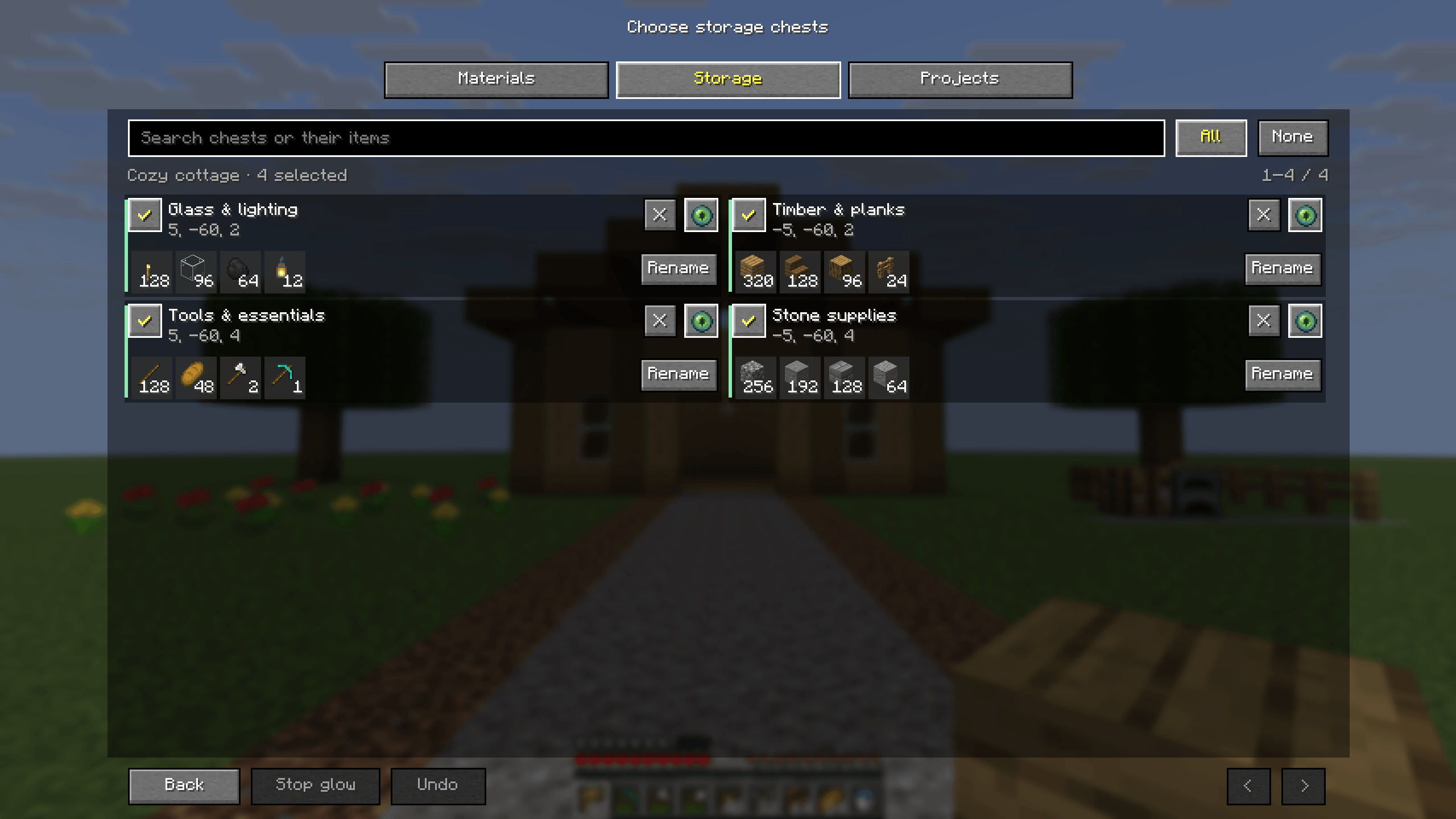
Include or exclude remembered chests, rename them, find them with glow or forget a snapshot with Undo. Reopened chests refresh project totals.
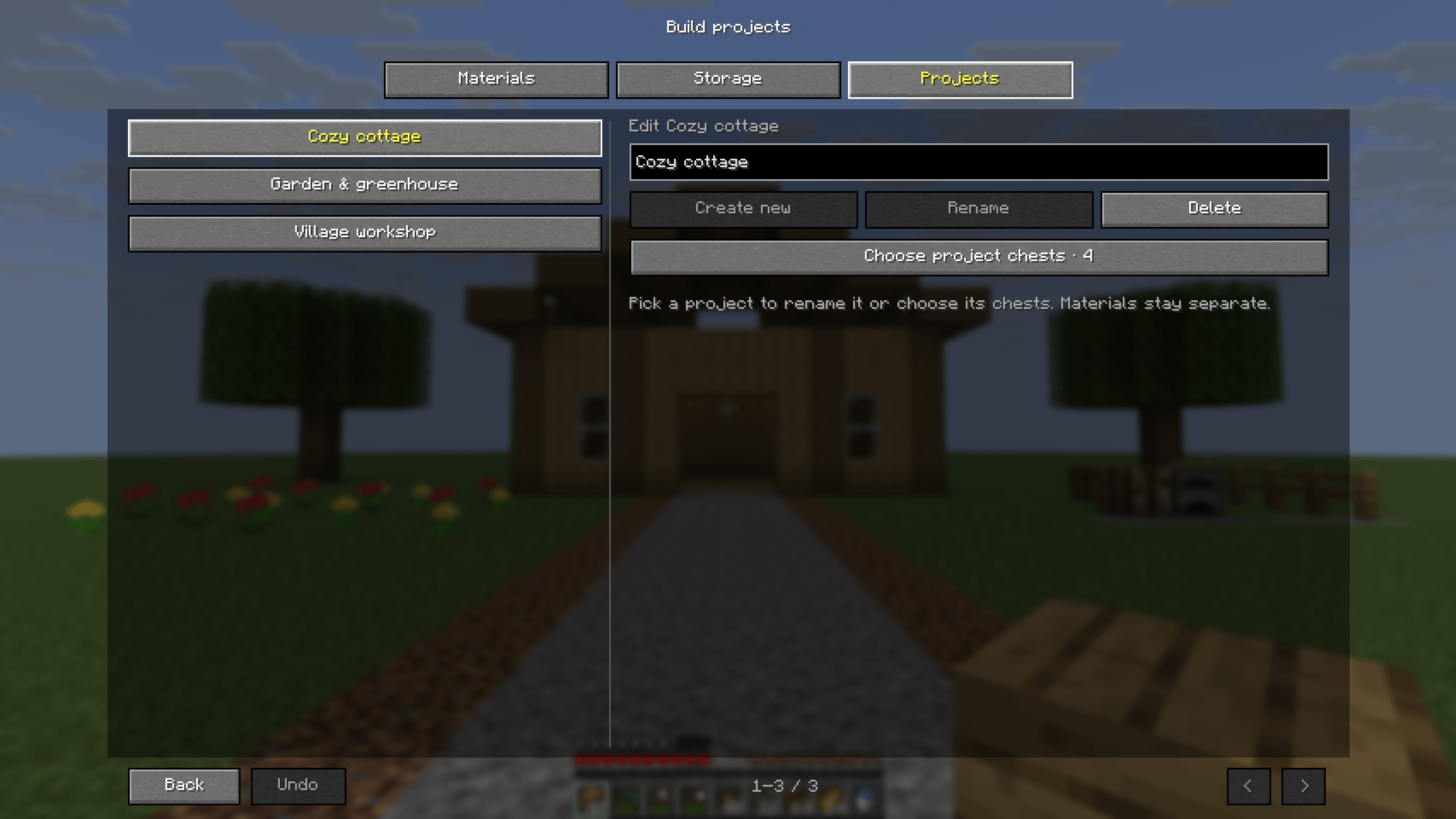
Separate projects retain their own materials and selected storage. Switch from the cottage to the garden or workshop.
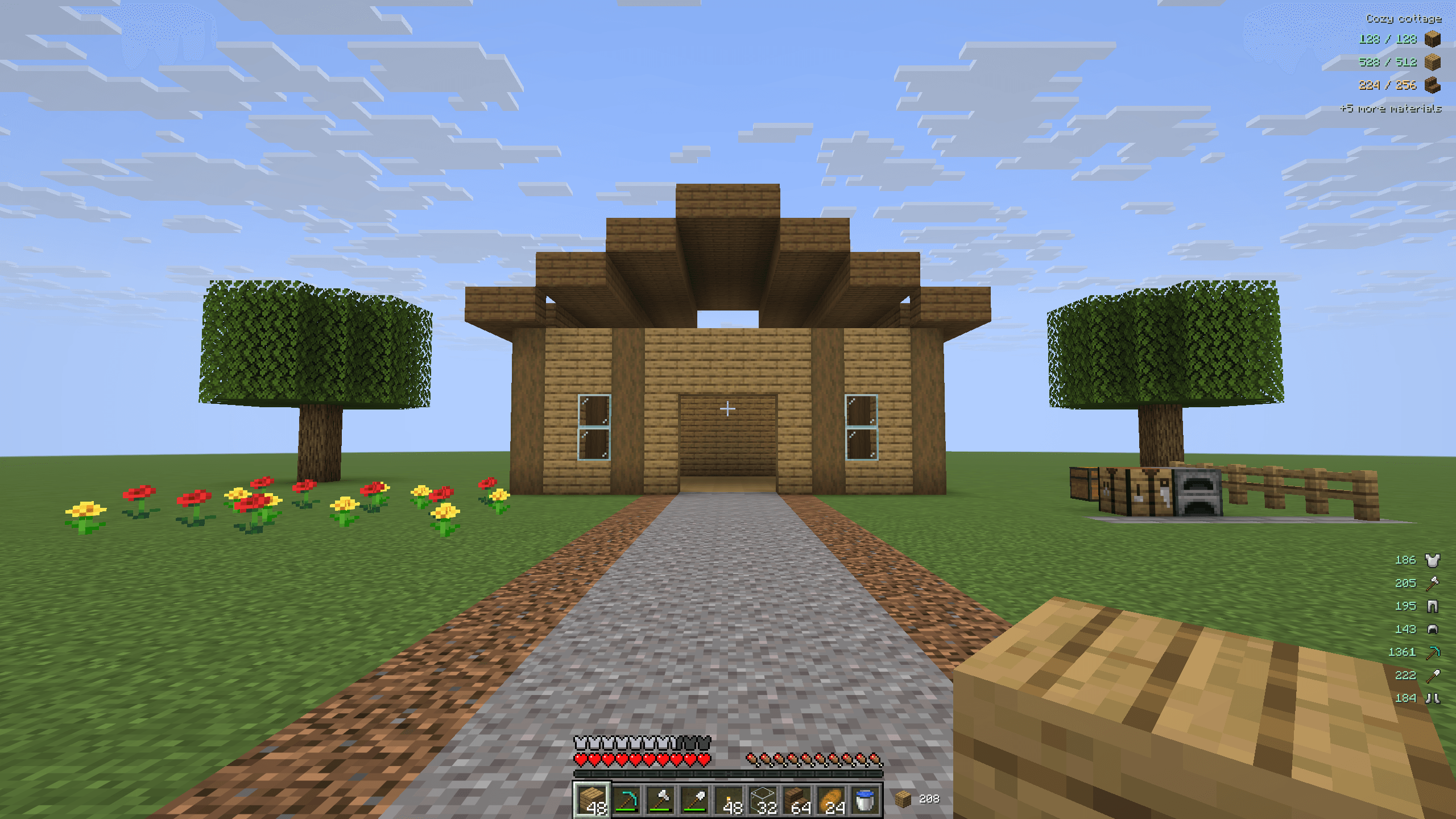
Track project supplies, see additional materials, read remaining equipment durability and keep building stock beside the hotbar.
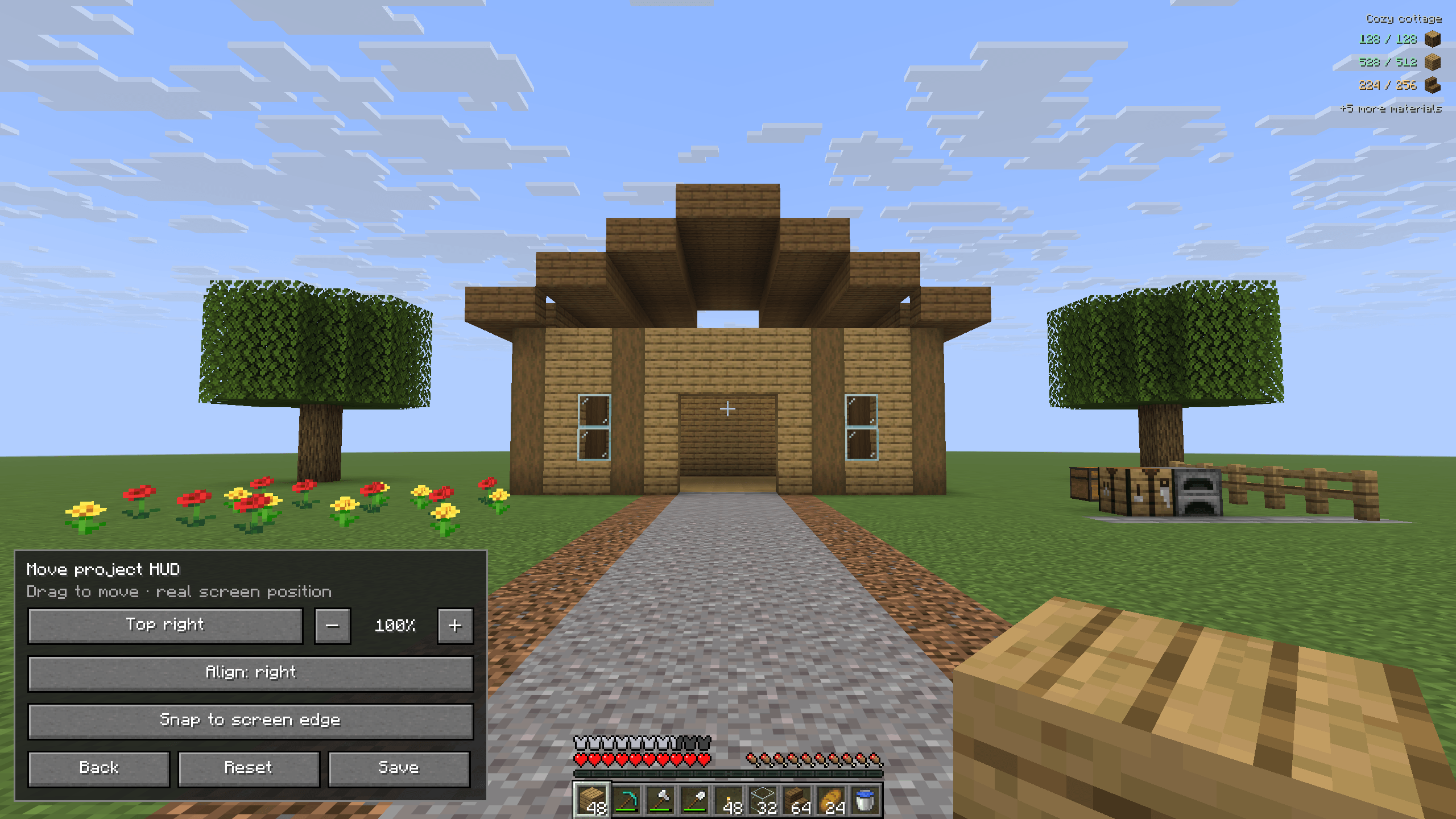
Preview the real HUD while changing alignment, size and position, then save the layout or reset its defaults.
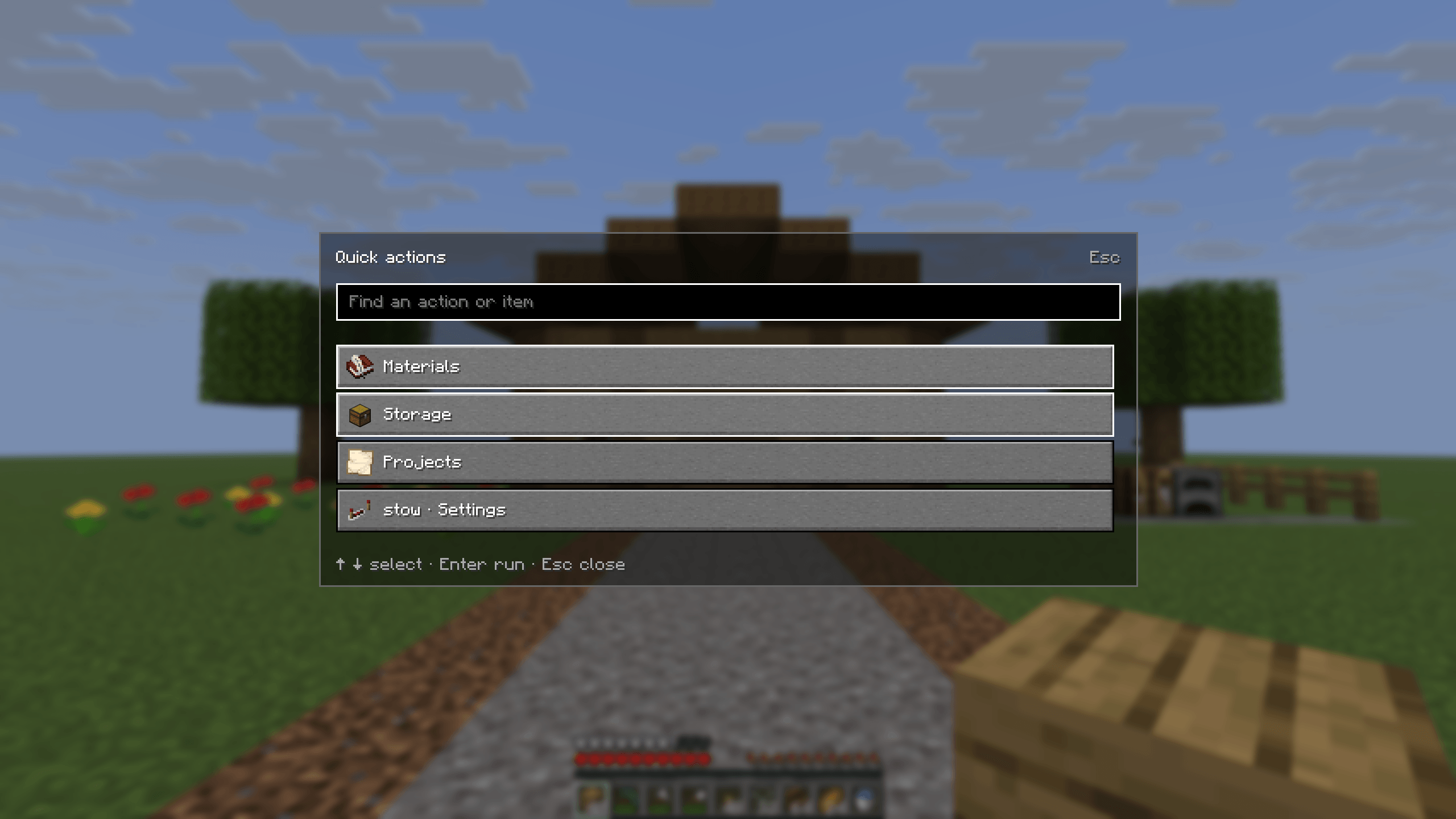
Open Quick actions with Ctrl + K to find Materials, Storage, Projects, settings and contextual inventory actions.
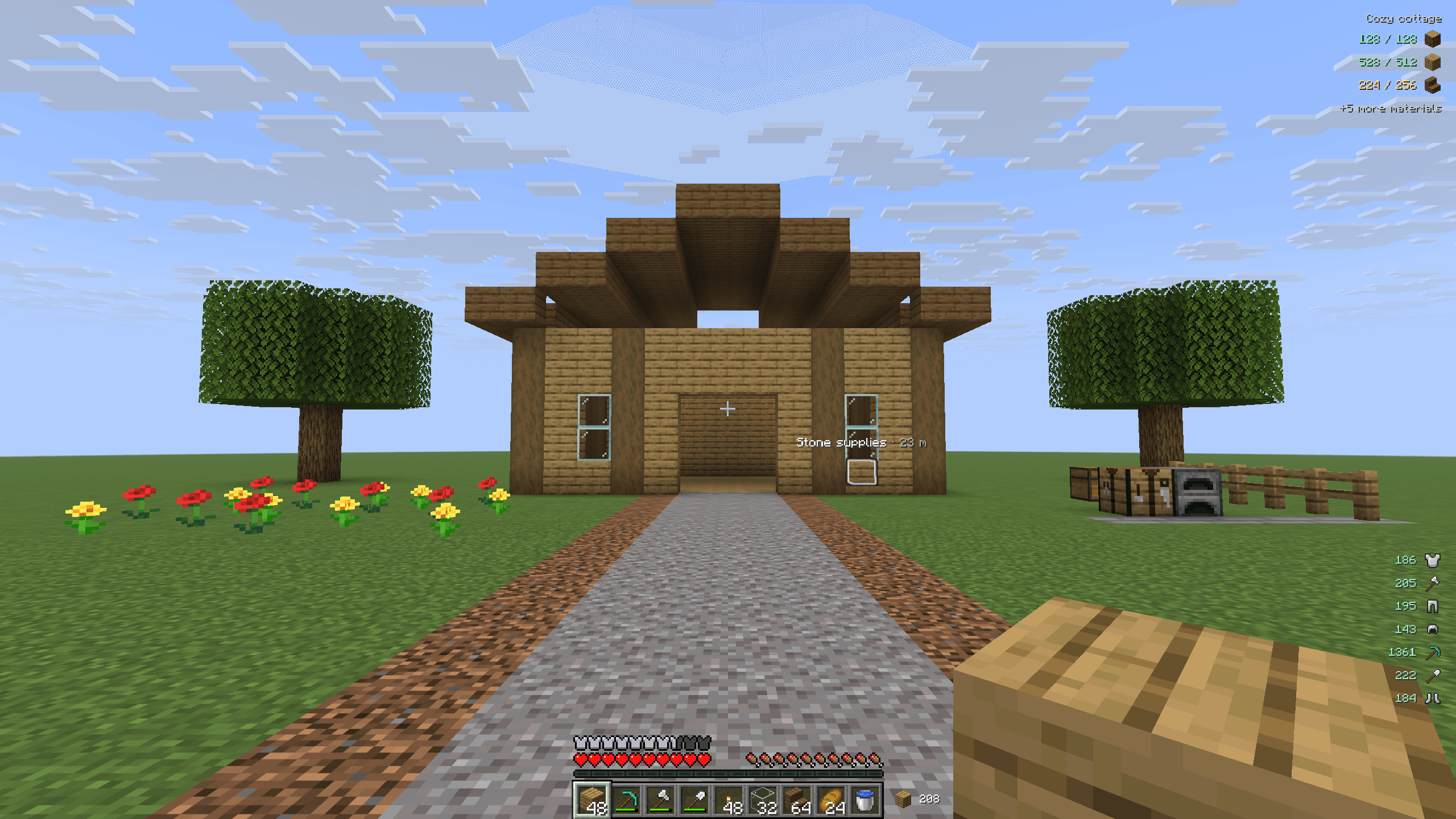
Highlight a remembered source chest with its native Minecraft outline and a name label, even when the chest is behind a wall.