Stocklist
- By
Plan what to craft: browse every craftable item, pin up to 4 goals, and see the exact materials you still need — optional HUD overlay.
stocklist-hud.png
stocklist-menu.png
Description
A client-side crafting planner. Instead of guessing how many logs a project
needs, pick your goal items and Stocklist shows the exact list of materials you
still have to gather — recalculated against what is actually in your inventory.
It adds no blocks, items or textures and works on any server.
## Features
**Browse everything craftable**
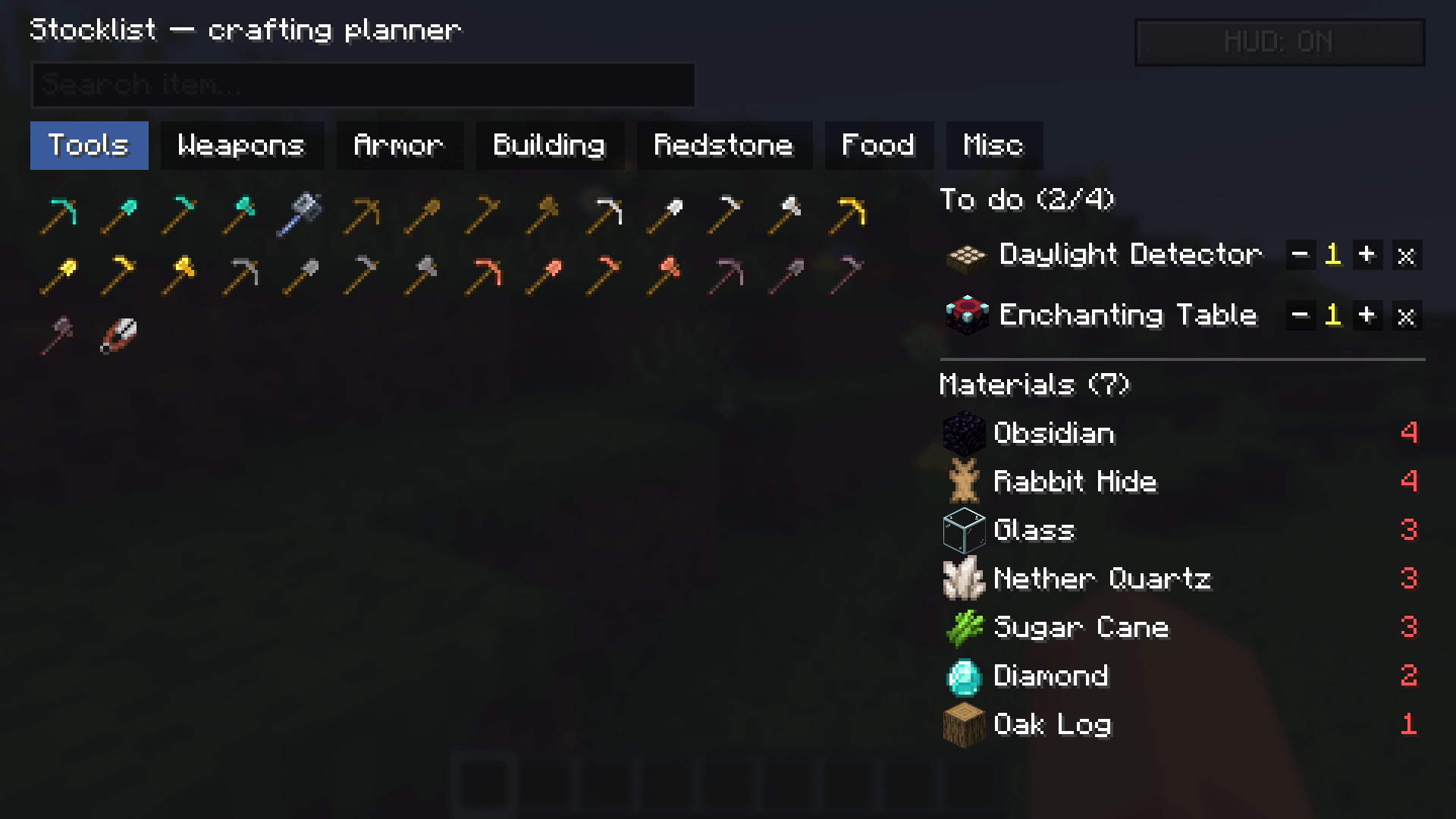
Press K to open the planner. Items are sorted into tabs — Tools, Weapons, Armor,
Building, Redstone, Food and Misc — and you can search by name across all of them.
This makes it quick to find and target a specific item.
**Pin your goals**
Click an item to add it to your to-do list (up to 4 goals at a time). Each goal
has +/- buttons to set the quantity you want and an x to remove it.
**A real shopping list**
Stocklist walks the crafting recipe tree for your goals, subtracts the items you
already hold, and lists what is still missing. Results are rooted in raw
materials, so you see "Oak Log ×32" rather than every intermediate step. Each line
shows need / have / missing, so you know at a glance how far you are.
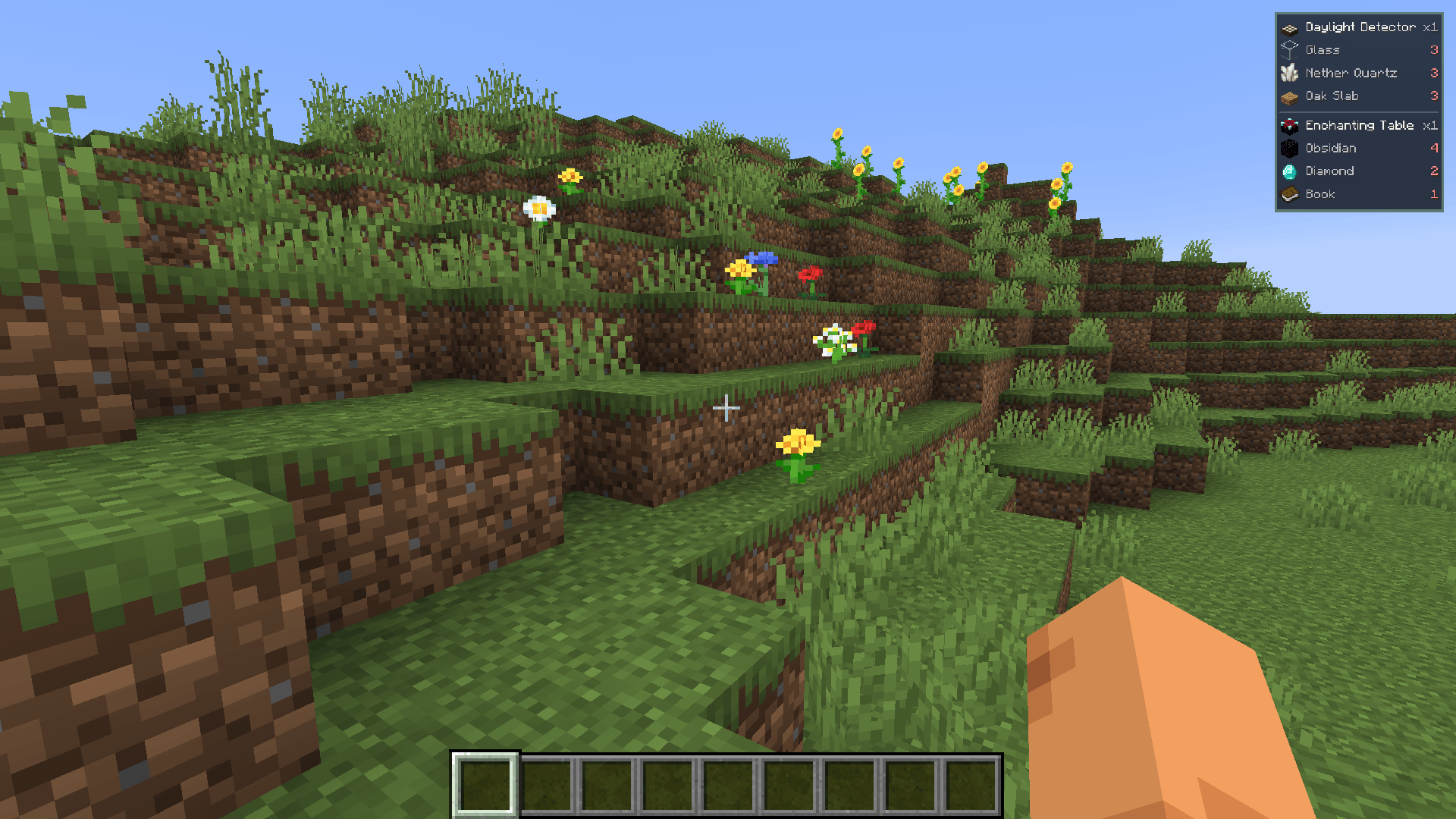
**On-screen HUD**
Press H to toggle a compact HUD overlay in the corner of the screen. It shows your
goals and their direct ingredients while you play, so your plan is visible without
opening a menu. Goals you already have everything for turn green and collapse.
## Controls
- K — open or close the crafting planner
- H — toggle the on-screen to-do HUD
Both can be rebound in Options → Controls.
## Configuration
`config/stocklist.properties` (created with a commented template on first run):
- `maxDepth` — how deep the material tree is expanded (default: 12)
- `ingredientDepth` — depth used for the HUD's direct ingredients (default: 1)
- `showSatisfiedMaterials` — also list materials you already have enough of (default: false)
- `includeCooking` — include furnace/blast/smoker recipes (default: false)
Your to-do list and HUD on/off state are saved between sessions.
## Requirements
- Minecraft 26.2
- Fabric Loader 0.19.5 or newer
- Fabric API
## Notes
- Client-side only. Install it on your client; the server does not need it.
- Works in singleplayer, LAN and multiplayer. In multiplayer the recipe list is
limited to the recipes your client knows, which the server sends automatically.
- No new blocks, items, models or textures.
Stocklist Team