


SS-Save-Point
- By

This is a fabric mod that will allow you to have the freedom of choosing a location where your older and future screenshots will go.
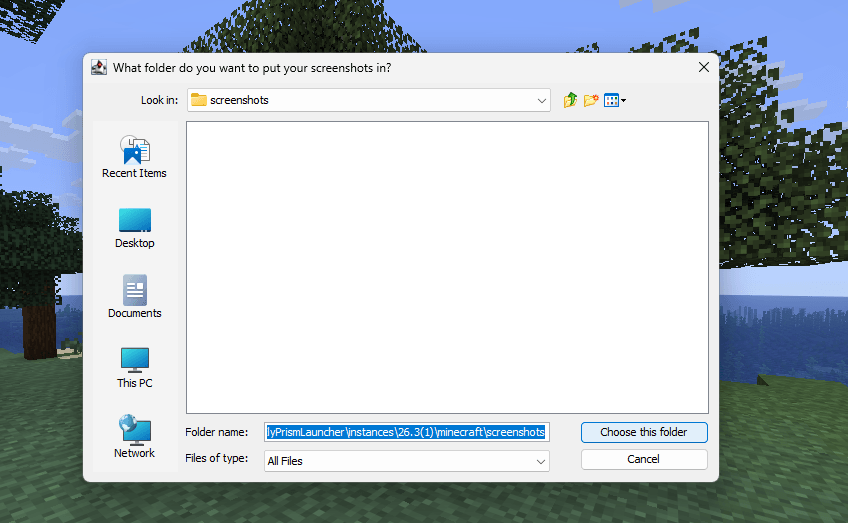
When you press F2 for the first time, this window appears. Choose the folder where you want your screenshots to be saved.
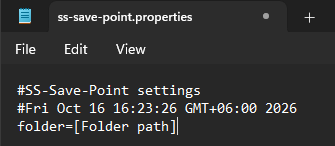
You can change your screenshot location without deleting the config file. First locate "ss-save-point.properties" and click on it. Then you delete your screenshots path and paste in the new path.