Spoor
- By
Animals, mobs and players leave fading footprints in soft ground. Craft Tracker Goggles to read the trail and follow its scent line.
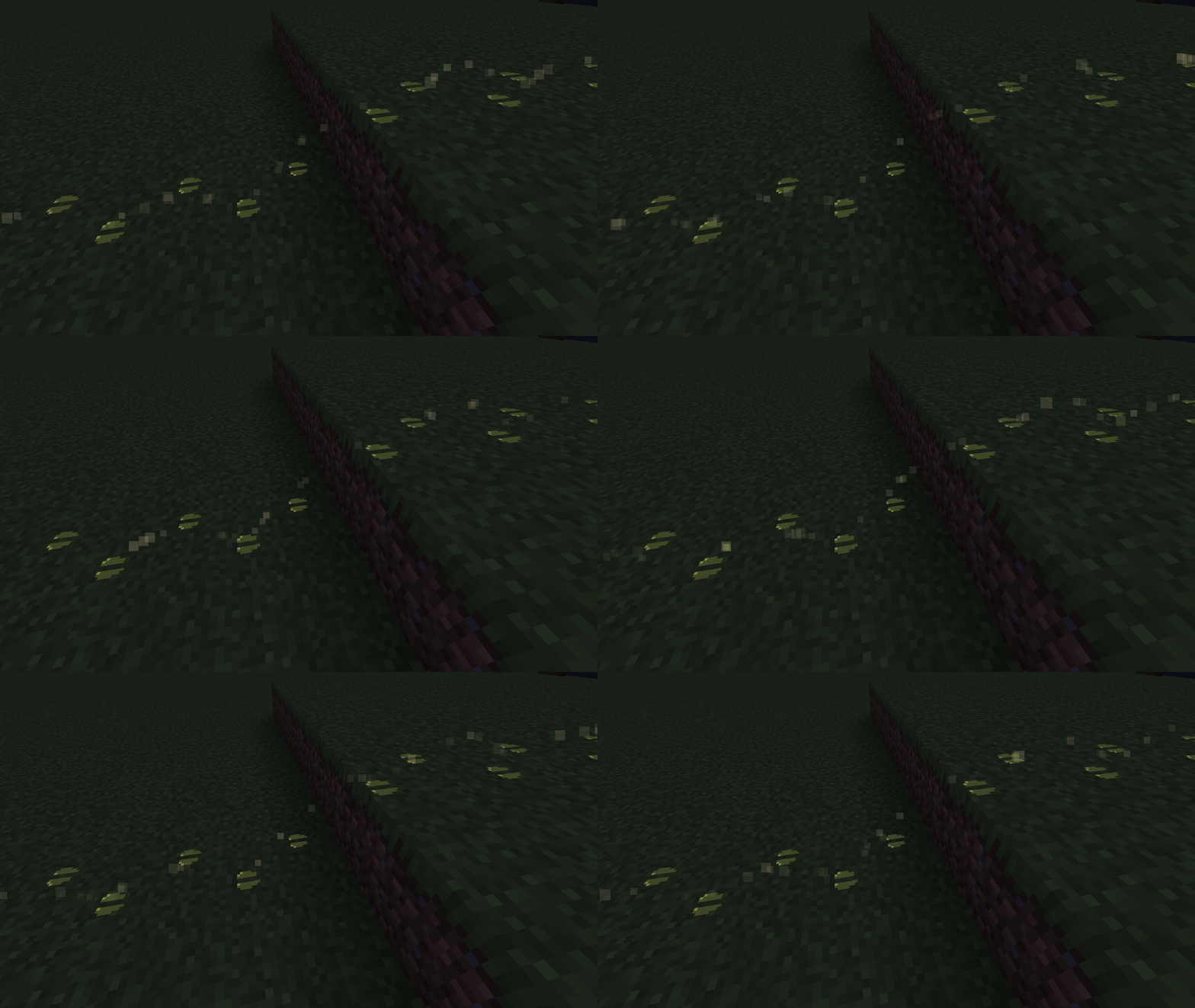
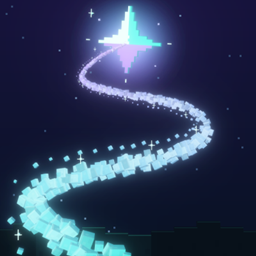
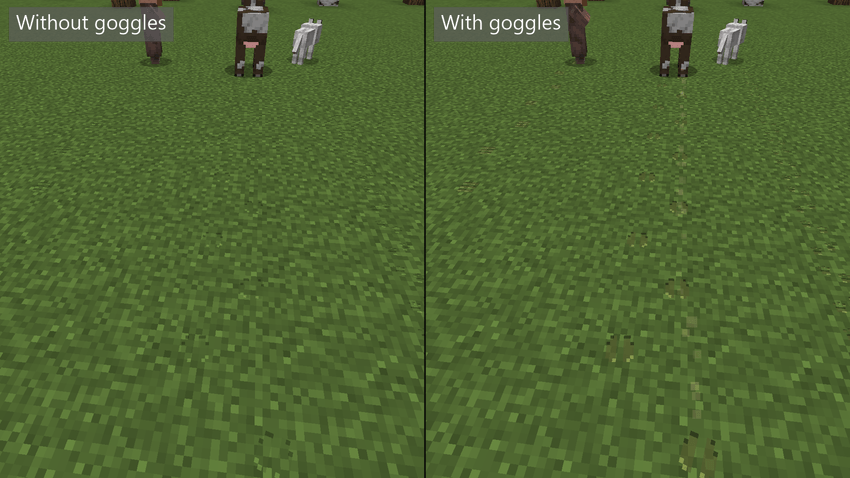
The goggles show a faint stream of specks from each fresh print to the next, arcing over a one-block step.
Spoor Server
Create a server, get 25% off your first month

Description
Read the ground and follow the trail.
Walk across grass, dirt or sand in Minecraft and you leave nothing behind. Spoor changes that. Animals, mobs and players leave footprints that fade over time. Craft a pair of Tracker Goggles and you can read them: who passed, how long ago, and which way they went.

- Animals, mobs and players leave footprints on soft ground such as grass, dirt, sand, gravel, mud and snow.
- Each creature has its own foot shape: hooves, paws, bird feet, boots and more. Babies leave smaller marks.
- Prints fade with time and wear away faster in rain and snow.
- Tracker Goggles show a creature's species, age and condition, and add a faint scent line that leads to its next step.
- With the goggles on, animal tracks are tinted amber, mobs coral and players blue.
- Crouching leaves shorter, fainter prints. A drop of two blocks or more leaves a landing mark.
- Works with other mods’ creatures too: they leave tracks like everything else.
- Optional: an accessory head slot for the goggles (Curios on NeoForge and Forge, Trinkets on Fabric).

Prints. A walking creature leaves a footprint every few steps, spaced by its body size. Running spreads them out. Standing still, flying, swimming and riding leave none. Four-legged animals leave separate front and back prints. Where prints overlap they merge into one dent, darker where the ground was pressed twice. Prints are only a visual effect: they do not dig the ground or change how you walk.
Landing marks. Fall two blocks or more and the creature leaves a landing mark with every foot. The trail carries on across hops, step-ups and drops that land within eight blocks of the jump.
Crouching. Crouching leaves shorter, lighter prints. They are half as strong and wear away twice as fast, so a careful sneak is harder to follow.
Weather and surfaces. Rain or snow falling on a print doubles how fast it wears. A print under cover ages normally. Prints appear on soft ground only. Stone, wood, glass, ice and other hard floors do not take them, and neither does water.
Tracks are not saved. Tracks live in memory only. They are gone when the world or server restarts.

Getting a pair. Craft them with one leather, one stick and one compass, in any arrangement. Right-click to wear them on your head, or put them in an accessory head slot if you have Curios (NeoForge and Forge) or Trinkets (Fabric). Holding them is not enough. They have no durability.
With the goggles on, look at a print from up to six blocks away to read it. You see the species, how old it is, what condition it is in, and whether the creature was walking, running or landing. If the evidence is gone, the goggles say "No continuation visible".
The scent line. Through the goggles, the trail you are looking at shows a faint stream of drifting specks. It runs from each fresh step to the next one, in a gentle arc. At the newest step it drifts a couple of blocks ahead and fades. It is only a clue to the way the creature was going. It does not point to the creature itself and does not find a route around obstacles, though it arcs over blocks between prints rather than cutting through them. Prints older than about a minute have no scent line.
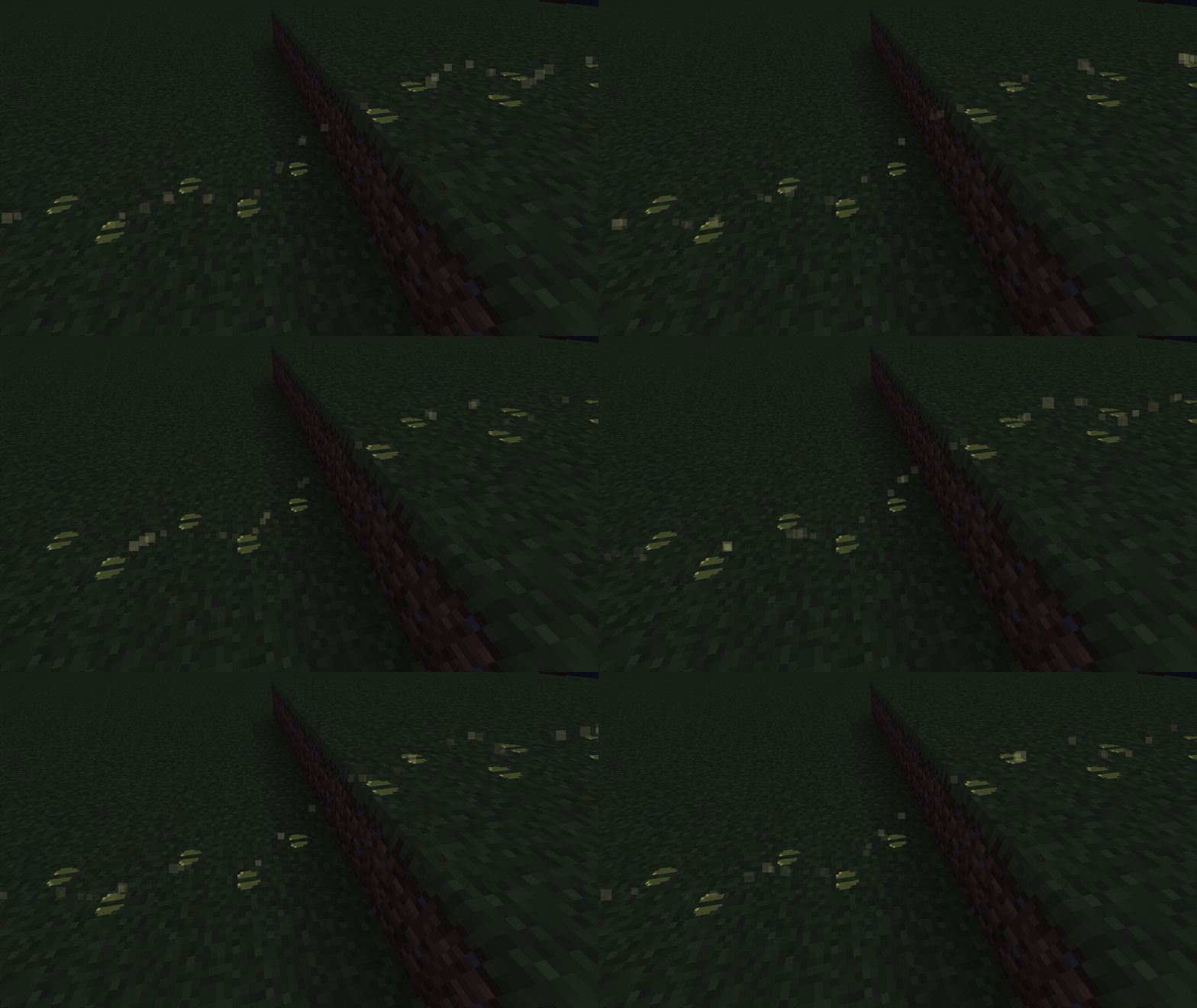
Unaided or with goggles. By default, anyone can see tracks without goggles. Unaided, a print stays fully clear for 60 seconds, then fades out by three minutes. With goggles you can read the same trail for its whole life (ten minutes by default), and the prints glow a little, so they are easier to see at night.

Spoor comes for NeoForge, Fabric and Forge. Grab the file for your loader and game version from the Files tab, and put it on both the client and the server. Singleplayer needs only your own copy. Each file’s notes say which loader version it needs.
- Fabric API: required on Fabric.
- Curios: optional, NeoForge and Forge, adds a head slot for the goggles.
- Trinkets: optional, Fabric, the same.
- Without an accessory mod, the goggles go in the helmet slot.
- Mod Menu: optional, Fabric, opens Spoor’s settings screen.
- Other mods: “Creatures from other mods leave tracks too, with a fitting foot shape where Spoor knows the animal and a plain one where it doesn’t.”

Spoor has its own settings screen. Open it from the Mods list on NeoForge and Forge, or from Mod Menu on Fabric. Your own client settings can always be changed there. The server settings can be changed there by the singleplayer or LAN host. On someone else's server they are shown read-only.
The server settings are also kept in a file, and clients cannot override them:
- NeoForge: `config/spoor-server.toml`. It is one file for every world on that installation, and a change applies to the next world you open.
- Fabric and Forge: `serverconfig/spoor-server.toml` inside each world's folder, so every world has its own.
The settings are:
- Who sees tracks (`mode`): Everyone (`VISIBLE`, the default) or Goggles only (`ITEM`), where only players wearing the goggles see tracks.
- `playerTracks`: turn player tracks on or off. Animal and mob tracks stay.
- `lifetimeSeconds`: how long a print lasts, in game seconds (default 600).
- `weatherMultiplier`: how much faster rain and snow wear prints (default 2).
- `unaidedClearSeconds` and `unaidedVisibleSeconds`: how long prints stay clear and visible without goggles (defaults 60 and 180).
- `strideScale`: how far apart footprints are.
- `maxTrailStepsPerSource` and `maxTrailStepsPerServer`: limits on how much trail history is kept.
- `visibleRange` and `trackerRange`: how far away prints are sent to players without and with goggles.
- `useSoftSurfaceTag` and `surfaces`: which blocks take prints.
Client settings are in `config/spoor-client.toml` and in the settings screen: print size, opacity, the depth of the pressed-in look (`indentStrength`), draw distance, the amber, coral and blue colours, ground particles and the number of prints drawn.

Do I need the goggles to see tracks? Not by default. Without them you see the prints, but not the species, age or scent line. A server can choose Goggles only so that only goggle wearers see tracks.
Will tracks still be there after a restart? No. Tracks are kept in memory only.
Does it find the animal for me? No. The scent line shows where a creature was heading, not where it is now.
Does everyone need the mod? Yes. Install it on the server and on every player's client.
Can I use it in a modpack? Yes. Spoor is licensed under LGPL-3.0-only.
Does it work with other mods' animals? Yes. Modded creatures leave tracks too, with a fitting foot shape where Spoor knows the animal and a plain one where it doesn’t.

Thanks for reading. If you like Spoor, a follow or a comment helps.
Spoor Team