Sound Visualizer
- By
Sound Visualizer
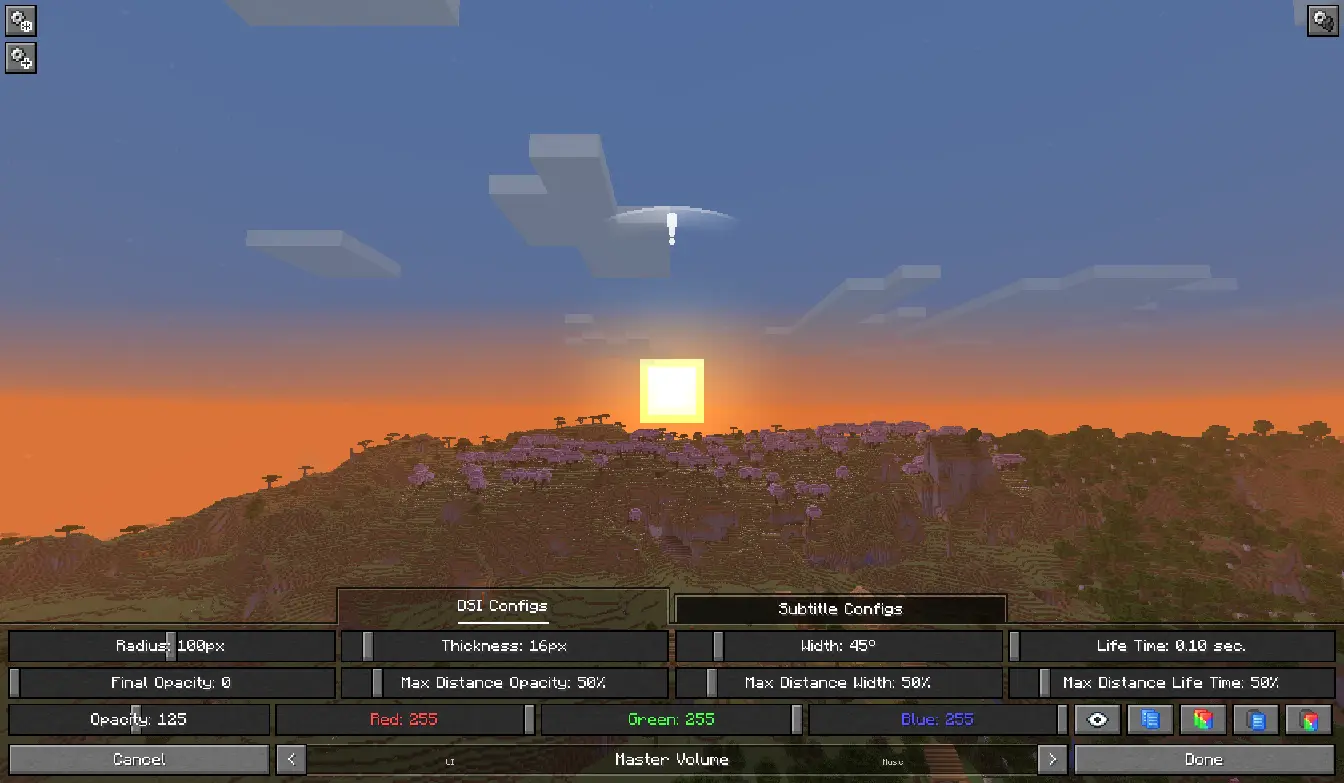
Sound Visualizer allows you to improve your perception of the game, in particular your orientation towards sounds.
The mod supports quite fine-grained customization of everything it adds. You can customize the display of all indicators for specific sources, such as Blocks, as well as for individual sounds. You can configure everything both in a dedicated menu with a preview option and in the configuration file.
Features

Directional Sound Indicator
Which appears when a sound is played nearby. The indicator alerts the player and shows the direction of the sound. The indicator can have a customizable radius, width, color, opacity, etc. for each source or specific sound.

Enhanced Subtitles
Essentially, they're vanilla subtitles with the ability to be modified. Like DSI, they feature customizable color, background transparency, text transparency, and more for each source or specific sound. You can also change their position on the screen, their size, and even the text within them (add prefixes and suffixes, or completely change the text to your own).
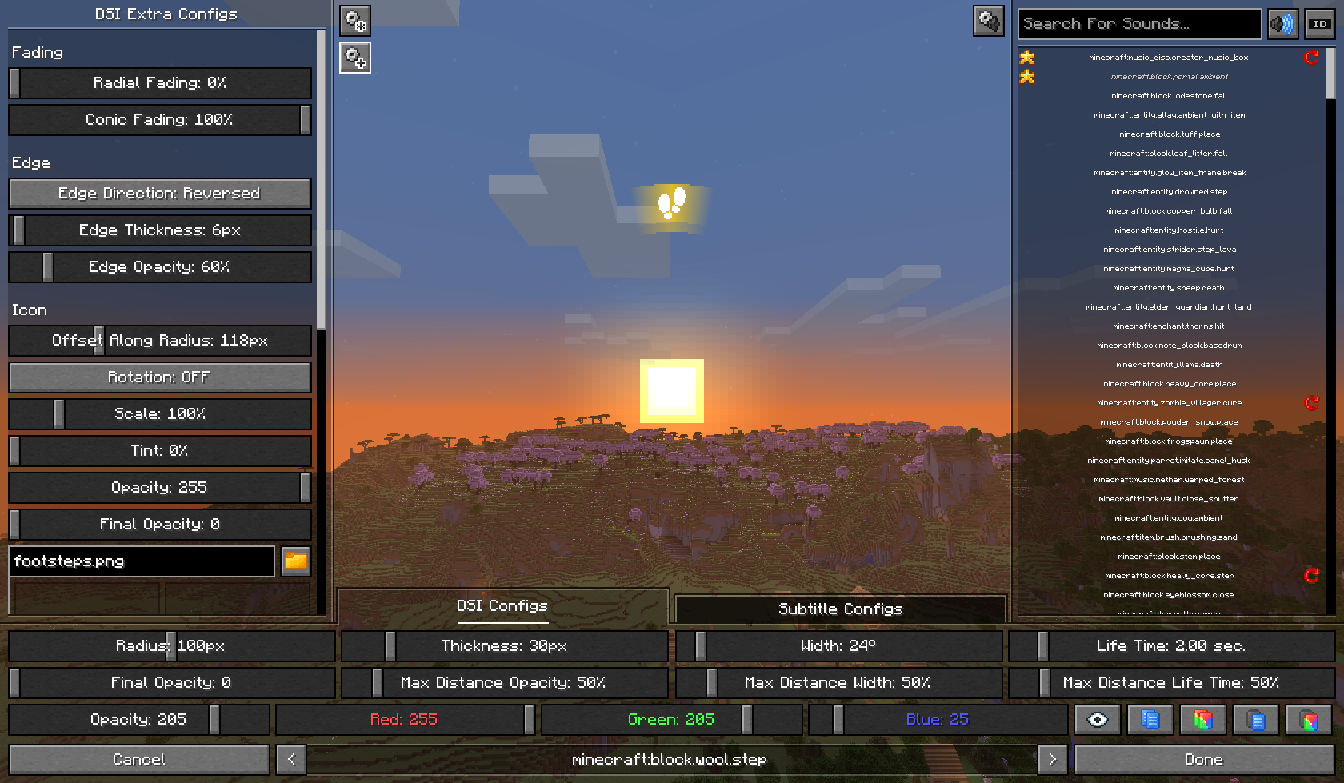
Configuration Screen
A menu that allows you to customize indicators and subtitles. To open the menu, go to "Options" and click the button next to the "Music & Sound Options", or use the keyboard shortcut [ALT + V]. Recommend using hotkeys and some features for faster and more convenient setup.
Contact
If you have any issues, suggestions for improvement, or questions regarding the mod, you can add them on the Issue Tracker.
The Sound Visualizer Team