Sound Sculptor
- By
Take control of Minecraft's sounds based on your location: Define a zone anywhere and control mute, turn down, boost or rate-limit any sound while in that zone. Client-only, works on any server, and never lets you hear more than vanilla allows.
1-zones-in-the-world.png
2-sounds-tab.png
3-sound-sets.png
4-zones-tab.png
5-set-editor.png
Description
Sound Sculptor
Too many villagers? A noisy farm next to your base? An ambient sound that drives you up the wall, or a quiet one you can barely hear? Sound Sculptor lets you mute, turn down, boost or rate-limit any individual sound, everywhere or only while you stand in areas you choose, and it never lets you hear more than vanilla Minecraft would.
The default key is <kbd>;</kbd> (semicolon) in game to open it.
What you can do
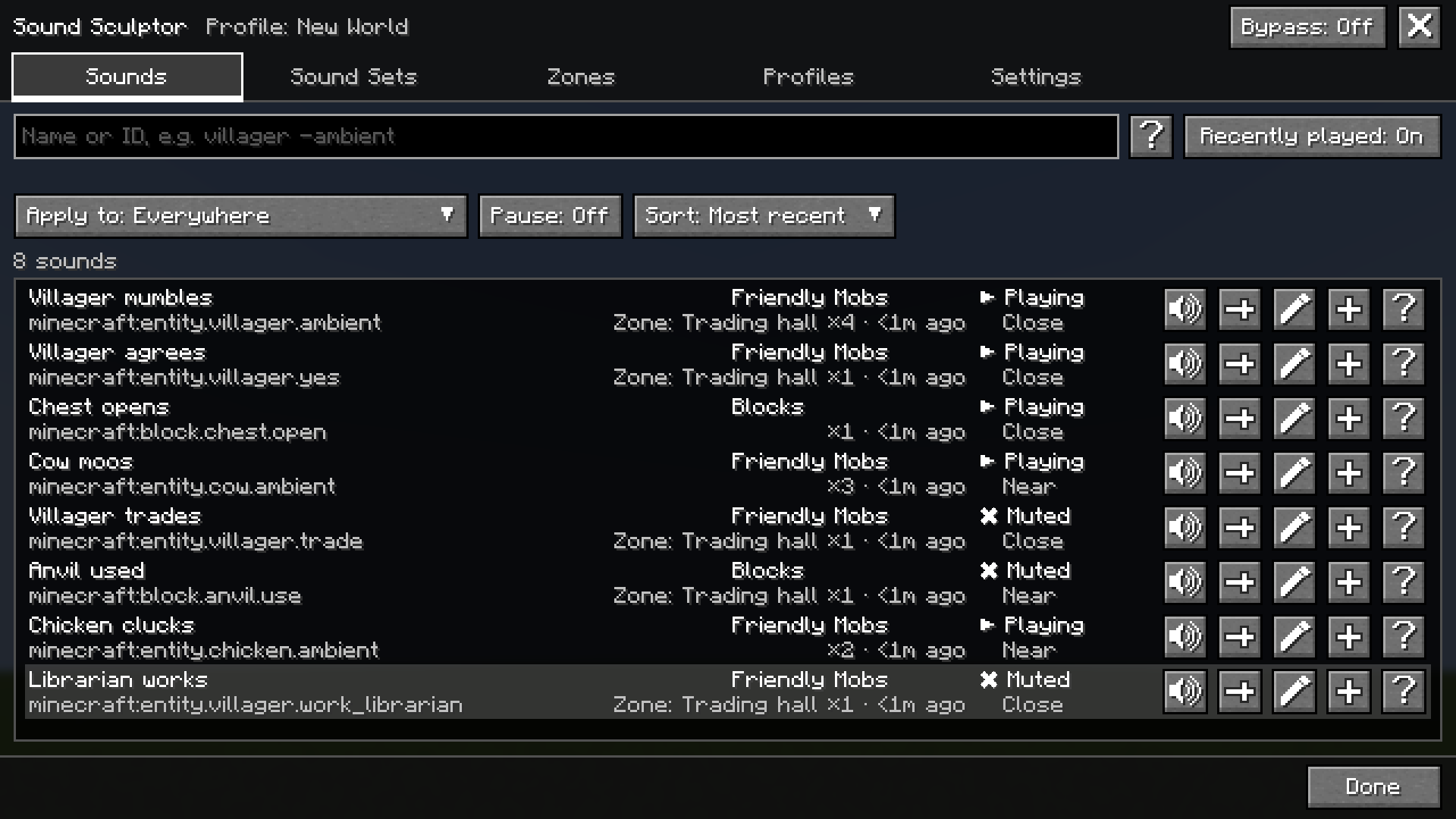
- See what you're hearing. The Sounds tab lists every sound in the game, mods and resource packs included, and
narrows as you type:
villager,villager|zombie,villager -ambientorblock.*.step. Turn on Recently played to see only what you just heard, with its subtitle, how often it played, and whether it's Close, Near or Far. Mute it with one click. - Mute or set a level from 0 to 200%. Above 100% the slider warns that the sound may distort, and the first boost in each world or server asks you to allow it, with a word on hearing safety. A boosted sound is louder only where vanilla already plays it: it falls silent at exactly the same distance.
- Limit repeats. Cap how often a sound can start, from 1 to 100 plays per 0.05 to 10 seconds: "3 per 1 s" keeps a trading hall's mumbling down. Count all matching sounds together, or Per source so each villager can still be heard. Looping sounds are never cut off.
- See cues for muted sounds. Turn cues on and a muted sound that plays where vanilla would show its subtitle shows a line such as "(muted) Explosion" above the subtitles, with vanilla's left/right arrow. Cues are off until you turn them on, for Everywhere or for one zone, and each zone can have its own: on or off, color, text size (50 to 200%) and box position. An optional hotkey switches them where you stand.
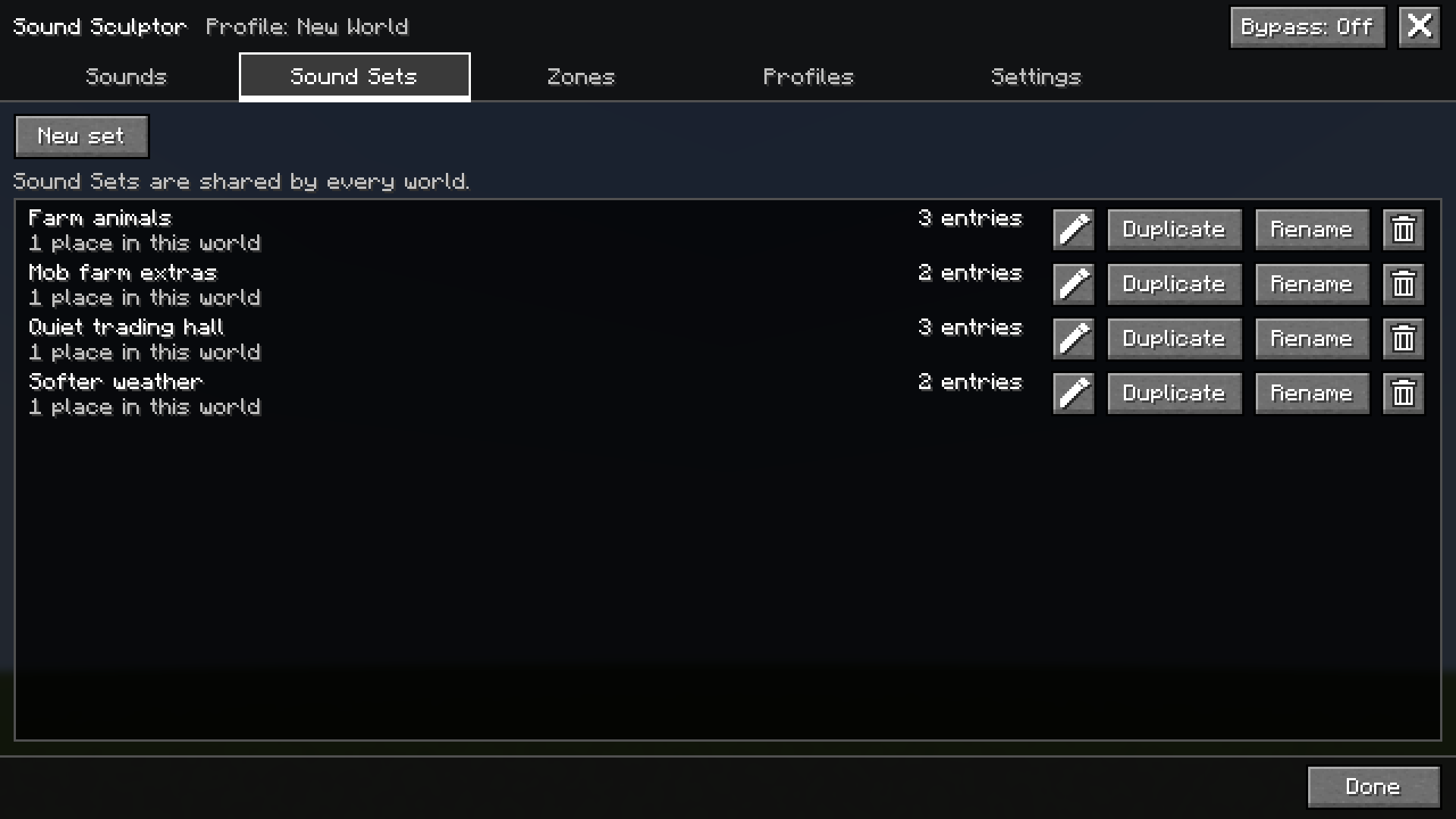
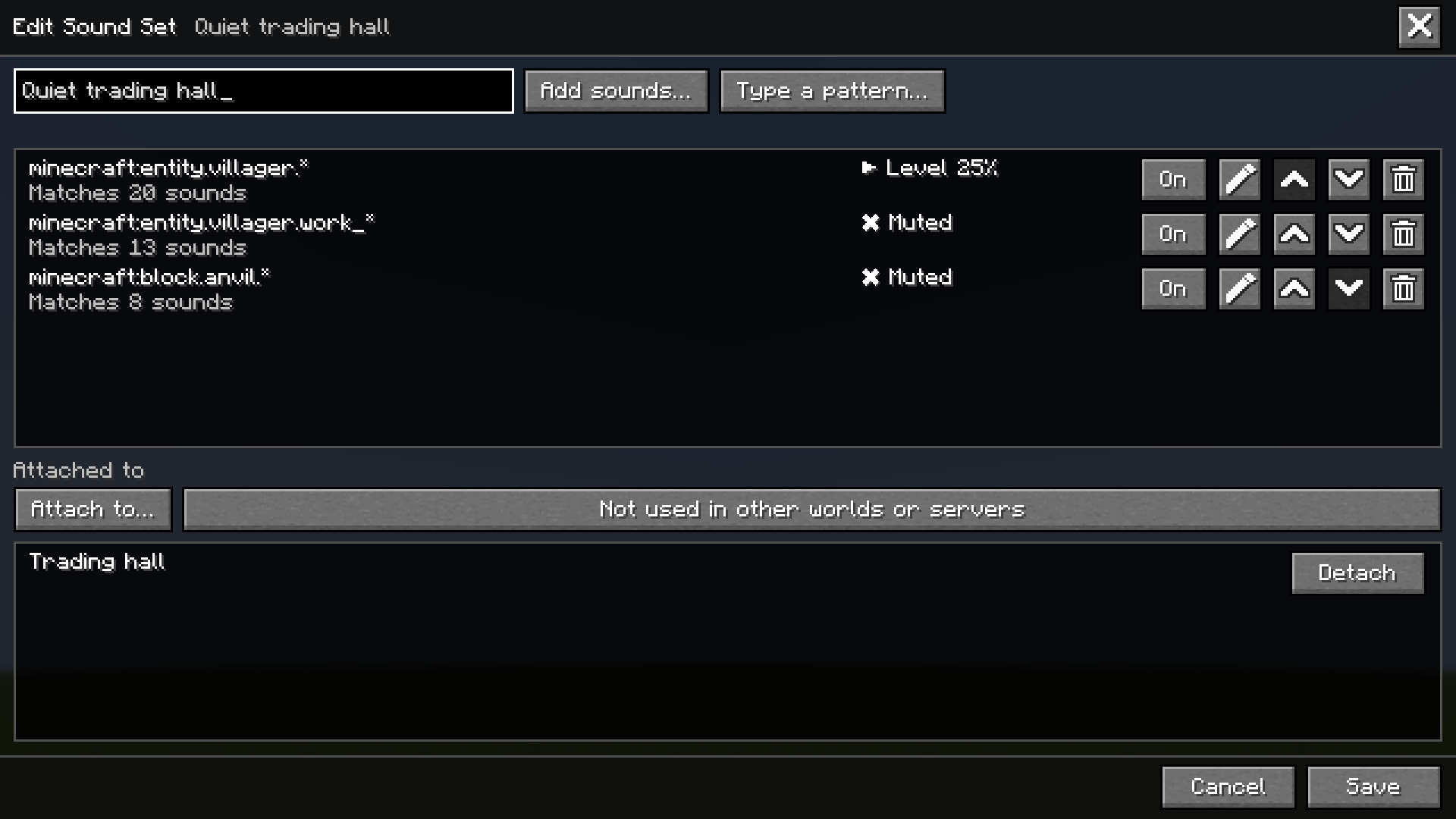
- Build Sound Sets. A Sound Set is a named list of sounds to mute, turn down, boost or limit: one sound, or a
whole family (
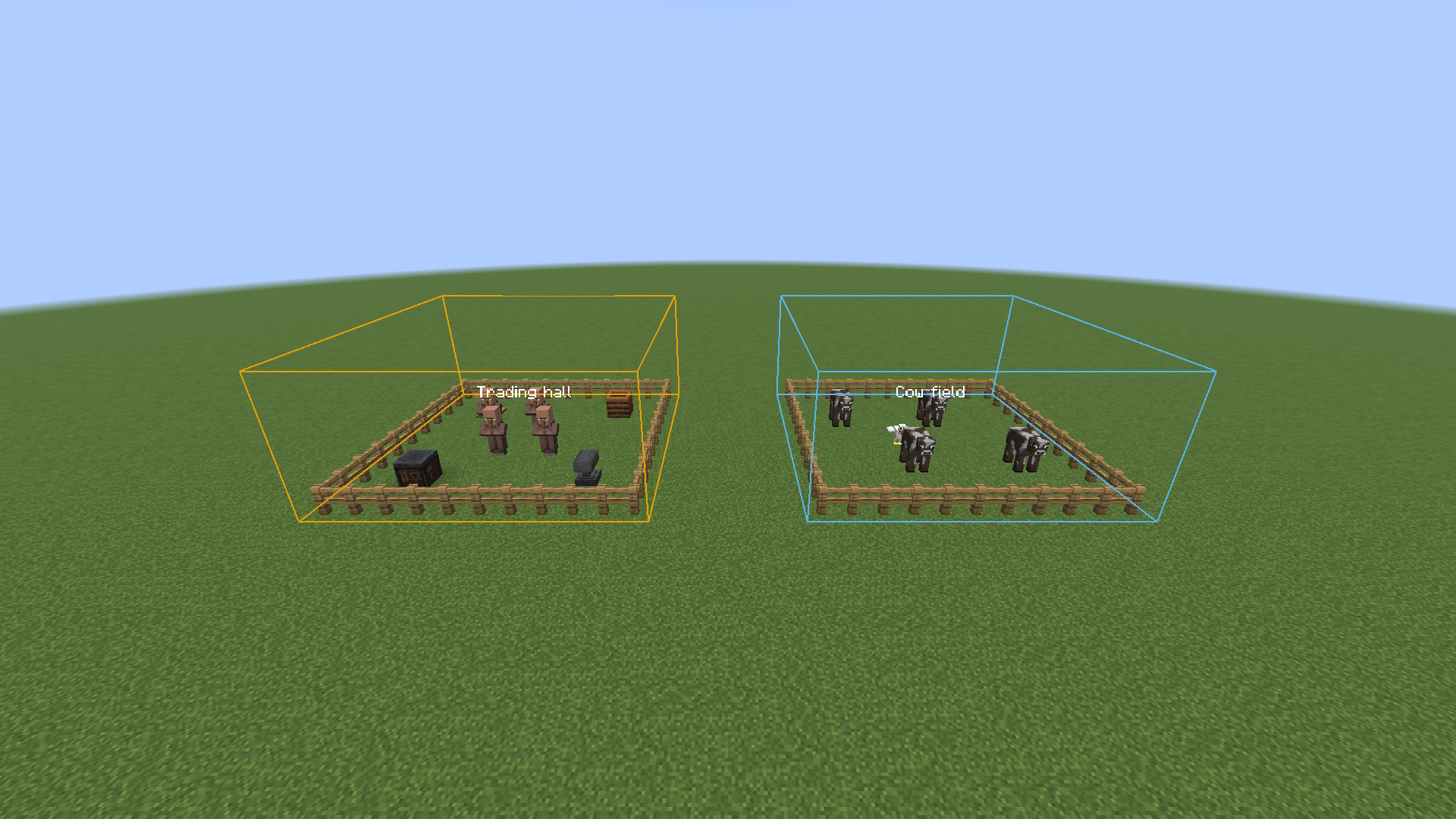
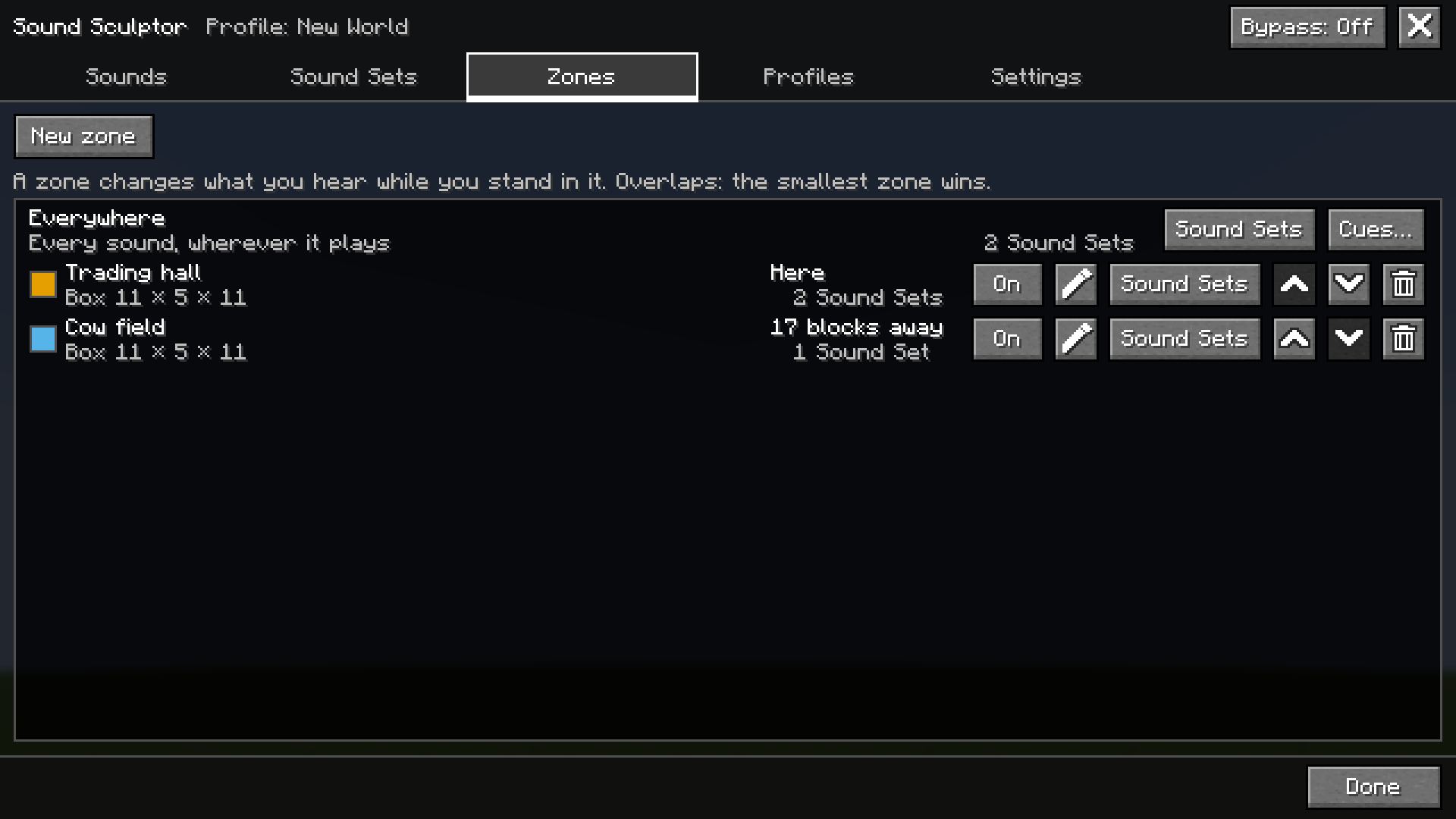
minecraft:entity.villager.*). Pick sounds from the list, or typevillager hurtand choose the sound or its family. Your sets work in every world; use one set in several places and editing it once changes them all. - Draw zones. Mark two corners of your trading hall, farm or base and it becomes a zone; nudge any side in or out. While you stand in it, the Sound Sets you attach to it decide every sound you hear, wherever it comes from: silence rain, music and thunder in your base and get them back as you walk out. Outlines show where your zones are, in their own colors, with their names.
- Ask why. "Why does it sound like this?" shows where you stood, every set that touched a sound, which entry won and why, and lets you change it on the spot.
- Undo any quick change within 5 seconds, with a click or <kbd>Ctrl</kbd>+<kbd>Z</kbd>.
- One profile per server and world, created automatically and saved across restarts. Copy your sets from one server to another, rename, reset or delete profiles, and export a profile with its zones and Sound Sets to share it. Importing shows what will change first, and a broken file changes nothing.
- Bypass with <kbd>F10</kbd> to hear plain vanilla sound at any time, without losing a single setting.
Everything works with the keyboard alone and with the narrator, and the screens are tested at every GUI scale down to 854 × 480. Text keeps a contrast of at least 4.5:1 even over a bright sky, nothing relies on color alone, and Reduced motion turns off sliding messages. Every text is ready for translation.
For server admins: fair play
Sound Sculptor only changes how loud sounds are on the player's own computer. It never tells a player anything that vanilla Minecraft's sounds and subtitles don't already tell them. This is a hard rule of the project, not a setting.
- Nothing sent to your server. No custom packets, no plugin channel, no client brand change: your server sees a vanilla client. Verify it with any packet logger.
- Mute, turning down and repeat limits only remove sound, like vanilla's own volume sliders, just per sound.
- Boost never adds range. A sound above 100% is louder only where vanilla already plays it, and silent at exactly the distance vanilla is. Automated tests check this on every build.
- Cues show only for sounds within vanilla's subtitle range, with the subtitle's own text and left/right arrow, never a distance.
- Recently played lists only sounds the player was close enough to hear in vanilla. Distance is Close, Near or Far, never blocks and never a direction, and players can hide it.
- Zone outlines show only zones the player drew.
Questions or concerns: open an issue with "fair play" in the title at https://github.com/jekitchen/mc-sound-sculptor/issues.
Requirements
- Minecraft Java Edition 26.3
- Fabric Loader 0.20.1 or newer and Fabric API
- Optional: Mod Menu, for a config button
- Client only: don't install it on a server.
Compatibility
- Tested with Mod Menu installed and without it, and with Sodium, Iris with a shader pack, and Sound Physics Remastered.
- Tested on a vanilla server and in singleplayer.
Open source
Sound Sculptor is open source under the MIT license: https://github.com/jekitchen/mc-sound-sculptor.
Sound Sculptor Team