Sophisticated Matcher
- By
Sophisticated Matcher adds a dedicated matcher item for Sophisticated Storage and Sophisticated Backpacks.
Sophisticated Matcher
Sophisticated Matcher adds a dedicated matcher item for Sophisticated Storage and Sophisticated Backpacks.
What it does
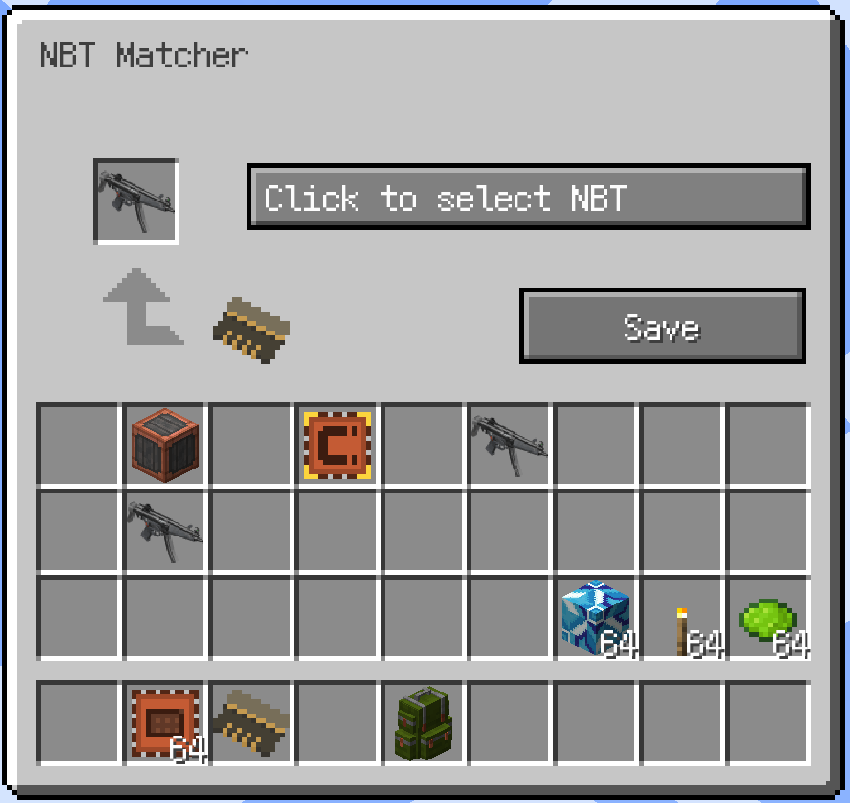
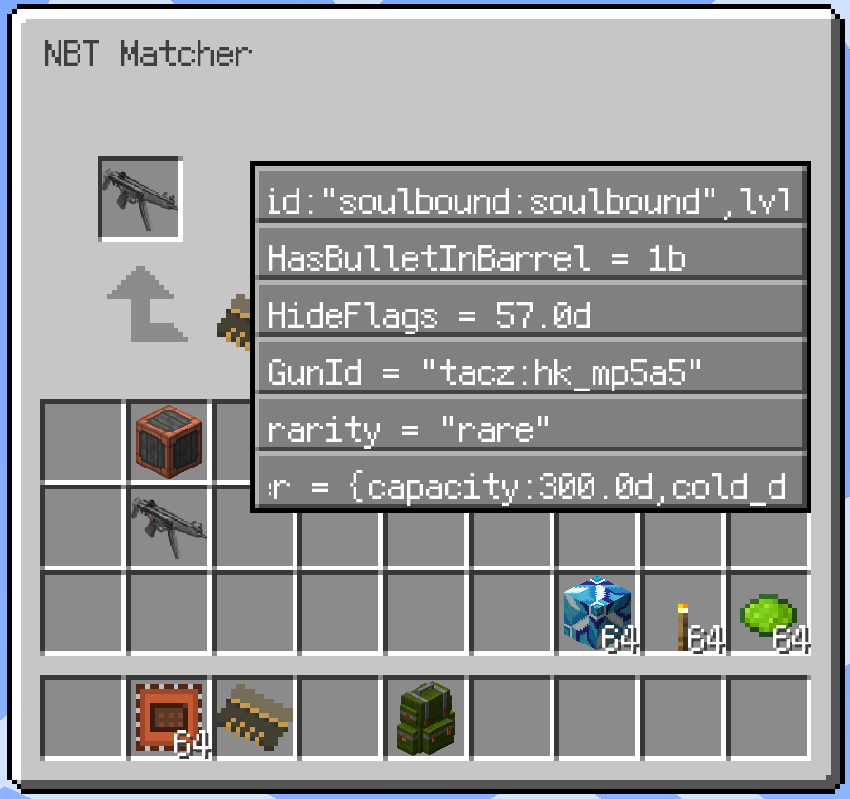
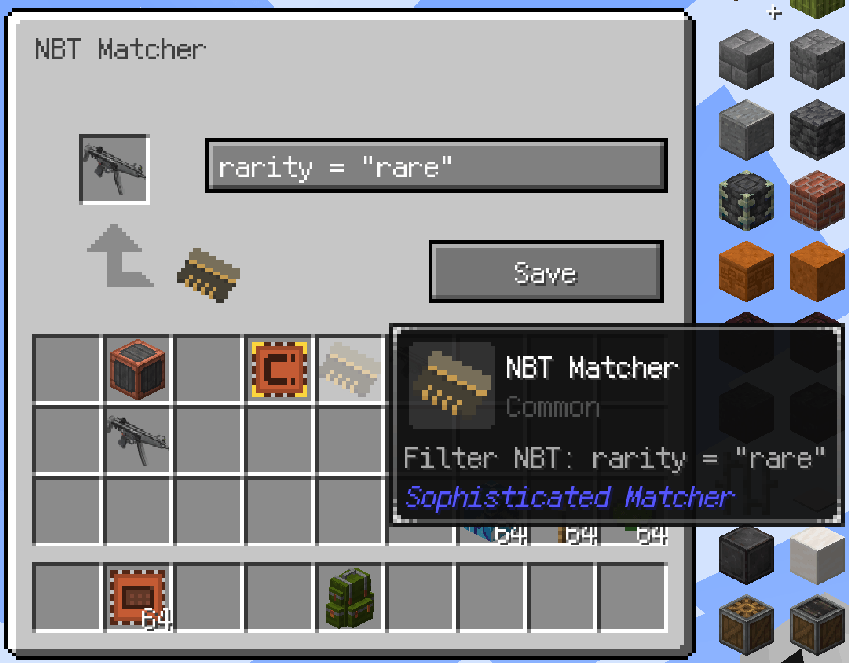
The matcher opens a small furnace-style GUI when right-clicked. Put any item into the preview slot, choose one top-level NBT entry, and save it. The preview is only a ghost copy:
- The original item is never consumed.
- The preview cannot be extracted.
- The preview can only be replaced.
- After saving, the matcher keeps the selected NBT entry instead of the complete preview item.
- The selected NBT entry is visible in the matcher tooltip.
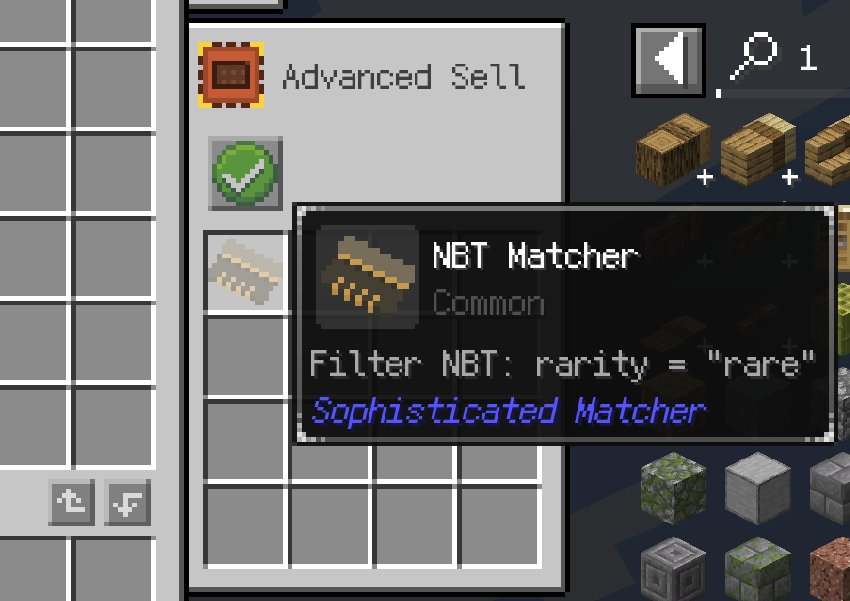
This allows Sophisticated filter upgrades to match a saved NBT value without requiring the item ID to match. For example, a filter can match rarity: "rare" across different item IDs.
How to use
- Right-click the matcher item.
- Place an example item in the preview slot.
- Select the NBT entry you want to match.
- Click the save button.
- Put the matcher into a Sophisticated Storage or Sophisticated Backpacks filter upgrade.
- Disable item ID matching and enable NBT matching in that upgrade.
The dropdown supports mouse-wheel scrolling. Long entries scroll horizontally so their complete value can be inspected.
Compatibility
- Minecraft 1.20.1
- Forge 47.x
- Sophisticated Core 1.3.6.1514 or newer
The current stable release matches entries from the outermost item NBT compound. Nested NBT path matching is not supported yet. Newer Minecraft versions use data components instead of the old NBT layout and will be handled by their dedicated branches.
Dependencies
This mod requires Sophisticated Core and is intended to work with Sophisticated Storage and Sophisticated Backpacks.
License
All Rights Reserved. Redistribution, modification, rehosting, sublicensing, and commercial use require prior written permission from the author.
The Sophisticated Matcher Team