Solo Leveling: Gate Compass
- By
Helper Addon that adds Visually stunning Gate Compass that helps you to find Gates more easily
Solo_Leveling_Gate_Compass_800px.png
Description
SLR Gate Compass (SLG)
An addon for Solo Leveling: Reawakening.
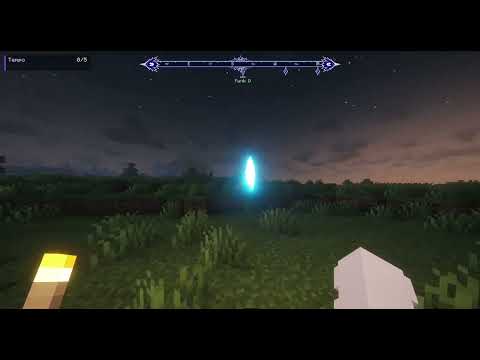
SLR Gate Compass adds a dedicated Gate Compass to your HUD, allowing you to track Gates without having to guess their direction or constantly search for them. Gate direction, rank, and distance are displayed directly on the compass, so you can keep moving while staying aware of where Gates are located.
This is the first release of SLR Gate Compass. It currently includes the compass, Gate tracking, and in-game settings. Additional systems such as the Secretary NPC, Gate Tracker item, and Immersive Mode are planned for a later update.
Requirements :
Minecraft - 1.21.1NeoForge - 21.1+Solo Leveling: Reawakening - 1.3.1Java 21
The Gate Compass
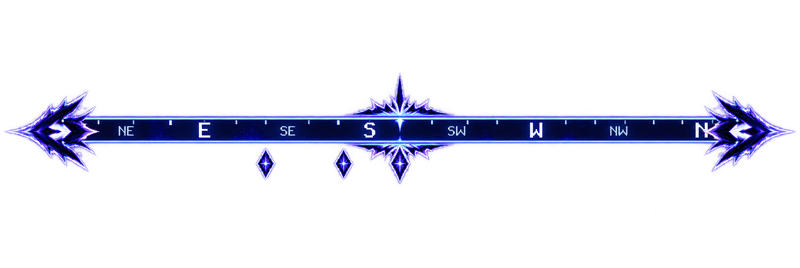
The compass is displayed directly on the HUD and includes the main directions:
N, NE, E, SE, S, SW, W, and NW.
The compass follows your facing direction as you turn, similar to a normal Minecraft compass, but specifically designed around Gate
When a Gate is detected, its marker appears on the compass. Each marker displays the Gate's rank:
E, D, C, B, A, S, and Red
When you look toward a tracked Gate, its current distance is displayed underneath the marker in blocks.
Multiple Gates can be displayed on the compass at the same time. Each marker is positioned according to the Gate's actual direction, making it easy to tell where different Gates are located relative to you.
Gates can be detected both from the world and through SLR announcements. Once detected, they remain tracked on the compass even after they are outside normal render distance, so you aren't limited to Gates that are currently loaded nearby.
Crafting Recipe & Secretary
The recipe uses Iron around a S-Rank Mana Crystal in the center, with Redstone in all four corners.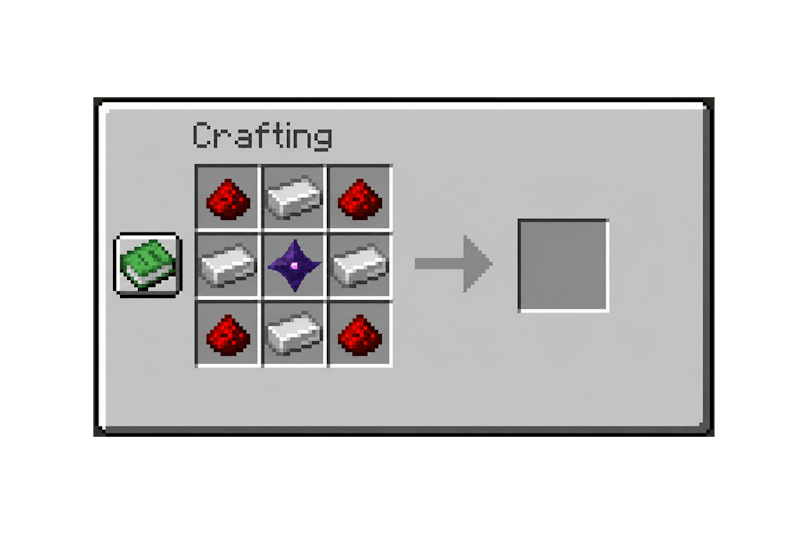
Mechanics for Secretary in eveulator
You can Obtain the Gate tracker trough the Secretary Quest when you right click her you can chose form two questions.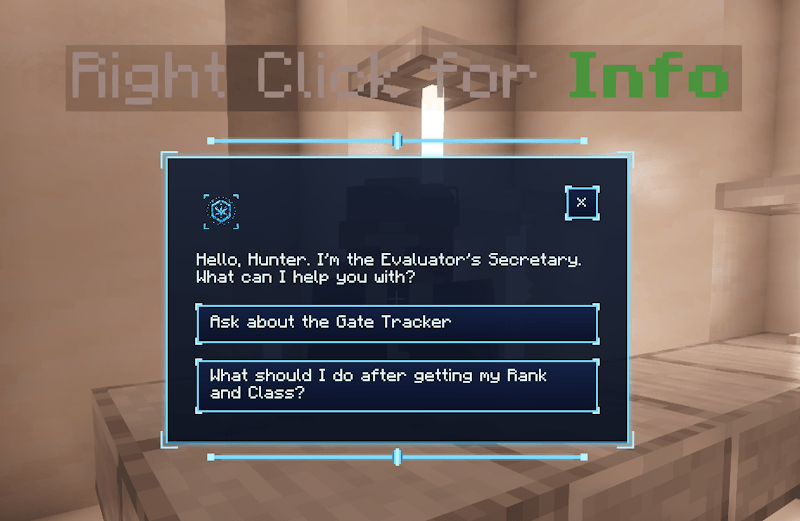
Settings (I)
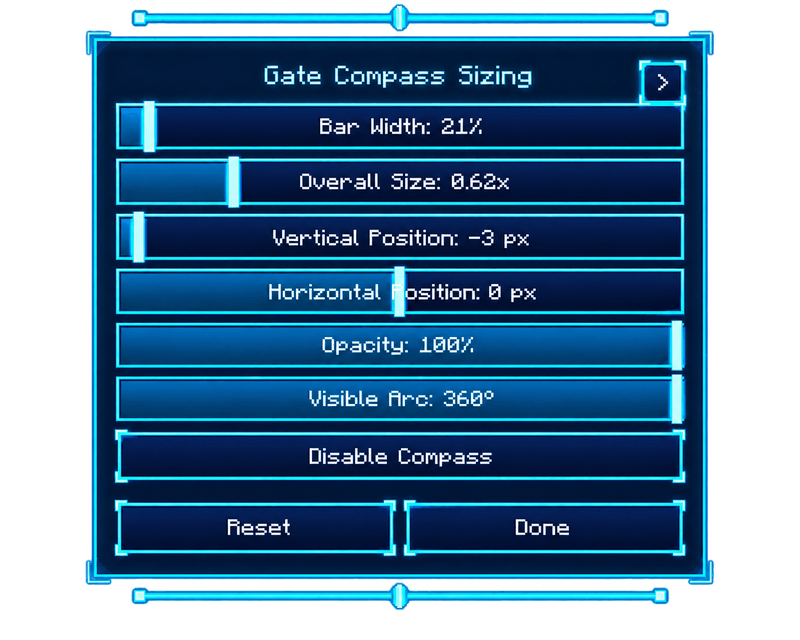
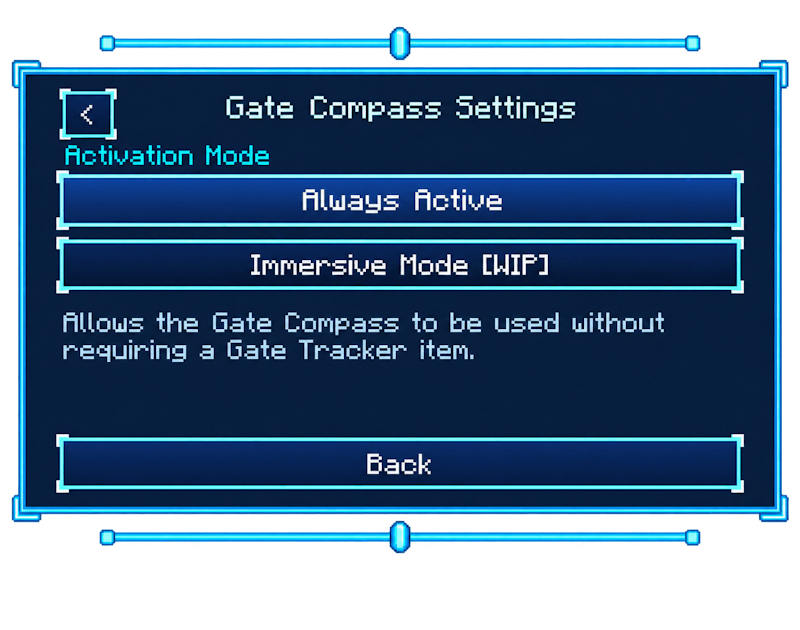
Press I to open the compass settings while in-game. Changes are applied immediately, so you can adjust the HUD without leaving your world.
Available settings:
- Size
- Width
- Vertical position
- Horizontal position
- Opacity
- Visible compass arc
- Show or hide the compass
Multiplayer
Gate positions are provided by the server, keeping tracked Gate markers synchronized with their actual locations in the world.
Compatibility
Made specifically for Solo Leveling: Reawakening on NeoForge 1.21.1.
SLR Gate Compass does not replace or modify SLR's existing menus. It adds the Gate Compass overlay and its accompanying settings.
Updates & Support
SLR Gate Compass is designed to stay focused on its main purpose: providing a clean and useful Gate Compass HUD for Solo Leveling: Reawakening.
Future updates will mainly focus on bug fixes, compatibility, performance, and visual improvements, as well as adjustments when needed to keep the compass working properly alongside SLR.
Feedback, suggestions, and bug reports can be posted in the comments, or you can contact me on Discord.
Discord: goldik_88
Info
Fan-made addon.
Not affiliated with, endorsed by, or officially connected to Solo Leveling, Mojang, or Microsoft.
Solo Leveling: Gate Compass Team