Smart Screenshot
- By
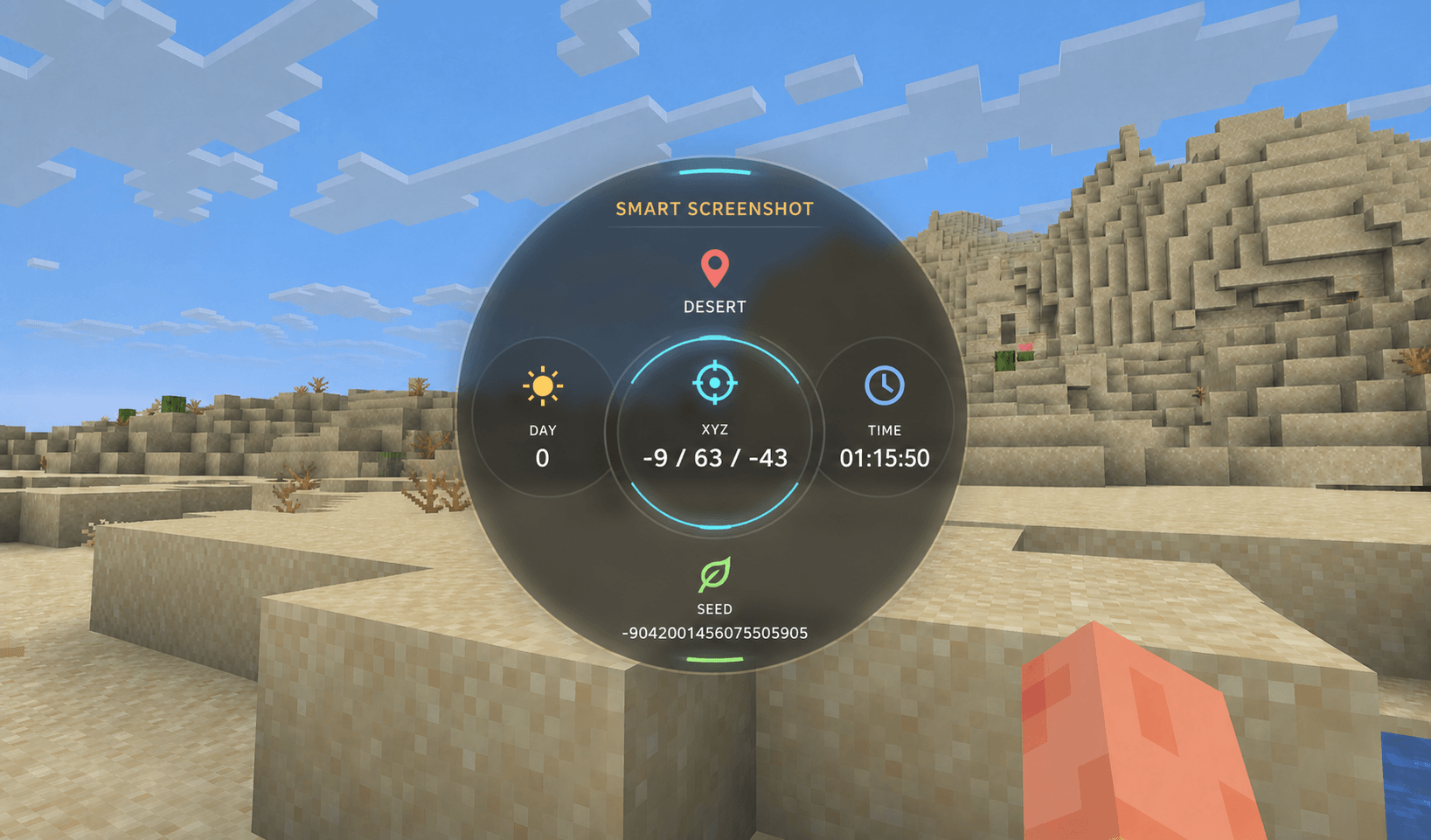
Smart Screenshot replaces Minecraft’s normal screenshots and shows your location, coordinates, time, biome, and more directly in the saved screenshot.
download.png

Description
Smart Screenshot improves Minecraft screenshots.
When you press the normal screenshot key, Smart Screenshot saves one screenshot instead of the normal Minecraft screenshot.
Your saved image can show useful information directly on the picture:
- Biome and location
- XYZ coordinates
- Minecraft day
- Current time World seed, when available
You can choose which information is shown. The information is added as a transparent overlay in the middle of the saved screenshot.
You can choose where screenshots are saved. By default, they are saved in your Windows Screenshots folder. You can also select your own folder.
Smart Screenshot has a settings menu with an optional keybind. It also shows a short notification after a screenshot is saved.
The mod is client-side only, so it does not need to be installed on a server.
The Smart Screenshot Team