Smart Hotbar
- By
Smart Hotbar
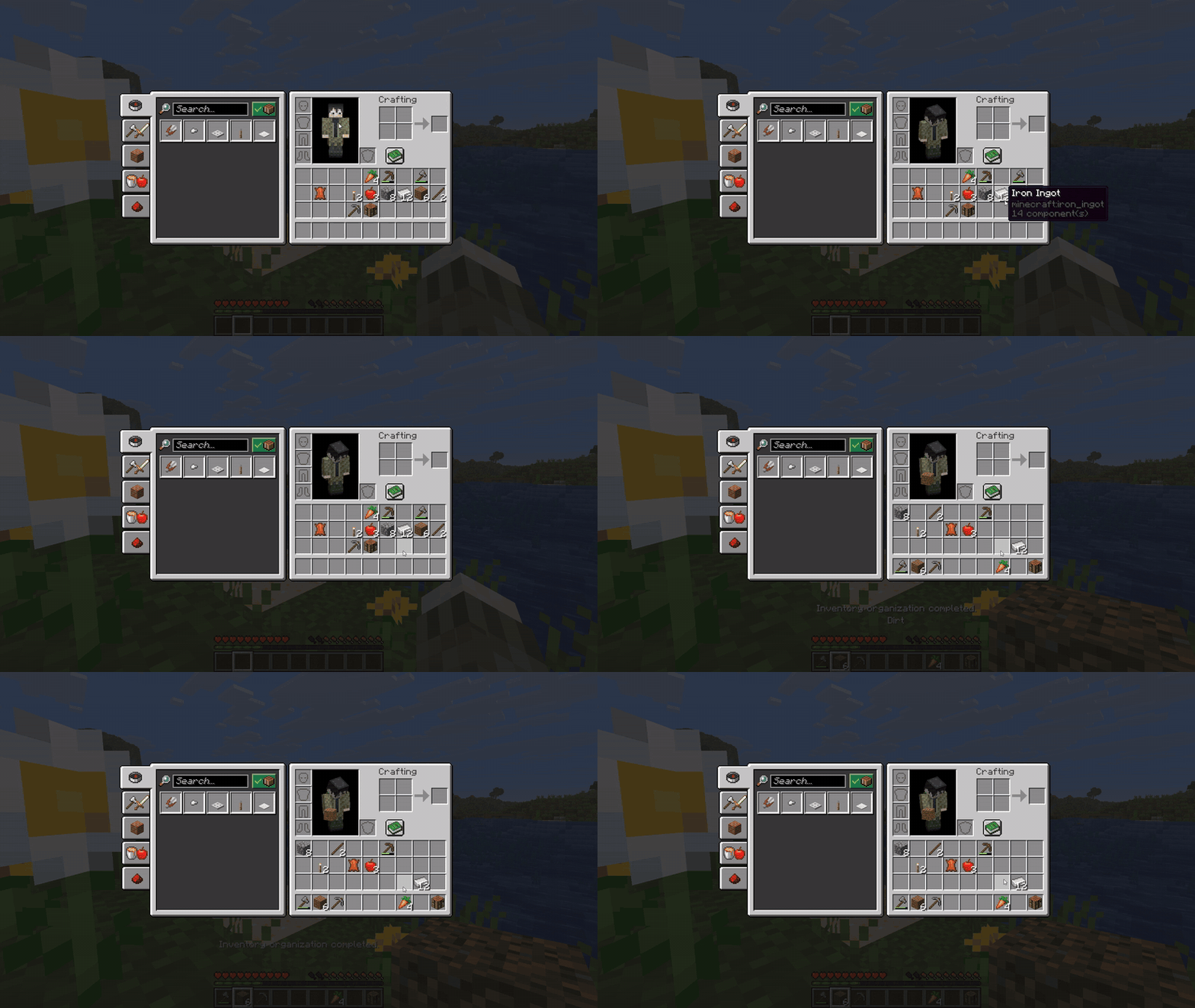
Keep your tools and supplies where you expect them. Smart Hotbar lets you choose what belongs in each of your 36 inventory slots, then organize your inventory with a single keypress.
For example, assign Axe to your first hotbar slot and Ender Pearl to your last one. The axe slot accepts any axe you carry, whether it’s stone, iron, or diamond. If you want that slot reserved specifically for a Diamond Axe, choose it by name instead.
How to use it
- Open Mods → Smart Hotbar → Settings with Mod Menu installed.
- Click a slot to choose a category, or select Choose item… to search by item name or ID. The search also includes items registered by your installed mods.
- Click Save. In Survival, open your player inventory and press G to apply your layout.
Your layout starts empty. Set up just your hotbar or assign all 36 slots. You can drag two slots to swap their assignments and change the G key in Minecraft’s controls.
Compatibility
This release supports Minecraft Java Edition 26.3 with Fabric. It runs on the client, so your friends’ server does not need to install Smart Hotbar. Fabric API is required. Install Mod Menu to access the layout editor.
Support for additional Minecraft versions is planned. Forge and NeoForge are being considered for future releases. This file supports Fabric only.
Smart Hotbar Team