Skywolf's Minimap
- By
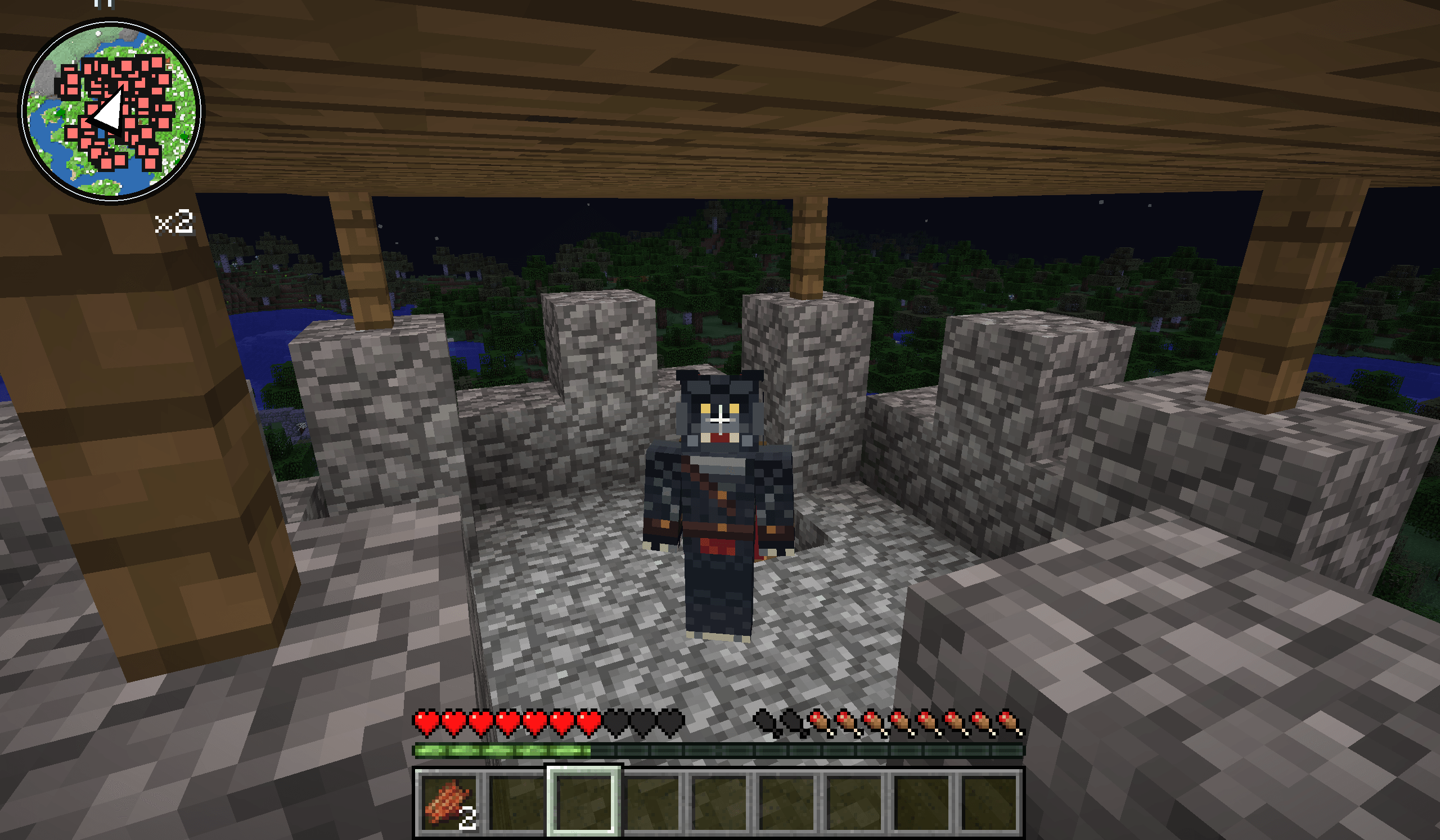
SkyWolf's Minimap is a highly customizable minimap mod for Minecraft Forge 1.7.10, featuring colorful terrain mapping, adjustable circular and square minimaps, mob and player detection, waypoints, death markers, zoom controls, and an enlarged map view.
2026-11-19_22.28.58.png
2026-11-19_22.29.05.png
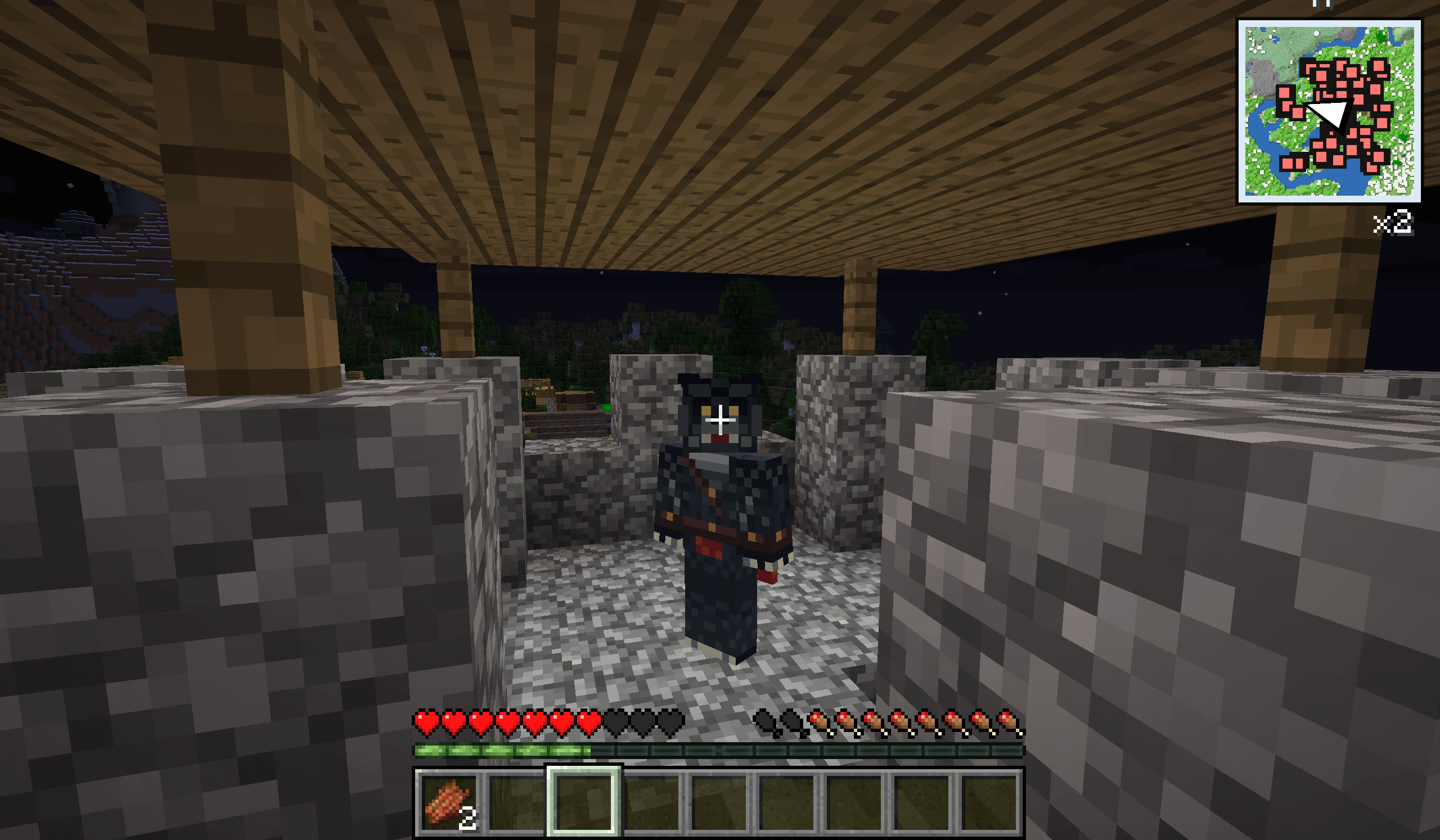
2026-11-19_22.30.14.png
Description
Skywolf's Minimap
Explore More. Navigate Better. Make Every Adventure Your Own.
A Highly Customizable Minimap Experience for Minecraft Forge 1.7.10
Welcome to Skywolf's Minimap, a feature-rich, highly customizable minimap mod designed to make exploring your Minecraft world easier, more convenient, and more enjoyable.
Whether you're exploring unfamiliar territory, constructing massive builds, venturing into dangerous environments, or simply trying to find your way home, Skywolf's Minimap provides useful navigation tools directly on your screen.
Featuring colorful terrain mapping, adjustable minimap sizes, multiple display styles, mob detection, custom waypoints, and extensive configuration options, Skywolf's Minimap puts you in control of how you navigate your Minecraft adventures.
Designed specifically for Minecraft Forge 1.7.10, this client-side mod brings additional navigation functionality to one of Minecraft's most beloved modding versions.
FEATURES
Real-Time Colored Terrain Mapping
See the surrounding Minecraft landscape from above!
SkyWolf's Minimap displays an overhead representation of nearby loaded terrain using colors derived from actual Minecraft blocks.
Recognize forests, rivers, mountains, deserts, buildings, and other environmental features as you explore.
Terrain mapping includes:
-
Colored terrain: Grass, trees, water, stone, sand, snow, and other blocks are represented using recognizable colors.
-
Terrain elevation shading: Adds visual depth to mountains, hills, and other elevated landscapes.
-
Automatic terrain updates: The minimap refreshes as you explore and as nearby terrain changes.
-
Loaded-chunk mapping: Displays terrain information already available to your Minecraft client without generating additional chunks.
The result is a practical overhead view that helps you understand your surroundings while playing.
Extremely Customizable Minimap Sizes
Your minimap. Your size. Your preferences.
One of SkyWolf's Minimap's standout features is its extensive size customization.
Unlike minimaps with only a handful of predefined sizes, SkyWolf's Minimap allows you to adjust the display with remarkable precision.
Choose sizes ranging from approximately 48 to 600 GUI-scaled pixels, depending on your available screen space.
Use convenient size adjustments or fine-tune the minimap in increments as small as a single GUI pixel.
Whether you prefer a tiny, unobtrusive navigation tool or a large map that occupies a substantial portion of your screen, the choice is yours.
Circular and Square Minimap Modes
Choose the minimap appearance that best suits your Minecraft experience.
Circular Mode: Enjoy a smooth, rounded minimap with a clean appearance.
Square Mode: Display your surroundings in a traditional square format for a more conventional mapping experience.
Switch between both modes through the in-game configuration menu.
Advanced Positioning and Display Options
Customize where and how your minimap appears.
Position your minimap in any of the four corners of your screen and adjust its horizontal and vertical margins.
Additional display options include adjustable transparency, optional map rotation, coordinate visibility, and the ability to enable or disable the minimap entirely.
These settings allow you to create a layout that complements your existing Minecraft interface.
Multiple Zoom Levels
Get a closer look at your surroundings or expand your view to cover more territory.
SkyWolf's Minimap includes five zoom settings, allowing you to adjust the amount of nearby terrain displayed.
Zoom in for a more detailed representation of your immediate surroundings or zoom out to improve your awareness of the surrounding landscape.
Mob and Player Detection
Stay aware of nearby activity with optional entity markers.
Skywolf's Minimap can display nearby mobs and other players detected within your client's loaded world.
Distinct marker colors help differentiate players from other living entities.
Both player and mob detection can be enabled or disabled independently through the configuration menu.
This feature is especially useful when exploring, navigating unfamiliar locations, or monitoring nearby activity.
Multiplayer note: Some servers restrict minimap radar features. Always follow the rules of the server you're playing on.
Custom Waypoints and Location Markers
Never lose track of your favorite locations again!
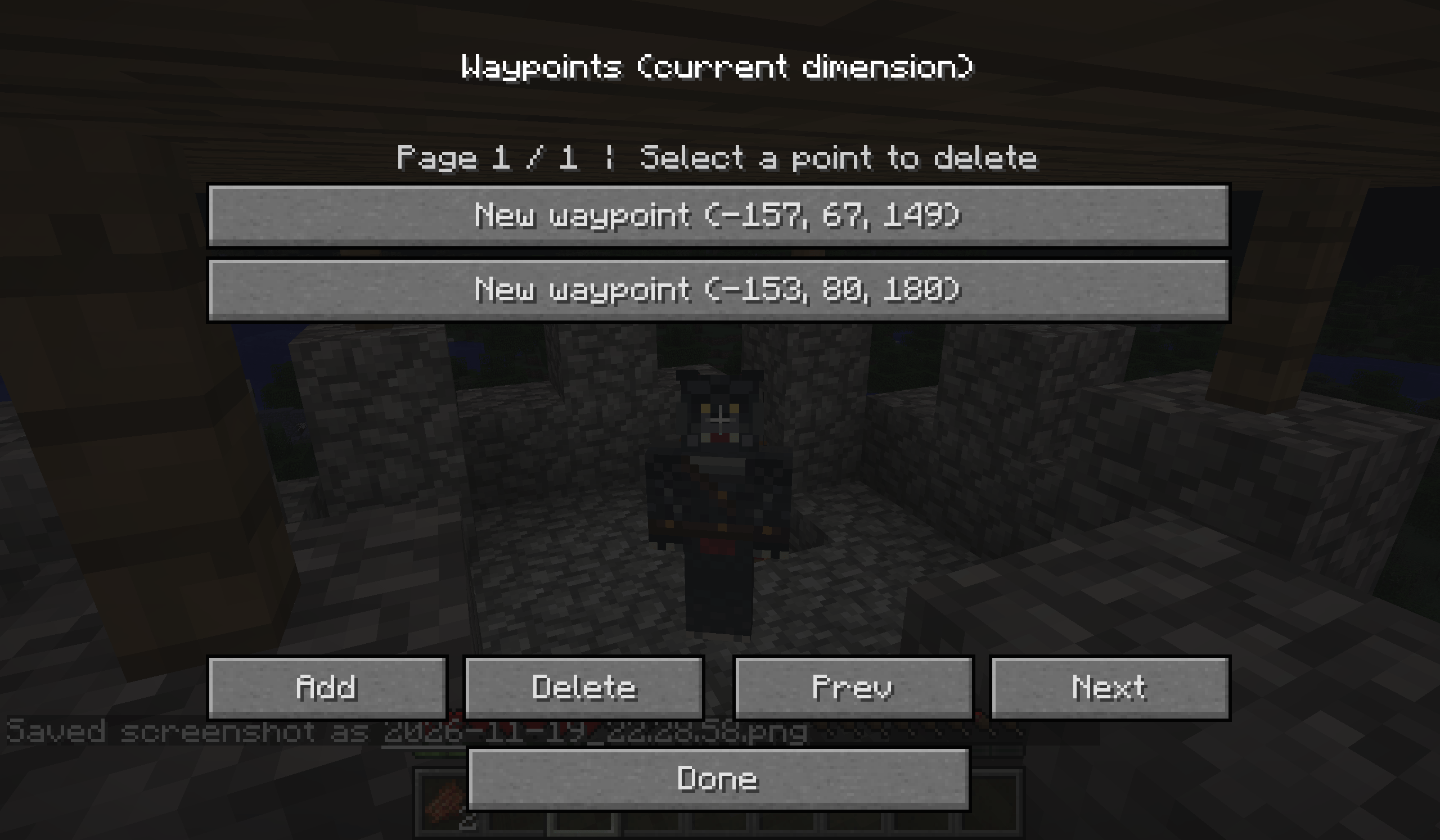
Skywolf's Minimap includes a waypoint management system that allows you to save important coordinates for future reference.
Create named waypoints for locations such as your home, villages, mining areas, construction projects, or other landmarks.
Each waypoint can be assigned a marker color to make locations easier to distinguish.
Waypoints are saved locally and associated with their respective worlds and dimensions.
You can also manage or delete previously saved waypoints through the waypoint menu.
Automatic Death Markers
Losing your way after an unexpected death can be frustrating.
Skywolf's Minimap includes an automatic death-marker feature that records your last detected death location.
This provides a convenient reference when attempting to return to the area where you died.
Enlarged Map View
Need a better look at your surroundings?
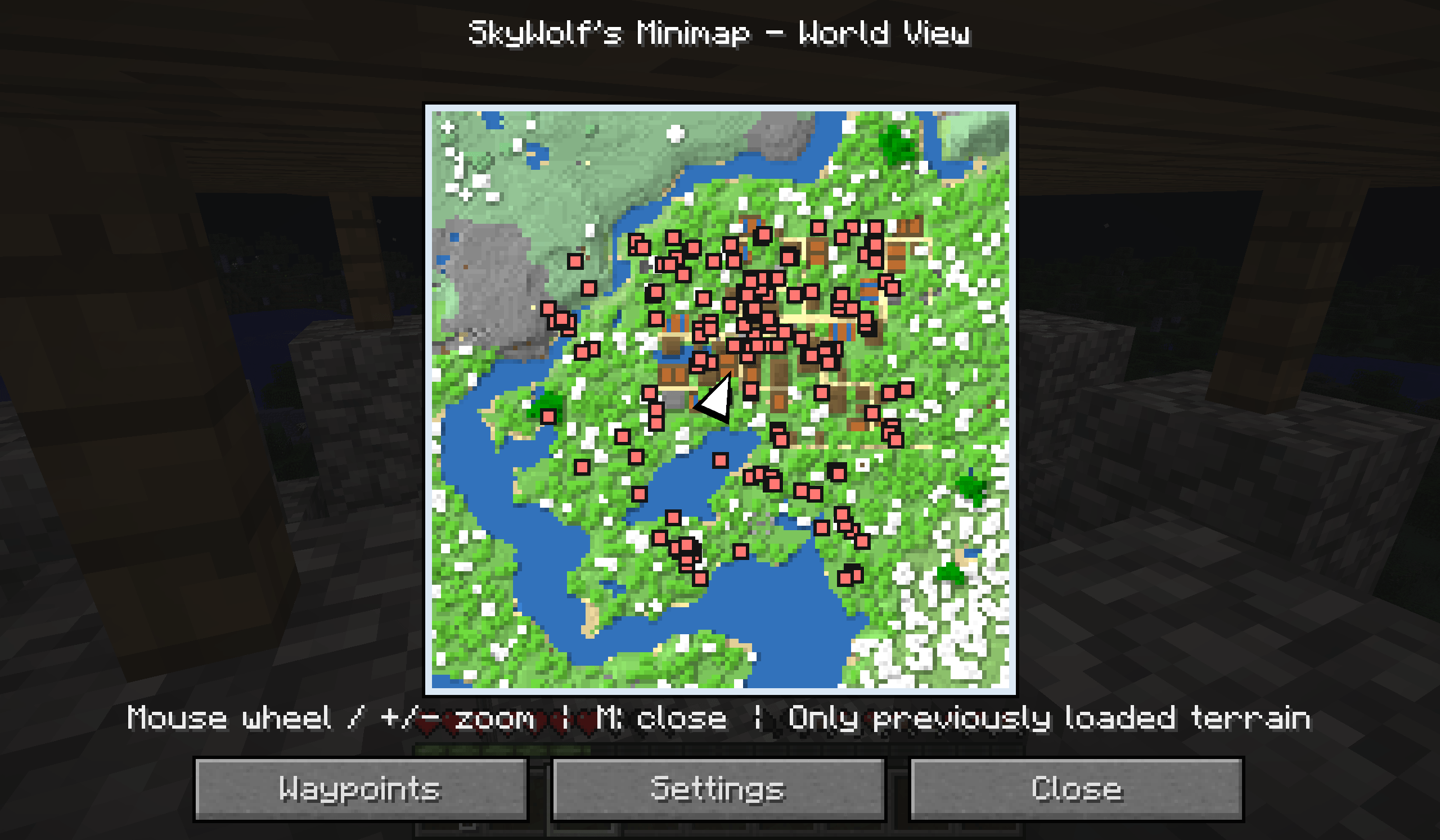
Open the enlarged map screen to view the currently mapped terrain at a larger size.
The enlarged view provides additional screen space for examining nearby terrain and waypoint locations.
Please note that this feature enlarges the currently sampled area rather than providing an unlimited, scrollable world atlas.
DEFAULT KEYBOARD CONTROLS
Skywolf's Minimap includes convenient keyboard shortcuts for quickly accessing its features.
M — Open the enlarged map view
N — Open minimap settings
B — Open waypoint management
V — Show or hide the minimap
[ and ] — Decrease or increase minimap size
+ and - — Adjust map zoom
Mouse Wheel — Adjust zoom while viewing the enlarged map
All registered key bindings can be customized through Minecraft's Controls menu.
INSTALLATION
Skywolf's Minimap is designed for Minecraft Forge 1.7.10.
To install the mod, make sure you have a compatible Forge installation.
Download the Skywolf's Minimap JAR file and place it in your Minecraft installation's mods folder.
Launch Minecraft using the appropriate Forge profile.
Once inside a world, the minimap should appear on your screen.
Press N to open the configuration menu and customize your experience.
Compatibility Information
Minecraft Version: 1.7.10
Mod Loader: Minecraft Forge
Recommended Forge Version: 10.13.4.1614
Java Version: Java 8
Installation Type: Client-side
Current Version: 1.0.0-beta2
Skywolf's Minimap does not require installation on the Minecraft server.
CURRENT BETA LIMITATIONS
Skywolf's Minimap is currently in beta development.
The terrain display represents nearby loaded blocks using map colors rather than reproducing detailed block textures.
Areas outside your client's loaded terrain may appear dark or unavailable.
Explored terrain is not currently stored as a permanent world atlas, and advanced features such as cave mapping, waypoint teleportation, and waypoint sharing are not included.
Additional compatibility testing and performance improvements may be introduced in future updates.
Feedback and bug reports are welcome!
ABOUT SKY WOLF'S MINIMAP
Skywolf's Minimap was created under the skywolftheblack Minecraft modding name, with a focus on giving players greater customization and control over their gameplay experience.
The goal is simple: create enjoyable Minecraft modifications that expand possibilities, improve convenience, and make exploring familiar worlds feel exciting again.
Whether you're a casual explorer, dedicated builder, survival enthusiast, or longtime Minecraft 1.7.10 player, Skywolf's Minimap offers a flexible navigation experience tailored to your preferences.
Your World. Your Adventure. Your Minimap.
Created by skywolftheblack
Minecraft Forge 1.7.10 | Skywolf's Minimap
Beyond Vanilla. Beyond Imagination.
Skywolf's Minimap Team