Skill Totem
- By
Find hidden totems across the world to unlock powerful abilities. Activate your skills with the Q and C keys and grow stronger as you explore. A Fabric mod that adds an RPG-style skill system to Minecraft.
skill orbs 1.png

skill orbs 3.png
skill orbs 2.png
Description
Skill Totem
Skill Totems adds a lightweight, MOBA-style ability system to vanilla Minecraft. Find or craft mysterious Skill Totems, unlock a random ability from each one, and bind your two favorites to your own keybinds — no classes, no XP grind, just pick up totems and build your own loadout.
How It Works
- Get a Skill Totem. You can either find one naturally generated in a Plains biome, or craft your own (recipe below).
- Right-click the totem. It grants you one random ability you haven't unlocked yet, then the totem is consumed (single use).
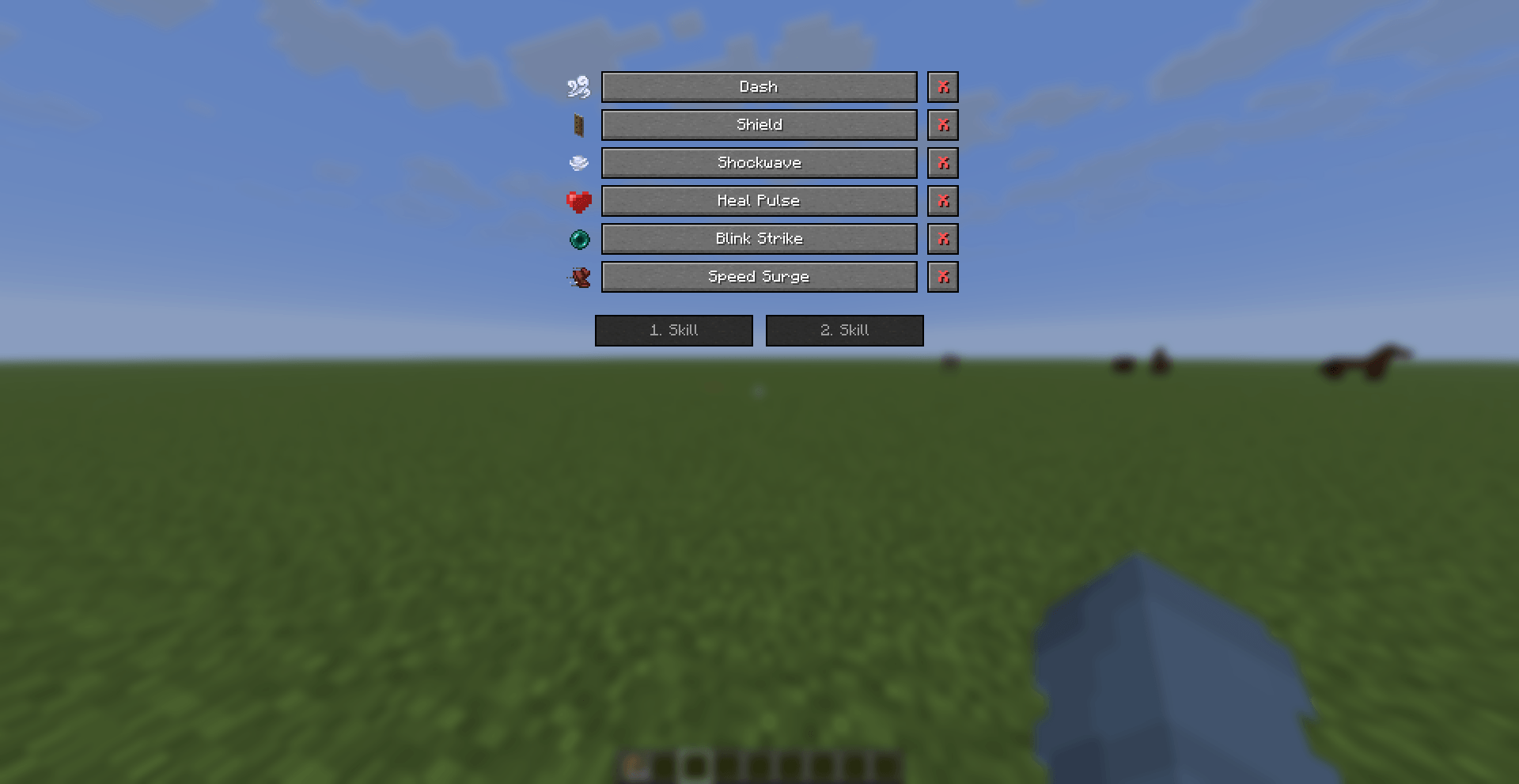
- Open the Skill Menu (default key: Right Shift) to see everything you've unlocked and assign up to two abilities to your 1. Skill and 2. Skill slots.
- Bind your activation keys. The two skill-activation keybinds are intentionally left unbound by default (so the mod never silently overrides a key you already use) — set them yourself in Options > Controls > Skill Orbs. If you forget, the mod will remind you with a red chat message the moment you join a world.
- Use your skills and watch their cooldowns on the small HUD bars next to your hotbar.
There are 6 abilities to collect in total — since each totem gives a random one, you may need several totems to unlock them all.
Abilities
| Ability | Effect | Cooldown |
|---|---|---|
| Dash | A quick forward burst of speed, great for repositioning or closing distance. | 6s |
| Shield | Grants Resistance II for 5 seconds — soak up a big hit or push through danger. | 20s |
| Shockwave | Deals 4 damage and knocks back every hostile entity within a 4-block radius around you. | 16s |
| Heal Pulse | Grants Regeneration II for 3 seconds to top off your health mid-fight. | 30s |
| Blink Strike | Teleports you right behind the nearest enemy in front of you (within 8 blocks) and strikes for 6 damage. | 14s |
| Speed Surge | Grants Speed III and Jump Boost II for 8 seconds — outrun anything and clear obstacles with ease. | 18s |
(Cooldowns are per-ability, not shared, and are tracked server-side so they can't be bypassed by relogging.)
Getting a Skill Totem
Craft one using: [Gold Block] [Diamond] [Gold Block] [Diamond] [Totem of Undying] [Diamond] [Gold Block] [Diamond] [Gold Block]
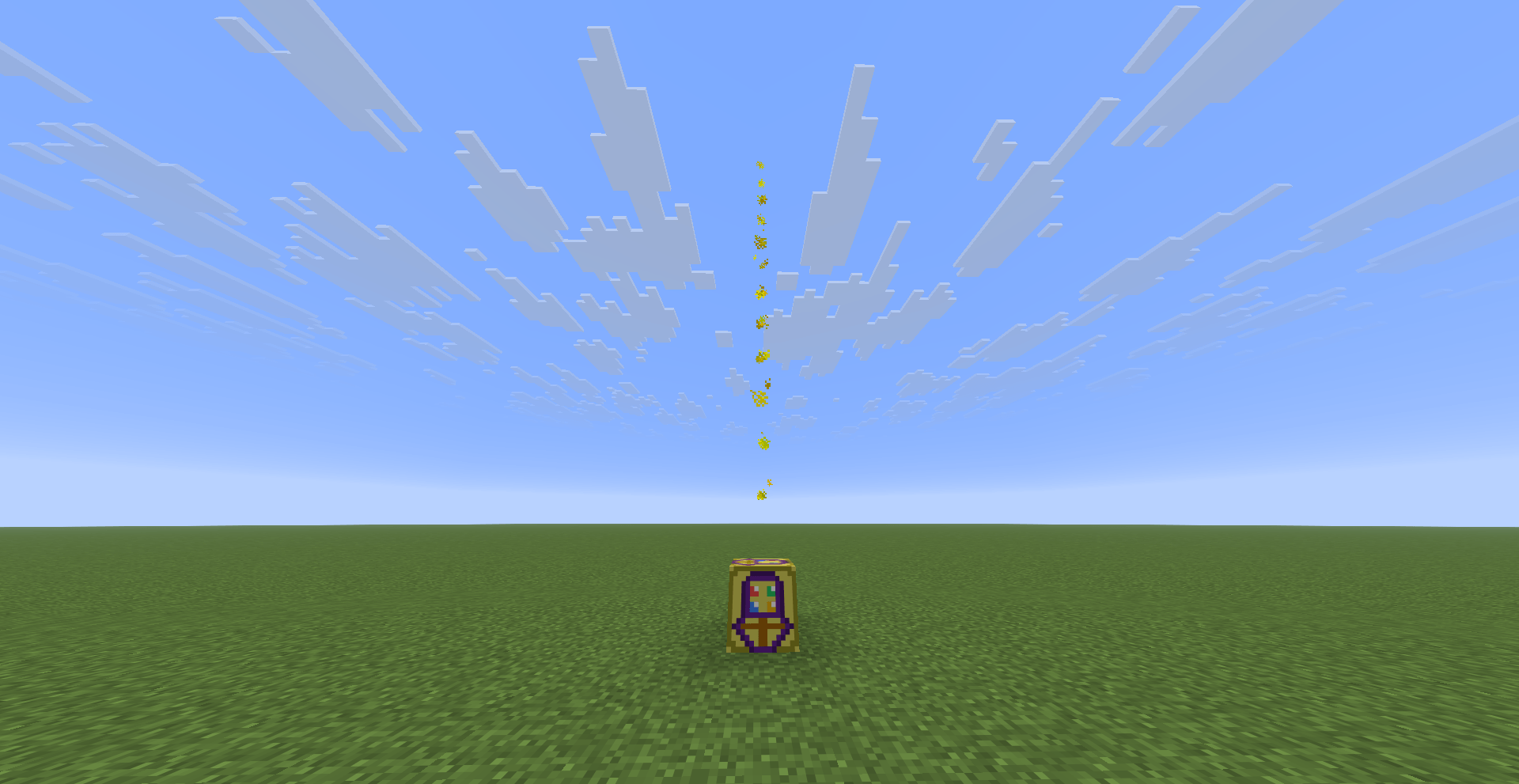
or find one in the wild. Skill Totems rarely generate naturally on open, grassy ground in Plains biomes, glowing and shooting a bright yellow beam of light straight up into the sky so they're easy to spot from a distance — keep an eye on the horizon while exploring plains.
The Skill Menu
- Shows every ability in the game — ones you've unlocked are clickable and fully labeled; ones you haven't are grayed out with a
[?]and their icon dimmed, so you know what's still out there to find. - Select an unlocked ability, then click 1. Skill or 2. Skill to assign it. Assigning an ability to one slot automatically un-assigns it from the other if it was already equipped there.
- Each unlocked ability has a small red X button next to it to permanently delete it (with a confirmation prompt first, so it's not an accidental click) if you want to make room or just don't like it.
Per-World Progress
Your unlocked skills, equipped loadout, and cooldowns are all tied to the specific world (or server) you're playing in — progress in one world never bleeds into another, so every world's skill collection is its own fresh run.
Multiplayer / Server Admin
Server operators (permission level 2+) can grant a specific player any ability instantly for testing or events with: /skillorbs unlock <player> <ability> Valid ability ids: dash, shield, shockwave, heal_pulse, blink_strike, speed_surge.
Localization
Fully translated into English and Turkish, and automatically follows your Minecraft client's selected language.
Requirements
- Minecraft 1.21.11
- Fabric Loader
- Fabric API
Notes
- The Skill Totem block placed by a player behaves identically to a naturally generated one (same glow, same beam, same single-use unlock-on-right-click).
- All server-side logic (cooldowns, ability data, keybind checks) is fully validated server-side, so nothing here can be exploited by client-side tricks.
Skill Totem Team