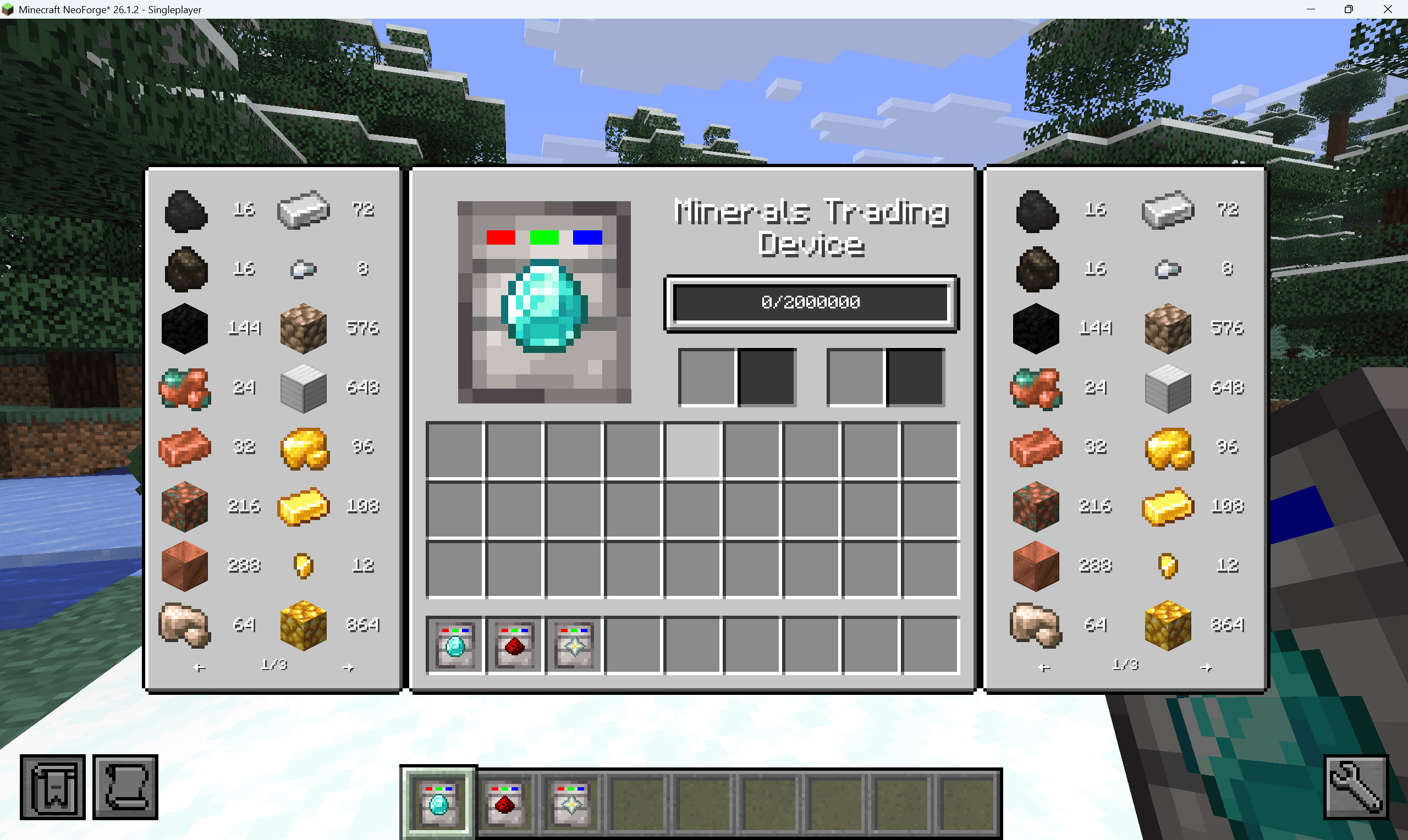
2.png
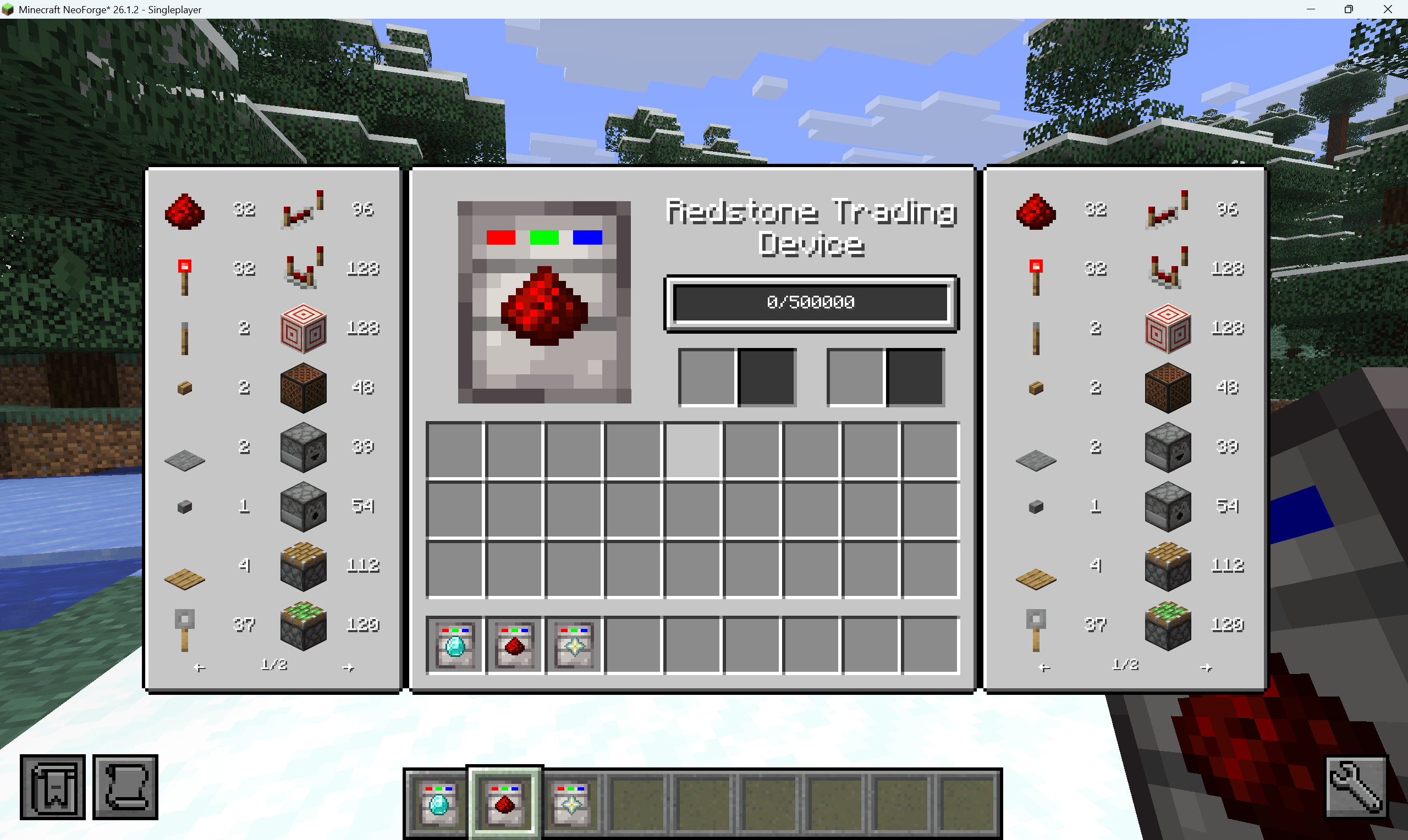
3.png
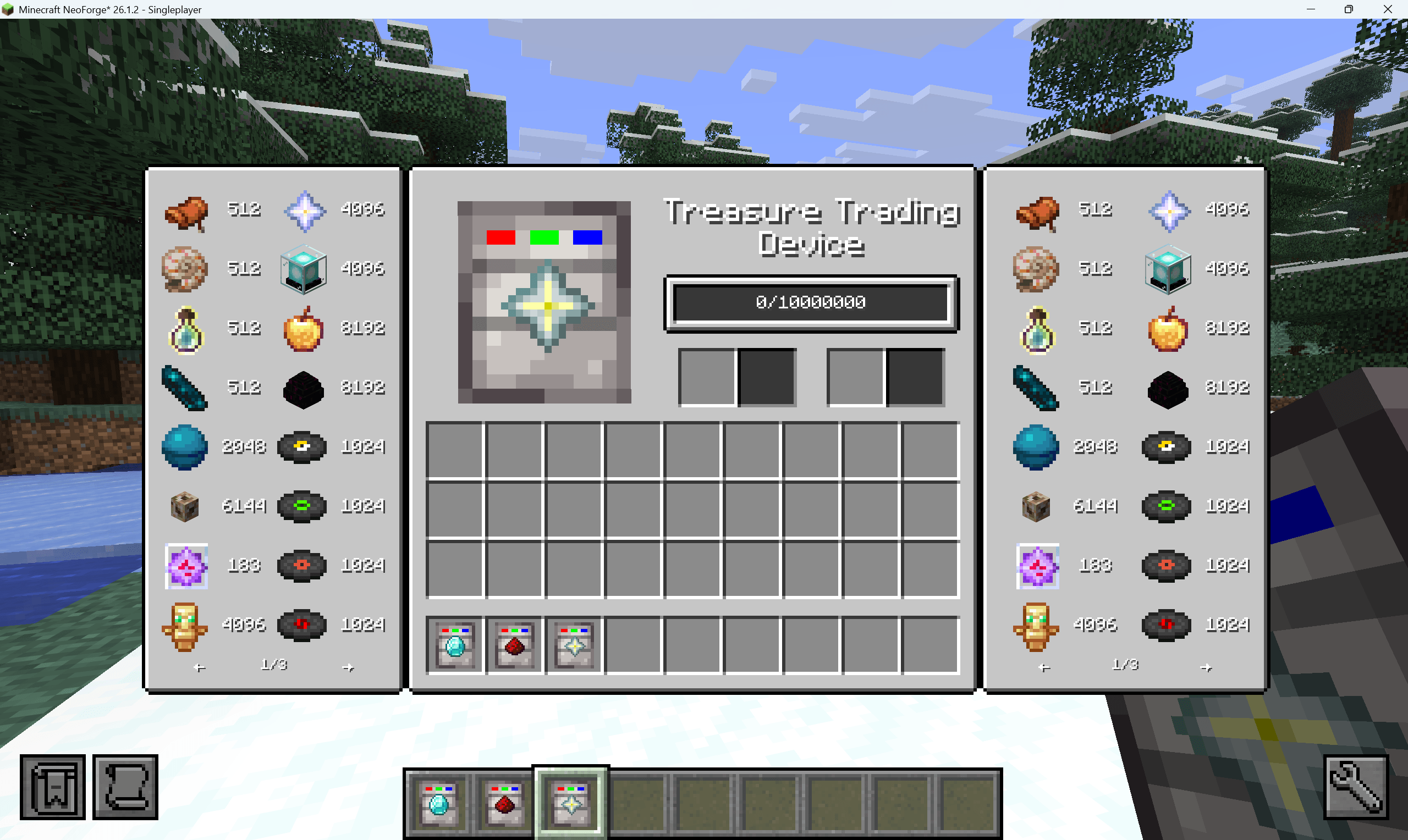
4.png
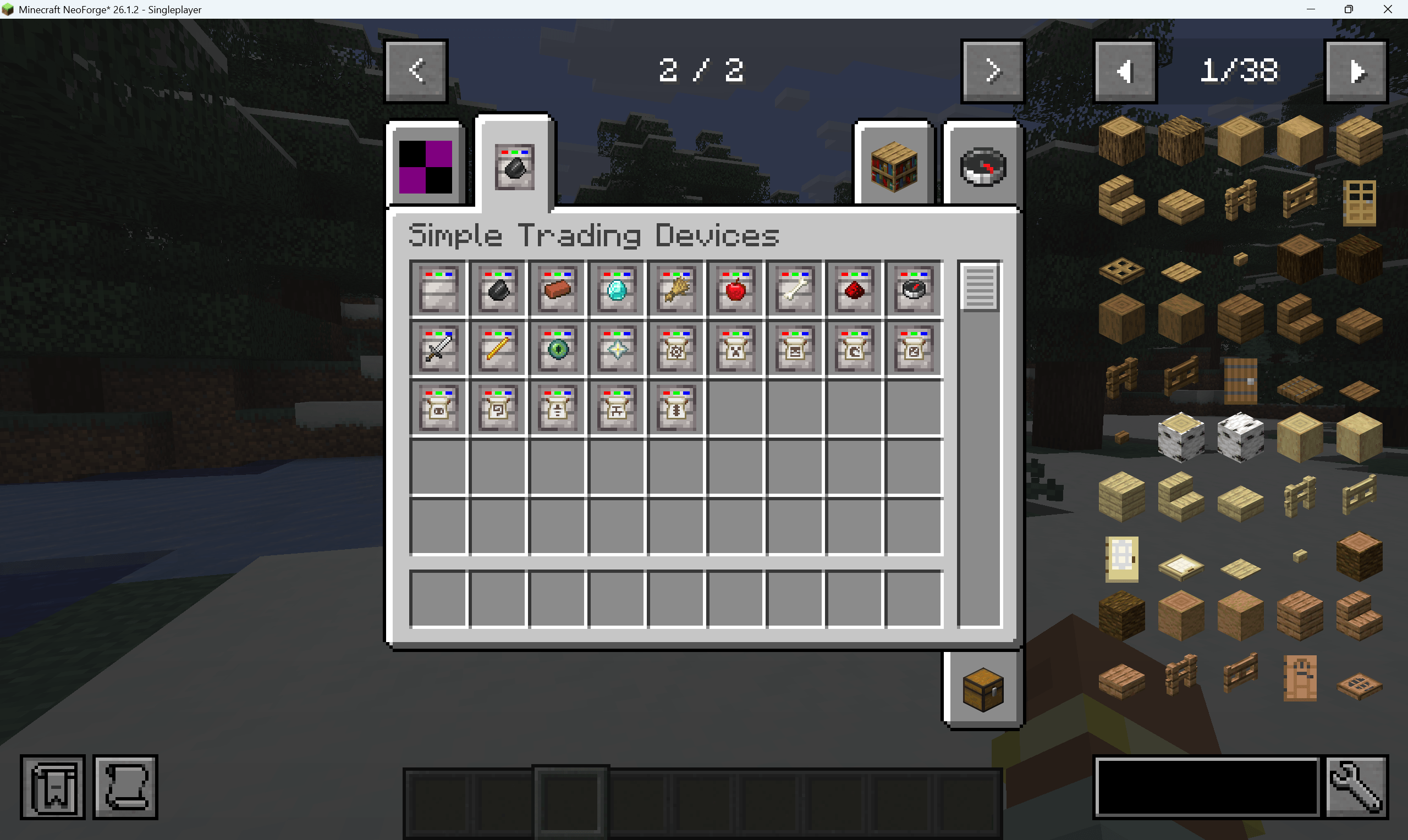
1.png
Description
Simple Trading Device
Simple Trading Device adds portable trading items for Minecraft/NeoForge. A trading device stores a numeric trade value, accepts configured item or fluid inputs, and lets the player spend that stored value to buy configured outputs.
The mod ships with built-in vanilla Minecraft trading groups and also supports JSON-driven extension. You can:
- add entries to an existing built-in holder
- create a brand-new holder
- register a new trading device item that uses that holder
Main Features
- Portable trading devices with independent stored value.
- Built-in vanilla trading holders grouped by item theme.
- Item and fluid input conversion.
- Item and fluid output purchases.
- Durability-aware equipment pricing.
- JSON loading for extra trading entries.
- JSON loading for extra trading device items.
- Optional blank additional devices for custom holders.
How Trading Works
Right-click a trading device to open its UI.
- The center bar shows stored value.
- The left side shows accepted inputs.
- Insert an accepted item or fluid to convert it into stored value.
- The right side shows buyable outputs.
- Click an output entry to spend stored value and move the result into the output slot.
Purchase multiplier keys:
- No modifier: buy 1 unit
- Shift: buy 4 units
- Ctrl: buy 8 units
- Alt: buy 64 units
Items are priced and traded per single item. Fluids are priced and traded in 1000 mB units.
Configuration
The mod uses a YAML config file:
config/simple_trading_device/simple_trading_device.yamlDefault values:
general:
  enableTradingHolderJsonConfig: true
  enableTradingDeviceJsonConfig: false
  enableAdditionalTradingDevice: false
enableTradingHolderJsonConfig
Loads extra trading entries from:
config/simple_trading_device/trading_holder_entries.jsonDefault: true
enableTradingDeviceJsonConfig
Loads extra trading device items from:
config/simple_trading_device/trading_devices.jsonDefault: false
enableAdditionalTradingDevice
Registers ten extra blank devices:
additional_trading_device_0additional_trading_device_1additional_trading_device_2additional_trading_device_3additional_trading_device_4additional_trading_device_5additional_trading_device_6additional_trading_device_7additional_trading_device_8additional_trading_device_9
These devices use holder keys additional_0 through additional_9.
Default: false
JSON Workflow
There are two JSON files:
trading_holder_entries.json: defines trade contentstrading_devices.json: defines extra trading device items
Use the following rules:
- If you only want to add trades to an existing built-in device, edit
trading_holder_entries.json. - If you want a completely new device, create a new holder in
trading_holder_entries.json, then register a device for that holder intrading_devices.json. - JSON-registered devices also need a model file and language entry from your resource pack or generated assets.
Trading Holder Keys
Built-in holder keys:
| Holder key | Device item | Content theme |
|---|---|---|
common |
simple_trading_device:common_trading_device |
Dirt, stone, sand, gravel, clay, ice, obsidian, logs, planks, sticks |
building |
simple_trading_device:building_trading_device |
Bricks, polished stone, glass, terracotta, concrete, wool |
minerals |
simple_trading_device:minerals_trading_device |
Coal, copper, iron, gold, redstone, lapis, quartz, amethyst, diamond, emerald, netherite |
farming |
simple_trading_device:farming_trading_device |
Seeds, crops, saplings, mushrooms, fruit, leather, feathers, honey |
food |
simple_trading_device:food_trading_device |
Bread, fish, meat, stew, golden food |
mob_drops |
simple_trading_device:mob_drops_trading_device |
Rotten flesh, bones, string, gunpowder, slime, blaze drops, ender pearls, ghast tears |
redstone |
simple_trading_device:redstone_trading_device |
Redstone dust, switches, rails, repeaters, comparators, pistons, hoppers, TNT |
utility |
simple_trading_device:utility_trading_device |
Torches, containers, workstations, buckets, minecarts, compass, clock, anvil, enchanting table, boats |
equipment |
simple_trading_device:equipment_trading_device |
Tools, weapons, armor, bows, shield, fishing rod, shears, trident, horse armor |
nether |
simple_trading_device:nether_trading_device |
Nether blocks, Nether wood, Nether wart, glowstone, lava, blaze rods, ancient debris |
end |
simple_trading_device:end_trading_device |
End stone, purpur, chorus items, eyes of ender, dragon breath, shulker shells, elytra |
treasure |
simple_trading_device:treasure_trading_device |
Saddle, nautilus shell, heart of the sea, conduit, totem, nether star, beacon, music discs, smithing templates |
additional_0 to additional_9 |
Optional additional devices | Empty holders intended for JSON content |
You may also create a completely new holder key in JSON. A new holder only becomes visible in-game when some trading device uses that same holder key.
trading_holder_entries.json
Path:
config/simple_trading_device/trading_holder_entries.jsonThis file must be a JSON array.
Each object must contain a holder field. After that, you can use either:
- a single direct entry on the same object
- an
entriesarray
Supported Fields
| Field | Required | Description |
|---|---|---|
holder |
Yes | Holder key such as mob_drops, nether, additional_0, or a custom key |
entries |
No | Array of entry objects |
type |
Yes for each entry | Must be input, output, or both |
item |
Item entry only | Vanilla ItemStack JSON parsed by the Minecraft codec |
fluid |
Fluid entry only | NeoForge FluidStack JSON parsed by the NeoForge codec |
yield |
Yes | Trade value |
baseYield |
Optional alternative to yield |
Same meaning as yield |
tooltip |
No | Single tooltip line |
tooltips |
No | Array of tooltip lines |
Rules:
typeonly acceptsinput,output, orboth- exactly one of
itemorfluidmust exist yieldmust be greater than0- item ids and fluid ids should use full names such as
minecraft:diamond - for item stacks,
countis optional and defaults to the vanilla codec result - for fluid stacks,
amountis optional and the mod fills in1000 - invalid entries are logged and skipped
Quantity And Component Notes
- JSON item inputs are matched by
Itemand priced per single item.item.countis parsed by the codec, but it does not change input matching or the per-unit value calculation. - JSON fluid inputs are matched by
Fluidand priced per1000 mB.fluid.amountis parsed by the codec, but input matching and per-unit value calculation still use the fluid type and a trade unit of1000 mB. - JSON item outputs buy
1item per unit. Purchase modifiers therefore buy1,4,8, or64items. - JSON fluid outputs buy
1000 mBper unit. Purchase modifiers therefore buy1000,4000,8000, or64000 mB. - JSON output entries preserve item or fluid components on the purchased resource, but output quantity still follows the fixed unit rules above.
- JSON input entries are not component-sensitive. If you need input matching or pricing that depends on full item or fluid components, register that trade in Java and provide a custom
TradingHolder.YieldCalculator. SeeTradingHolderRegistry.registerItem(...),TradingHolderRegistry.registerFluid(...), andTradingHolder.YieldCalculator.
Type Meaning
input: can be converted into stored valueoutput: can be bought from stored valueboth: available as both input and output
Minimal Single Entry Example
[
  {
    "holder": "mob_drops",
    "type": "output",
    "item": {
      "id": "minecraft:creeper_spawn_egg"
    },
    "yield": 2048
  }
]
Holder Block Example
[
  {
    "holder": "spawn_eggs",
    "entries": [
      {
        "type": "input",
        "item": {
          "id": "minecraft:rotten_flesh"
        },
        "yield": 8,
        "tooltip": "Input currency for spawn egg trades"
      },
      {
        "type": "input",
        "item": {
          "id": "minecraft:bone"
        },
        "yield": 12
      },
      {
        "type": "output",
        "item": {
          "id": "minecraft:zombie_spawn_egg"
        },
        "yield": 2048
      },
      {
        "type": "output",
        "item": {
          "id": "minecraft:skeleton_spawn_egg"
        },
        "yield": 2048
      },
      {
        "type": "output",
        "item": {
          "id": "minecraft:creeper_spawn_egg"
        },
        "yield": 4096
      }
    ]
  }
]
Fluid Example
[
  {
    "holder": "fluid_supplies",
    "entries": [
      {
        "type": "both",
        "fluid": {
          "id": "minecraft:water"
        },
        "yield": 16,
        "tooltip": "1000 mB per trade unit"
      },
      {
        "type": "both",
        "fluid": {
          "id": "minecraft:lava"
        },
        "yield": 64
      }
    ]
  }
]
trading_devices.json
Path:
config/simple_trading_device/trading_devices.jsonThis file is only loaded when enableTradingDeviceJsonConfig is true.
The file must be a JSON array. Each object registers one extra trading device item.
Supported Fields
| Field | Required | Description |
|---|---|---|
id |
Yes | Item id path only, for example spawn_egg_trading_device |
holder |
Yes | Holder key used by the device |
maxStorage |
Yes | Maximum stored trade value |
Rules:
idmust not include a namespaceholdermay point to a built-in holder or a new custom holdermaxStoragemust be greater than0
Example:
[
  {
    "id": "spawn_egg_trading_device",
    "holder": "spawn_eggs",
    "maxStorage": 5000000
  },
  {
    "id": "fluid_supplies_trading_device",
    "holder": "fluid_supplies",
    "maxStorage": 1000000
  }
]
Assets Required For JSON Devices
JSON device registration creates the item and binds it to a holder. It does not automatically give you final distributed client assets.
For every JSON device id, also provide:
assets/simple_trading_device/models/item/<id>.jsonassets/simple_trading_device/lang/en_us.json- optionally
assets/simple_trading_device/lang/zh_cn.json
Model Example
If your device id is spawn_egg_trading_device, create:
assets/simple_trading_device/models/item/spawn_egg_trading_device.jsonExample model:
{
  "parent": "simple_trading_device:item/trading_device",
  "textures": {
    "layer0": "simple_trading_device:item/trading_device_shell",
    "layer1": "minecraft:item/zombie_spawn_egg"
  }
}
The shared parent model is:
assets/simple_trading_device/models/item/trading_device.jsonIt renders the shell as the base layer and a centered 8x8 overlay as the top layer.
Language Example
Add a translation entry:
{
  "item.simple_trading_device.spawn_egg_trading_device": "Spawn Egg Trading Device"
}
Without a model or language entry, the device can still register, but it will not have the intended client presentation.
Full Example: Create A New Custom Device
- Enable JSON device loading:
general:
  enableTradingHolderJsonConfig: true
enableTradingDeviceJsonConfig: true- Register a holder and its trade contents in
trading_holder_entries.json:
[
  {
    "holder": "spawn_eggs",
    "entries": [
      {
        "type": "input",
        "item": {
          "id": "minecraft:bone"
        },
        "yield": 12
      },
      {
        "type": "output",
        "item": {
          "id": "minecraft:zombie_spawn_egg"
        },
        "yield": 2048
      }
    ]
  }
]- Register the device in
trading_devices.json:
[
  {
    "id": "spawn_egg_trading_device",
    "holder": "spawn_eggs",
    "maxStorage": 5000000
  }
]- Add the model file:
{
  "parent": "simple_trading_device:item/trading_device",
  "textures": {
    "layer0": "simple_trading_device:item/trading_device_shell",
    "layer1": "minecraft:item/zombie_spawn_egg"
  }
}- Add the language entry:
{
  "item.simple_trading_device.spawn_egg_trading_device": "Spawn Egg Trading Device"
}
After that, the device should appear in the trading devices creative tab and open the holder you defined.
Built-in Device Storage
| Device | Max storage |
|---|---|
| Common Trading Device | 100,000 |
| Building Trading Device | 150,000 |
| Minerals Trading Device | 2,000,000 |
| Farming Trading Device | 100,000 |
| Food Trading Device | 100,000 |
| Mob Drops Trading Device | 250,000 |
| Redstone Trading Device | 500,000 |
| Utility Trading Device | 500,000 |
| Equipment Trading Device | 5,000,000 |
| Nether Trading Device | 2,000,000 |
| End Trading Device | 5,000,000 |
| Treasure Trading Device | 10,000,000 |
| Additional Trading Devices | 100,000,000 |
| JSON Trading Devices | Defined by maxStorage |
Development
Source repository:
- Repository: https://github.com/wanggugu197/Simple-Trading-Device
- Issues: https://github.com/wanggugu197/Simple-Trading-Device/issues
Environment requirements:
- Java 25
- Gradle 9.x
- Minecraft
26.1.2 - NeoForge
26.1.2.71+
License
GNU Lesser General Public License v3.
Simple-Trading-Device Team