
Simple Kids Buttons
- By
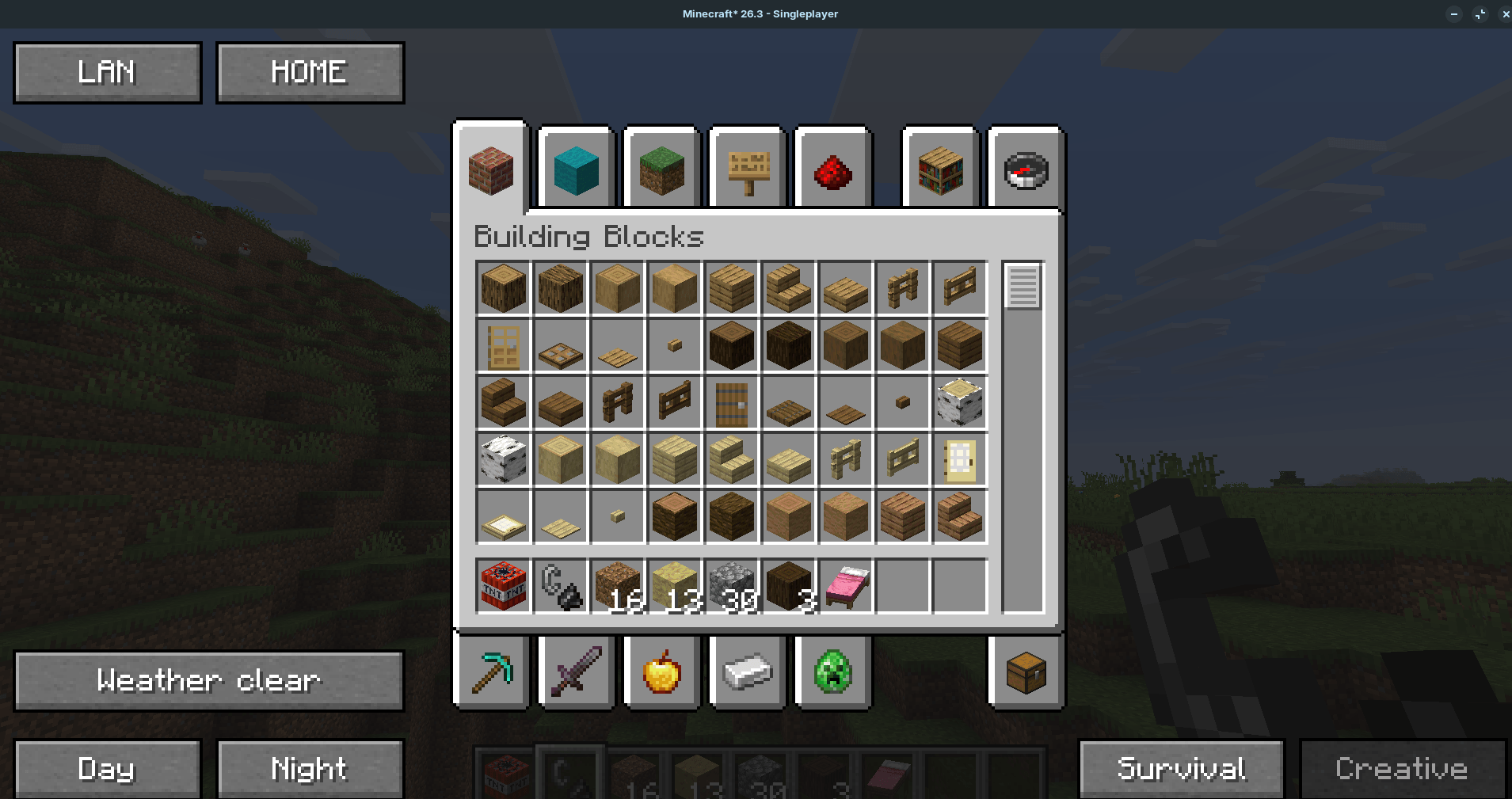
image-1791834932358.png
Description
Simple Kids Buttons puts the most useful actions on the inventory screen, so young players can do them with one click instead of typing commands.
## Features
Buttons appear in both the normal and the creative inventory:
- Survival / Creative: switch your game mode.
- Weather clear: stop the rain.
- Day / Night: set the time of day.
- LAN: open your single-player world to other players on your network (port 25565).
- HOME teleport home, to your bed or respawn anchor, otherwise to the world spawn.
- Player list (top right corner): click a player's name to teleport to them.
## Permissions
Game mode, weather, time and player teleport buttons send the normal game commands (`/gamemode`, `/weather`, `/time`, `/tp`), so they work only where you are allowed to use those commands: an operator on a server, or a single-player world with cheats enabled.
LAN and HOME do not need operator rights:
- LAN works even if cheats are off.
- HOME on your own world always works. On a server where the mod is installed, HOME works for every player and takes them to their own bed, respawn anchor or the world spawn. On a server without the mod, HOME falls back to a teleport command to the world spawn, which needs operator rights.
## Playing together
Install the same jar on the host and on the guests. The mod is optional for guests, but with it they get HOME without operator rights.
## Notes
- LAN turns off account verification for that world until you close it, so players can join without an online account check. Only open LAN for people you trust, on your home network.
- Requires Fabric Loader and Fabric API. Works on Minecraft 26.1.2 and newer, Java 25.
Released under the MIT License.
Simple Kids Buttons Team
