
Simple Helicopter
- By
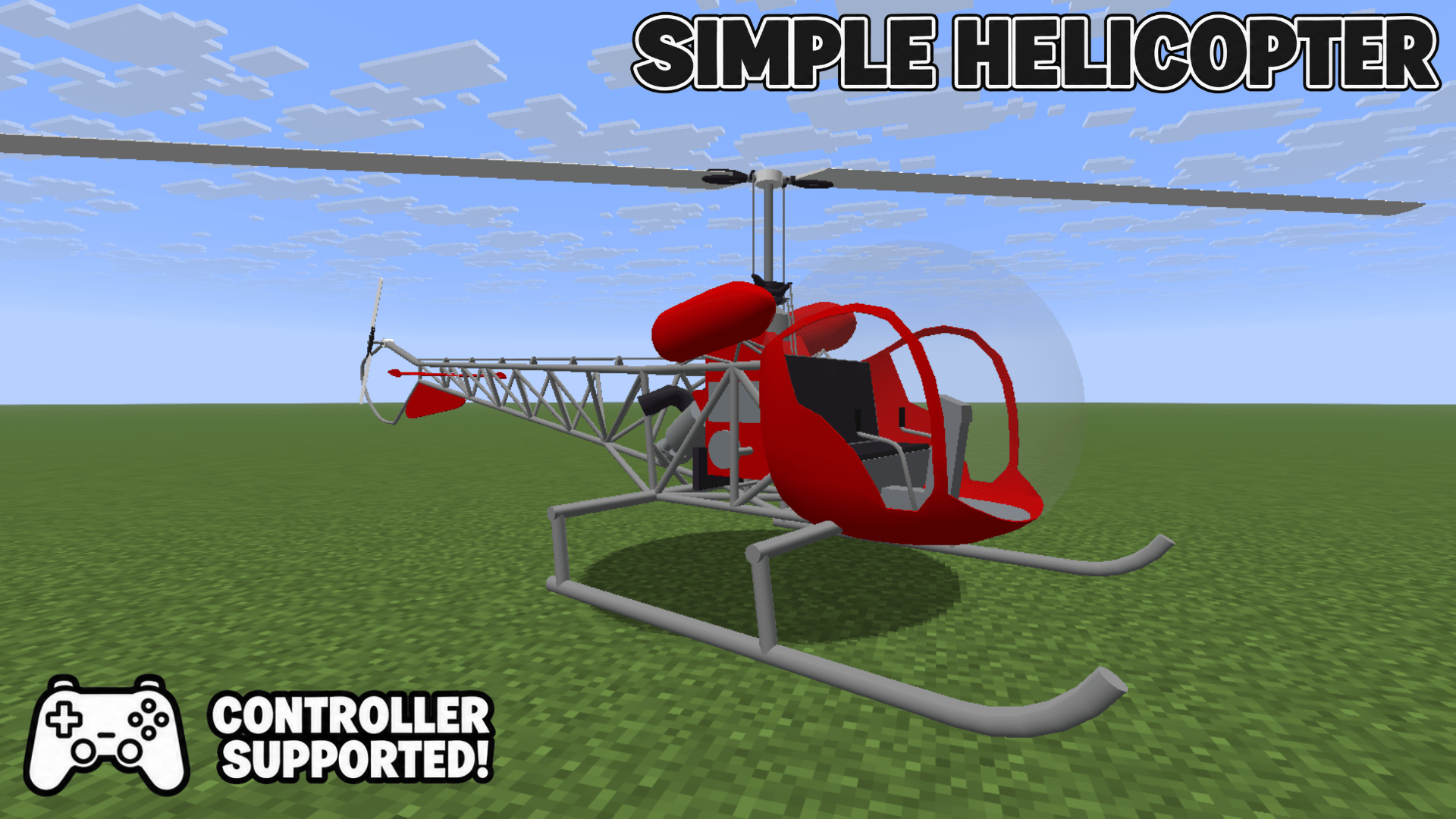
Adds one helicopter with keyboard, mouse and controller support.
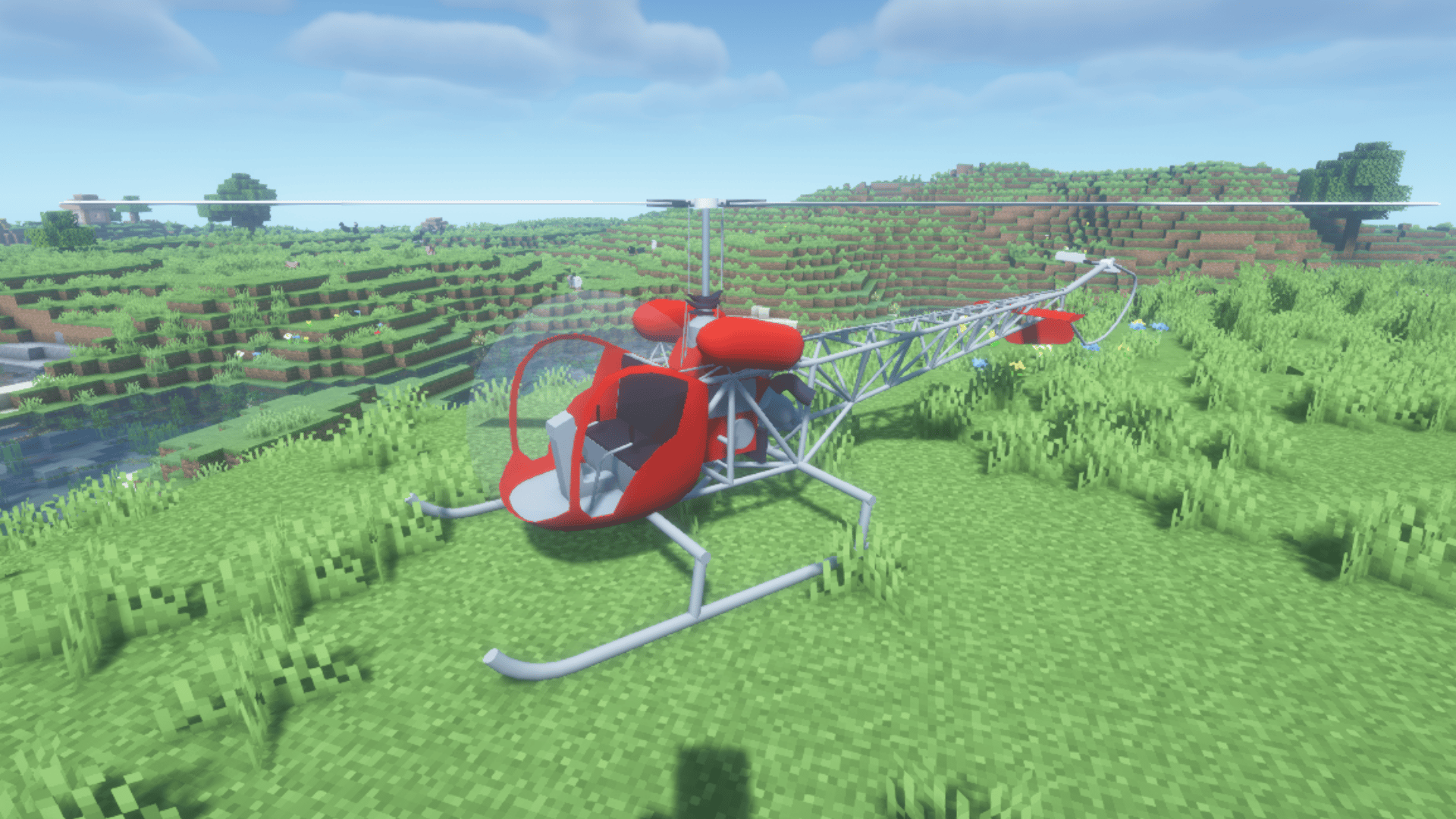
A two-seat helicopter for survival exploration and transport. Screenshot taken with BSL shaders.
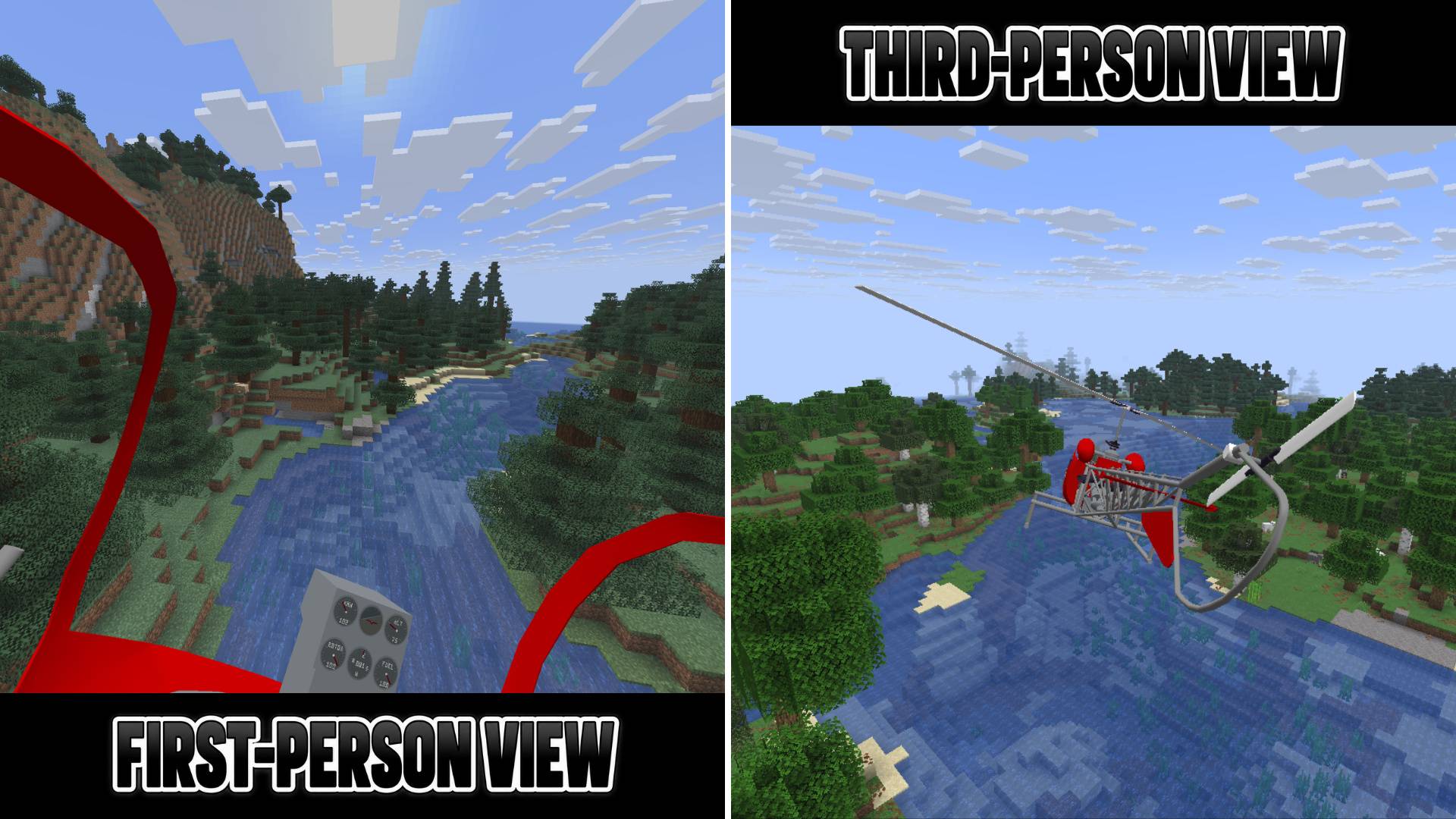
Switch between first-person and third-person views and explore the world freely.
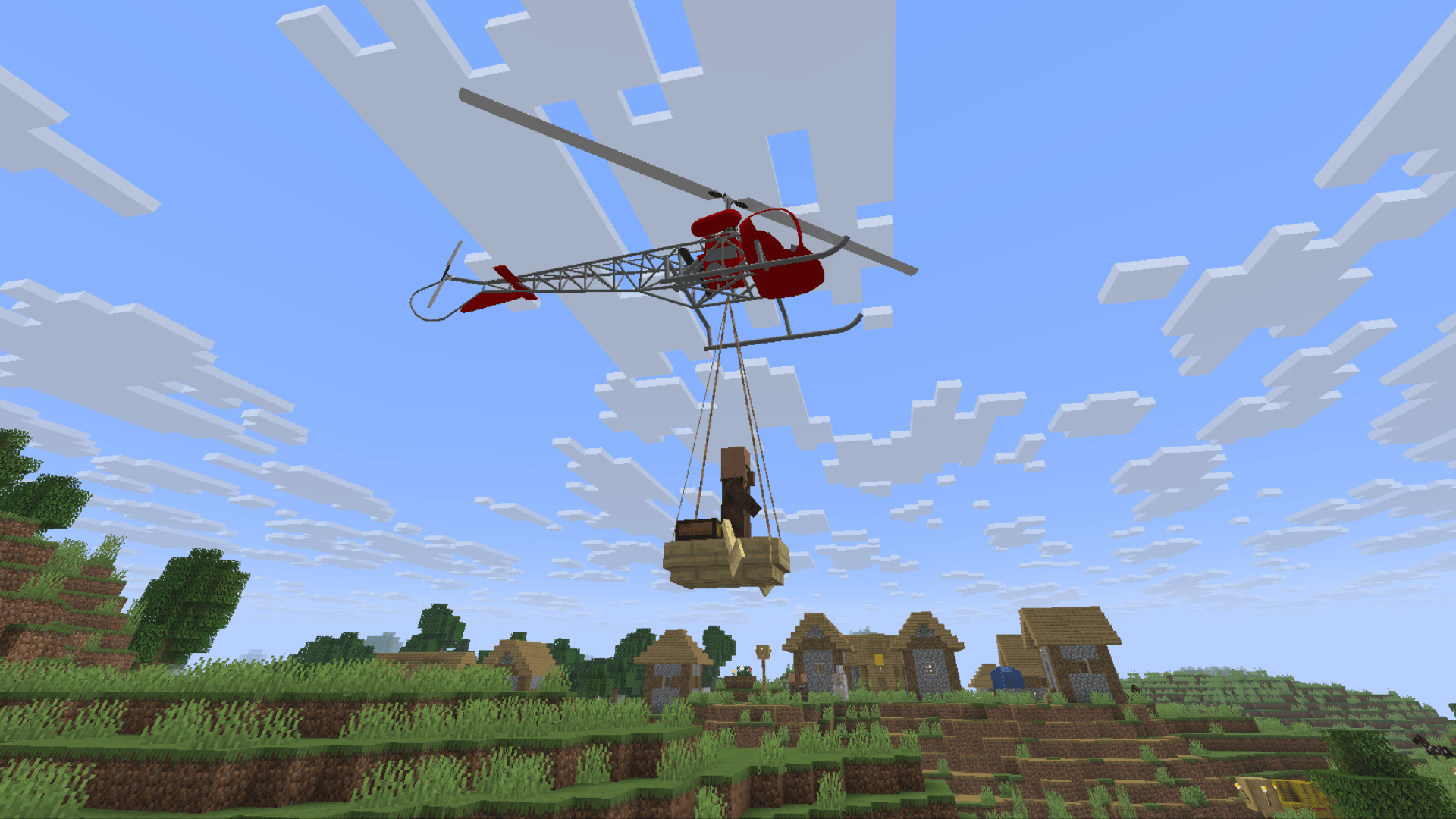
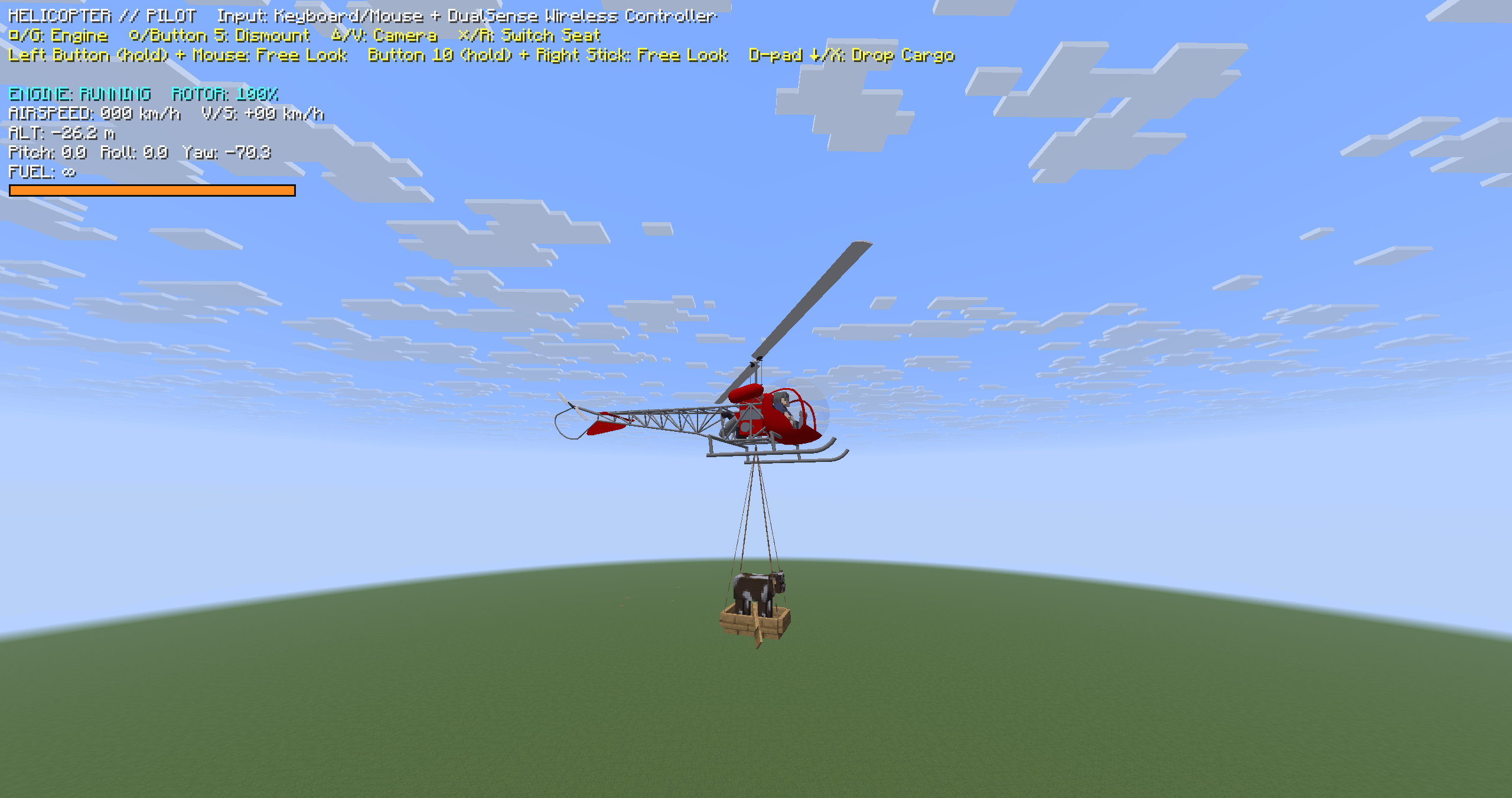
Carry a boat and its passengers using a sling load.
Description
Simple Helicopter
Can you master it?
Adds a simple helicopter with realistic flight physics.
Flying takes skill, but everything else is deliberately kept simple.
With two seats, it's built for exploration and transport in survival mode. Control it with a keyboard and mouse or a gamepad.
Start the engine, use leads to carry a boat beneath your helicopter, and take to the skies!
Features
- Realistic Helicopter Controls: Flight controls based on real helicopters. Flying takes skill, but starting and managing the helicopter is simple and requires no specialized knowledge.
- Input Devices: In addition to keyboard and mouse, Xbox and PlayStation controllers are also supported (see compatibility details below).
- Balanced for Survival: Designed to complement, not replace, the elytra. Each has its own strengths, letting you choose the best way to travel for each situation.
- Two Seats: Take to the skies with a friend! Switch between pilot and passenger seats when the other seat is empty.
- Cargo Transport: Use leads to carry animals and boats beneath your helicopter, and release them mid-flight. Surprise your friends by suddenly dropping the boat they're riding in!
- First-Person & Third-Person Views: Switch between an immersive cockpit view and an external camera, both with free look.
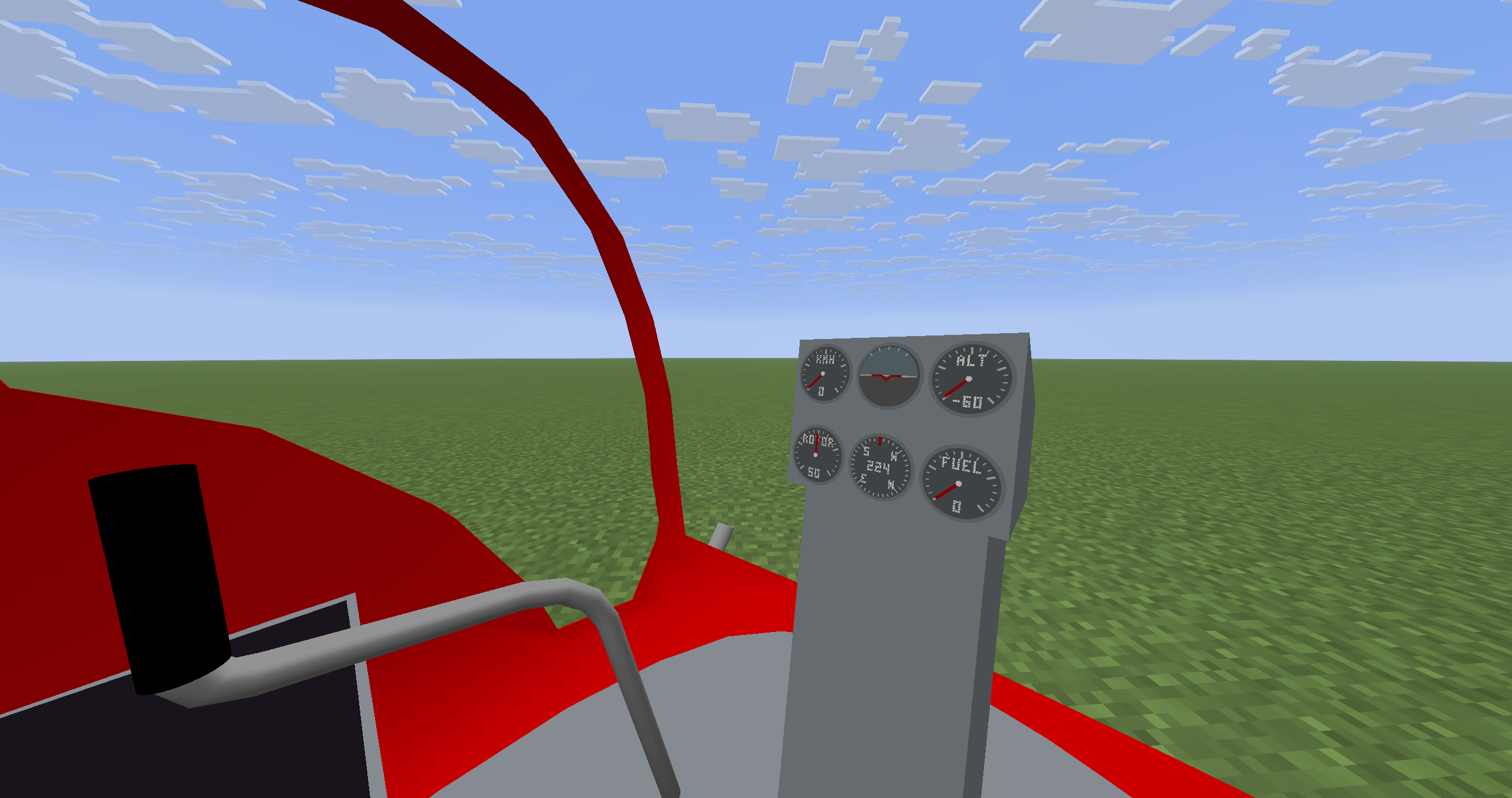
- Working Cockpit Instruments: Six functional gauges display airspeed, rotor speed, attitude, heading, altitude, and fuel.
- Crafting & Fuel: Craft your helicopter using materials obtainable through mining. Refuel with lava buckets (two from empty to full). Fuel is preserved when you pick up the helicopter as an item.
Cockpit and instruments
Keep track of your airspeed, rotor speed, attitude, heading, altitude, and fuel with six working cockpit instruments.
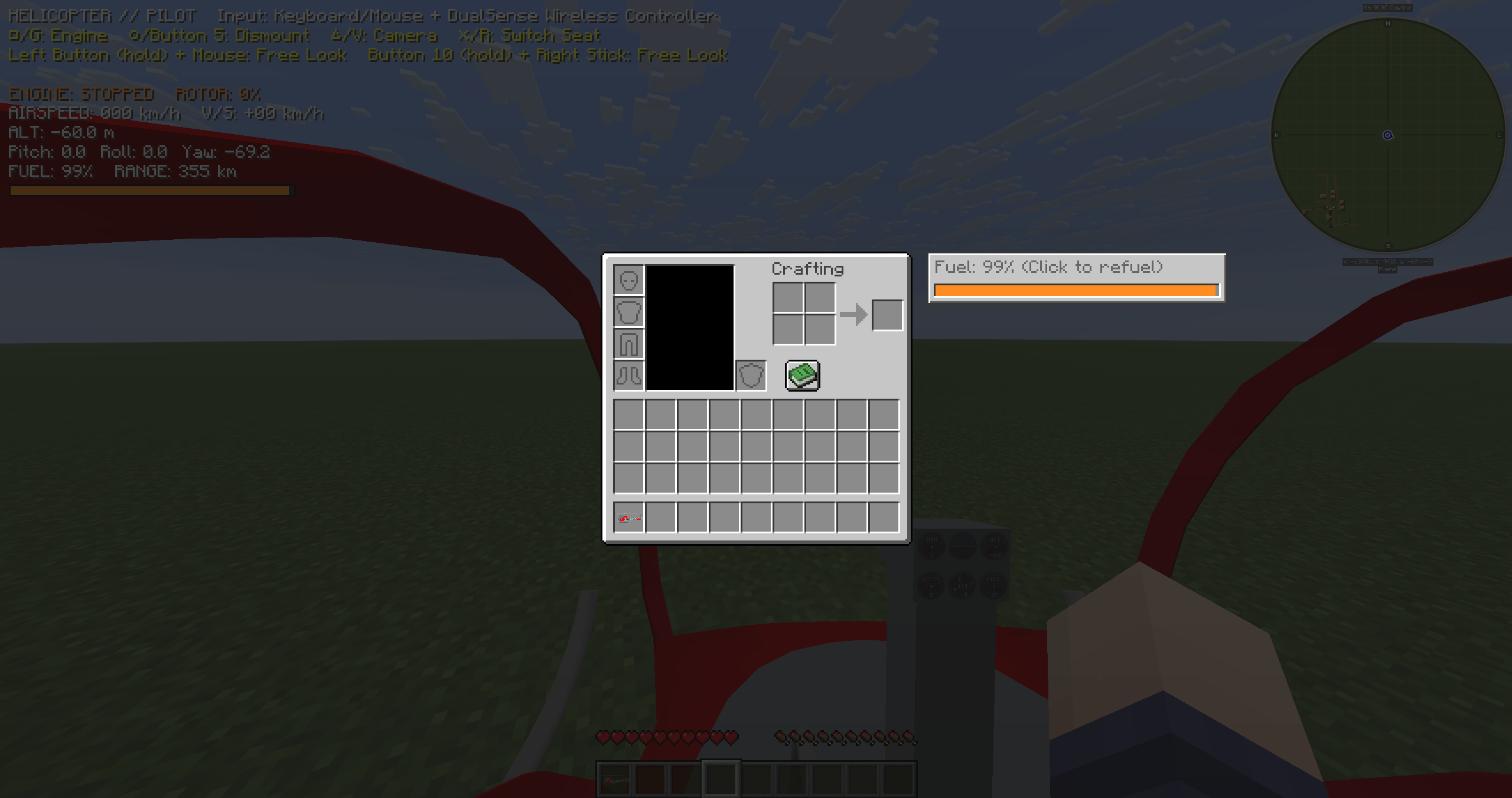
Refuelling
While aboard, open your inventory and click the fuel gauge to refuel with lava buckets. Two buckets fill an empty tank. You can also refuel from outside by using a lava bucket on the helicopter.
Sling-load transport
Use leads to carry a boat and its passengers beneath your helicopter. Press X or D-pad down to release attached cargo. The leads return to your inventory; any that won't fit are dropped.
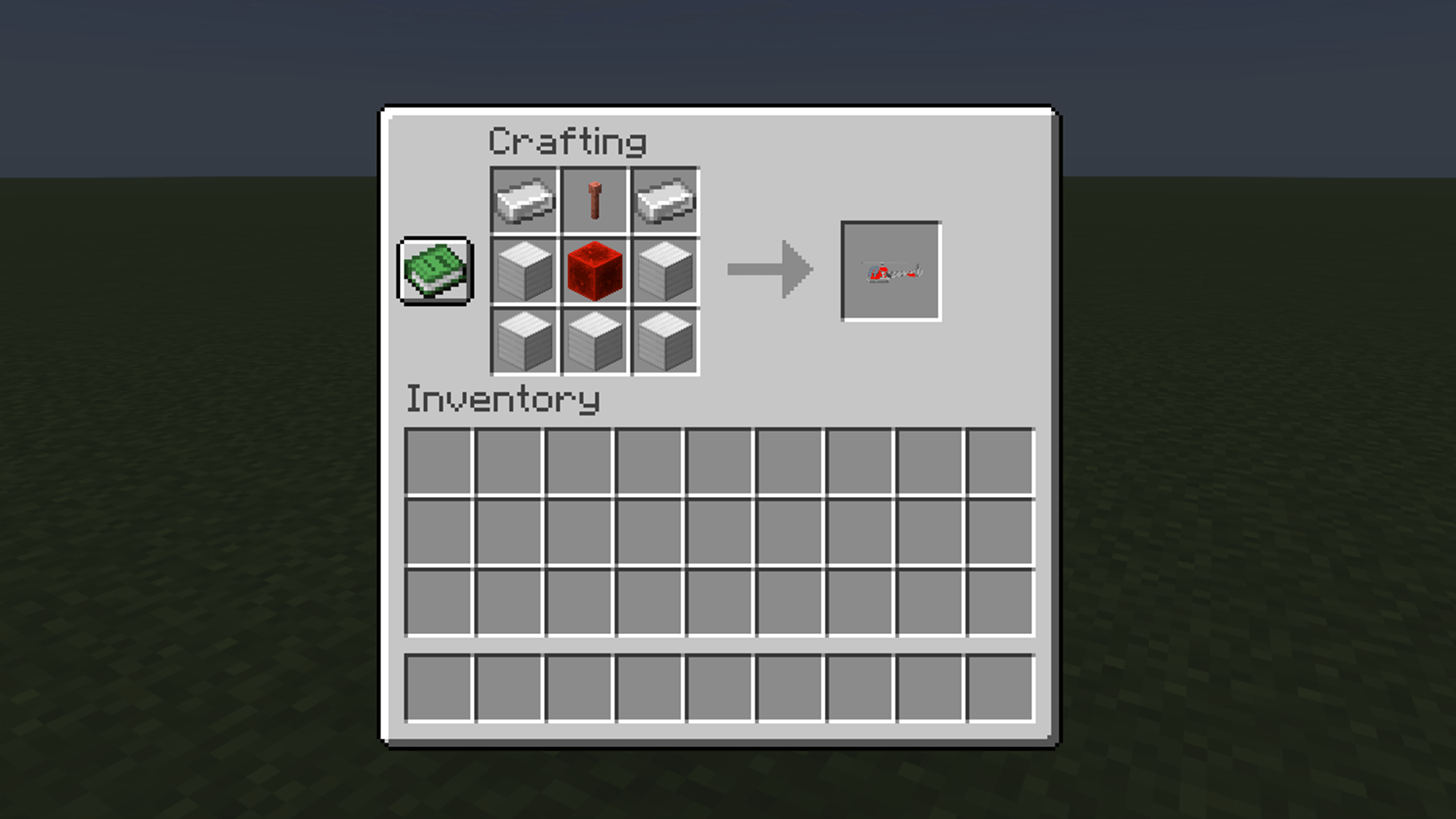
Crafting
Craft a helicopter using 2 iron ingots, 1 regular lightning rod, 5 iron blocks, and 1 redstone block, arranged as shown below. The lightning rod must be unwaxed and unoxidized; waxed or oxidized variants won't work.
Getting started
Place the helicopter item on the ground, then right-click the helicopter to enter the pilot seat. Press R while near the helicopter to enter the passenger seat. While aboard, press R to switch to the other seat if it's empty. Use your crouch key to dismount.
New helicopters start with an empty fuel tank in survival mode, so refuel before starting the engine.
Default keyboard and mouse controls
- Move the mouse to control pitch and roll.
- W / S: climb / descend. A / D: yaw left / right.
- G: toggle the engine. V: change the camera view. R: enter the passenger seat / switch seats.
- From the pilot seat, hold the attack key (left mouse button by default) and move the mouse to look around.
- X: release attached cargo. H: toggle the world information HUD.
You can change key bindings in Minecraft's settings.
Controller support
Tested controllers (USB connection only):
- Sony DualSense Wireless Controller (PS5).
- Xbox Wireless Controller.
Wireless connections have not been tested. Connected controllers are detected automatically, and you can use a controller alongside your keyboard and mouse. Other controller models have not been tested and are not guaranteed to work.
| Action | DualSense | Xbox |
|---|---|---|
| Climb / descend | Left stick up / down | Left stick up / down |
| Yaw left / right | Left stick left / right | Left stick left / right |
| Pitch / roll | Right stick | Right stick |
| Toggle the engine (pilot only) | Square (□) | X |
| Dismount | Circle (○) | B |
| Enter a nearby helicopter's passenger seat / switch to an empty seat | Cross (×) | A |
| Change the camera view | Triangle (△) | Y |
| Free look | Hold R1 and move the right stick | Hold RB and move the right stick |
| Release attached cargo (either seat) | D-pad down | D-pad down |
Release R1 / RB to return to the default view. The cargo-release controls are available when cargo is attached.
Requirements
Minecraft Java Edition 26.3 and Java 25.
- Forge files: Forge 66.0.0.
- NeoForge files: NeoForge for Minecraft 26.3. See the tested versions and combinations below.
For multiplayer, install the same version of the mod on the server and on every player's client. Do not install multiple versions of this mod at the same time. Back up your world before updating.
NeoForge edition
The NeoForge edition follows the gameplay and features of Forge version 0.22.43, with additional shader compatibility work and an in-game shader troubleshooting guide.
Tested environment
- Client-only startup checks: NeoForge 26.3.0.1-beta and 26.3.0.76.
- Tested with other mods: NeoForge 26.3.0.1-beta + Iris 1.11.7+mc26.3 + Sodium 0.9.2+mc26.3.
- Server/client startup check: NeoForge 26.3.0.76 on both the server and client.
Only the environments and combinations listed above have been checked. Other versions and combinations have not been verified. Iris and Sodium are optional.
For multiplayer, use the same NeoForge version and the same Simple Helicopter version on the server and clients. A connection attempt from a NeoForge 26.3.0.1-beta client to a 26.3.0.76 server failed during testing; the cause is still under investigation.
Multiplayer reports awaiting investigation in the NeoForge edition include mounted-player nameplate orientation and a crash when one player changes game mode.
Shader-related issues
Shader packs may cause visual issues, including ghosting on the helicopter, rotors or instruments during flight, unusually dark lighting, or uneven shading on curved surfaces. Results depend on the shader pack and its settings.
Use /heliguide to open the in-game guide. It explains ghosting reduction with BSL as an example and includes a link for reporting other issues. A clickable chat hint also appears when shaders are enabled or switched.
If the guide does not help, or you find another issue, please leave a comment on the distribution page. Include the mod and shader names/versions, when the issue happens, and an image or short video if possible.
Content Creation & Usage Permissions
Videos, Livestreams & Articles
- You are welcome to feature Simple Helicopter in YouTube videos, livestreams, blogs, reviews, and tutorials.
- Monetization is allowed. You may earn revenue from videos, streams, and other content featuring this mod.
- Screenshots, promotional images, and gameplay footage of Simple Helicopter may be used only in content featuring or reviewing this mod, including thumbnails for such content.
- Using these images in unrelated content or redistributing them as standalone assets is not permitted.
- No prior permission is required for these uses.
- Please include a link to the official CurseForge page whenever possible.
Mod Files & Assets
- The mod is distributed under All Rights Reserved.
- Reuploading, redistributing, or publishing modified versions of the mod without permission is not allowed.
- Reuse of this mod's original code, models, textures, or sounds in other projects is strictly prohibited. No permission will be granted for such reuse.
- These restrictions do not prevent you from creating or monetizing content featuring the mod under the permissions described above.
For questions about these terms, please contact me through the comments section.
Simple Helicopter Team
