
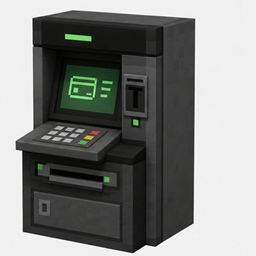
ST Bank System
The mod that adds the Bank System with their Physical Banking storage
- 23
- September 2, 2026
ST Bank System
The mod that adds the Bank System with their Physical Banking storage
- 23
- September 2, 2026
STMONEY
------------
The mod tries to promote the Create style.
1. INSTALLATION
Requirements:
- Minecraft 1.21.1;
- Java 21;
- Arclight/NeoForge 1.21.1 with NeoForge 21.1.228 or newer;
- Each player must have a NeoForge client 1.21.1.
Server installation:
1. Completely stop the server.
2. Create a backup copy of the world and the mods folder.
3. Place stmoney-1.0.1.jar in the mods folder of the server.
4. Start the server and make sure that the STMoney 1.0.1 mod is present in the log.
The same JAR is required on the server and clients. A separate resource pack for banknotes is not required.
Do not use /reload to install or remove the NeoForge mod.
2. CURRENCIES
The mod adds 30 physical items and three series:
- ST Money — real blue-gold banknotes;
- Counterfeits — banknotes with the same in-game name but a different texture and technical ID;
- Emerald Reserve — green-gold reserve currency.
The denominations of each series are: 1, 5, 10, 50, 100, 500, 1000, 2000, 5000, and 10000.
Identical bills are stacked in groups of 64.
The denomination is not automatically recalculated. STMoney does not have crafting, change, bank accounts, shops, or economy management commands. The rules for circulation are set by the administration and external systems.
3. CREATIVE TAB
In the creative inventory, one STMoney tab is available with the ST Money icon — 100.
It is divided into scrollable sections: “ST Money”, “Counterfeits”, and “Emerald Reserve”.
Within each section, the denominations are arranged in ascending order.
4. TECHNICAL ID AND DISTRIBUTION
Real ST Money:
stmoney:st_money_1
stmoney:st_money_5
stmoney:st_money_10
stmoney:st_money_50
stmoney:st_money_100
stmoney:st_money_500
stmoney:st_money_1000
stmoney:st_money_2000
stmoney:st_money_5000
stmoney:st_money_10000
Counterfeits:
stmoney:fake_st_money_1
stmoney:fake_st_money_5
stmoney:fake_st_money_10
stmoney:fake_st_money_50
stmoney:fake_st_money_100
stmoney:fake_st_money_500
stmoney:fake_st_money_1000
stmoney:fake_st_money_2000
stmoney:fake_st_money_5000
stmoney:fake_st_money_10000
Emerald Reserve:
stmoney:emerald_reserve_1
stmoney:emerald_reserve_5
stmoney:emerald_reserve_10
stmoney:emerald_reserve_50
stmoney:emerald_reserve_100
stmoney:emerald_reserve_500
stmoney:emerald_reserve_1000
stmoney:emerald_reserve_2000
stmoney:emerald_reserve_5000
stmoney:emerald_reserve_10000
Examples:
/minecraft:give <player> stmoney:st_money_100 1
/minecraft:give <player> stmoney:fake_st_money_500 16
/minecraft:give <player> stmoney:emerald_reserve_1000 8
5. TAGS FOR DATAPACKS AND INTEGRATIONS
#stmoney:currency all 30 items
#stmoney:st_money real ST Money
#stmoney:fake_st_money counterfeits
#stmoney:emerald_reserve Emerald Reserve
The original and the counterfeit have different IDs and tags, so external systems must check the technical ID,
not the displayed item name.

The mod that adds the Bank System with their Physical Banking storage
The mod that adds the Bank System with their Physical Banking storage