Signboards
- By
screenshot-storage-wall.png
Screenshot 2026-10-17 13-27-41.png
Screenshot 2026-10-17 13-28-38.png
Screenshot 2026-10-17 13-28-46.png
Description
Signboards
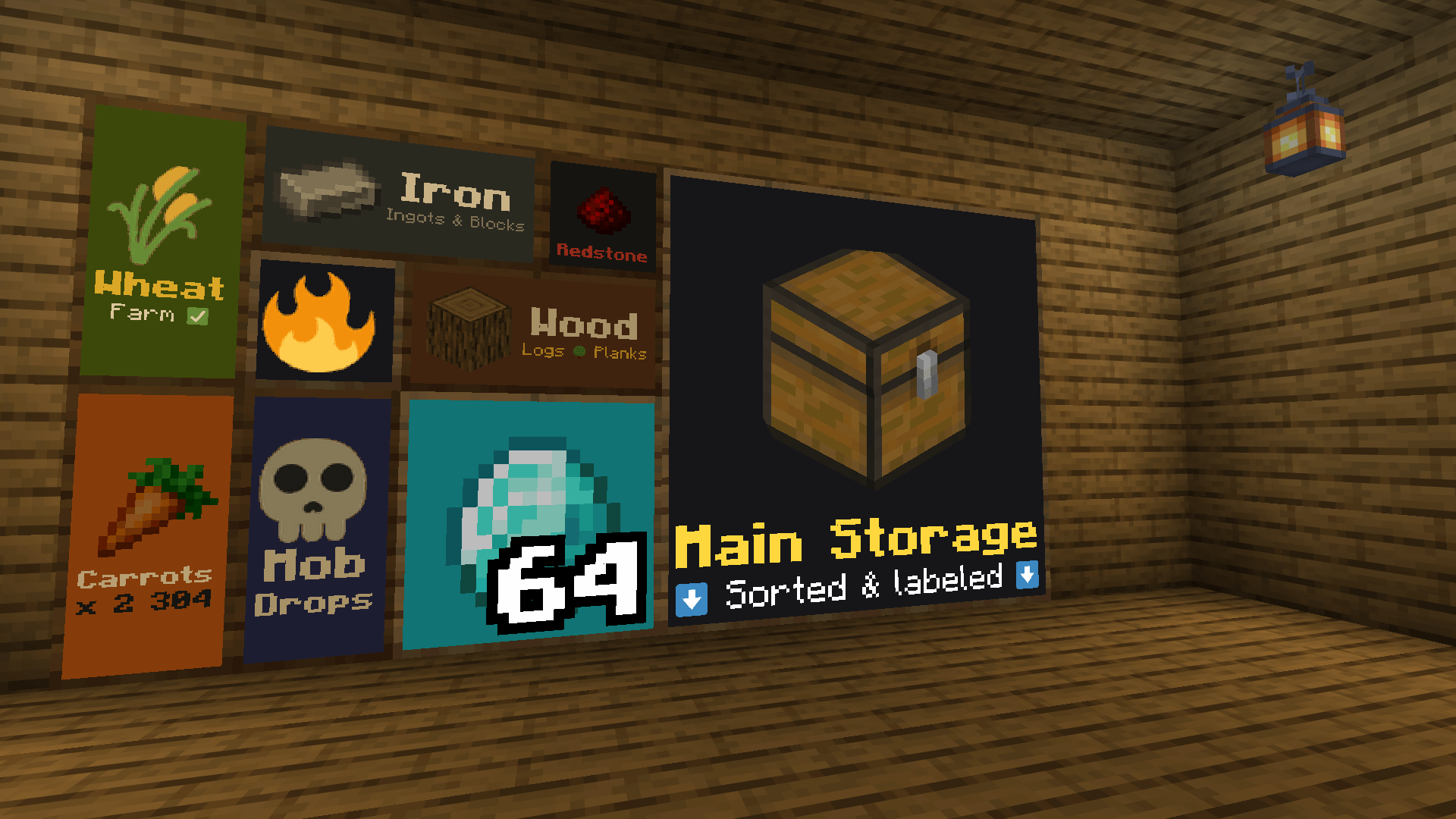
Know what's in every chest at a glance. Signboards adds Satisfactory-style item signs that hang on walls, floors and ceilings. Each sign shows a big item picture or a colored emoji plus a few lines of text or a number, so your storage rooms and farms finally label themselves.
Features
• Five sizes: 1x1, 1x2 (tall), 2x1 (wide), 2x2 and 4x4. The block you click becomes the sign's bottom-left corner, so lining up a wall of signs is easy.
• Any item as the icon: pick from every item with a search box, or just right click a sign while holding the item.
• 210 colored emoji for crops, animals, ores, tools, warnings, arrows, numbers and colors. Use one as the big icon, or write :fire:, :wheat: or :check: inside your text.
• Ready-made layouts: icon only, icon with text below, icon with text on the right, text only, or icon with a big number in the corner, like a stack count.
• Up to 4 lines of text, each with its own color, size and bold.
• Backgrounds: framed wooden board, plain color or none at all, in 16 colors. Turn on glow to keep a sign bright in the dark.
• Keeps its design: a broken sign drops with its design, so you can move it anywhere. Middle click copies a sign together with its design.
How to use
• Place: right click a wall, floor or ceiling with a sign.
• Edit: right click a sign with an empty hand, with a sign item, with the item it already shows, or while sneaking. The editor shows a live preview.
• Quick icon: right click a sign while holding any other item. That item becomes the icon and is not used up.
• Remove: hit the sign.
Crafting
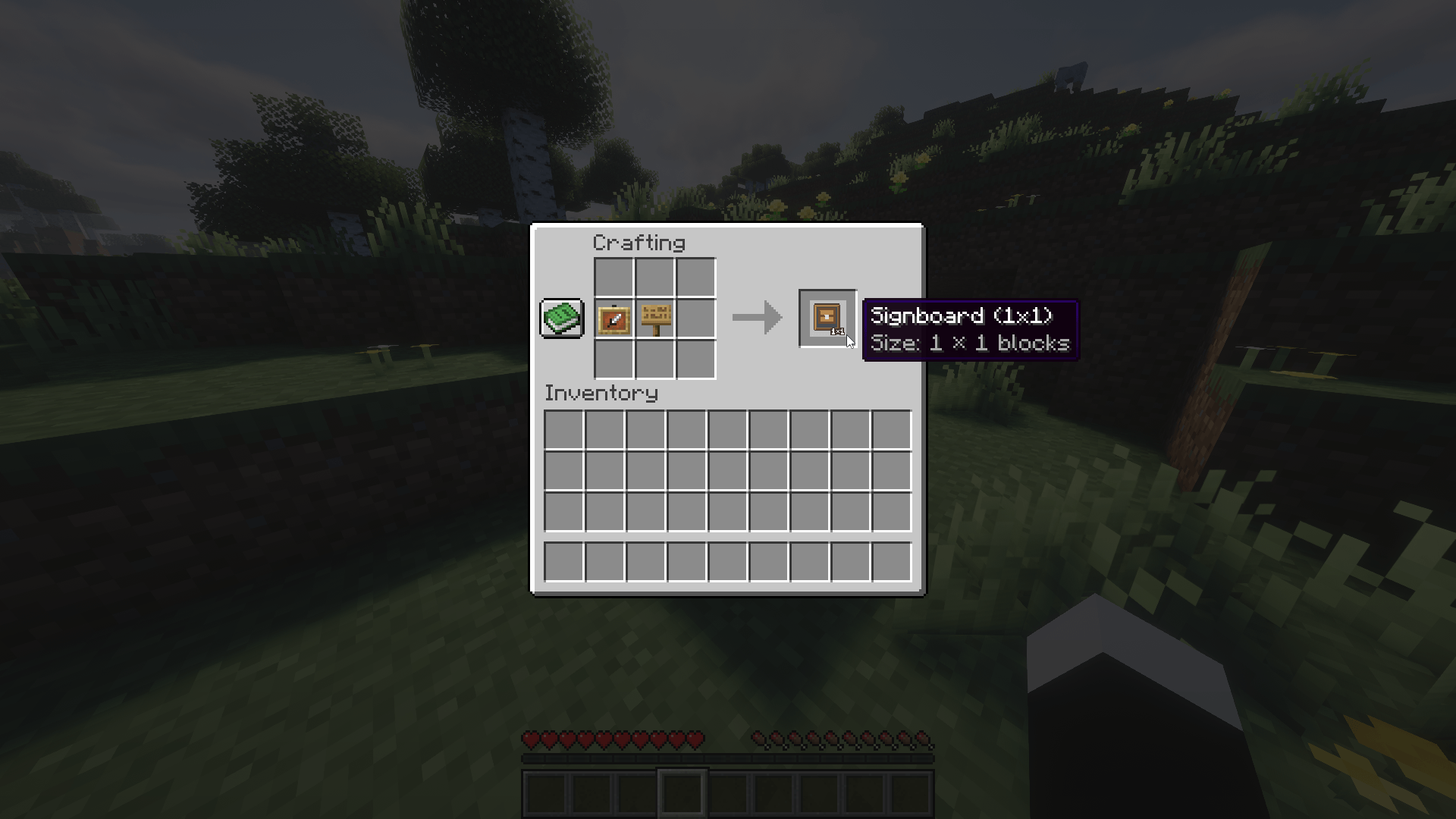
• 1x1: Item Frame + any Sign (shapeless)
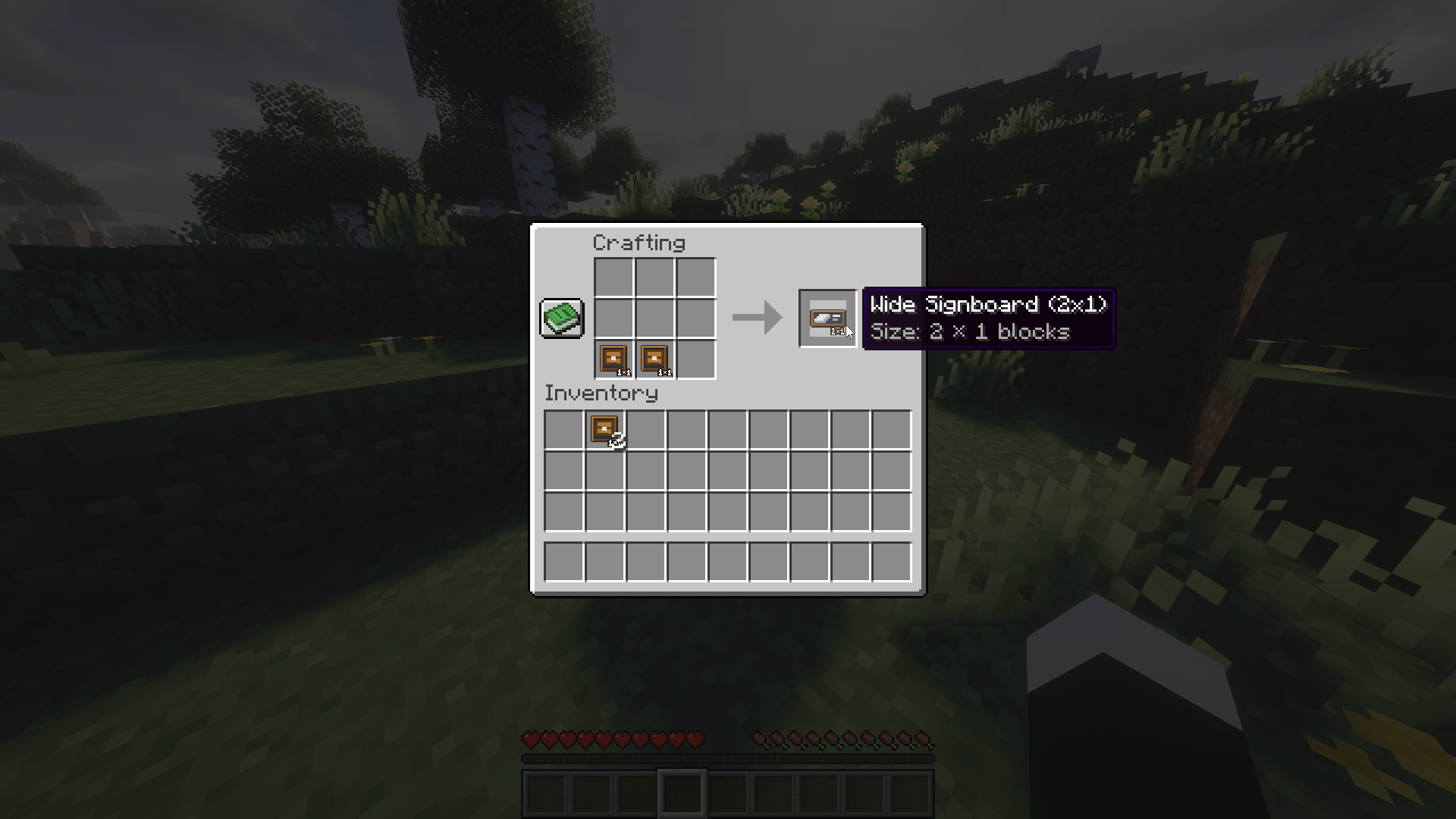
• 2x1: two 1x1 side by side
• 1x2: two 1x1 on top of each other
• A single 2x1 turns into a 1x2, and back
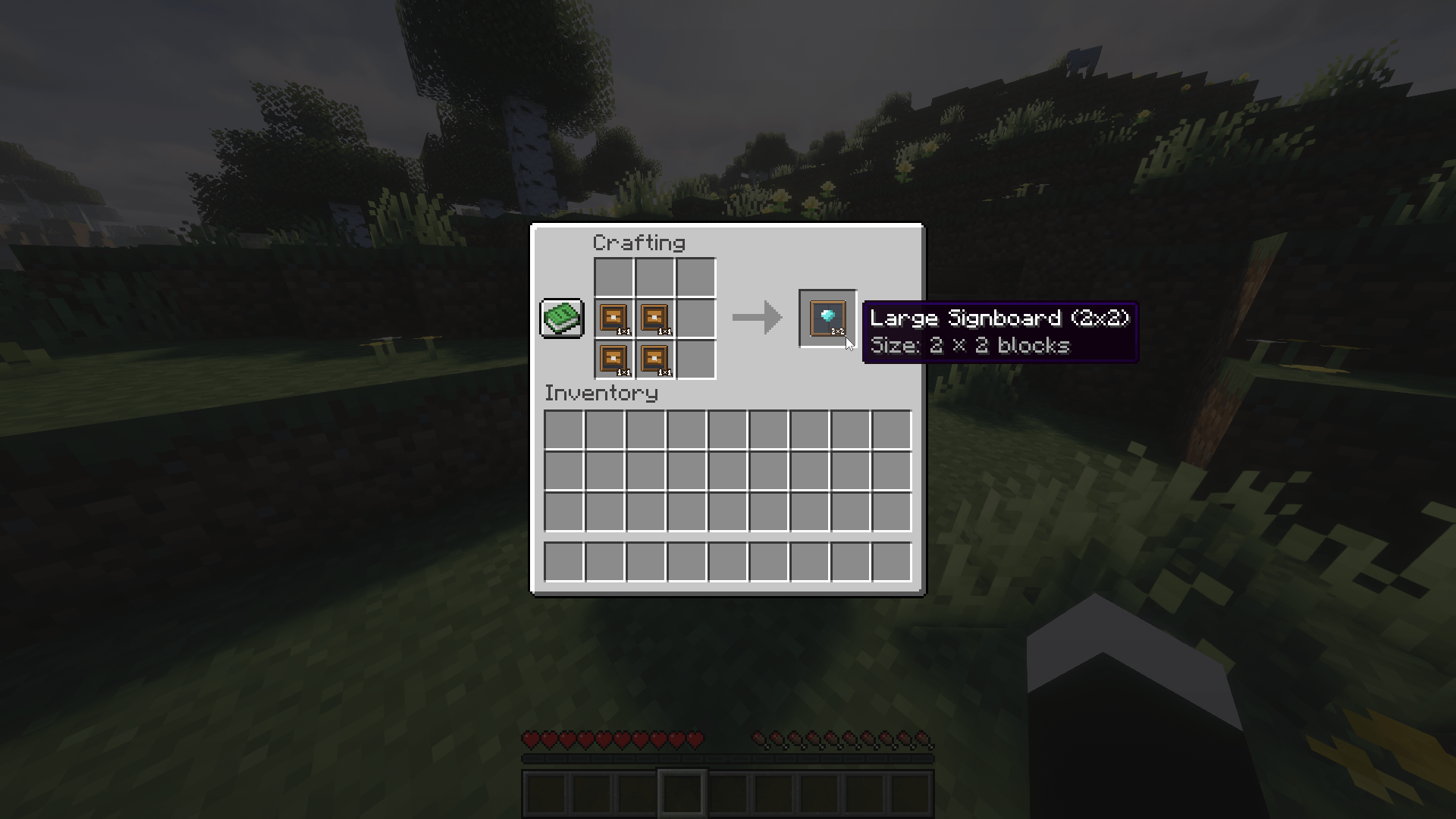
• 2x2: two 2x1 on top of each other, or four 1x1 in a square
• 4x4: four 2x2 in a square
All signs are also in the creative Functional Blocks tab.
Supported versions
• Minecraft 26.3: Fabric, NeoForge
• Minecraft 26.1.x: Fabric (26.1 to 26.1.2), NeoForge and Forge (26.1.2)
• Minecraft 1.21.11: Fabric, NeoForge, Forge
• Minecraft 1.21.1: Fabric (1.21 and 1.21.1), NeoForge and Forge (1.21.1)
• Minecraft 1.20.1: Forge
!! Forge for 26.3 will follow once Forge has a stable 26.3 release.
Credits
Emoji graphics are from Twemoji v17.0.3 (https://github.com/jdecked/twemoji), Copyright 2019 Twitter, Inc and other contributors, licensed under CC-BY 4.0 (https://creativecommons.org/licenses/by/4.0/). A selection of them was resized and packed into a sprite sheet.
The mod's code is licensed under MIT.
Signboards Team