Shield Painting
- By
Paint your own design onto any shield, pixel by pixel, with a spray can and a painting table.
Paint your own design onto any shield, pixel by pixel, with a spray can and a painting table.
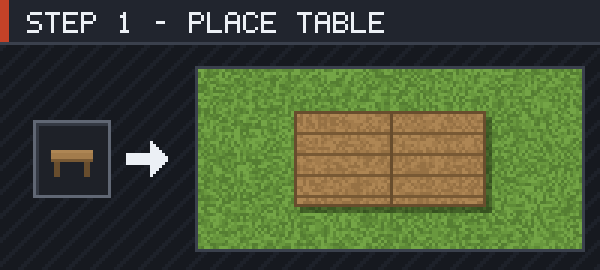
Craft a Painting Table and put it down. It takes up 2×1 blocks and extends in the direction you are facing, so leave a block of room in front of you.
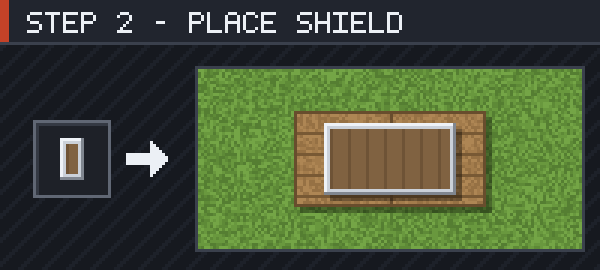
Right-click the table holding a shield. It leaves your hand and lies flat on the table at its real size — either half of the table works.
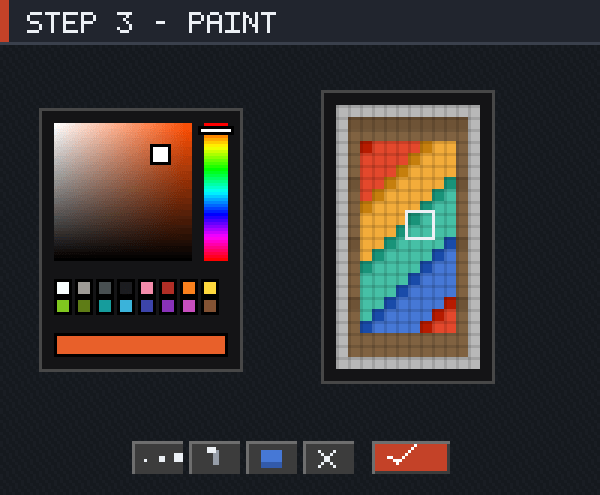
Right-click with a Spray Can and the editor opens on the shield's 12×22 face. Left-click paints, right-click erases, the scroll wheel changes brush size, and Ctrl+Z undoes. Press Done or Esc to save.
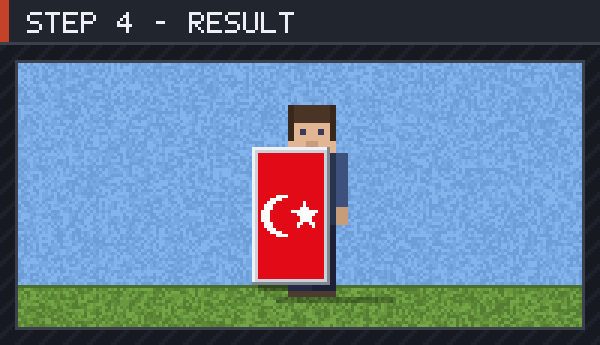
Take the shield back and the picture stays on it — in your hand, in the inventory, in item frames and lying on the ground. It is still an ordinary shield, so it blocks and enchants exactly as before.
Shield Painting Team