Shhh Builder
- By
A clean, beginner-friendly client-side schematic viewer and building assistant for Minecraft 26.3 Fabric. Built with zero mixins, in-world holograms, live materials tracking, and fair-play client controls.
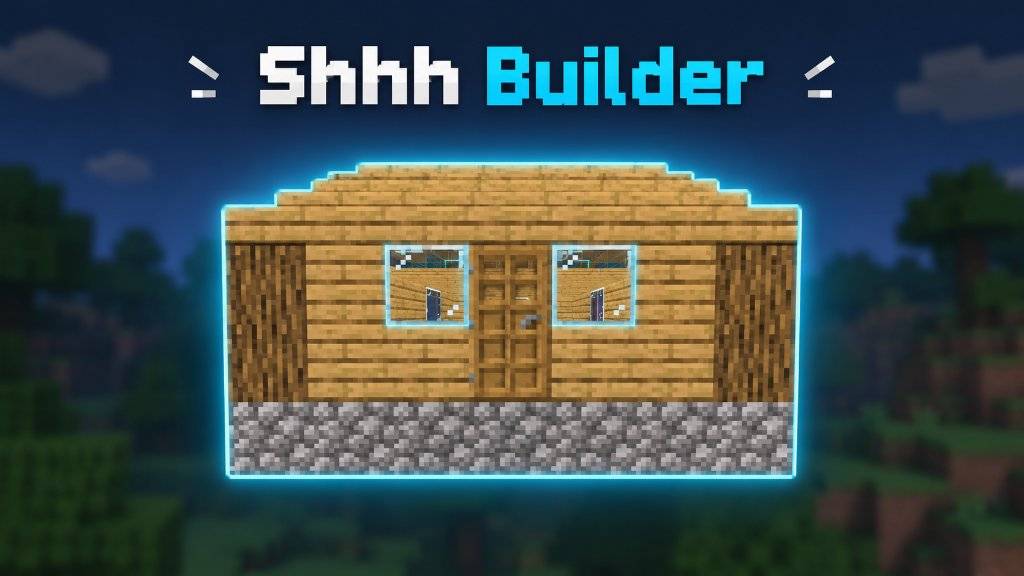
Official Shhh Builder project banner featuring the holographic sample house.
Description
Shhh Builder
A clean, lightweight schematic viewer and building assistant for Minecraft Fabric. Designed for players who want to build from schematics without dealing with complicated hotkeys or cluttered menus.
Shhh Builder is client-side only, uses zero mixins, and does not alter server gameplay or place blocks automatically.
What It Does
- In-World Holograms: Displays translucent textured previews of your schematic right where you want to build. You can switch between textured blocks and clean wireframe outlines.
- Performance Culling: Interior blocks that are completely covered by surrounding blocks are hidden from rendering, keeping frame rates steady even with large builds.
- Materials Checklist: Press K to open a full materials list. It reads your current inventory (including shulker boxes if enabled), calculates how many stacks or shulkers you need, and tracks remaining items.
- Build Progress Tracking: As you place correct blocks into the world, the missing item counts decrease automatically.
- Pick-Block Helper: Aim at any unplaced preview block and use your middle-click (Pick Block) to automatically select that block from your hotbar or inventory.
- Layer Slicing: Build one layer at a time, view all layers up to your current height, or view the entire structure at once.
- Easy Adjustments: Rotate, mirror, or nudge your build with simple keyboard shortcuts without having to reopen the interface.
- Built-in Tutorial: An interactive 7-step guide walks you through the controls and features directly in-game (
/shhhbuilder tutorial).
Controls
All keybindings can be customized in Options -> Controls -> Key Binds -> Shhh Builder:
| Action | Default Key | Category | What it does |
|---|---|---|---|
| Open Main Screen | V | Shhh Builder | Browse schematics, view details, search files, and place builds |
| Materials Checklist | K | Shhh Builder | Open interactive materials manager & inventory comparison |
| Toggle Material HUD | H | Shhh Builder | Toggle compact on-screen materials overlay |
| Toggle Bounding Box | B | Shhh Builder | Show or hide the 3D bounding box around the placement |
| Toggle Ghost Blocks | G | Shhh Builder | Toggle preview hologram visibility |
| Rotate 90° | R | Shhh Builder | Rotate active placement 90 degrees clockwise |
| Flip / Mirror | Z | Shhh Builder | Mirror active placement horizontally |
| Cycle Layer Mode | M | Shhh Builder | Switch between All Layers, Single Layer, and Up To |
| Layer Down / Up | [ / ] | Shhh Builder | Move active layer slice down or up |
| Reset Layer Filter | \ | Shhh Builder | Reset layer view to show all layers |
| Nudge Placement | Arrow Keys | Shhh Builder | Move placement North, South, West, or East |
| Vertical Nudge | PgUp / PgDn | Shhh Builder | Shift placement Up or Down by 1 block |
Installation
- Install Fabric Loader (0.20.1 or newer) for Minecraft 26.3.
- Install the matching version of Fabric API.
- Download
shhh-builder-1.0.0.jarand place it in your.minecraft/modsfolder. - (Optional) Install Mod Menu to view and edit settings from the in-game mod list.
Put your .litematic or .schem files into .minecraft/schematics/. A sample house schematic is included automatically on first launch so you can try the controls right away.
Server Compliance
Shhh Builder runs entirely on your local game client. It does not send custom network packets to servers and does not contain printer or automated placement features. It functions purely as a visual reference guide and hotbar helper, making it safe to use on vanilla and survival multiplayer servers.
License & Source
Licensed under the MIT License.
Source code and issue tracker: https://github.com/rafayshhh/shhh-builder
Shhh Builder Team