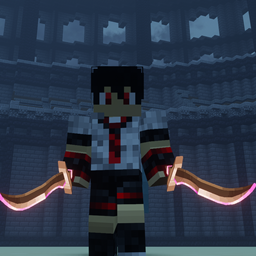
BattleCore provides a fast and convenient way for all PvP enthusiasts to create reusable PvP maps.
With a suitable build, you only need to spend a few minutes creating several datapacks to turn it into a fully functional PvP map that can be reused multiple times.
Press H to open the menu
This mod provides a complete multiplayer PvP framework, including:
Room system designed for multiplayer matches
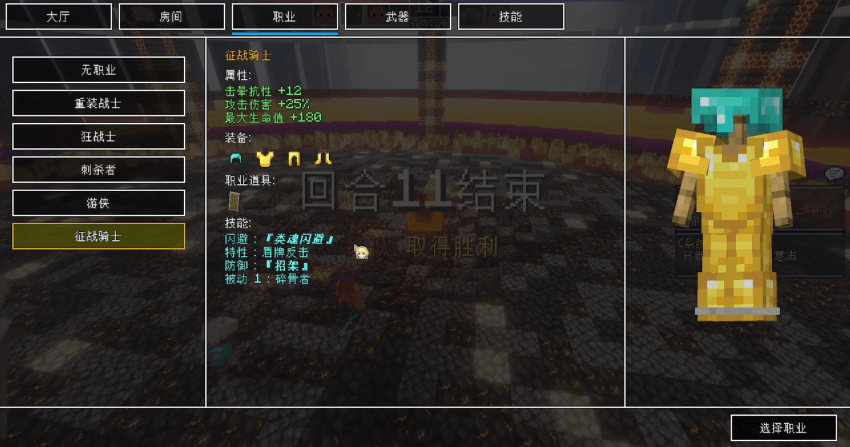
Custom class system
Custom weapon system
Additional compatibility with Epic Fight skills
Currently, BattleCore includes three different game modes:
-Deathmatch
-King of the Hill
-Team Slayer
More game modes will be added in the future. If you have any ideas or suggestions, feel free to leave a comment!
本模组向所有爱好PVP的玩家提供了一个能够快捷创建PVP地图的模组。
只要你有合适的建筑,那么只需要花上几分钟编写几个数据包,就能完成一个可重复使用的PVP地图。
在游戏中按下H键打开游戏菜单
本模组提供了为多人游戏准备的房间、职业、武器功能以及额外的史诗战斗技能适配
目前模组共有三种不同的游戏模式:死亡竞赛、据点抢夺、团队歼灭,并在未来将会推出更多模式共玩家选择,如果你有好的想法,欢迎在评论区留言!
DC Channel :https://discord.com/channels/1509517591633461348/1530756768278253699
DC频道:https://discord.com/channels/1509517591633461348/1530756768278253699
Mod Content Preview
模组内容预览:
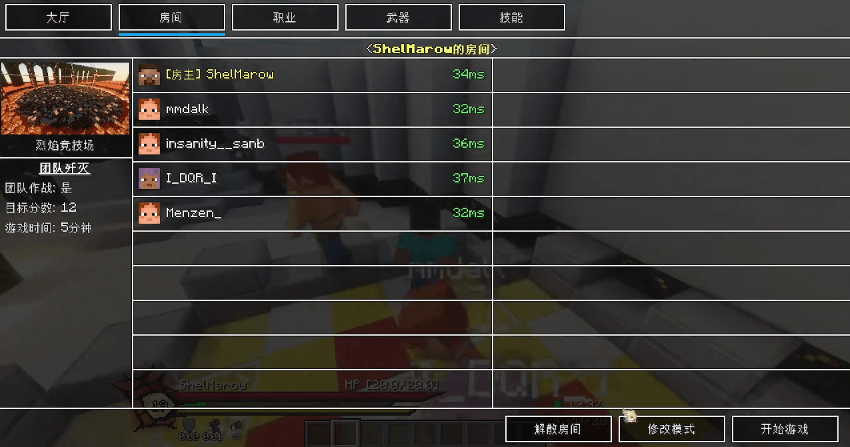
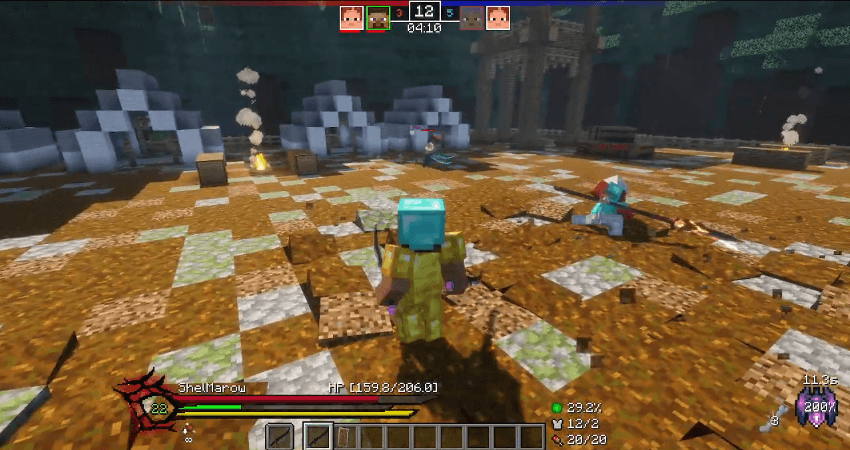
How to Use
模组使用方法如下:
Create a datapack inside your world save:
在存档的datapack中创建数据包
datapack/<name>/data/<id>/battlecore/
Then add the following directories:
并添加以下目录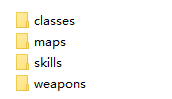
The skills directory is an optional feature for Epic Fight compatibility.
If you do not have Epic Fight installed, you can simply skip creating this directory.
其中skills为史诗战斗兼容可选项,如果你没有安装史诗战斗,可以不创建该目录
Classes
职业:
First, create a class JSON file:
首先创建对应的职业json文件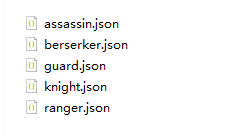
Then write the class data inside the file.
在内部书写内容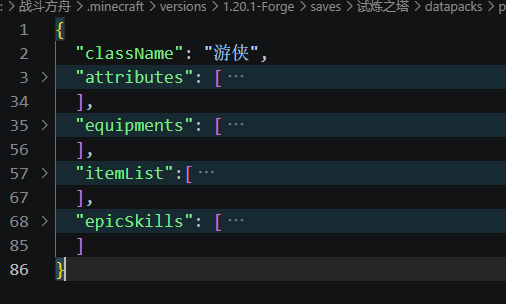
A class mainly consists of four (or five) parts:
职业主要由四(五)个内容,分别是:
Display Name, Translation keys are supported.
-显示的职业名称(可以使用翻译键)
Attribute Bonuses
-属性加成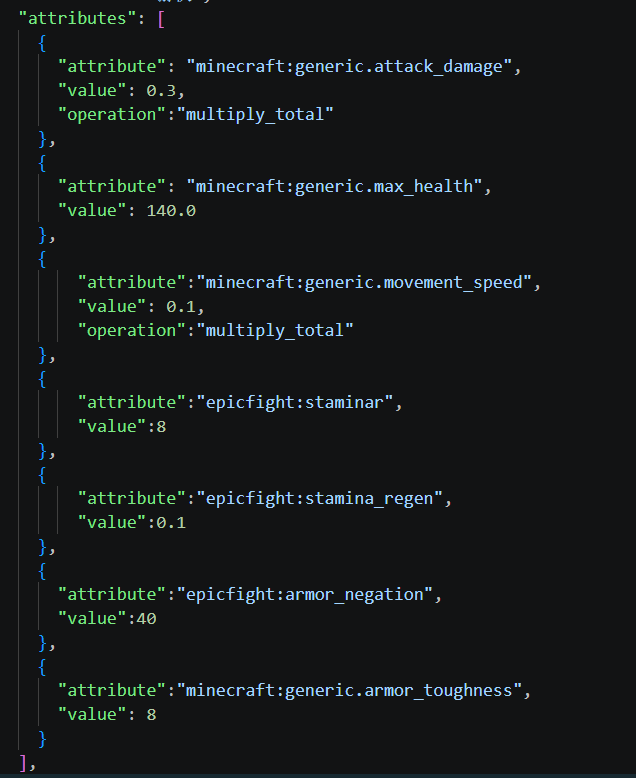
Equipment
can use nbt like Class Items
-装备
可以和职业物品一样使用nbt标签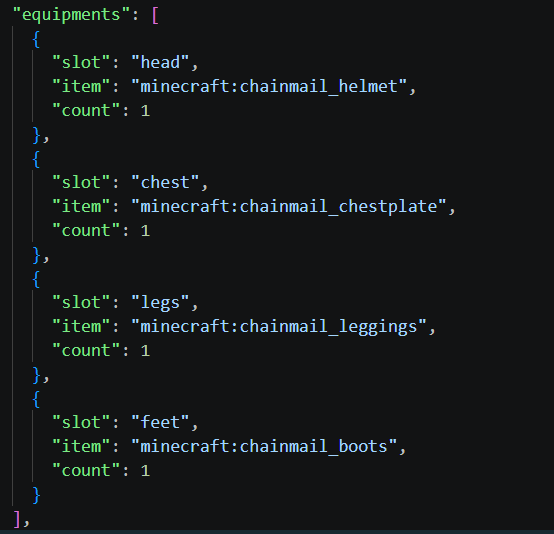
Class Items
-职业物品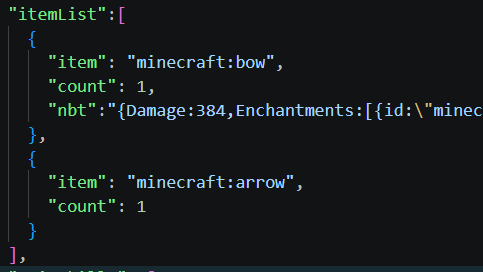
Epic Fight Skills (Optional)
-以及兼容史诗战斗的技能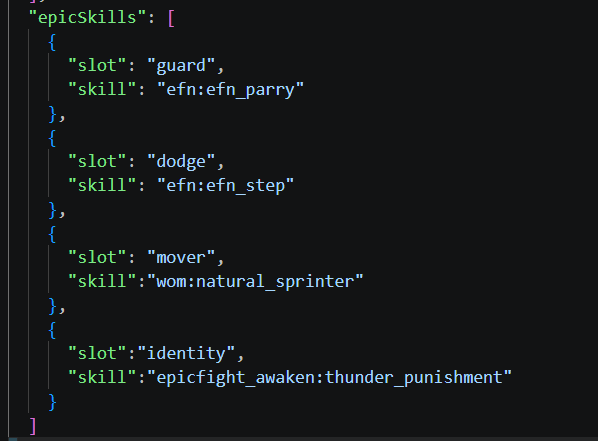
After finishing the JSON file, enter the game and your new class will appear in the Class Selection interface.
书写完毕后,进入游戏就能在职业界面看见你添加的职业了!
Weapons
武器:
Create a weapon JSON file:
创建武器json文件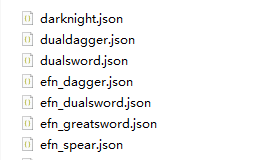
Edit the weapon information inside the file.
can use nbt like Class Items
在内部编辑内容
支持nbt标签,同ClassItems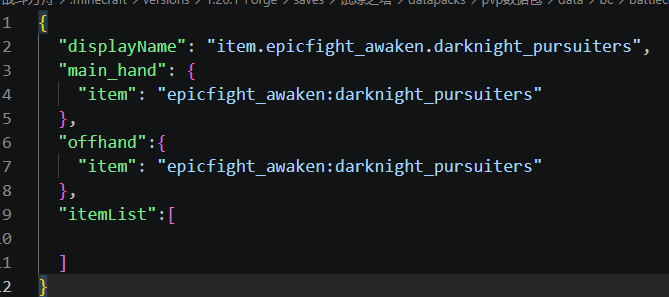
The format of itemList is the same as the one used in classes.
After completing the configuration, enter the game and your new weapon will appear in the Weapon Selection interface.
其中itemList的书写方式与职业一致
编辑完毕后,进入游戏就能在武器界面看见你加入的武器了
Custom Maps
自定义地图
Create a map JSON file:
创建地图文件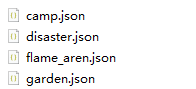
Edit the map information.
编辑地图内容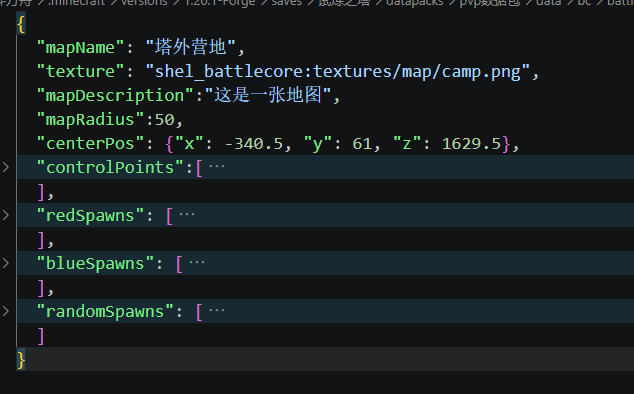
A map contains nine different sections:
其中地图包含了9个不同的内容
Map Display Name, Translation keys are supported.
-地图显示名称(可以使用翻译键)
Map Preview Image, Using a resource pack is recommended.
-地图展示图(推荐使用资源包)
Map Description
-地图简介
Map Size and Center Position
-地图半径大小以及中心位置
King of Hill Positions
-据点位置(可以设置多个)
Red Team Spawn Points
-红队出生点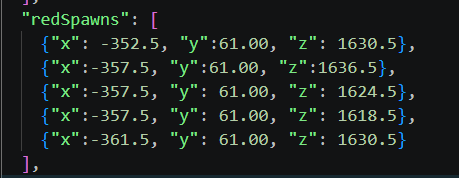
Blue Team Spawn Points
-蓝队出生点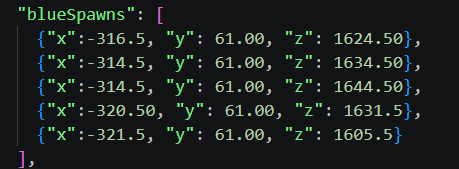
Random Spawn Points
-随机出生点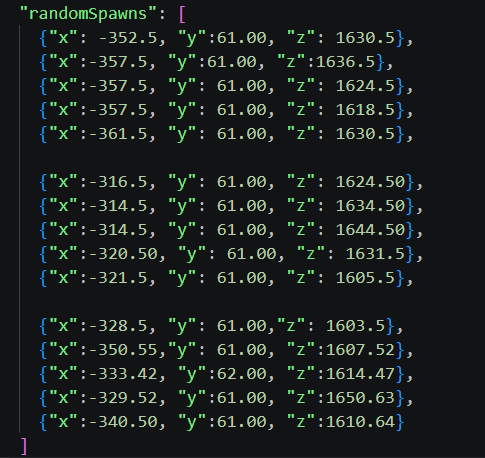
After completing the configuration, enter the game and your new map will appear in the Map Selection interface when creating a room.
设置完毕后,进入游戏,你就能在创建房间的地图选择界面看见你添加的新地图了!
Epic Fight Skills
史诗战斗技能
This feature only works when Epic Fight is installed.
First, create the corresponding skill slot file:
该部分在安装了史诗战斗后才能生效
首先创建对应的技能槽文件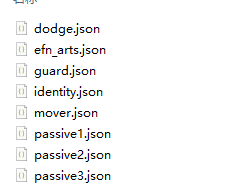
Note: The file name must exactly match the skill slot ID used in the game.
需要注意的是,文件名称必须对应游戏内的技能槽ID
Then add the skills that players are allowed to select inside the file.
然后在文件中加入允许玩家选择的技能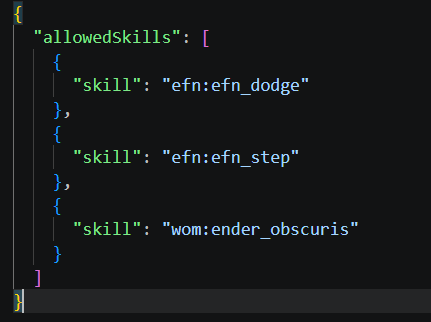
After completing the configuration, enter the game and your new skill group will appear in the Skill Selection interface.
添加完毕后,进入游戏就能在技能页面看见你添加的技能组了!
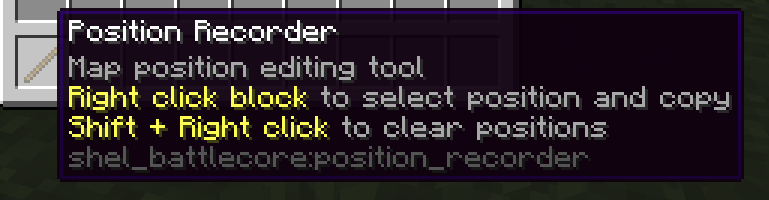
To make adding coordinates easier, BattleCore provides an in-game coordinate copying tool.
为了方便添加坐标点,游戏内也提供了便捷的坐标复制工具,使用give指令获得
The Shel's Battle Core Team


Owner