Shader Fps Slider
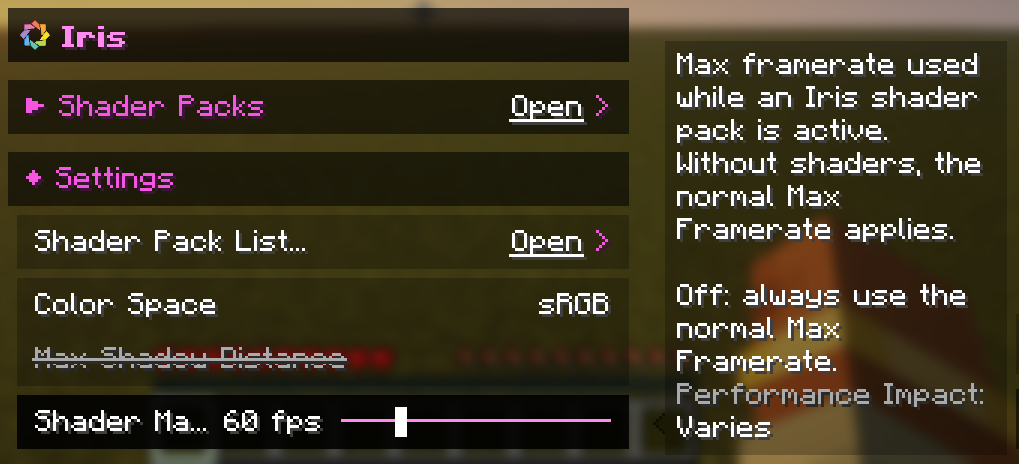
A small addition to Iris that gives you a separate Max Framerate for when a shader pack is active.
Shaders are heavy, and sometimes you just want to cap your FPS while they're on so your GPU stays cool and quiet, but still play at full speed without them. Normally that means changing the Max Framerate every time you toggle shaders. With this addition it happens automatically: when a shader pack is active your Shader Max Framerate is used, and when it's off you're back to your normal one. Minecraft's own throttling in menus, while AFK or when the window is minimized keeps working as usual.
You'll find the slider in Video Settings → Iris → Settings, right next to the other Iris options. Set it anywhere from 10 to 250 FPS, to Unlimited, or to Off if you want to use your normal Max Framerate even with shaders. It starts at 60 FPS.
This is an unofficial addition and is not affiliated with the Iris or Sodium teams.
Shader Fps Slider Team

Owner