Shaded War 3.0
- By
Realistic FPV and combat drones with simulated flight physics, analog FPV video and thermal imaging
Description
BETA
For Minecraft 1.20.1 (Forge). The mod is in beta and may contain bugs. Please back up your worlds.
Overview
Shaded War adds drones to Minecraft: FPV quads with real acro flight physics, long-range strike drones and cruise missiles with their launchers, interceptor drones and signal jamming. Signal strength, battery, OSD and synthesized motor sound are all simulated.
Arsenal
FPV drones
- 7" FPV: a standard long-range FPV quad.
- 7" Strike FPV: carries an explosive warhead and detonates on impact.
- 10" Rocket Tube FPV: a heavy quad with a rocket tube slung under the frame. Fire it in flight; the empty tube drops away.
- Tiny Whoop: a small, light quad for flying indoors.
- Dart-1 Interceptor: a very fast bullet-shaped drone that hunts other drones and missiles and detonates next to them. It has its own OSD.
FPV drones come in 1x / 2x / 4x signal versions for longer range.
Strike drones and missiles
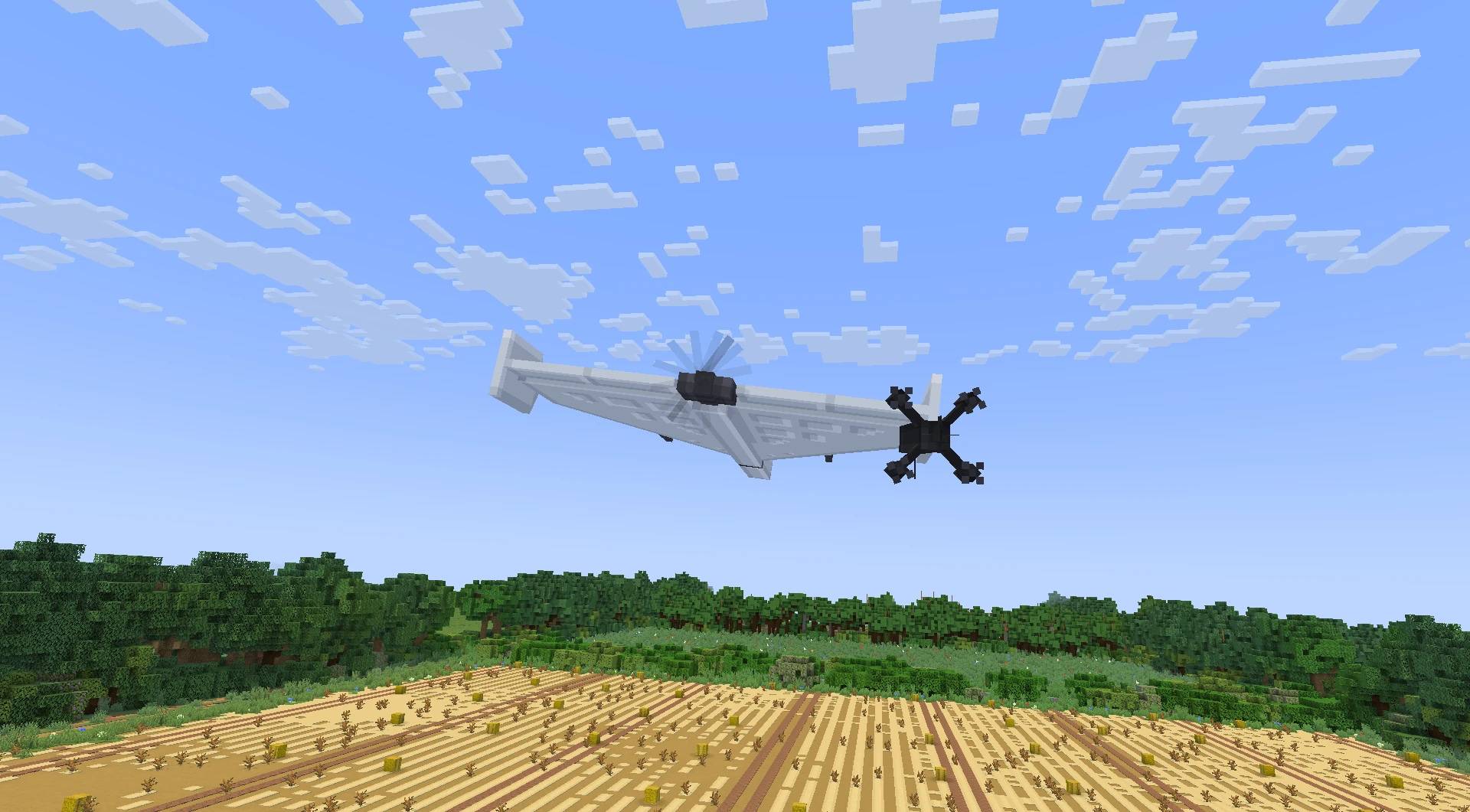
- Corvid-36: a propeller-driven delta-wing strike drone, launched from the Corvid Launcher.
- Corvid-38: the jet-powered version, in white and black.
- Corvid-5: a jet attack drone.
- Egret-5: a cruise missile, fired from the Egret-5 Launcher.
Equipment
- FPV Controller: links to a drone and flies it.
- FPV Goggles: the pilot's view, with OSD and analog video interference.
- FPV Configurator: tune rates and flight settings in game.
- Thermal Camera: fit it to an FPV drone to see in white-hot thermal. Living things, running engines and motors, rocket exhaust and the ground around explosions glow.
- Monitor: an operator station with a camera feed from Corvid drones.
- ECM Emitter + ECM Battery: a jammer that cuts control links and brings down drones nearby.
Flight physics
Every FPV drone flies on its own simulated airframe:
- Thrust from its motors and props, so a heavy drone needs more throttle to hover.
- Motor spool-up, so throttle response is not instant.
- Inertia: bigger drones turn slower and carry momentum.
- Battery sag: voltage drops under load and as the pack drains.
- Drag that depends on the frame and whatever it carries.
How to fly FPV
- Put on the FPV Goggles.
- Right-click the drone with the FPV Controller to link and take control.
- Shift + right-click the drone: link only.
- Shift + right-click in the air: clear the link.
- Press V to arm, hold Space for throttle and steer with the mouse.
- To pick a drone up: Shift + right-click it with an empty hand (it must be disarmed).
Mouse and keyboard (default)
FPV is flown mainly with the mouse; the keyboard adds throttle, yaw and arming.
| Input | Action |
|---|---|
| Mouse up / down | Pitch |
| Mouse left / right | Roll |
| Space | Throttle |
| A / D or Q / E | Yaw |
| W / S | Pitch (keyboard backup) |
| V | Arm / disarm |
| R | Fire the rocket tube |
Gamepad and RC transmitter support 🎮
You can fly with a gamepad or a real RC transmitter connected as a joystick. A built-in calibration wizard helps you set it up:
- Device selection: choose which controller to use.
- Stick wizard: map and calibrate the sticks.
- Arm switch: assign any switch or button to arm.
- Rates: RC Rate / Super Rate / Expo, as on real FPV flight controllers.
The wizard opens when a new controller is detected. You can also open it with the "Open Controller Calibration" key; set it under Options → Controls → Shaded War.
Signal and battery
- The signal weakens with distance and obstacles; you'll see video noise before you lose the link.
- ECM jammers cut the link inside their range.
- The battery drains with current draw. Keep an eye on voltage and mAh on the OSD.
Monitor controls (Corvid drones)
| Key | Action |
|---|---|
| R | Increase power |
| F | Decrease power |
Requires GeckoLib.
Shaded War 3.0 Team