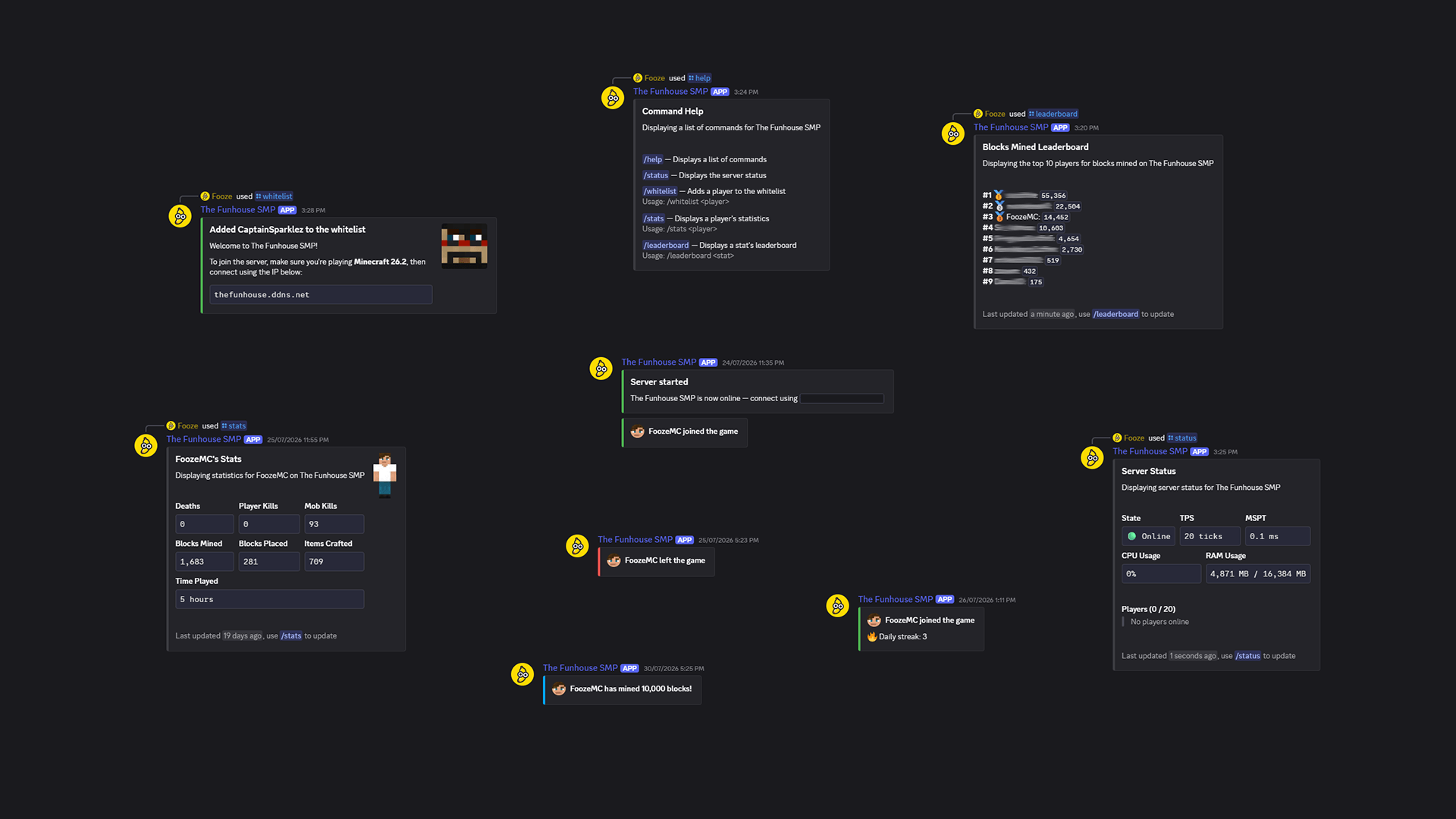
Beautifully designed embeds!
Description
Server Discord Bot
A Minecraft mod that links your server with a Discord bot.
Features
- Whitelisting
- Join/leave messages
- Stats and leaderboards
- Player milestones
- Server status and info
Guide: Setup the bot
Creating a Discord bot
- Go to the Discord Developer Portal
- Create a new application
- Customize the name, description, and icon
- Click on the
Bottab and save your bot token somewhere - Click on the
OAuth2tab and add thebotscope andadministratorpermission - Choose
Guild Installand open the generated url in your browser - Complete the invitation process to your Discord server
- In Discord, right-click on the text channel you want to use, select
Copy Channel ID, and save it somewhere
Running the bot
- Download Server Discord Bot and its dependencies
- Install the file/s in the mods directory of your server
- Start the server once and stop it once it's running
- In your server directory, go to
config/server-discord-bot/config.jsonand add your bot token and channel ID - Done! Start the server again and the bot should come online
Server Discord Bot Team

Owner