SerialItems
- By
🔥 Auto-Refill
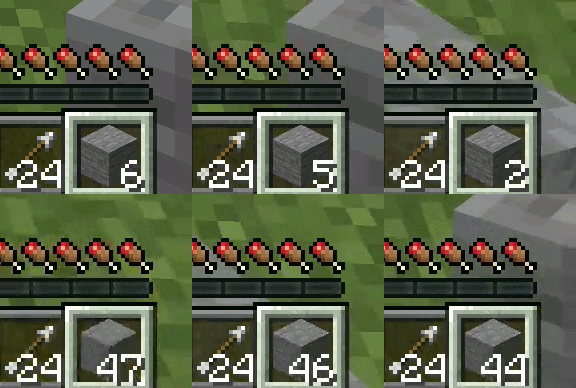
Automatically replenishes hotbar items from your inventory when they run out.
Regular Items: Exact match (same item + same components)
Tools / Weapons: Category match (same type, durability/enchantments do not need to match)
Triggers only when a hotbar slot transitions from non-empty to empty (switching slots will not accidentally trigger it)
Pure server-side logic ensures uninterrupted mining, combat, and building!
📊 Smart HUD Panel
Three independent HUDs that can be toggled individually, all supporting 0.7x scaled font rendering:
| Item HUD| Bottom Right | Held item icon, total inventory count, tool durability |
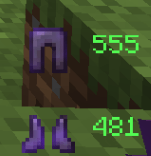
| Armor HUD | Sides of Hotbar | Four armor icons and remaining durability |
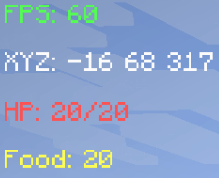
| Info HUD | Top Left | FPS, XYZ coordinates, health, hunger |
Durability Color Rules: 🟢 Green (>100) → 🟡 Yellow (>30) → 🔴 Red (≤30)

⚙️ Configurable Options
All options can be adjusted in real-time via the Forge configuration screen (Mods` → `SerialItems` → `Config`):
showHud— Master HUD switch
showItemHud— Item HUD switch
showArmorHud— Armor HUD switch
showInfoHud— Info HUD switch
infoX / infoY — Info panel position (offset from top-left, default 5)
enableAutoRefill — Auto-refill switch
📦 Installation
Prerequisites
Minecraft 1.21.1
Minecraft Forge 52.1.2 or higher
JDK 21
Steps
- Download the .jar mod file.
- Place it into the mods folder in your Minecraft directory.
- Launch the game and select the Forge profile.
GitHub URL : https://github.com/windyfreez/SerialItems
The SerialItems Team