
Selka's Geopolitics
A geopolitics mod that allows players to divide into nations and battle each other for points.
Screenshot 2026-06-17 181224.png
Screenshot 2026-06-17 171729.png
Description
Overview
This mod aims at creating a competitive multiplayer experience for SMPs looking for more than just the vanilla gameplay. It introduces nations, war, and a scoreboard which injects a whole new way of playing minecraft. This mod introduces things that many other territory mods may have missed, and is great for extending a server's lifetime.
Tutorial
-
1. Start A Nation
- Create your nation with:
/nation create <color> <name>- Example:
/nation create blue Selka Empire
- Valid colors are:
red,blue,green,yellow,gold,dark_red,dark_blue,dark_green,aqua,dark_aqua,light_purple,dark_purple,white,gray
- Nation names can be up to 50 characters.
- When a nation is created:
- You automatically receive your nation banner.
- That banner is named
<Nation Name> Bannerand has a glint.
2. Claim And Unclaim Land
- Start claim mode:
/claim
- Claim mode lasts 60 seconds.
- Walk through chunks during that 60 seconds to claim them for your nation.
- Start unclaim mode:
/claim remove/claim unclaim
- Stop the current territory session early:
/claim stop
- Check current claim/unclaim session:
/claim status
Important rules:
- You must already be in a nation.
- Claiming only works in the Overworld.
- You cannot claim chunks already owned by another nation.
- Each new claimed chunk plays the XP sound and shows a short title.
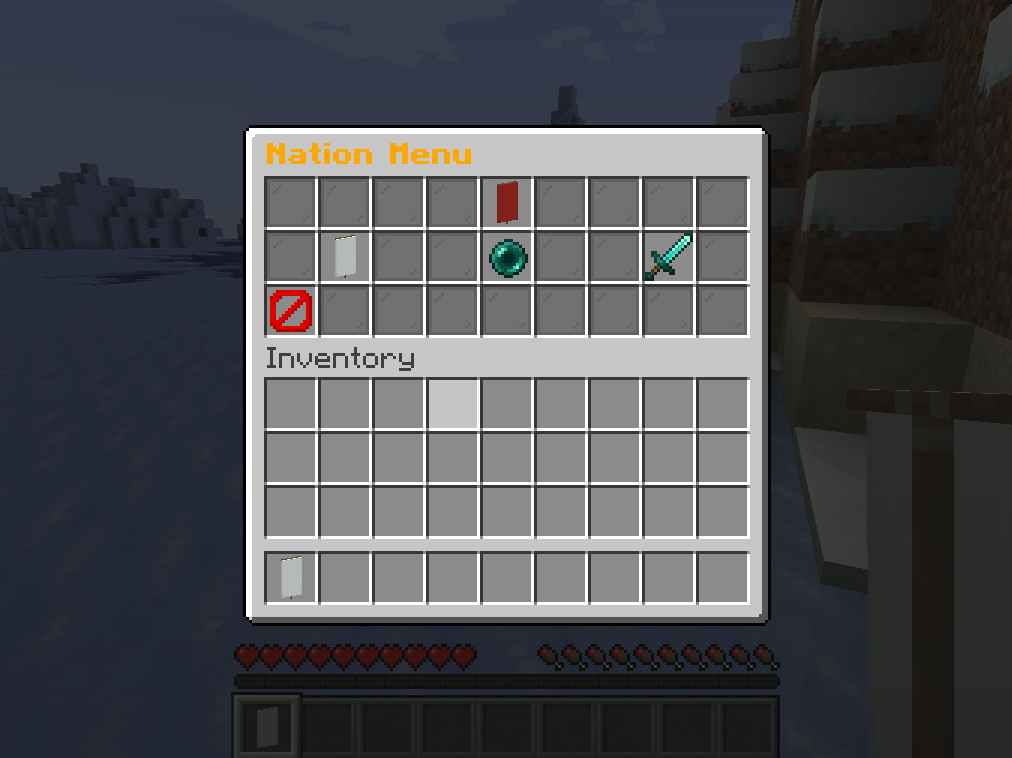
3. Use The Nation UI
- Open the nation menu with:
/nation menu/nation ui
- If you have the client mod installed too:
- Press
Nto open the nation menu - Press
Mto open the territory map
- Press
- Main menu items:
Banner= View NationEnder Pearl= Create NationDiamond Sword= View All Nations
- In the View Nation menu:
Sign= Rename nationDye= Change colorSteve head= Invite playerRed bed= Leave nationEmerald= Request allianceLime/Gray dye= Accept alliance requestRedstone/Chain= Break alliance
- Most menu actions that need a name will close the menu and ask you to type in chat.
- Type
cancelin chat to stop a menu prompt. - The barrier button goes back or closes the menu.
4. Add Players
- Command invite:
/nation invite <player>
- The invited player accepts with:
/nation join <nation name>
- UI invite:
- Open
View Nation - Click
Invite Player - Type the exact player name in chat
- The invited player must type
YorNwithin 10 seconds
- Open
Important rules:
- Invites target online players only.
- Only the nation leader can invite players.
- Any member can leave with
/nation leave.
5. Rename, Color, Info, Scoreboard
- Rename:
- UI only from
View Nation->Sign
- UI only from
- Change color:
- UI only from
View Nation->Dye
- UI only from
- Nation info:
/nation info
- Scoreboard:
/nation scoreboard
Important rules:
- Only the nation leader can rename the nation.
- Only the nation leader can change the nation color.
- The top nation only gets buffs if its points are greater than 0.
- Top nation buff is
Strength IandHaste II.
6. Alliances
- Send an alliance request:
/nation alliance <nation name>/nation alliance request <nation name>
- Accept an incoming alliance request:
/nation alliance accept <nation name>
- Break an alliance:
/nation alliance break <nation name>/nation alliance end <nation name>
How it works:
- Any member of a nation can request an alliance.
- Any member of the target nation can accept it.
- When allied, both nations can break, place, and use blocks in each other’s claimed territory.
- When the alliance ends, that shared access ends immediately.
- You cannot be allied and at war with the same nation at the same time.
7. War
- Declare war:
/nation war <nation name>/nation war declare <nation name>
- Concede:
/nation war concede <nation name>
- Request a draw:
/nation war draw <nation name>
How draw works:
- First nation sends the draw request.
- The other nation accepts by running the same draw command back toward the first nation.
Important rules:
- Any member can declare war, concede, or request a draw.
- You cannot declare war on an active ally.
8. Nation Banner
- You get your nation banner automatically when the nation is created.
- Place it only inside your own claimed territory.
- Only one active banner can exist for a nation at a time.
- If you stand within 8 blocks of your active banner and you are in that banner’s nation, you get:
Regeneration IStrength I
- Banner facts:
- Explosion-proof
- If destroyed, it is marked destroyed by the server
- Request a new banner only after the old one is destroyed:
/nation banner request
9. Claimer Block
- Craft the claimer with:
- 8
Copper Ingotsaround 1Iron Block
- 8
- You can only place a claimer:
- In the Overworld
- On enemy claimed land
- While your nation is at war with that nation
- Normal claimer behavior:
- Lasts 5 minutes
- Captures a 2-chunk radius if it survives
- Banner-siege claimer behavior:
- If placed within 2 chunks of the enemy nation’s banner
- Lasts 10 minutes
- Captures a 5-chunk radius if it survives
- While active:
- It is visually highlighted
- Nearby players see a boss bar countdown
- If it survives:
- Enemy territory in range transfers to your nation
- Capturing territory with a claimer gives points
- If it was a banner siege, it can win the war
- To stop it:
- Break it before the timer ends
- Use a pickaxe
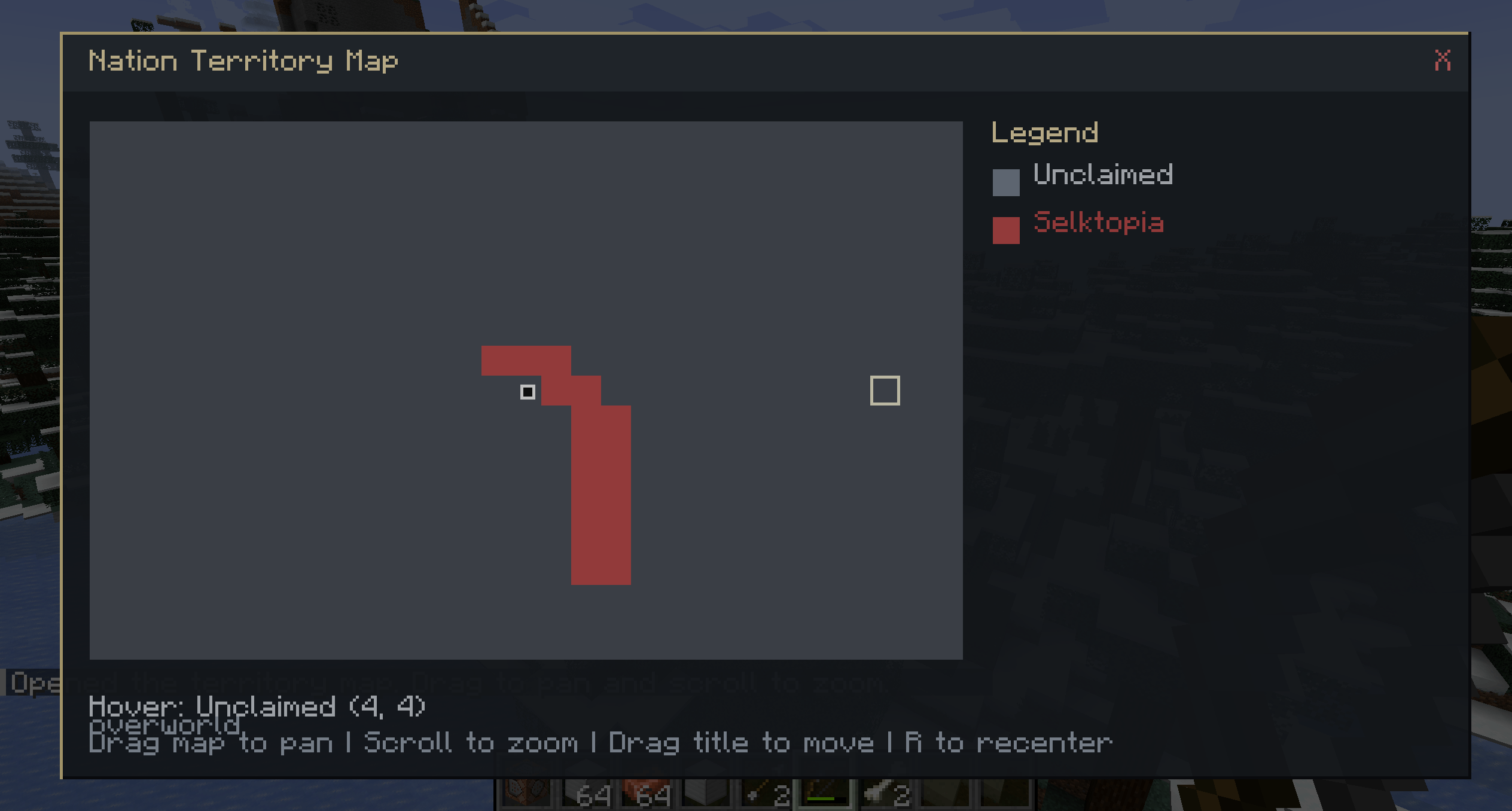
10. Territory Map
- Open it with:
/nation mapMkeybind if client mod is installed
- Controls:
- Drag map to pan
- Scroll to zoom
- Drag title bar to move the window
- Press
Rto recenter
- It shows:
- Claimed chunks colored by nation
- Gray for unclaimed areas
- Your own location dot only
11. Passive Behavior
- Walking into another nation’s land shows a title with that nation’s name and plays an XP sound.
- Claimed land is protected from outsiders by default.
- Allies can manipulate each other’s land.
- Enemies at war can break each other’s land.
12. Admin Commands
These require admin/operator permission.- Delete a nation:
/nation admin delete <nation name>
- Add a player to a nation:
/nation admin addmember <player> <nation name>
- Remove a player from their nation:
/nation admin removemember <player>
- Make a player the leader of their nation:
/nation admin setleader <player>
- Add points:
/nation admin addpoints <amount> <nation name>
- Remove points:
/nation admin subpoints <amount> <nation name>/nation admin subtractpoints <amount> <nation name>
- Create your nation with:
Selka's Geopolitics Team

