Screenshot+
- By
The ultimate Minecraft screenshot tool — capture, edit, censor, annotate, and share your builds instantly without leaving the game
Screenshot Manager
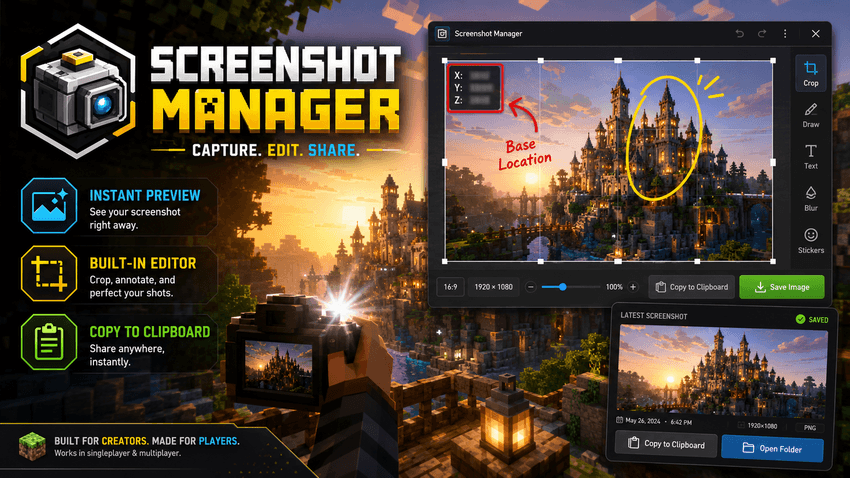
Screenshot Manager upgrades Minecraft’s basic F2 screenshot system into a fast, clean, creator-friendly workflow.
Vanilla Minecraft simply saves your screenshot into a folder and leaves you to dig through .minecraft/screenshots later. That works if you take one screenshot a month. It does not work if you build, record, stream, make guides, post your creations, share progress with friends, or constantly need clean images for Discord, Telegram, social media, mod pages, or server communities.
Screenshot Manager fixes that.
Take a screenshot, get an instant in-game preview, open it directly inside Minecraft, edit it, hide sensitive info, add annotations, and copy it straight to your clipboard without leaving the game.
What does it do?
Screenshot Manager gives you a lightweight in-game screenshot workflow built for players who actually use screenshots.
After taking a screenshot, the mod shows a small preview overlay in the corner of your screen. Click it, or use the quick-open key, and your latest screenshot opens in a simple built-in editor.
From there, you can clean it up, mark important parts, hide coordinates, save an edited copy, or copy the image directly to your system clipboard.
Main Features
Instant Screenshot Preview
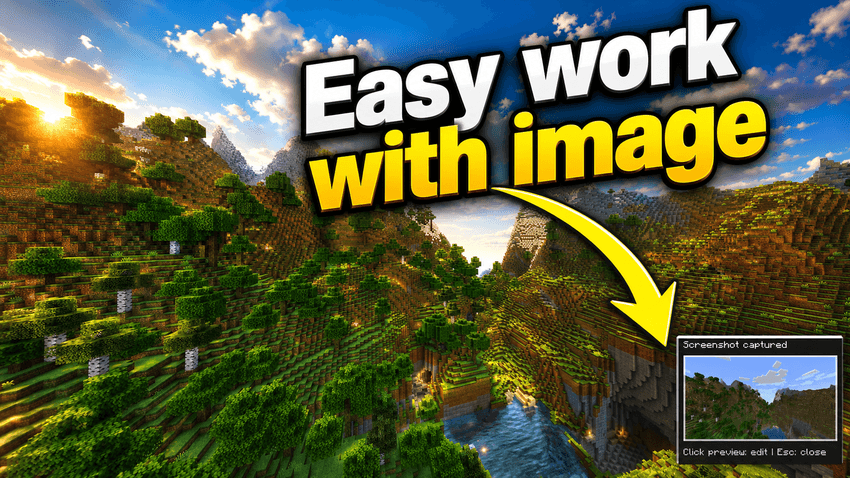
After taking a screenshot, a preview appears directly in-game. You can quickly check if the shot is good without opening your screenshots folder.
Useful for:
- builders checking composition
- creators taking thumbnails
- server owners documenting issues
- players sharing coordinates or builds
- modpack makers capturing UI, bugs, or features
Built-in Screenshot Editor
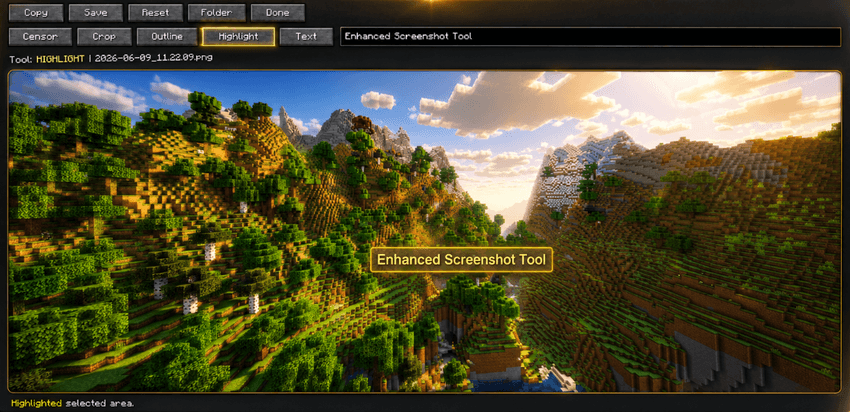
Open your latest screenshot inside Minecraft and make quick edits without external tools. Current editor tools include:
- crop
- censor / blur-style hiding
- outline boxes
- highlight areas
- text labels
- reset edits
- save edited copy
- open screenshots folder
- copy image to clipboard
Smart Censor Tool
Need to hide coordinates, server IPs, chat messages, usernames, private builds, debug data, or anything else? Use the censor tool directly on the image before sharing it.
Annotation Tools
Make your screenshots easier to understand with quick visual marks. You can:
- draw an outline around something important
- highlight a specific area
- add short text labels
- mark builds, bugs, paths, coordinates, or UI elements
Copy to Clipboard
One of the biggest quality-of-life features. Edit your screenshot and copy it directly to your clipboard with one button. Then paste it No need to manually find the file.
Save Edited Copies
Your original screenshot stays safe. Edited screenshots can be saved separately, so you can keep both the raw capture and the final version.
Why use this mod?
Because the vanilla screenshot flow is outdated. Minecraft is full of builders, creators, server owners, modpack makers, testers, guide writers, streamers, and players who constantly share images.
But the default workflow is still basically:
- Press F2
- Open
.minecraft - Find the screenshots folder
- Locate the right file
- Open another program
- Edit it
- Save it
- Upload or paste it somewhere
Screenshot Manager cuts that down to:
- Pres F2
- Click preview
- Edit
- Copy
- Paste
Client-side only
Screenshot Manager is a client-side utility mod. That means:
- it does not need to be installed on the server
- it works in singleplayer
- it works on multiplayer servers
- it does not change gameplay
- it does not add blocks, items, mobs, or worldgen
- it is focused entirely on screenshot quality-of-life
Shader compatibility
If your game already uses shaders, Screenshot Manager works with the screenshot Minecraft produces.
In simple terms:
If the shader is visible in your screenshot, the mod can preview, edit, save, and copy that screenshot.
Screenshot Manager does not try to apply full shaderpacks to already-taken PNG images, because real shaderpacks rely on game rendering data like depth, lighting, shadows, and render passes. Instead, the mod focuses on clean screenshot management and editing after the screenshot is captured.
Current tools
The current version includes:
- screenshot detection
- preview overlay
- quick-open latest screenshot
- in-game editor screen
- crop tool
- censor tool
- outline tool
- highlight tool
- text tool
- copy to clipboard
- save edited image
- open screenshot folder
Planned improvements
Future versions may include:
- better drawing tools
- arrows
- configurable colors
- configurable preview position
- screenshot history
- auto-copy mode
- one-key screenshot-to-clipboard
- improved text styling
- blur strength settings
- export format options
- creator presets
- thumbnail-style filters
The Screenshot+ Team