Schematicraft
- By
2026-08-03 23-32-54 - frame at 0m5s.jpg
2026-08-03 23-32-54 - frame at 1m27s.jpg
2026-08-03 23-32-54 - frame at 1m18s.jpg
2026-08-03 23-32-54 - frame at 1m32s.jpg
2026-08-03 23-32-54 - frame at 1m46s.jpg
Description
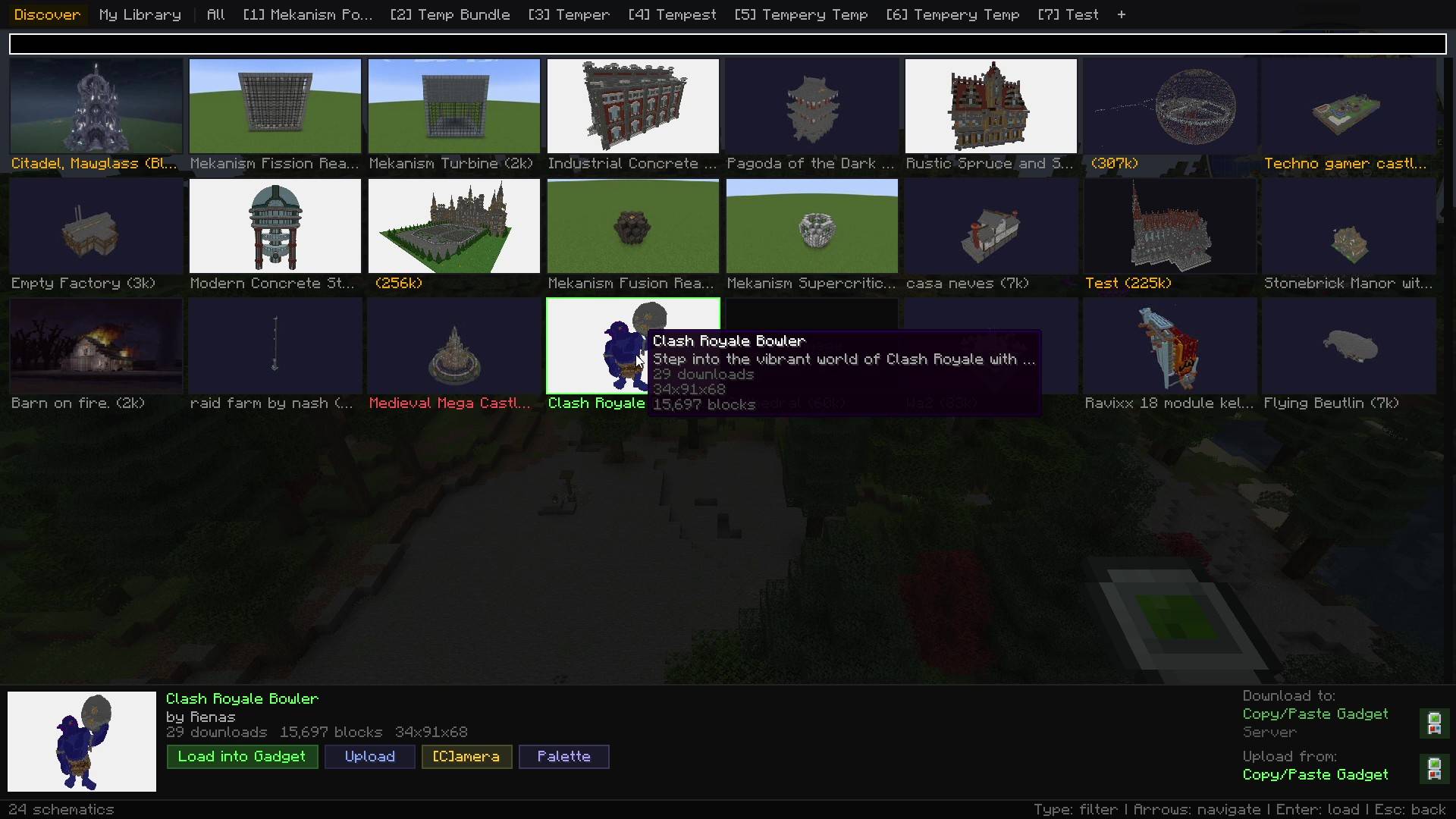
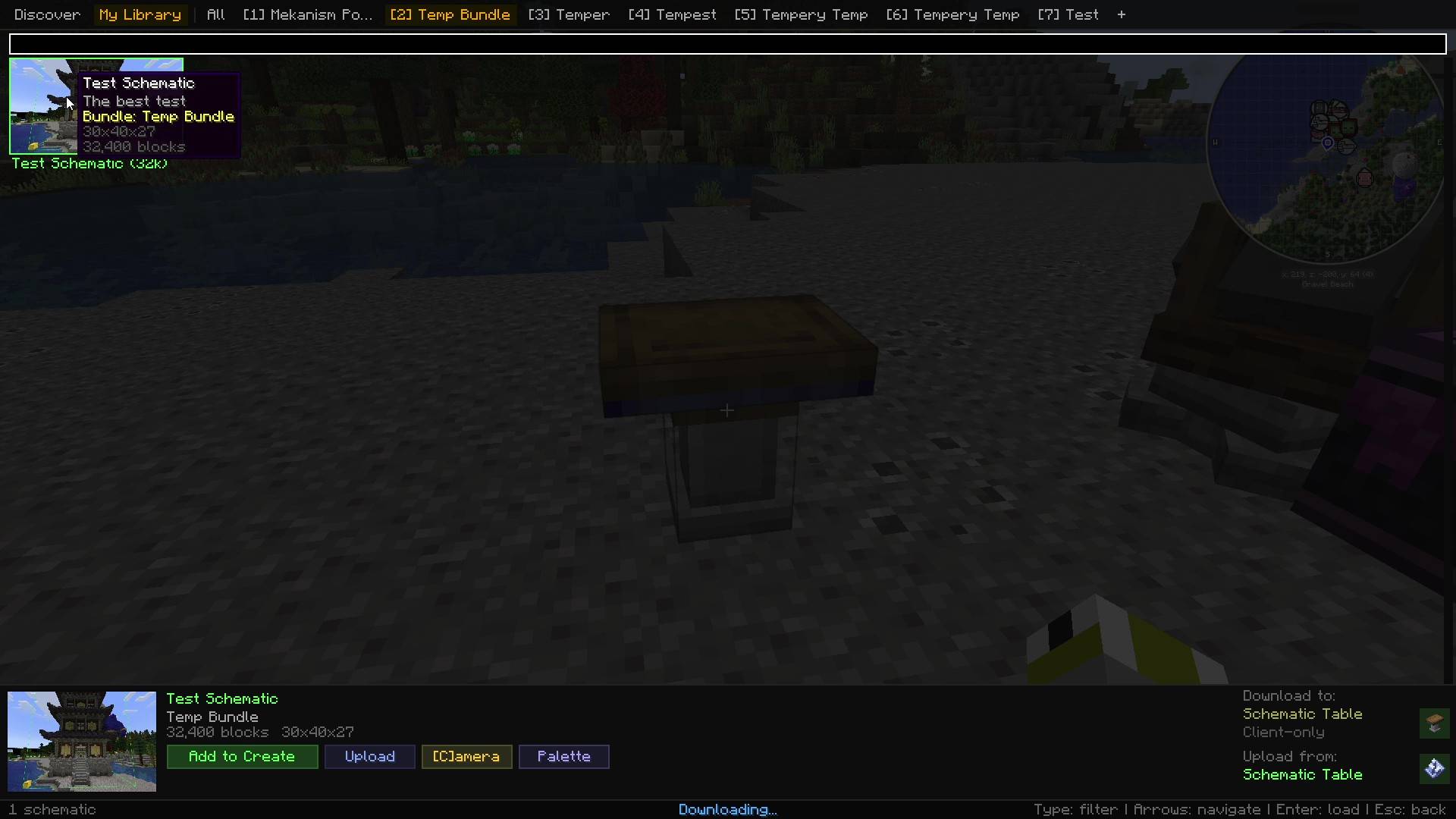
Schematicraft brings your cloud schematic library into Minecraft. Keep your builds on schematicraft.com, then browse, search, and load them from inside the game without alt-tabbing.
It hooks into the editors you already use. Open a Template Manager or a Schematic Table and there is a Schematicraft button sitting with the normal controls. Click it and your whole library is on screen.
Landscaping with 80 tree variants, assembling a castle out of modular pieces, racing someone in a schematic PvP match. The problem is always the same: get the right build loaded, now. That is the one thing this mod tries to be good at.
This is an alpha. Everything described here works, but expect rough edges. Bug reports are genuinely welcome.
How it works
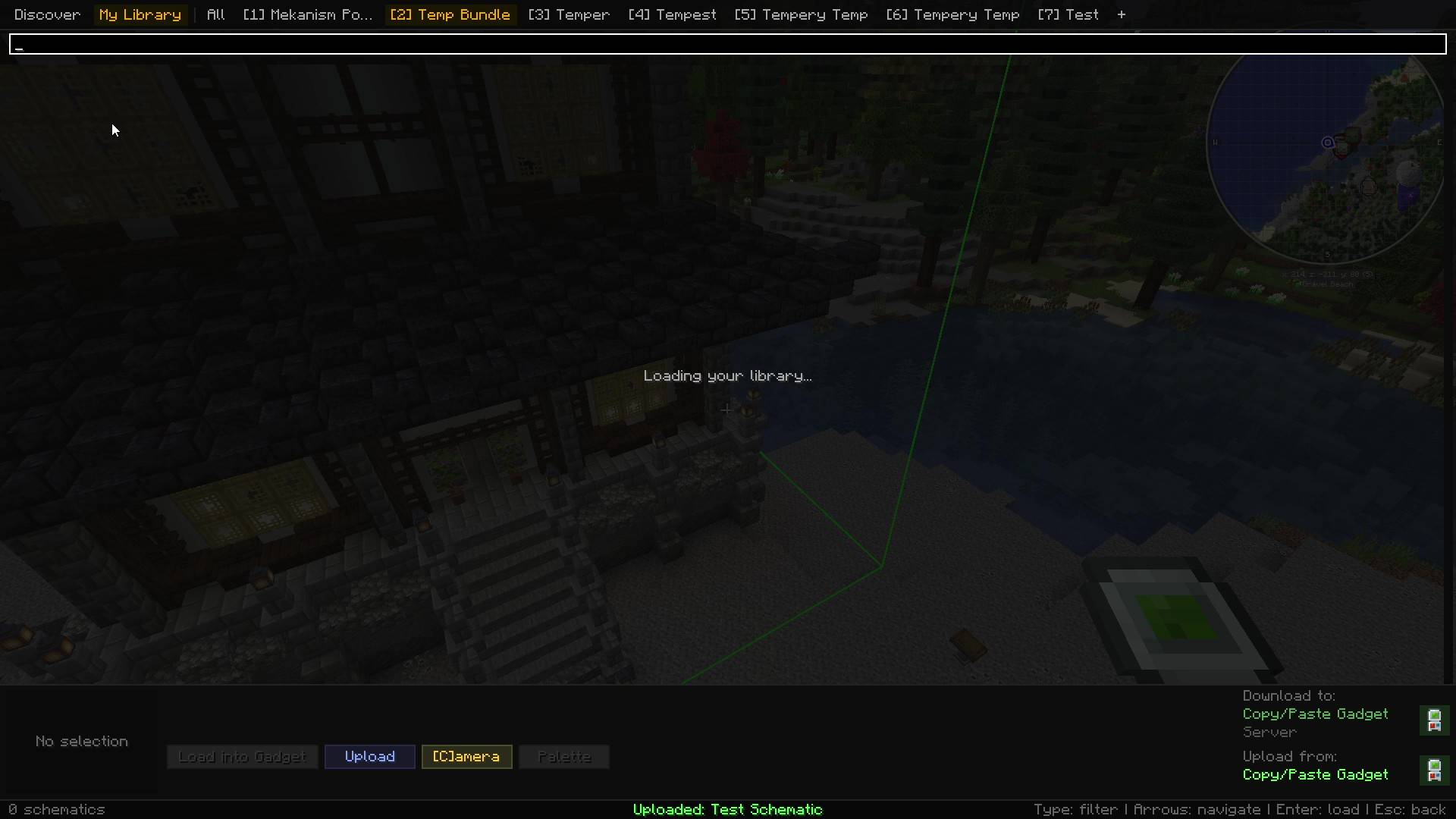
Make a free API key at schematicraft.com/account, paste it in-game once, and your library appears. Bundles you organised on the website arrive as collapsible groups, and the first seven become numbered tabs.
Your key lives on the client and is never sent to the Minecraft server. Library traffic goes straight from your game to Schematicraft, so the mod works on any server without the server having it installed. If the server does have it, Building Gadgets 2 gets two extra features.
Create (client only)
The Schematic Table gets a Schematicraft button that opens your library. Downloads save as .nbt directly into Create's schematics folder, then the mod refreshes Create's file list and reselects the file it just added. If the name collided and Create appended a number, it still finds it.
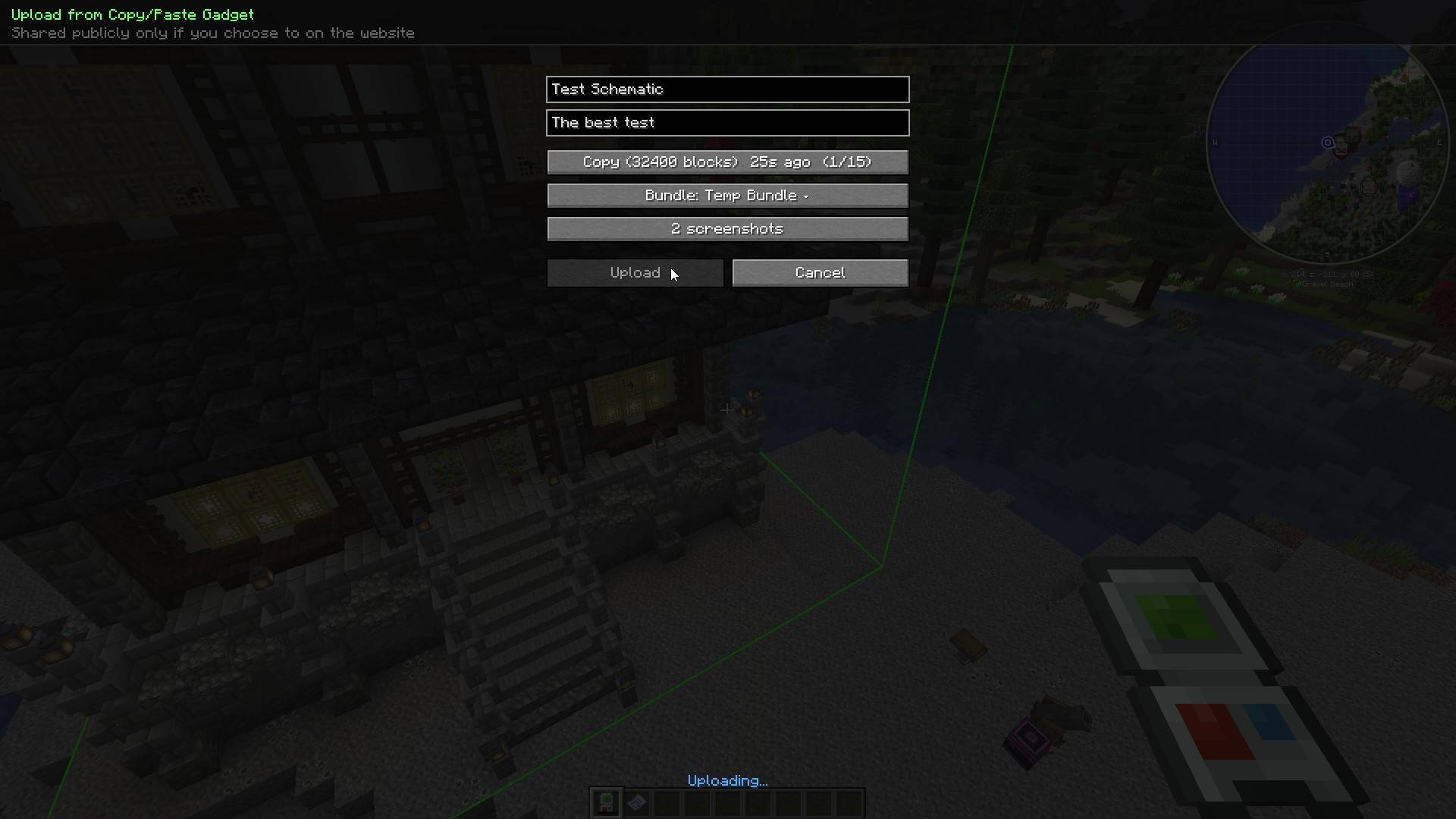
Uploading takes whatever is selected in the Schematic Table and sends it up with a title, description, bundle, and screenshots.
Create support is entirely client side. Nothing to install on the server.
Building Gadgets 2 (client only, or better with the server)
The Template Manager gets the same button. Download a schematic and it drops straight into the template slot.
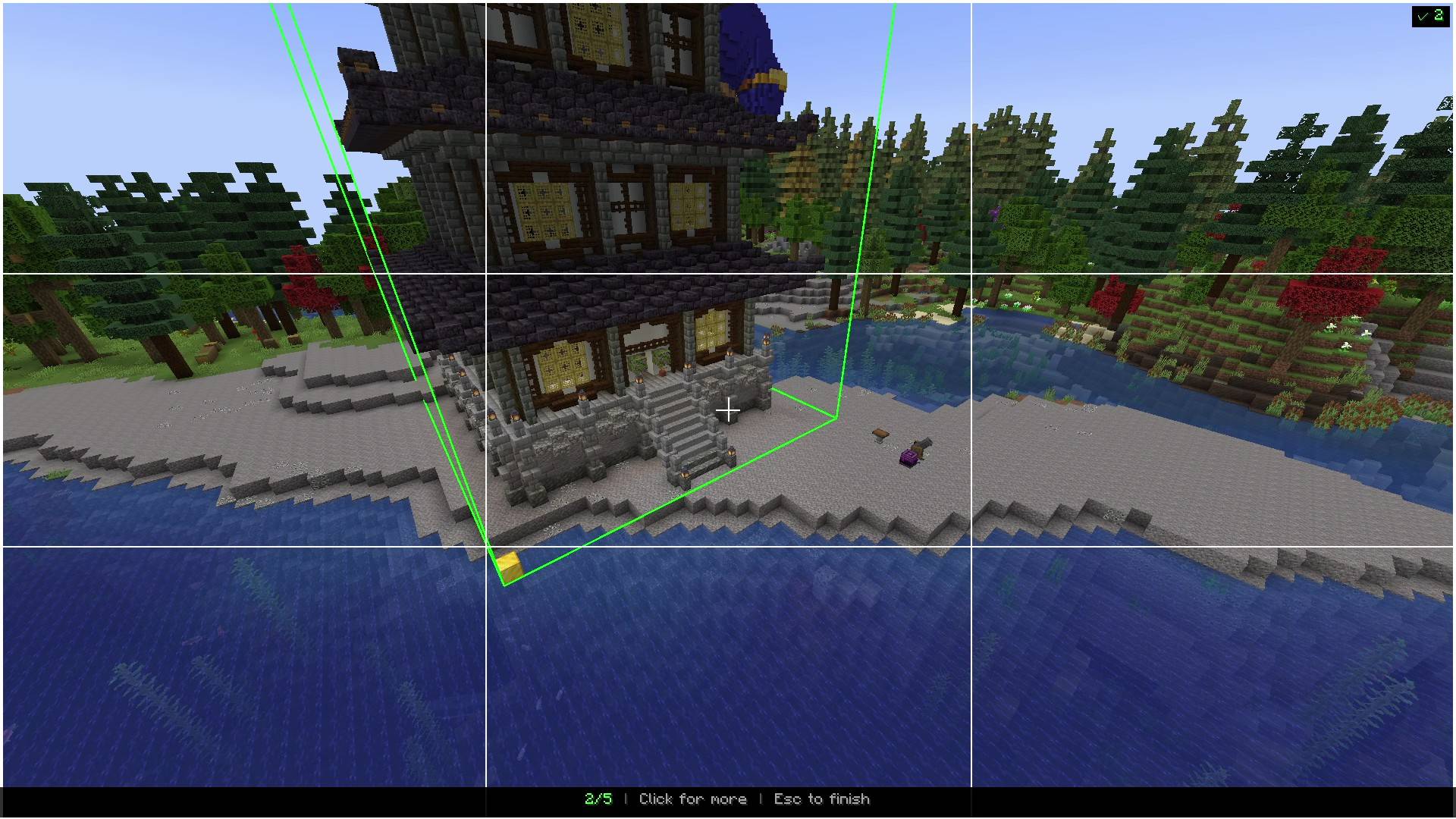
Copy something with a Copy/Paste gadget and it also lands in a clipboard list with a 3D preview. Those snapshots survive your next copy, which is the part BG2 cannot do on its own, since it overwrites the gadget's paste buffer every time. Upload your copies with screenshots taken in the built-in camera mode.
The Template Manager works client only. The clipboard history and loading into a gadget need Schematicraft on the server too, because copy tracking happens server side. Loads through the server are capped at 512,000 blocks.
The library screen
- Type to filter. The field is always live, so there is no clicking into a box first and no key that means two different things depending on focus
- An All tab plus up to 7 bundle tabs. Ctrl+1 to Ctrl+7 jumps to one, Ctrl+Tab and Ctrl+Shift+Tab cycle through them
- Arrow keys, Home, End, and Page Up/Down move the selection. Enter loads
- Ctrl+U to upload, Ctrl+K for camera mode, Ctrl+P to swap the block palette before loading
- A Discover tab for browsing and searching everything public, 24 at a time, sorted how you want
- Downloads stay in memory for the session, so loading the same build twice is instant
Requirements
- Minecraft 1.21.1 and NeoForge 21.1, built against 21.1.217
- Java 21
- A free schematicraft.com account
- At least one editor: Building Gadgets 2 1.3+ or Create 6.0+. Both are optional, and the mod does nothing useful without one
Links
Schematicraft Team