TaranTajka | Scanner (Jade addon)
Create a server, get 25% off your first month

Description
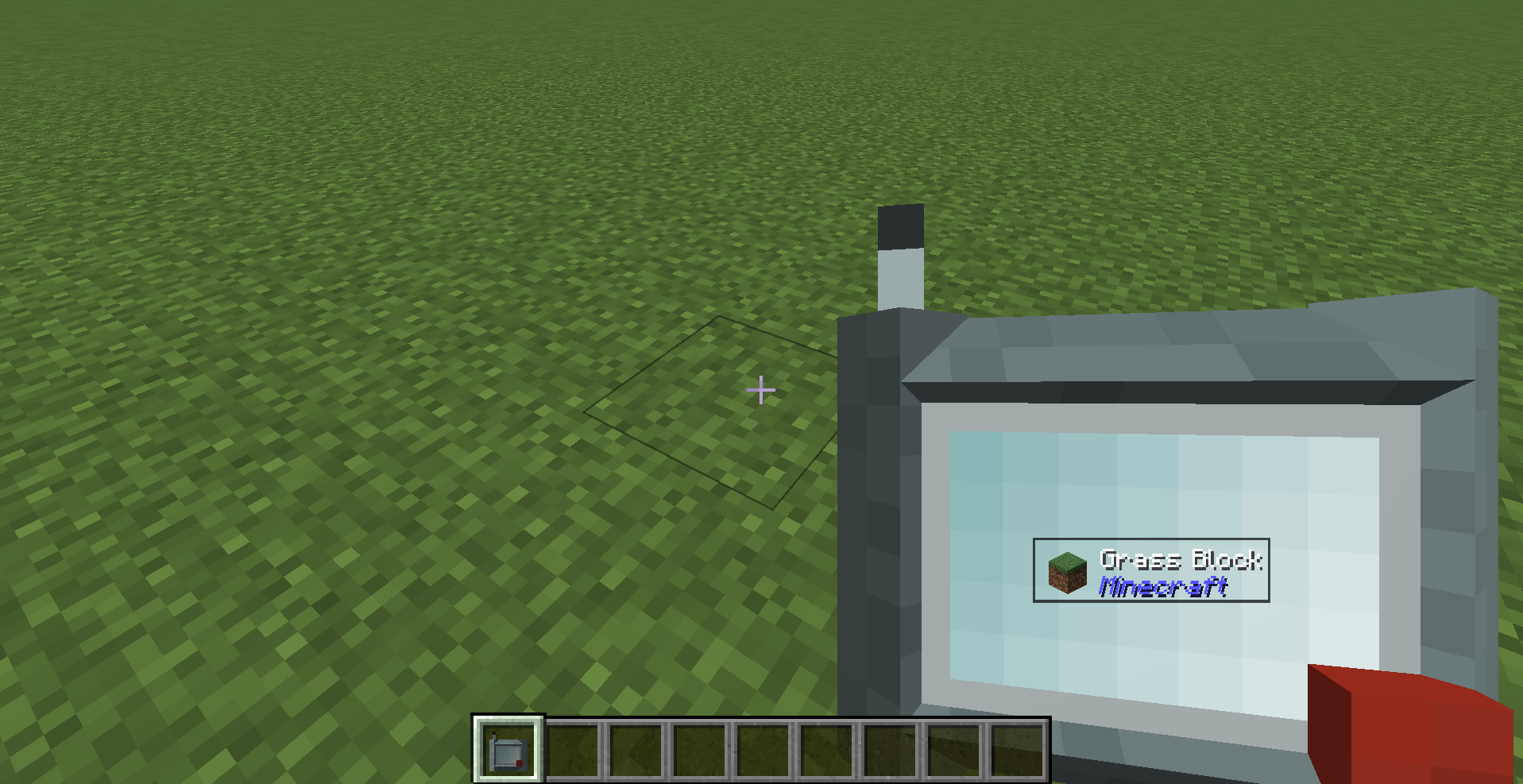
A handheld scanner that shows you what you're looking at — but only when you're actually holding it.
Scanner is a lightweight add-on for Jade that gates Jade's "what am I looking at" overlay behind a craftable item. No more info overlay cluttering your screen at all times — pull out the Scanner when you want to identify a block, entity, or item, and put it away when you don't.
How it works
- Hold the Scanner in either hand and look at something — Jade's full overlay (name, mod, block/entity data, container contents, everything Jade normally shows) appears right on the scanner's screen.
- Put it away, and the overlay disappears completely — Jade stays fully installed and configured, it just won't show anything unless you're holding the Scanner.
- The info is displayed without a background panel, styled to look like it's actually rendering on the device's screen rather than floating as a HUD element.
This is not a fork or reimplementation of Jade — Scanner requires Jade and hooks into its public plugin API. Every feature, every addon, every config option Jade supports keeps working exactly as it does today; Scanner just decides when it's visible.
Crafting
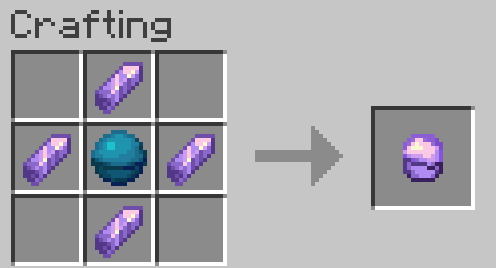
Lens — 4 Amethyst Shards around a Heart of the Sea
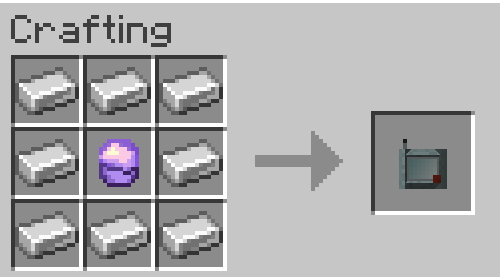
Scanner — a Lens in an Iron casing
Requirements
- Jade (required, client-side)
- Minecraft Forge 1.20.1
My mods:
https://www.curseforge.com/minecraft/mc-mods/mobonocle
A vanilla-friendly monocle item for inspecting hp, active status effects, and mod origins on sight.
The Scanner (Jade addon) Team