


Saved Commands
- By

This mod lets you save commands and chat messages for easier access later using keyboard shortcuts and the saved commands menu.
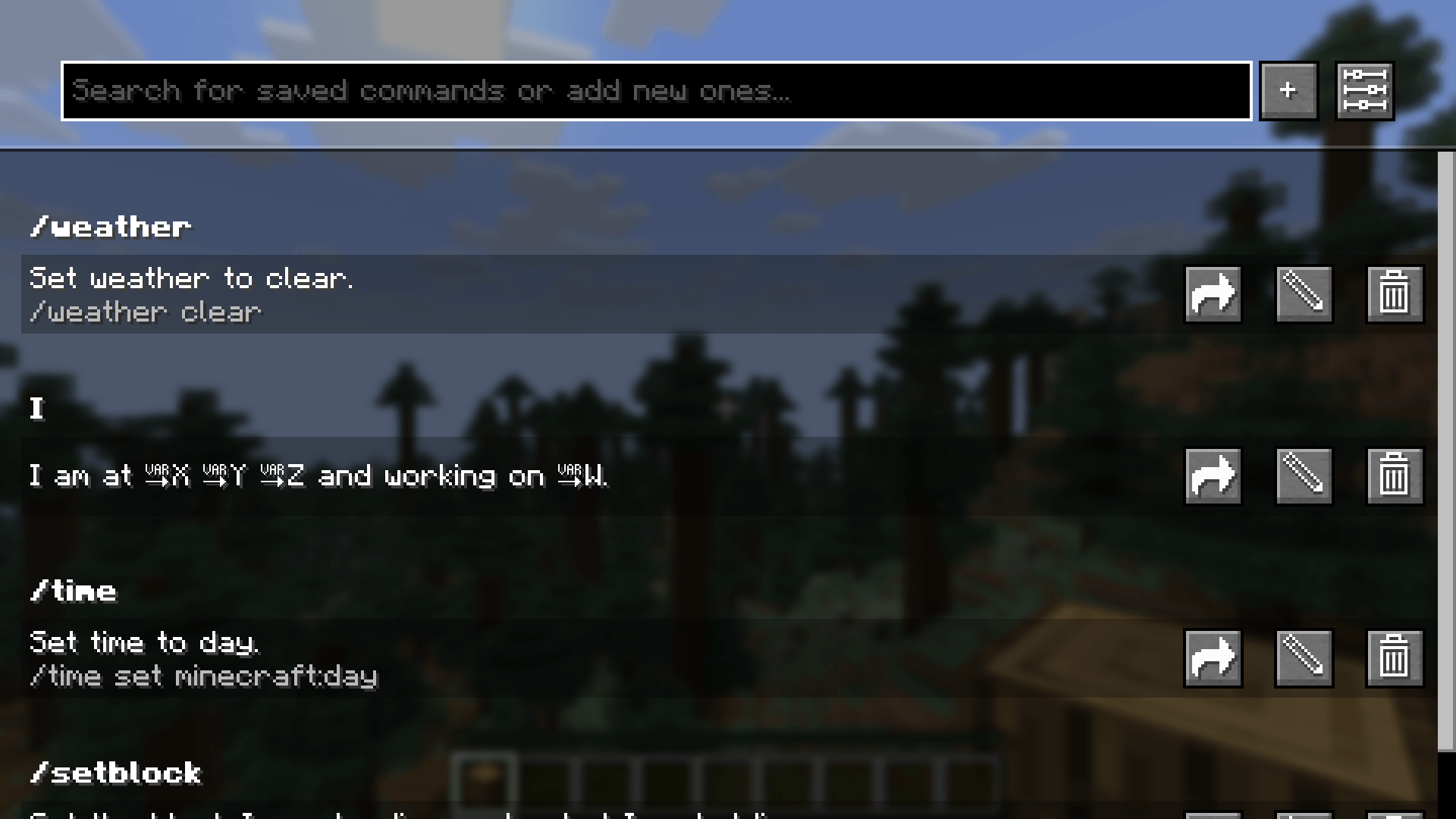
The Saved Commands screen with some example commands.
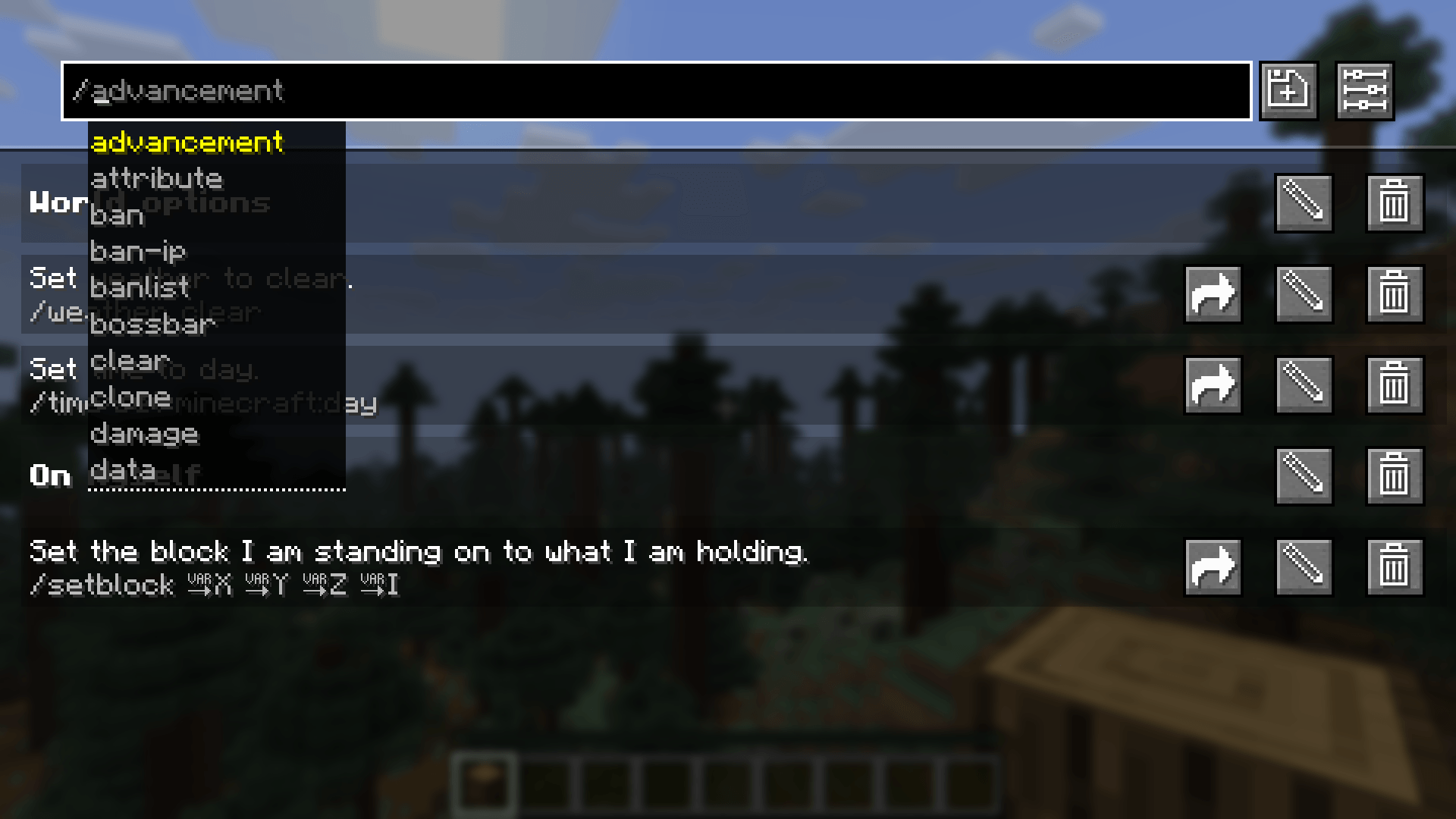
In the top bar you can get command recommendations like in the chat. In this screenshot, custom categories are enabled.
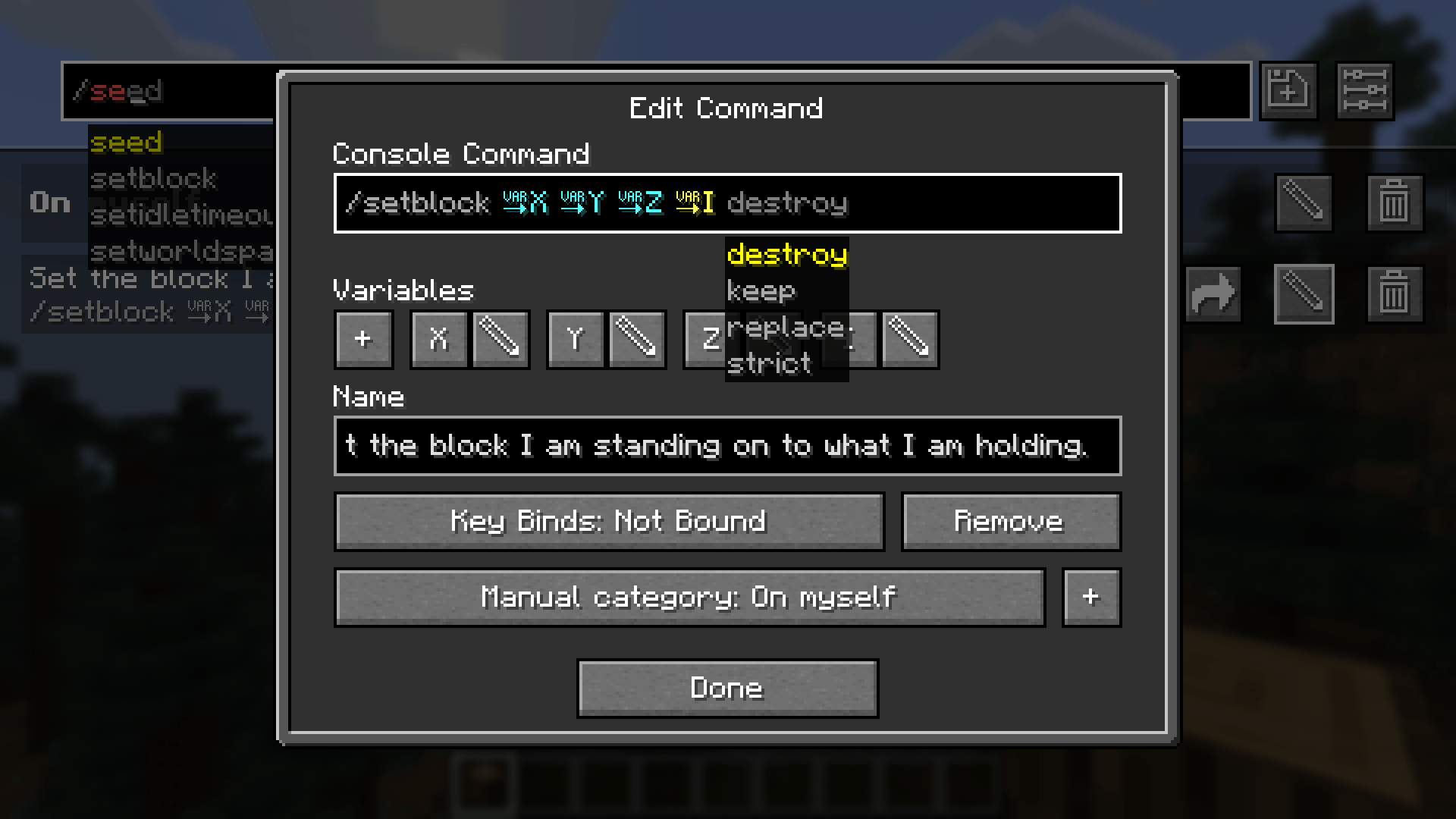
In the edit command screen you can edit the name, command and keybind combination.
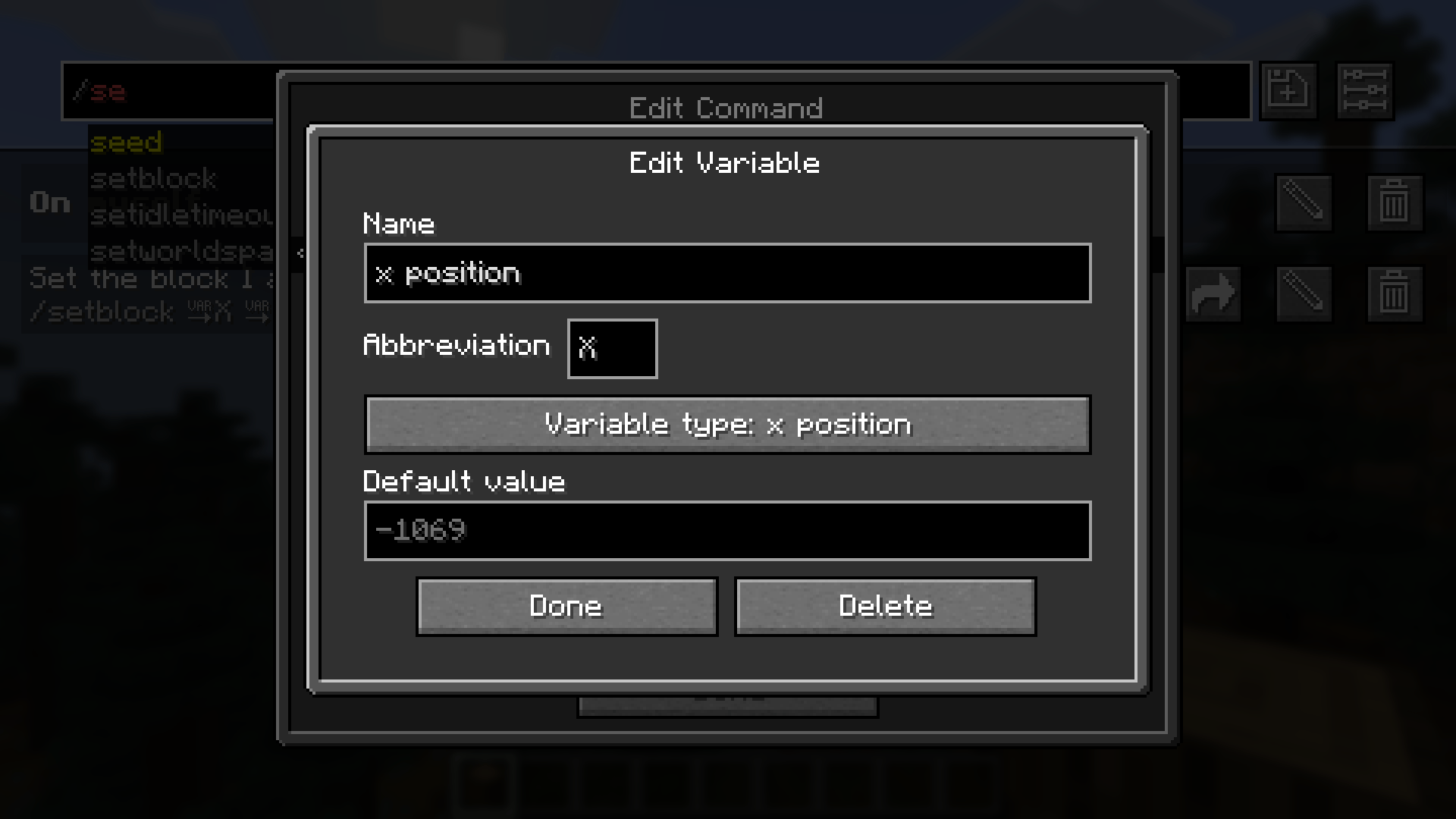
In the edit variable screen you can edit the name, abbreviation, variable type and defult value.
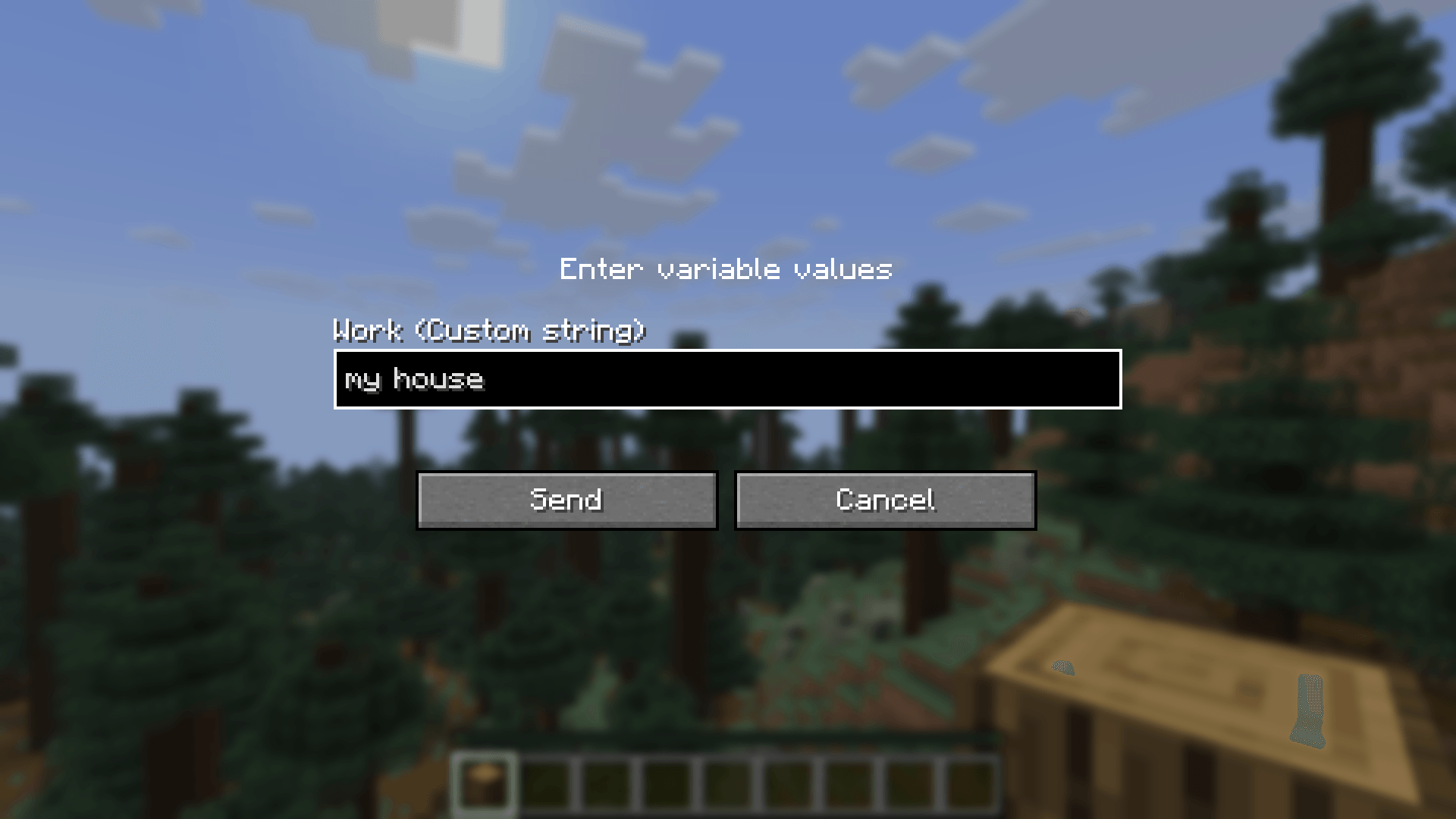
Before sending a command or text containing a custom variable, you are prompted to input the values.
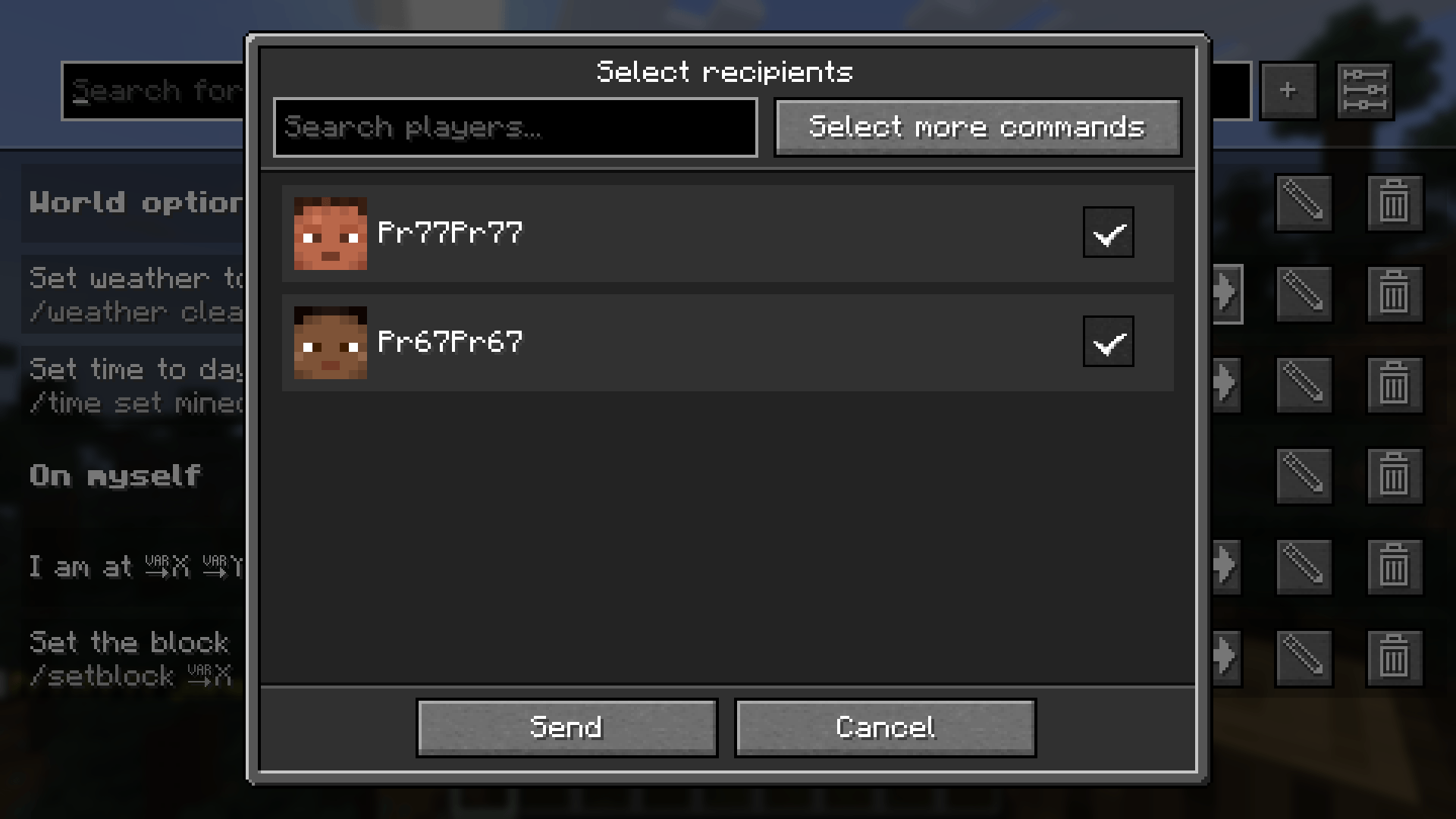
After clicking share, this screen to select the recipients opens.
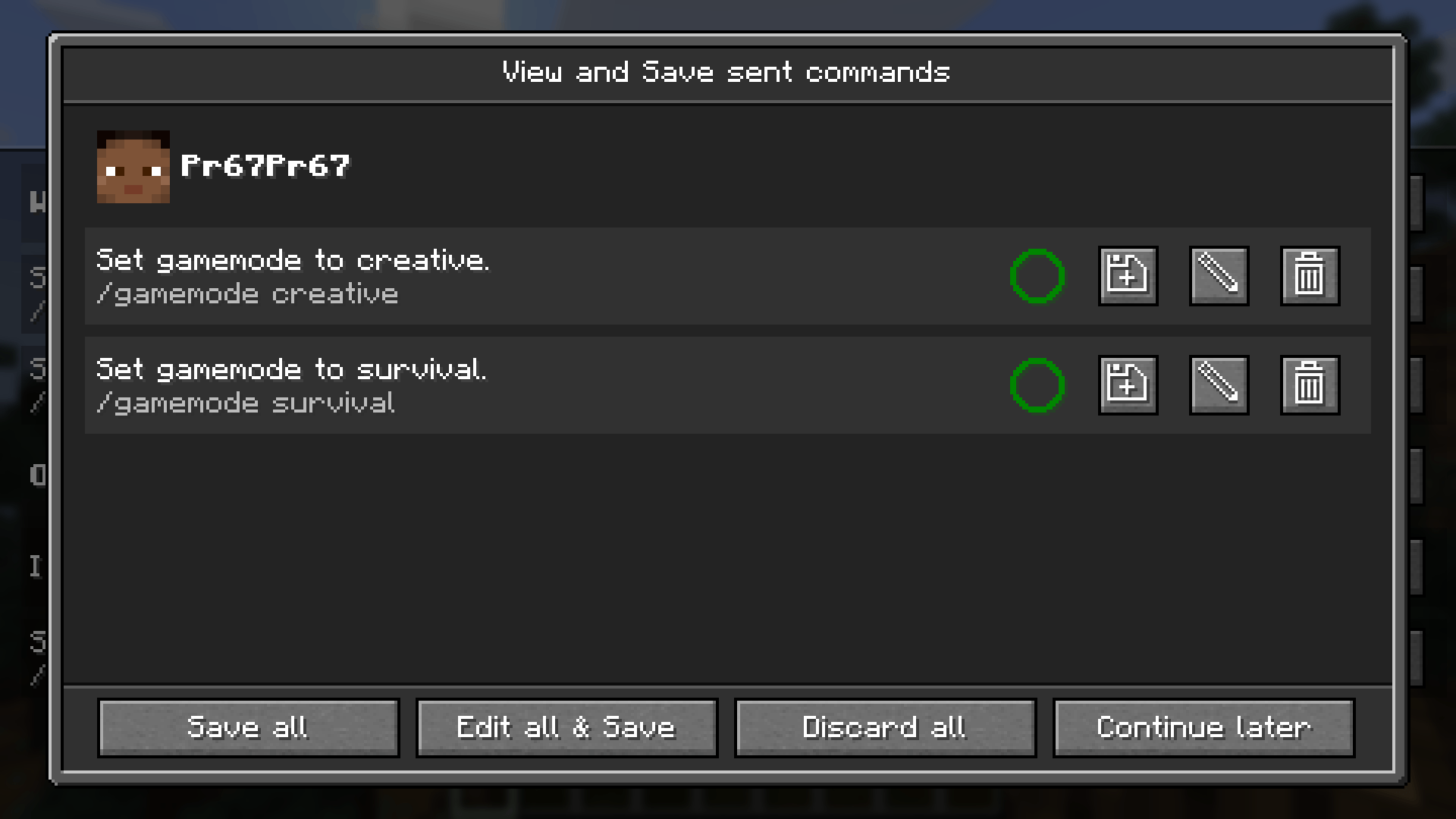
This screen lets you view, save and edit received commands. The circle shows, if you already have the command saved.
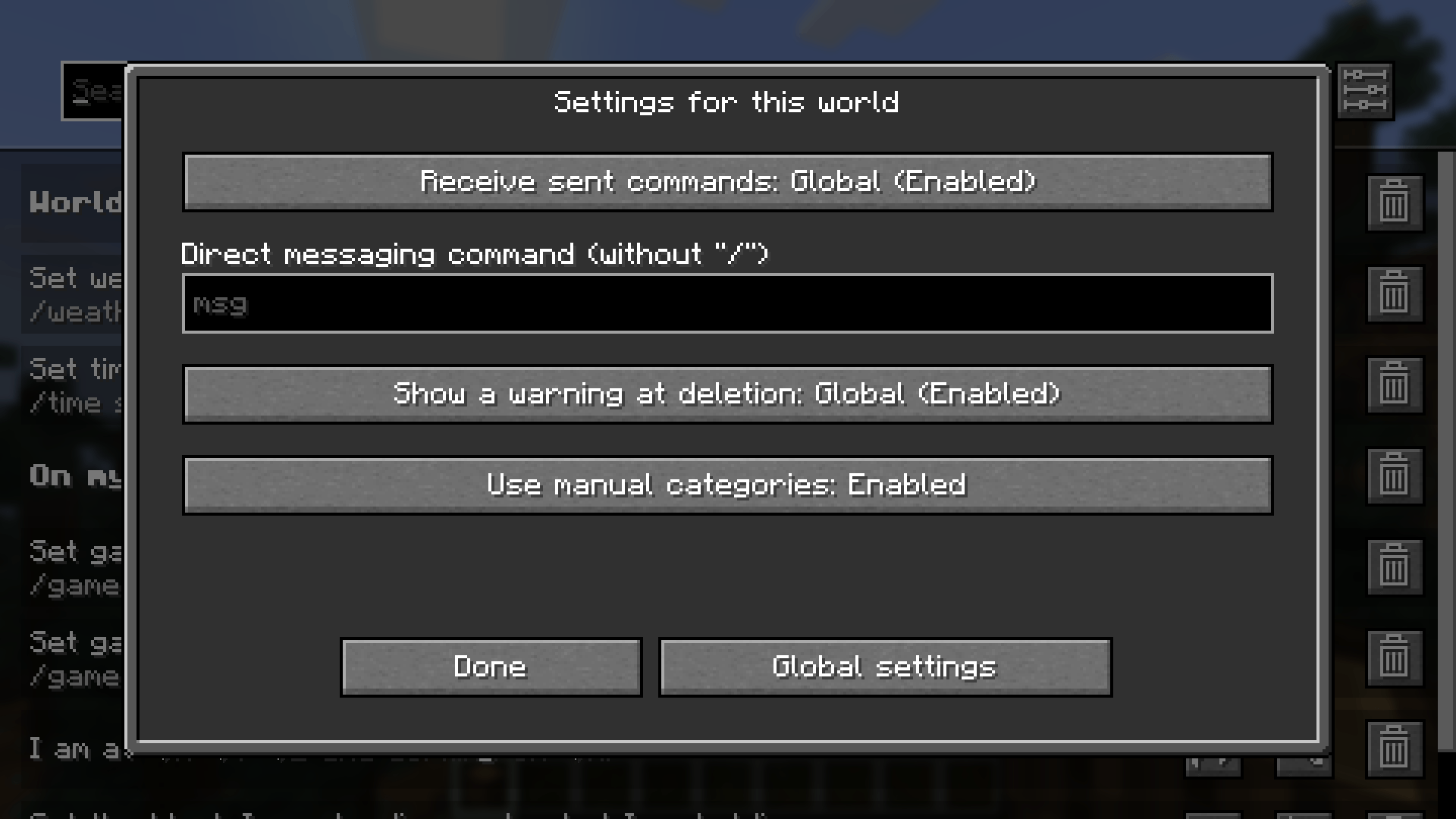
There are settings which can be changed per world, as seen in the screenshot, or changed for the whole installation.