SableCraft: Diorama
- By
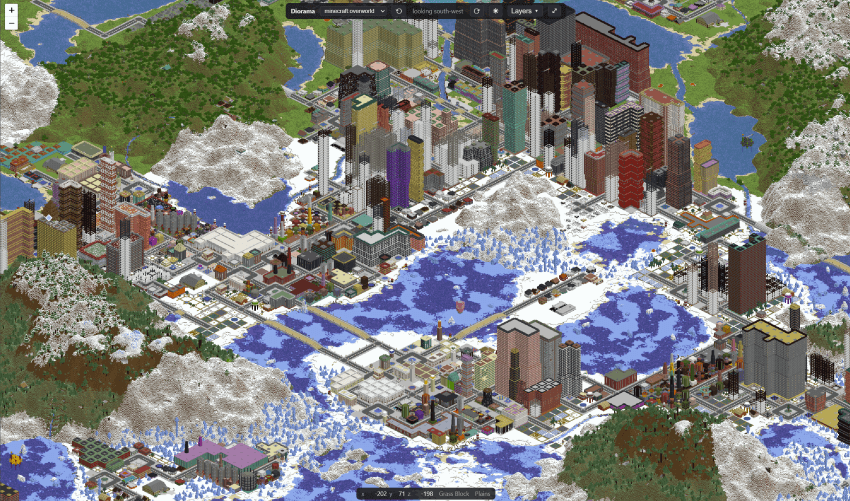
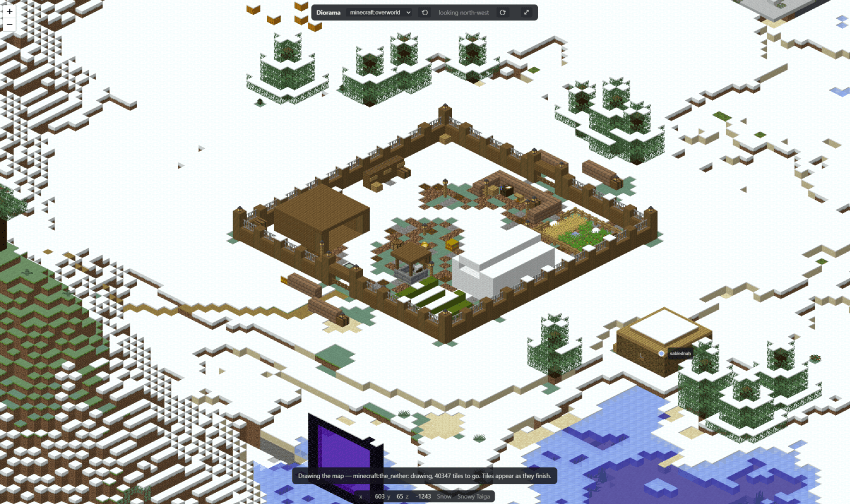
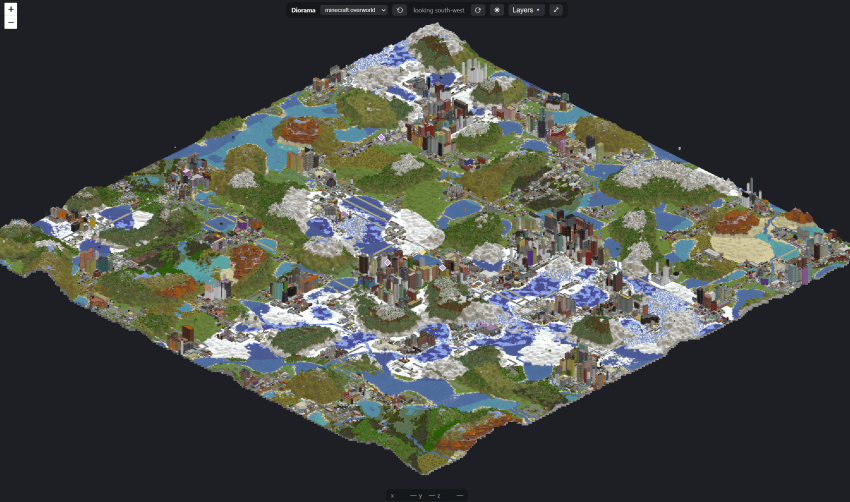
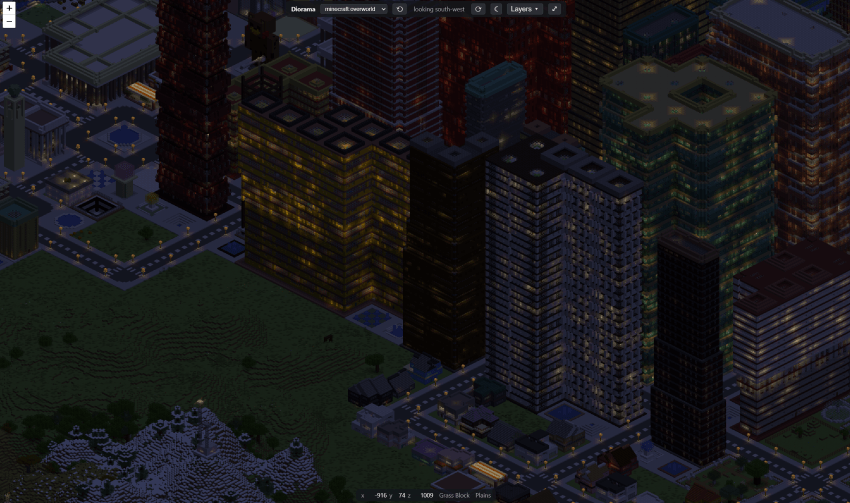
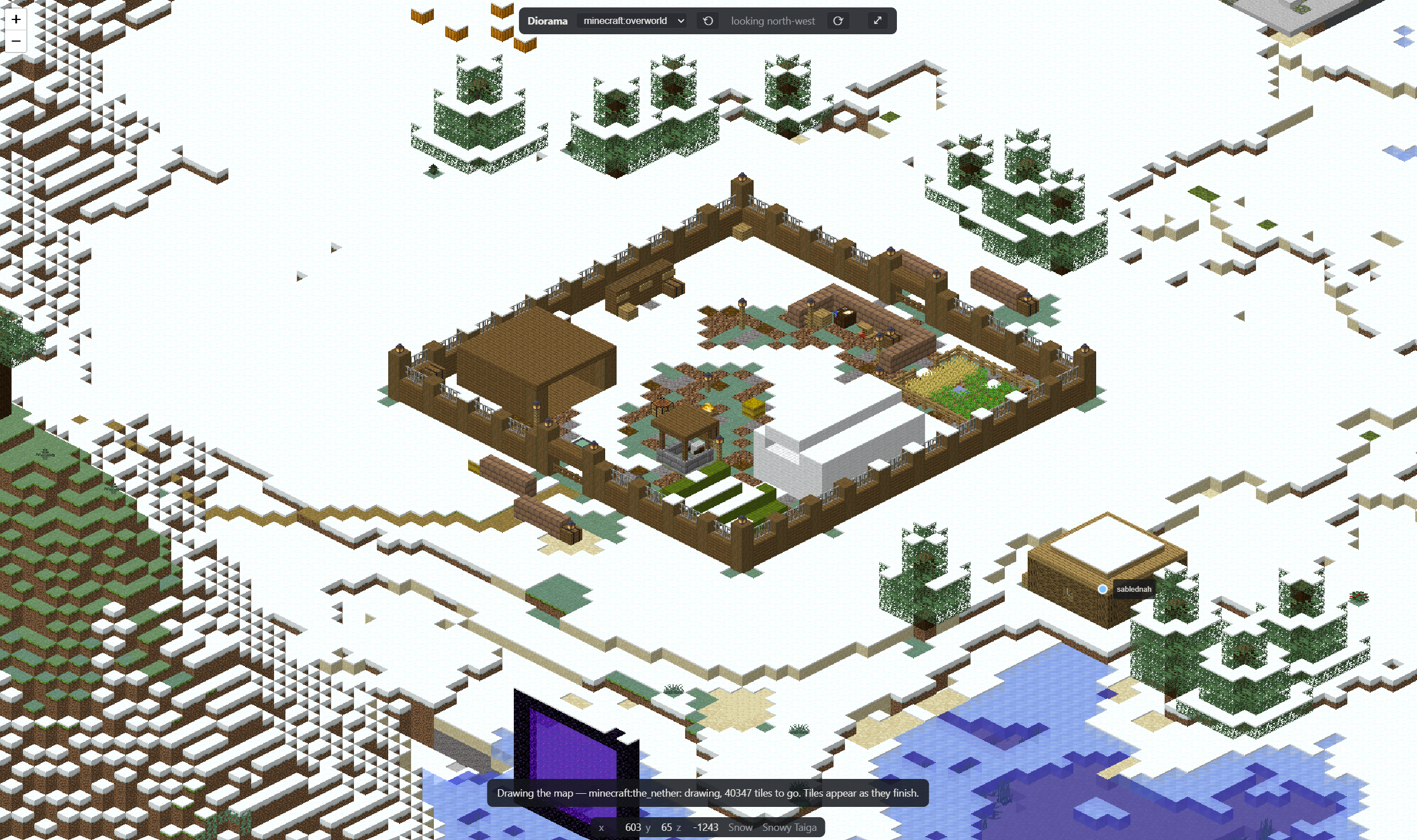
Diorama draws your server as isometric tiles, the look Dynmap's HD maps made famous. It renders on the server and serves the map itself, so you open a link and look.
city-night-regions (Custom).png
Description

SableCraft Diorama — your world as an isometric web map
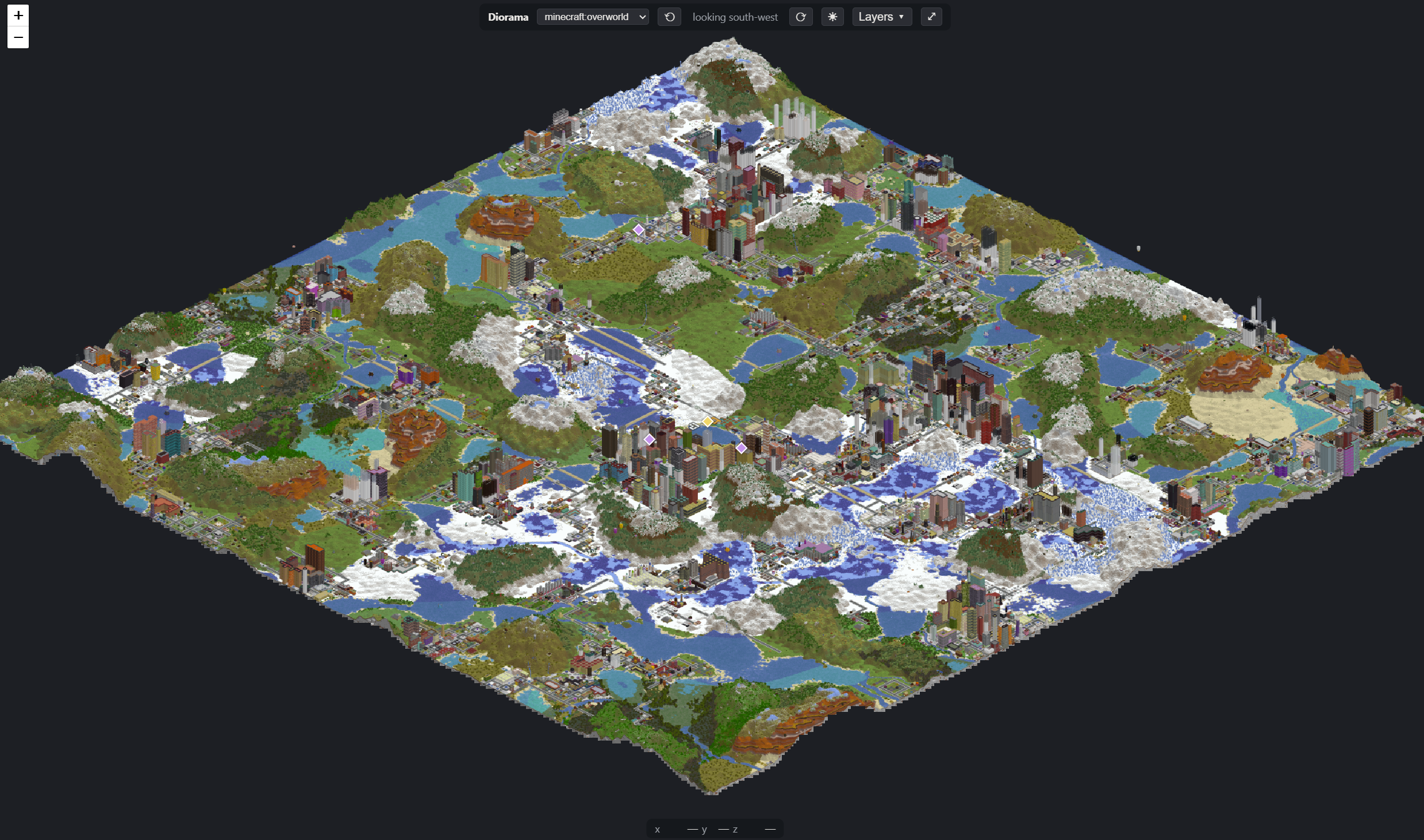
The classic "diorama" view of your world, in a browser. Diorama draws your server as isometric tiles, the look Dynmap's HD maps made famous. It renders on the server and serves the map itself, so you open a link and look.
Nobody installs anything to see it. The map is a web page. Players don't need the mod, a client or a resource pack, only a browser.
Every block is drawn from its real model
Diorama doesn't guess what a block looks like. It reads the same blockstate and model files the game itself renders from, and builds each face the way the game's own model baker does. Stairs, fences, panes, slabs, lanterns and modded blocks come out looking like themselves, with their real textures, tinted by their real biome.
Water is a clean sheet of the biome's own colour rather than a tiled texture, so a lake reads as a lake from far away. Chests, signs, beds and banners are drawn as their real shape in their own texture.
Walk round it
The camera can stand at any of the four corners. Turn with ⟲/⟳ or Q/E, and the place in the middle of your screen stays in the middle. A tower never hides the street behind it from every side.
There are eight zoom levels, from every texel of a rooftop out to the whole world on one screen. Every view has its own link: the address always names the world, the corner, the place and the zoom, so "look at this" is a link you paste.
It follows the world
Place a block, break one, blow up a hill or push a piston, and the map catches up in seconds, without waiting for the server to save. Changes are copied on a per-second budget and drawn on worker threads that never touch the server tick. The map can fall behind; the server can't.
The first start draws the whole existing world once. After that only what changes is redrawn. Stop the server halfway through and it picks up where it left off.
By night, too
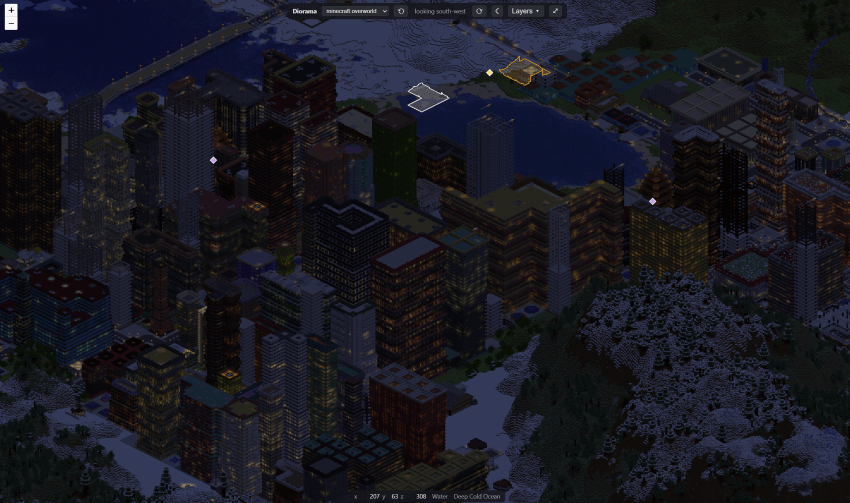
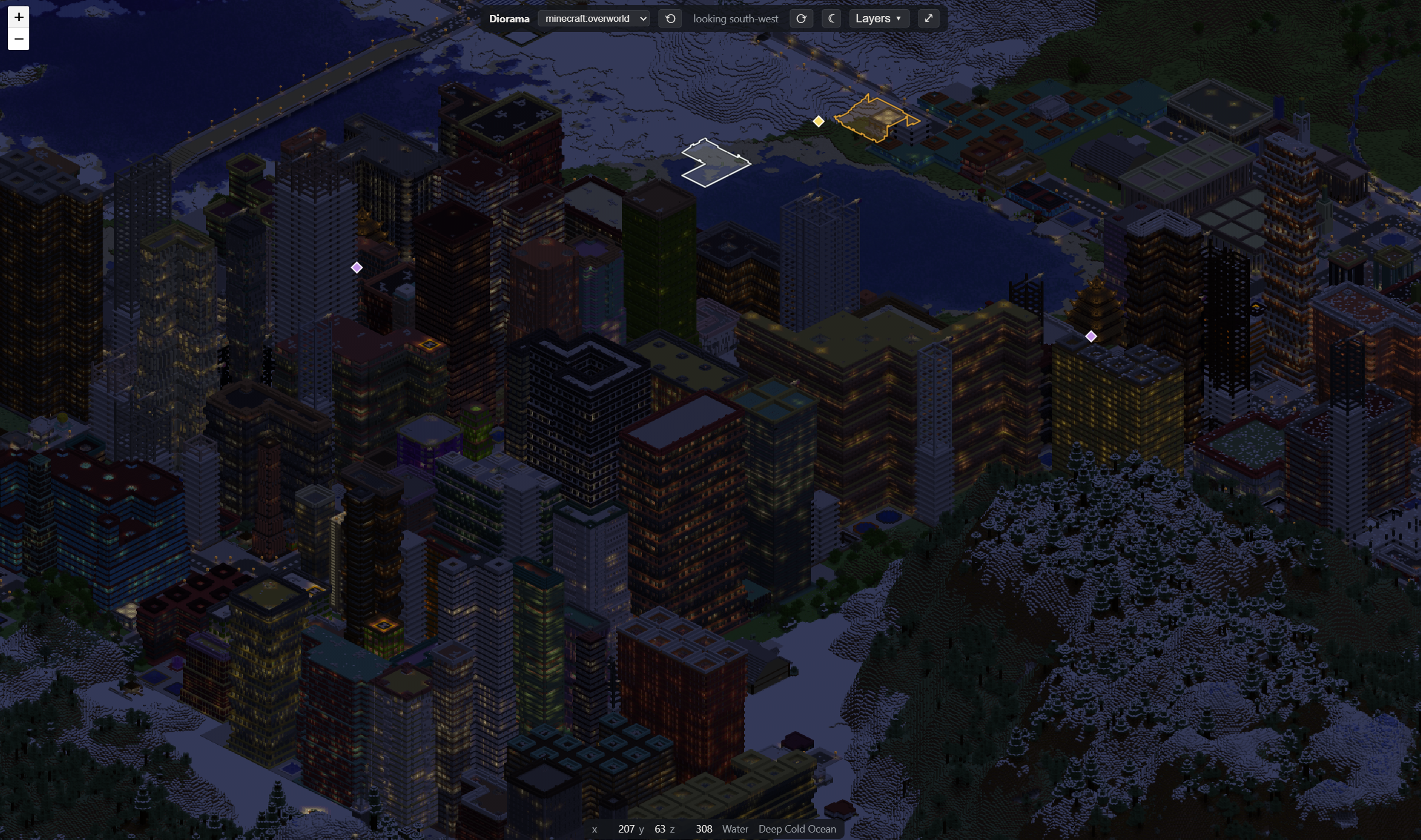
Turn on render.night and every view gets a second set of tiles lit by your torches, lamps and
lava under a moonlit sky, with a ☀/☾ switch on the page. Cities come alive.
Who's where
Live player positions, updated every second. Spectators and invisible players are left off,
and so is anyone hidden with /vanish from SableCraft Standards. A web map is the easiest way
there is to find somebody, so it doesn't tell on the people the game is hiding.
Markers and regions
Each source of markers gets its own switchable layer, under Layers:
- Your own regions. Mark out a town, a park or a spawn district:
/diorama region create, then stand at each corner. Each region gets a colour, a label and a hover description. Outlines follow the ground, so a region on a hill is outlined on the hill. Regions can also ship in a datapack. - Factions ReForged territory, in each faction's banner colour (Factions 1.12.0+).
- SableCraft Standards warps and
/spawn(Standards 1.12.0+). - City World landmarks.
The map shows what's public and stops there. Homes and where a faction's standard stands are never shown, because a public map that points at somebody's base is a raid planner.
Other mods can add their own layers through a small, documented API.
The info bar
Point at anything and the bar at the bottom names the block, the biome, the region and its real coordinates. In a City World world it also names the district, building or street. The server works out exactly what's under the cursor, so pointing at a rooftop names the roof, not the ground beside it.
Press H and every control disappears, for a clean view or a screenshot.
The Nether, cut open
A world with a roof is drawn with the roof taken off. Diorama cuts each column down to its topmost cavern, so you see the Nether's floors, lava lakes and fortresses instead of a lid of netherrack.
Single player too
The same jar works in single player. While you play, your map is served on
http://127.0.0.1:8124/, and you're told the link when you join. It uses the textures your game
already has, so nothing is downloaded. It is never published to your network: single player
listens on your own machine only.
Each world gets its own map, and the tiles are kept out of the save itself, so your world backups stay small.
Setting up a dedicated server
A dedicated server has no block textures, so do one of these:
- set
acceptDownload = trueunder[assets]inconfig/diorama-common.toml. Diorama fetches this version's client jar from Mojang once and checks it against Mojang's own checksum. That jar is Mojang's and covered by the Minecraft EULA, which is why this is your decision and is off by default; or - put a client jar or a resource pack in
diorama/assets/yourself.
Then open http://<your server>:8124/. /diorama status tells you what the map is doing, and why
not if it isn't. The page does the same: an empty map says why it's empty (still drawing, no
textures yet) rather than looking broken.
Behind a reverse proxy? Set web.publicUrl so /diorama gives players the right link. Already
run a web server? web.enabled = false still draws the tiles to disk for you to serve.
Commands
| Command | Who | |
|---|---|---|
/diorama |
everyone | the map's link |
/diorama status |
operators | what it's doing, and why not if it isn't |
/diorama render [dimension] |
operators | redraw a dimension from scratch |
/diorama render <dimension> <x> <z> <radius> |
operators | redraw the area round block x, z; radius in chunks |
/diorama region create <id> [label] |
operators | start a new region |
/diorama region corner <id> |
operators | add a corner where you're standing |
/diorama region undo <id> |
operators | take the last corner back |
/diorama region label <id> <text> |
operators | the name shown on the map |
/diorama region detail <id> <text> |
operators | the hover description |
/diorama region colour <id> <#rrggbb> |
operators | outline and fill colour |
/diorama region height <id> <y> | ground |
operators | pin the outline's height, or follow the ground |
/diorama region delete <id> |
operators | remove it |
/diorama region list |
operators | every region, including datapack ones |
Datapack regions live in data/<namespace>/diorama/regions/<name>.json and are re-read on
/reload:
{ "label": "Old Town", "dimension": "minecraft:overworld", "colour": "#e8a33d",
  "detail": "Founded by the first three players",
  "corners": [[-40, -80], [40, -80], [40, 0], [-40, 0]] }
Configuration
config/diorama-common.toml. The defaults are what most servers want.
| Setting | Default | |
|---|---|---|
web.enabled |
true |
serve the map; off still draws tiles, for your own web server |
web.port |
8124 |
the map's port |
web.bindAddress |
(empty) | empty = every interface on a server, 127.0.0.1 in single player |
web.publicUrl |
(empty) | the link players are given, e.g. https://map.example.com/ |
assets.acceptDownload |
false |
fetch the client jar from Mojang for textures (see above) |
render.views |
all four | which camera corners to draw; each costs as much as the first |
render.night |
false |
also draw every view by night |
render.pixelsPerBlock |
32 |
16 draws about four times faster on a quarter of the disk |
render.threads |
half your cores | workers drawing tiles, off the server thread |
render.liveUpdates |
true |
follow changes as they happen, not only on save |
render.liveChunksPerSecond |
32 |
the budget for that |
render.updateSeconds |
15 |
how often changed areas are redrawn |
render.chunkCache |
4096 |
chunks held while drawing; more is faster and uses more memory |
Every message is editable in config/diorama/messages.yml.
Versions
| Minecraft | NeoForge | Java |
|---|---|---|
| 1.21.11 | 21.11+ | 21 |
| 26.1.x | 26.1+ | 25 |
| 26.2.x | 26.2+ | 25 |
| 26.3 | 26.3.0.58-beta+ | 25 |
Server side, single player, or both. No other mods required. Factions ReForged, SableCraft Standards and City World are picked up automatically when they're installed.
Part of the SableCraft series. MIT licensed, source on GitHub. Ships no Mojang assets.
SableCraft: Diorama Team

Owner