Ryu's Atlas Map
- By
An RPG atlas book with minimap, full map, markers, upgrades, radar and Explorer's Table to copy and share exploration. Requires Curios.
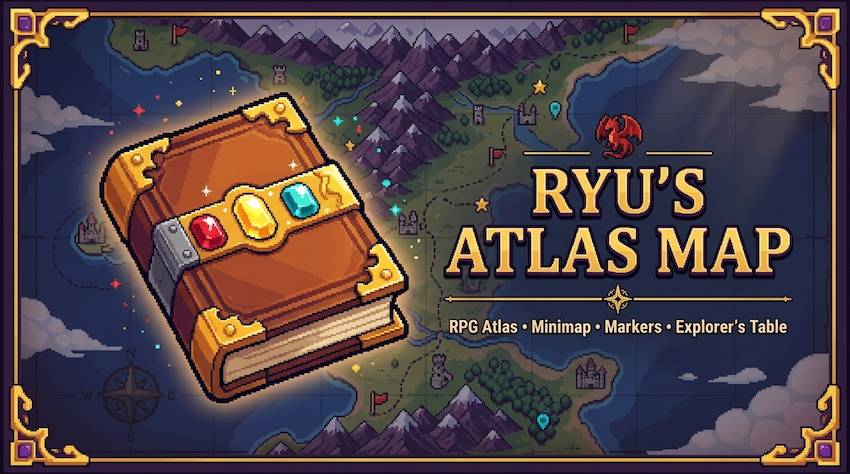
📖 Ryu's Atlas Map
An RPG atlas book with a minimap, a full-screen map, markers, upgrades and map sharing. Explore, record, trade and never lose your way.
⚙️ Forge 1.20.1 · 🧩 Requires Curios API · 🌐 Works on singleplayer and servers (install on both sides)
✨ The idea
A physical Atlas item, not a menu. What you explore is recorded in the book. Lose it and you lose the map; copy it, trade it or merge it with a friend's. Add upgrades to unlock the compass, clock, death tracking and entity radar. Built with performance in mind: it only scans within a time budget per tick.
📘 Module 1 — The Atlas & Upgrades
- 🛠️ Craft: Book and Quill + Map.
- 🔧 Upgrades (Atlas + item, any order, each once):
🧭 Compass (coordinates, facing, cursor coordinates),
🕒 Clock (time, day, phase, dawn/dusk notices),
💀Recovery Compass (last death, Soul Link, Soulbound),
🔭 Spyglass (entity radar). - 🎒 Curios slot "atlas". Server option
activation:HELD,HELD_OR_EQUIPPED(default) orINVENTORY. - 🎨 The book texture shows installed upgrades: the three gems light up (red = compass, gold = clock, cyan = recovery).
- 🧾 If you carry several atlases, the one with the most upgrades is the active one.
🗺️ Module 2 — Minimap & Full Map
- 🔍 Minimap in the HUD: size, zoom, shape, opacity, frame, rotation, cardinal points and position are all configurable. Move HUD… editor: drag elements anywhere.
- 🌍 Full map with <kbd>M</kbd> (or right-click with the atlas): drag to pan, wheel to zoom out to ~10 blocks per pixel, coordinates next to the cursor, clouds over unexplored areas, open/close sounds.
- 🖌️ Block colors read from the real textures (resource-pack friendly, works with modded blocks) plus biome tint, relief shading and water depth. Styles: PARCHMENT or CLEAN. Themes: CLASSIC / MODERN / RPG.
- 🕳️ Cave layers: underground you get a separate slice at head height (Auto / Surface / Caves selector). The Nether always uses it.
- 🌿 Biome display in the HUD (works with any atlas, no upgrade needed).
- ⚡ Performance: newly loaded chunks first, then a spiral around you. Hard cap by time (
timeBudgetMicros), not by chunk count. Manual survey mode available.
📍 Module 3 — Markers
- ➕ Right-click the map or press <kbd>B</kbd> to place a marker at your position: name, many icons, many colors, edit, delete. Adjustable marker size and icon style.
- 📋 Marker list panel: click to center, right-click to edit.
- 💬 Share a marker in chat: it appears as readable text with coordinates and a clickable [Save marker] for the receiver.
- 🧭 Lodestone compass guide: a linked compass in your hands or Curios shows its target on the map, minimap and bearing bar in a color you choose (default cyan), with its custom name.
☠️ Module 4 — Death Tracking (Recovery upgrade)
- 💀 Skull marker on your last death (only in the dimension where it happened), edge-pinned on the minimap as a direction arrow.
- ⏳ Right-click the latest death → delete in 5 minutes (stays visible, can be cancelled).
- 🧹 "Delete deaths" button on the map removes all old deaths (keeps the latest), with confirmation.
- 🔗 Soul Link: exploration is stored in your memory — craft a new atlas with the upgrade and get it all back. 🛡️ Soulbound: the atlas stays with you on death. (Server options
recovery.memory,recovery.soulbound,recovery.glint.)
🧭 Module 5 — Bearing Bar
- A compass strip showing nearby markers, entities and teammates by direction.
- 📐 Free position and size (X, Y, width, height, opacity), or over the XP bar (translucent, level number stays in front). Toggle markers and players in the bar.
🔭 Module 6 — Entity Radar (Spyglass upgrade)
- 🔴 Hostile · 🟢 Neutral · ⚪ Passive · 🟡 Players · 🔵 Teammates · ⚫ Items — each type can be toggled; configurable radius.
- 🖱️ Open the map and point at a mob to see its name, type (if renamed) and health. Player names on the big map.
- 👥 Teammate arrows on the minimap edge (vanilla scoreboard teams; needs the mod on the server).
- 🪶 Zero cost when off or without the upgrade; it only uses entities your client already knows.
🛠️ Module 7 — Explorer's Table
New block. Recipe: planks ×3 (top), map + lodestone + map (middle), smooth stone ×3 (bottom). Slots: Source → Target → Result.
| Source | Target | Result |
|---|---|---|
| 🗺️ Map with destinations or banners | 📘 Atlas | Adds them as markers (the map is consumed). Banners become flag markers with the banner's color and name. |
| 🗺️ Map with destination | 🧭 Compass | Links the compass to that point (the map is kept). |
| 🧭 Linked compass | 📘 Atlas | Copies the lodestone point as a marker. The compass is not consumed and the marker stays even if you unlink the compass. |
| 📘 Atlas (source) | 📘 Atlas (target) | The target receives the source's explored area (only fills empty pixels, never overwrites). The source is unchanged. |
| — | 📘 Atlas / 🧭 Compass | Rename (type a name in the box). |
- 🤝 Sharing exploration: if the source atlas' data isn't on your PC, the server asks connected players and whoever has it sends it (you must physically hold that atlas).
- 🧱 Also works by right-clicking a Cartography Table with the atlas in one hand and a map in the other.
📚 Module 8 — Copies & Blank Atlases
- ⚪ Blank atlas: Atlas + White Dye → keeps upgrades, wipes exploration. A blank atlas does nothing until you equip or open it.
- 📑 Copy:
[Atlas] [Slime Ball] [Blank Atlas]in a row. The original is kept; the copy receives the explored data and keeps the blank's upgrades. You choose to keep or discard the original's markers. - 🪨 Optional cheap Lodestone recipe (8 chiseled stone bricks + iron ingot; common config
cheapLodestone).
⚙️ Configuration
In-game: Mods → Ryu's Atlas Map → Config, or the Settings button on the full map (changes apply immediately). Pages: HUD · Look · Frames · Map · Radar.
| File | What it controls |
|---|---|
ryus_atlas-client.toml |
HUD toggles (minimap, markers, biome, coordinates, time, day/phase, facing, notices, 24h clock, latest death), minimap size/zoom/shape/opacity/rotation, theme/style/colors/pointer/marker size, frames, cardinal colors, clouds, sounds, cave mode and solid-rock level, exploration mode (auto/manual), data mode (ATLAS or WORLD), scan radius, time budget, bearing bar (position, size, opacity, XP mode), lodestone guide (general, on map, on minimap, color), radar (radius, entity types, names, hover), teammate arrows, optional share-exploration button. |
ryus_atlas-server.toml |
atlas.activation, recovery.memory (Soul Link), recovery.soulbound, recovery.glint, death marker mode, teammate sync and its interval. |
ryus_atlas-common.toml |
cheapLodestone recipe toggle. |
⌨️ Keys (Controls → Ryu's Atlas Map): Open map <kbd>M</kbd> · Add marker here <kbd>B</kbd> · Toggle atlas HUD · Toggle manual survey (both unbound by default).
📦 Compatibility & notes
- ✅ Minecraft 1.20.1 · Forge 47+ · Curios API required. Install on server and clients.
- 🧩 Independent: it does not need or use Xaero's or any other map mod. Modded blocks are read from their textures.
- 💾 Exploration is stored on the player's PC (
.minecraft/ryus_atlas/<world>/atlas_<id>/) with the atlas id, so what's recorded travels with the book. - ⚠️ Known limits: teams use vanilla scoreboard teams only; radar sees only entities your client already knows; markers are not merged between atlases; cave layers are not shared by the Explorer's Table; merging huge atlases runs in one go and may stutter briefly.
- 🐛 Report bugs with your
latest.logand the mod version.
Made by YejiYeah 💛
Ryu's Atlas Map Team