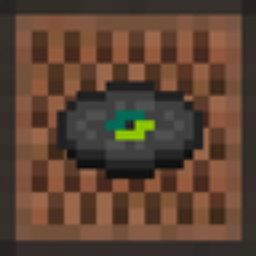
Note block records
You like note block music? This resourcepack replace records to note block style
- 208
- February 21, 2026



Note block records
You like note block music? This resourcepack replace records to note block style
- 208
- February 21, 2026



AI Disclosure: The code and description for this project were created with the assistance of an AI assistant. The author has reviewed, debugged, and tested all code to ensure full functionality and safety.
Create new dimensions on the fly — no restart required! Perfect for testing, custom hubs, or creating pocket dimensions for your players.
⚠️ WARNING: ALPHA VERSION This is an early alpha build. Always make a backup of your world before using runtime dimension creation. Bugs and world corruption are possible. Note: In-game chat messages are currently in Russian. English localization is coming in a future update.
Requires OP / Permission Level 2.
/dimcreate create <name> [options...]Creates a new dimension. The name can only contain lowercase letters (a-z), numbers (0-9), and underscores (_). Options are passed as key=value separated by spaces.
There are two modes:
runtime=true. The dimension is created immediately in memory. You can only use vanilla dimension types (overworld, the_nether, the_end), but you can customize the terrain generation. Dimension type parameters (like fixed_time) cannot be used here.runtime=true. The mod writes a datapack file. The dimension will appear after a server restart. Use this mode if you want to use custom dimension type parameters./dimcreate tp <name>Teleports you to the spawn point of the specified dimension.
/dimcreate listLists all created dimensions and shows whether they are currently loaded ("активно") or waiting for a restart ("ждёт перезапуска").
/dimcreate remove <name>Deletes the datapack files for the dimension. If the dimension is currently loaded in memory, it will remain until the next server restart.
runtime=true|false — If true, creates the dimension instantly.type=overworld|the_nether|the_end — Sets the dimension type (Default: overworld).gen=normal|... — The generation type (Default: normal).biomes=<biome_id> — Comma-separated list of biomes (e.g., minecraft:plains,minecraft:desert).sea_level=<number> — Custom sea level height.main_block=<block_id> — The main block of the dimension.fluid_block=<block_id> — The fluid block.noise_h=<number> — Horizontal noise scale.noise_v=<number> — Vertical noise scale.ores=... — Ore generation settings.aquifers=... — Aquifer generation settings.You cannot use these if runtime=true.
bed_works=true|falsenatural=true|falserespawn_anchor=true|falseskylight=true|falseambient_light=<0.0-1.0>ultrawarm=true|falsestop_time=true|falsefixed_time=<number> (e.g., 6000 for noon, 18000 for midnight)coordinate_scale=<number> (e.g., 8 for Nether)infiniburn=<tag>effects=<id>piglin_safe=true|falseraids=true|falsespawn_min=<number>spawn_max=<number>block_light_limit=<number>clouds=true|falsecloud_level=<number>sky_type=<id>fog_color=<hex>sun_fog=<hex>dense_fog=<hex>Create an instant desert dimension (Runtime Mode):
/dimcreate create desert_hub type=overworld runtime=true gen=normal sea_level=40 biomes=minecraft:desert(Teleport immediately with /dimcreate tp desert_hub)
Create a custom End dimension with fixed time and no beds (Datapack Mode):
/dimcreate create dark_end type=the_end fixed_time=6000 bed_works=false gen=normal(Requires a server restart. Teleport with /dimcreate tp dark_end)
/execute in suggestions until you relog. Teleportation commands (/dimcreate tp) work fine.
You like note block music? This resourcepack replace records to note block style
You like note block music? This resourcepack replace records to note block style