RS Integration
- By
Adds recursive crafting, remote machine automation and cross-mod integration to Refined Storage.
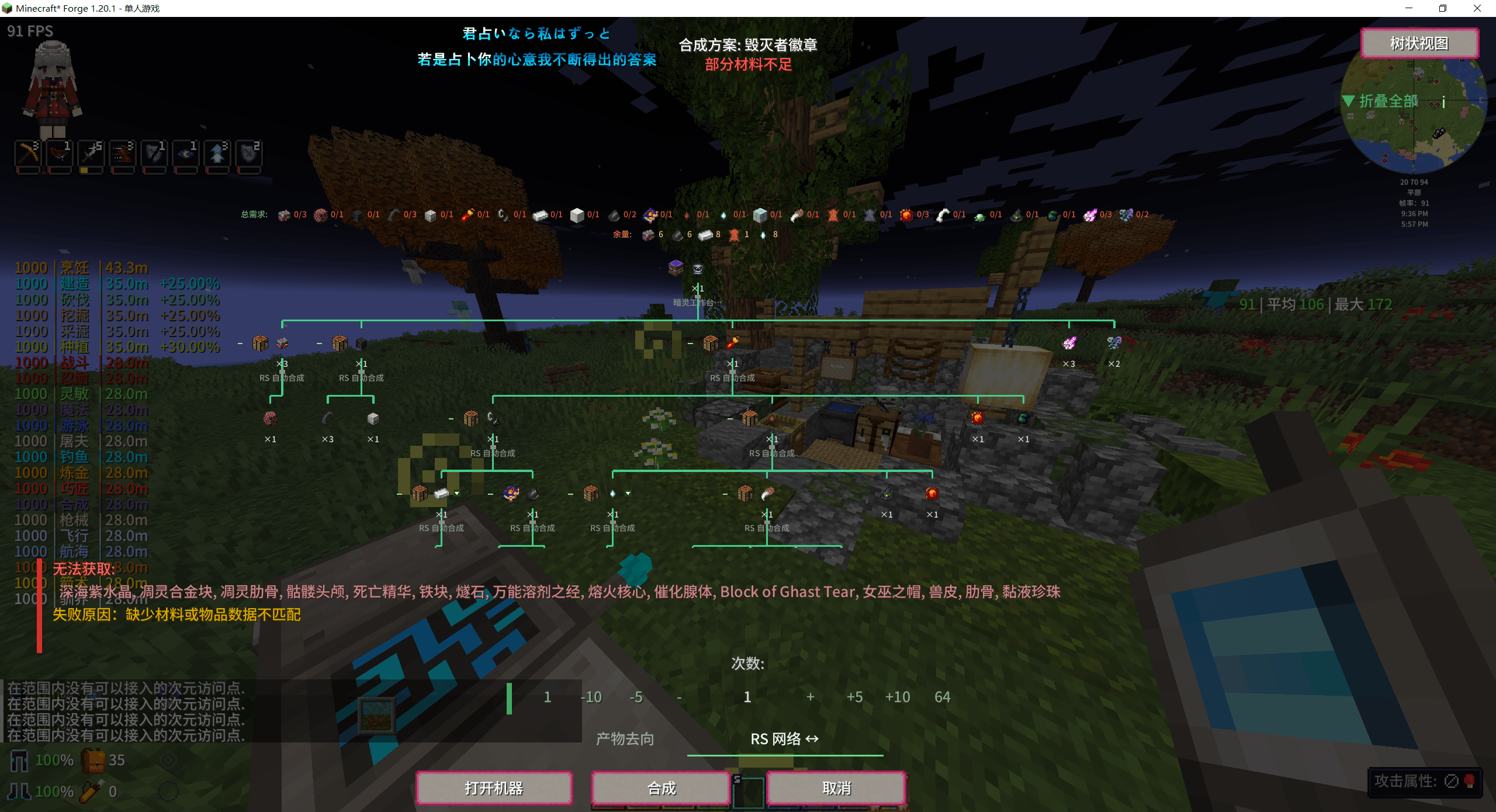
Recursive remote crafting

Sophisticated Backpack upgrades
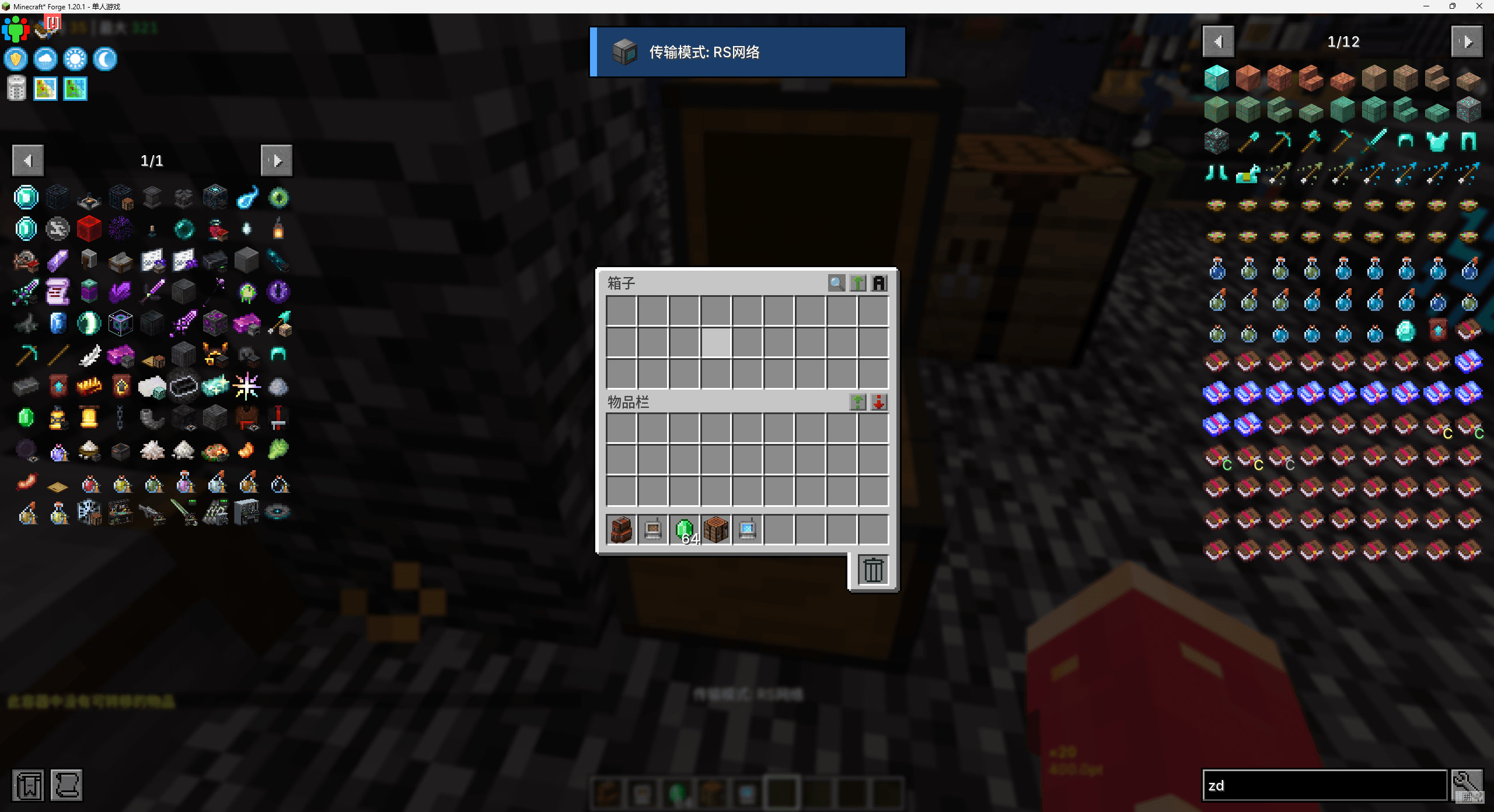
One-key container transfer
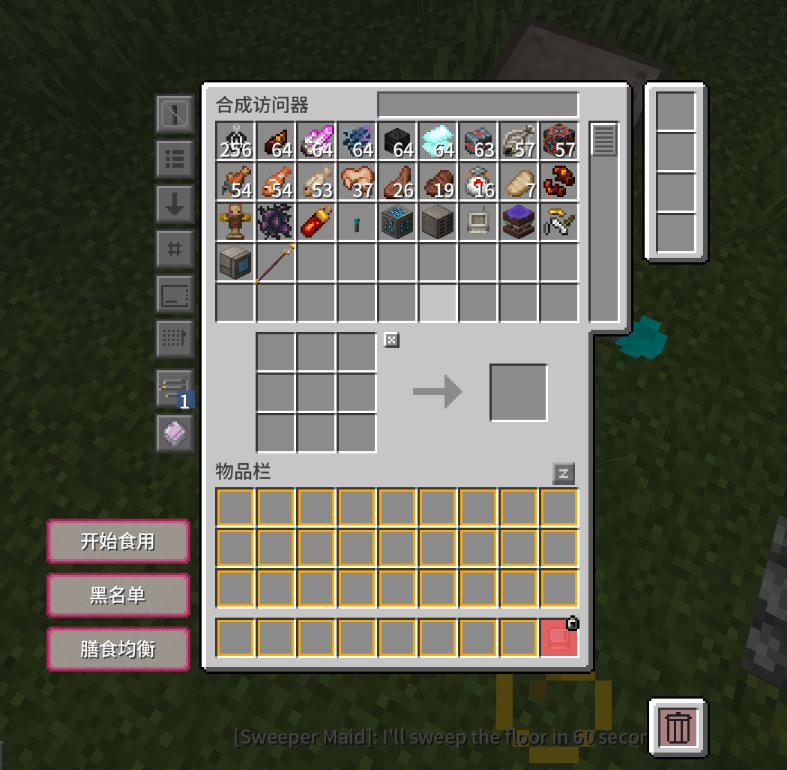
RS GRID
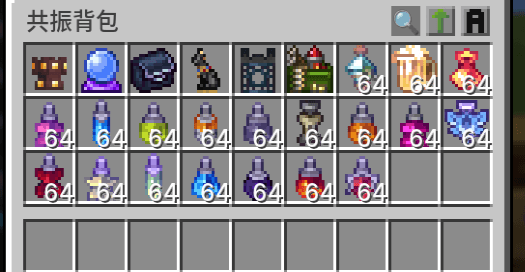
Resonance Disk
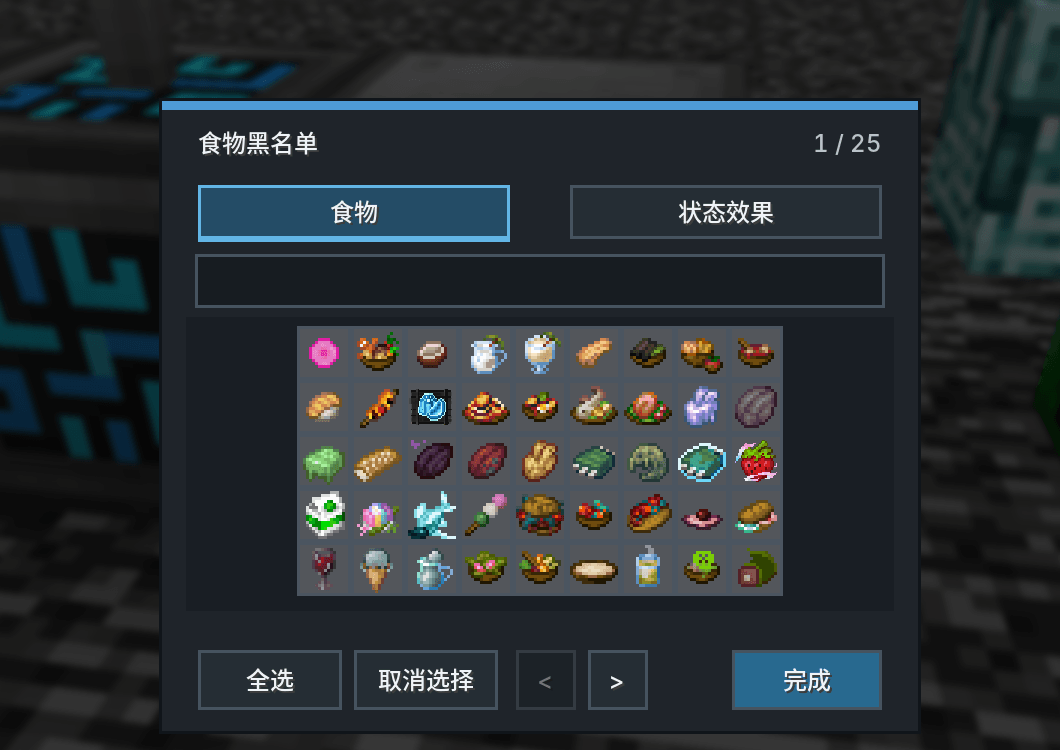
Auto Eat
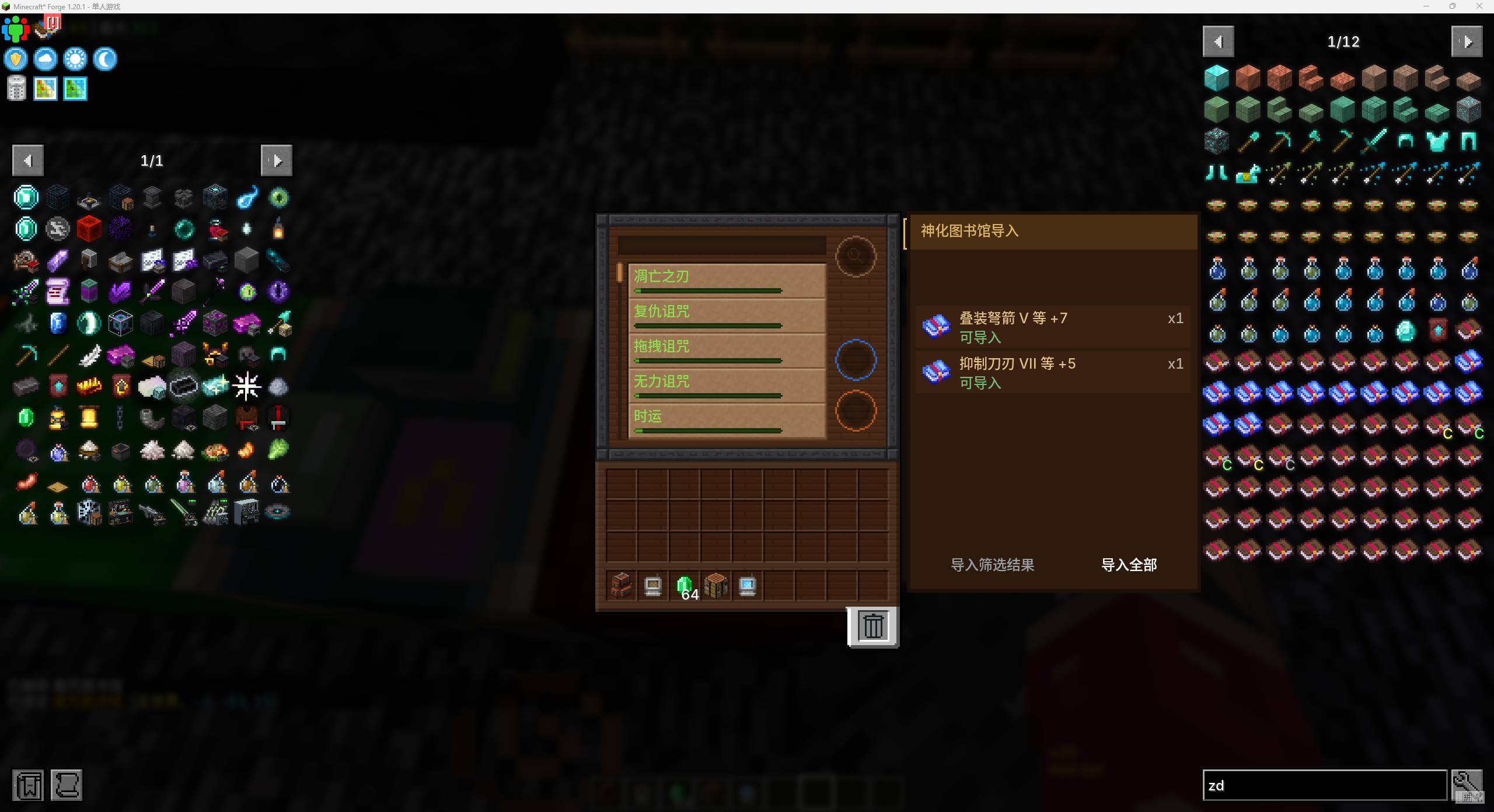
Book Delivery
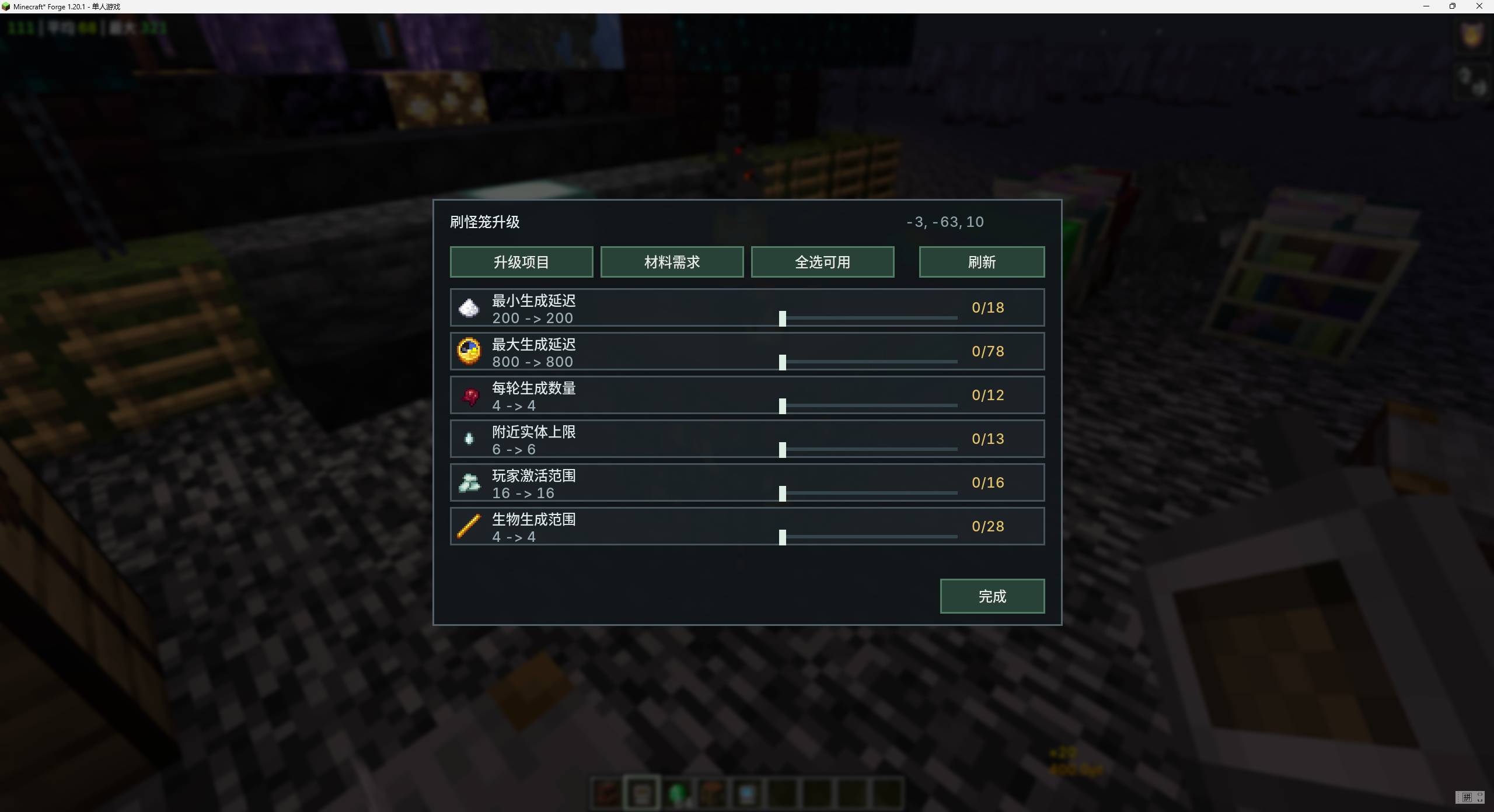
Apotheosis Spawner Upgrades
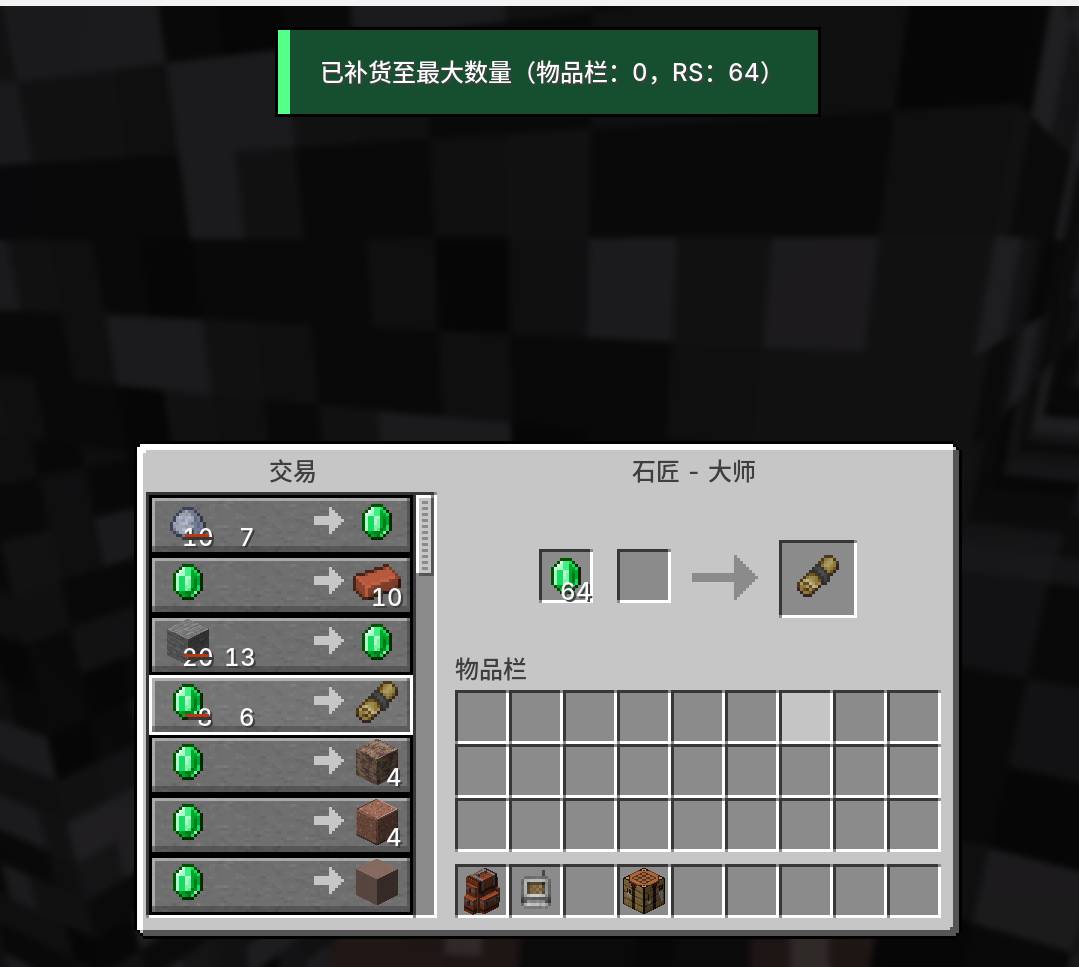
Villager Restocking
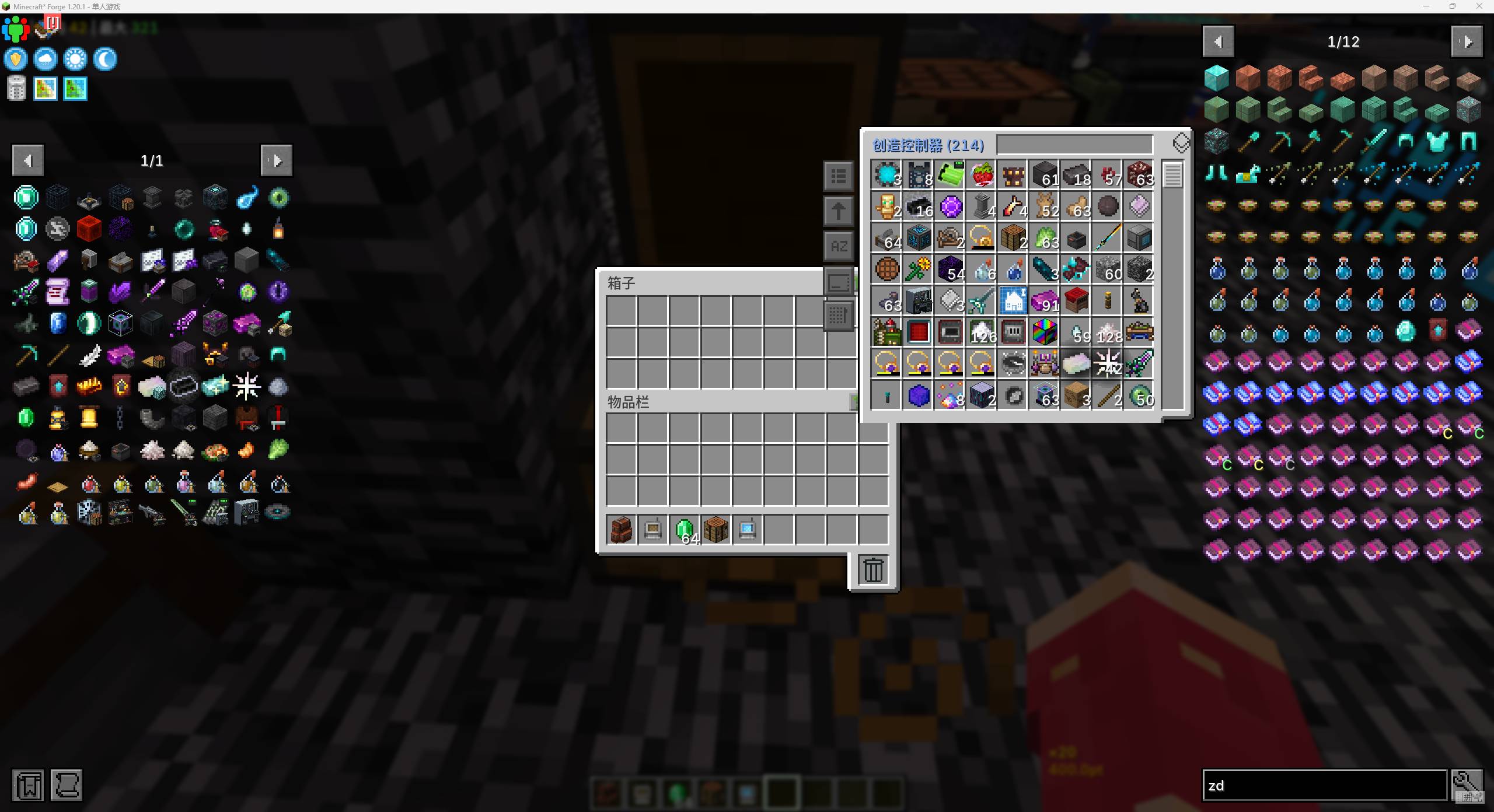
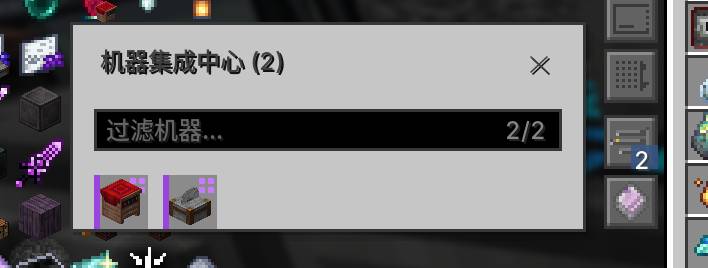
RS side panel and Machine Management Center
QQ20260729-170021.jpg
Description
RS Integration lets Refined Storage operate machines from other mods. Choose an item in JEI and it checks materials, resolves prerequisite recipes, operates bound machines, and returns the result to the RS network.
Current version: 1.2.9 | Minecraft 1.20.1
Requirements
| Dependency | Requirement |
|---|---|
| Minecraft | 1.20.1 |
| Forge | 47+ |
| Refined Storage | 1.12+; required |
| JEI | Required on the client for recipe actions and plan previews |
| Other integrations | Optional; modules load only when their target mod is present |
Main Features
Recursive remote crafting
Ordinary recipes can be crafted recursively from the player's inventory even without an RS wireless terminal.
- Click the RSI action in JEI to preview and start crafting.
- Resolves crafting-table, modded-machine, virtual-exchange, and multiblock prerequisites.
- Shows the full step list, missing materials, alternative recipes, and a zoomable dependency graph before execution.
- Runs independent graph nodes concurrently and load-balances repeated work across compatible machines.
- Tracks material provenance and performs transactional reservation, rollback, refund, and output delivery.
- Keeps one physical machine input slot on one concrete item variant, while separate crafting-grid slots may mix tag-compatible materials such as different planks.
- Press
Pto inspect progress; cancel from the progress screen, chat action, or/rsi cancel.
Machine binding and remote access
- Shift-right-click a supported block with the Network Linker to bind or unbind it.
- Bindings retain dimension and position information and remove stale entries when blocks are broken.
- Open compatible machine GUIs remotely from RS screens and return to the terminal after closing them.
- Use the searchable Machine Management Center for status, output collection, GUI access, and number-key selection.
- Machine tabs can insert held items into input slots; shift operations can also replenish fuel.
- Multiple compatible machines are load-balanced and can distribute repeated work where the machine contract permits it.
- Remote operations respect FTB Chunks and Cadmus claims and do not force-load an unloaded target chunk.
JEI and RS interface tools
- Drag-select JEI ingredients for batch bookmark/hide actions.
- Alt-click an ingredient to filter JEI by mod; Alt-middle-click clears search.
Ctrl+Ttransfers the visible JEI recipe to an RS crafting grid.Ctrl+ left-drag across RS slots extracts one item from each visited slot.- A draggable side panel exposes RS contents and machine tabs from other screens, with pinyin-aware search.
Auto Eat
Open an RS crafting grid to consume food directly from the network:
- Dietary Diversity works with SolCarrot and chooses foods not yet recorded.
- Stack Feast consumes one selected food until full or the per-use limit is reached.
- Balanced Diet works with Diet and chooses food for lower nutrition groups.
- Food and status-effect blacklists prevent unwanted consumption.
- Bowls, bottles, and other remainders return to the RS network when possible.
- Servers can configure activation requirements, execution cost, and per-use limits.
Replenishment and item management
- Villager restock: select a trade and press Space to fill its costs from inventory and RS; missing items are bookmarked in JEI.
- Reforging restock: press Space in Apotheosis or Ancient Reforging screens to pull reforging materials from RS; missing items are bookmarked in JEI.
- Remote side panel: press
Yto browse and search RS contents from other screens and open JEI uses or recipes.
Apotheosis Spawner Upgrades
- Hold a valid RS network item and shift-right-click an Apotheosis spawner to open the upgrade screen.
- The screen lists applicable positive upgrades, current completion, required materials, and available RS stock.
- Select multiple upgrades and preview the complete dependency plan before confirming.
- Available materials are extracted from the linked RS network; missing upgrade materials are crafted recursively when a valid recipe graph exists.
- Every scan and execution is validated server-side against the player, network, dimension, distance, spawner state, and the previewed selection.
One-key container transfer
- Press
Fin a chest, machine input, or other container to transfer its contents to the current target. - Press
Gto switch the target between a bound RS network and a Sophisticated Backpack. - Transfers respect filters, item blacklists, and destination capacity; rejected items remain in the source container.
- Transfer keys are suppressed while typing in chat, search boxes, and other text fields.
RS side panel and Machine Management Center
- Press
Yto show or hide the side panel without leaving the current screen. - Browse RS item counts and bound machines.
- Search by name, pinyin, number, or item ID, which remains practical in large modpacks.
- Hover an item and press
Ufor uses orRfor recipes to open JEI directly. - Open machine screens remotely from machine tabs; stale or destroyed bindings are removed automatically.
- Press
Hfor searchable machine status, output collection, GUI access, and number-key selection. - When the network contains a Resonance Disk, its Resonance Backpack can be opened from the Machine Management Center.
Mouse and shortcut operations
- Hold
Ctrland drag across RS grid slots to extract one item from every visited slot. - Drag across side-panel items to distribute them evenly to bound machines; left-click extracts a stack and right-click extracts one.
- JEI supports marquee bookmark/hide actions and quick filtering by mod.
- Plan nodes support right-click collapse/expand, right-drag panning,
Ctrl+ wheel zoom, and wheel repeat-count adjustment.
Resonance Disk
The Resonance Disk is an RS storage disk whose contents can act as if carried by the player.
- Supplies compatible attributes, inventory-tick effects, event-driven passives, and item/resource lookups.
- Persists mutation for configured items instead of ticking disposable copies.
- Includes default passive support for Apotheosis potion charms, Muyimeng fused potion charms, Reliquary's Pyromancer Staff, Enigmatic Addons' Artificial Flower, and Forbidden & Arcanus' Spectral Eye Amulet.
- Supports Chapter of Yuusha/Moonstone Nine Sword Books, Wizard Terra Curios
BuffItemitems, and Terra Equipment stacked infinite potions. - Supports compatible stored resources such as powder snow buckets, source fluid, and venom during recursive crafting.
- Supports Malum Void Favor acquisition through the well interaction while the disk is available through RS.
- Only one Resonance Disk is active per RS network, preventing duplicated passive effects and resource queries.
Sophisticated Backpack upgrades
- Provides four RS-specific Sophisticated Backpack upgrades:
- Dimensional Magnet sends nearby items that pass its filter directly into RS.
- Dimensional Pickup routes picked-up drops through RS while retaining backpack pickup rules.
- Dimensional Feeding consumes filtered food from RS to feed the player.
- Dimensional Restock supplies items from RS when the backpack needs them.
- Dimensional Magnet keeps accepted drops out of backpack storage; its range and filter-slot count are configurable.
- Dimensional Pickup stores accepted drops directly in RS while preserving Sophisticated Backpack filters.
- Dimensional Feeding and Restock prioritize RS resources and use their filters to restrict eligible items.
- Shift-right-click an RS controller to bind these upgrades; their screens control enablement and filter items.
- Compacting enhancement: with Majrusz's Accessories installed, Compacting merges eligible accessories through successive quality tiers until 100% or no further merge is possible.
- Compatible Magnet, Pickup, Feeding, Refill, and Restock upgrades can be redirected to an RS network.
- The Deposit upgrade can send items directly into RS.
- Compacting can automatically merge eligible Majrusz's Accessories items.
FTB Quests item tracking
- Tracks real RS insertions caused by crafting, container transfer, magnet/pickup flows, and other external movement.
- Simulated insertion, voiding, refunds, and recovery do not advance quest progress.
- Uses FTB Quests item filters and NBT matching rules.
- Explicit quest submission can consume missing items directly from RS; missing requirements are bookmarked in JEI.
- Crafted and externally acquired items are accounted for separately to prevent duplicate progress.
- Requires FTB Quests and FTB Teams; RSI yields to another compatible automatic detector when one is installed.
Quick Start
- Build and power a Refined Storage network.
- Obtain an RSI Network Linker.
- Shift-right-click a supported machine to bind it.
- Open a recipe in JEI and use the RSI craft action.
- Review the generated plan, choose alternatives or a repeat count, then start the chain.
- Watch progress with
P; completed outputs return to RS, or to the player when no network exists.
Default Controls
All key mappings can be changed in Minecraft Controls. Configurable numeric key codes use GLFW values.
| Control | Context | Action |
|---|---|---|
F |
Container screen | Deposit container contents |
G |
Any/container screen | Toggle RS / Sophisticated Backpack transfer target |
Y |
Any screen | Toggle the RS side panel |
H |
Any screen | Toggle the Machine Management Center |
P |
Any screen | Open/close active crafting progress |
Alt + left-click |
JEI ingredient | Filter by mod |
Alt + middle-click |
JEI ingredient list | Clear search |
Ctrl+T |
JEI recipe | Transfer to RS crafting grid |
Ctrl + left-drag |
RS grid | Swipe-extract one of each item |
Left-drag, then A / H / Esc |
JEI list | Bookmark / hide / clear marquee selection |
U / R |
Hovered side-panel item | Show uses / recipes in JEI |
Crafting Integrations
The table lists dedicated recipe integrations registered by the current code. Remote GUI-only blocks can also be added through customGuiMachineMods.
| Mod | Supported recipes or machines |
|---|---|
| Vanilla / Brick Furnace | Furnace, blast furnace, smoker, campfire, brewing stand, stonecutter, smithing, anvil, enchanting |
| Iron Furnaces | Furnace tiers in furnace, blasting, and smoking modes |
| Botania | Mana Pool/catalysts, Petal Apothecary, Runic Altar, Botanical Brewery, Alfheim trade, Terra Plate, Pure Daisy |
| Ars Nouveau | Imbuement Chamber and Enchanting Apparatus |
| Goety | Necro Brazier, Dark Altar, Cursed Cage, Soul Candlestick and supported ritual recipes |
| Malum | Spirit Altar, Spirit Crucible, Runic Workbench, Spirit Infusion and related recipes; adjacent altars collect outputs independently |
| Eidolon | Worktable, Crucible, and Brazier |
| Forbidden & Arcanus | Hephaestus Forge, Clibano, smithing/apply-modifier flow |
| Wizards Reborn | Wissen Crystallizer, Arcane Iterator, Arcane Workbench, Crystal rituals |
| Touhou Little Maid | Maid Altar, including automatic P-point replenishment from RS |
| Embers Rekindled | Alchemy Tablet, including inferred and deterministic layouts |
| Aetherworks | Aetherium Anvil and Tool Station |
| The Aether | Freezer, Incubator, and Altar |
| Crock Pot | Crock Pot and Portable Crock Pot |
| Farmer's Delight | Cooking Pot and Skillet |
| Farmer's Respite | Kettle |
| Youkai's Homecoming | Moka Pot, Fermentation Tank, Steamer, Kettle, cooking pots, Cuisine Board |
| Immortaler's Delight | Enchantal Cooler |
| Apotheosis | Fletching, Gem Cutting, Enchantment Library scanning/import, reforging GUI access, and server-authoritative spawner upgrades with recursive material crafting |
| TACZ and compatible gun packs | Gun Smith Table recipes, including NBT-bearing guns/ammo |
| Avaritia | Compressed through Extreme six-tier crafting tables, four-tier Neutron Compressors, and Extreme Smithing |
| SlashBlade | NBT-sensitive crafting recipes |
| Confluence | Workshop |
| Distant Worlds | Lithum Altar and related interaction/HUD support |
| Lychee | Virtual item-inside/soaking and block-interaction recipes; block interactions can run through a bound Mechanical Press |
| Farming for Blockheads | Market exchanges as virtual recipes and recursive crafting intermediates |
| Project MMO | Probabilistic salvage recipes with recursive material planning, level checks, XP, secondary outputs, and configurable multiblock binding |
| Crabber's Delight | Crab Trap processing |
Custom GUI defaults include Crabber's Delight, Metal Barrels, PGP, EMX Arms, Apotheosis, and Ancient Reforging. They provide binding and remote GUI access even when no automatic recipe delegate exists.
Configuration
Configuration files are documented in-place with comments and validation ranges:
config/rs_integration/common.toml: feature switches, optional integrations, passive effects, auto-eat, side panel, GUI-machine allowlist.saves/<world>/serverconfig/rs_integration/server.toml: recipe selection, timeouts, recursive depth/step limits, DAG concurrency, protected reserves, machine-specific policies.config/rs_integration/client.toml: side-panel position, size, visibility, and HUD preferences.
Important server controls include recipe preference/blacklists, repeat limits, resolution budgets, concurrent graph nodes/operations, per-mod parallel policy, and global chain timeout. Existing config files are not overwritten when new defaults are added; merge new list entries manually or regenerate the file.
Diagnostics
/rsi cancelcancels the player's active chain./rsi_debugexposes chain, ledger, recipe-index, handler, binding, trace, audit, Embers cache/lock, and performance diagnostics to permission-level 2 operators.diagnosticVerboseLoggingenables detailed resolver and dispatcher logging when troubleshooting.
Building
.\gradlew.bat test --no-daemon
.\gradlew.bat build --no-daemon
The release JAR is written to build/libs/ and verified by the build's verifyReleaseJar task.
License
All rights reserved.
The RS Integration Team