RPC Slots Bridge
- By
Adds compatibility with ragdollified player corpse and Slots Unofficial
2026-09-14_18.05.41.png
2026-09-14_18.05.43.png
2026-09-14_18.05.47.png
2026-09-14_18.05.49.png
Description
# RPC Slots Bridge
**Compatibility addon for Ragdollified Player Corpse × Slots Unofficial**
## What This Addon Does
- **Prevents the ground-dump.** Your Slots Unofficial inventory is captured the instant you die,
before it ever hits the floor.
- **Binds it to your corpse.** The captured items are tied to that specific corpse, so if you
die more than once, each corpse keeps its own separate stash.
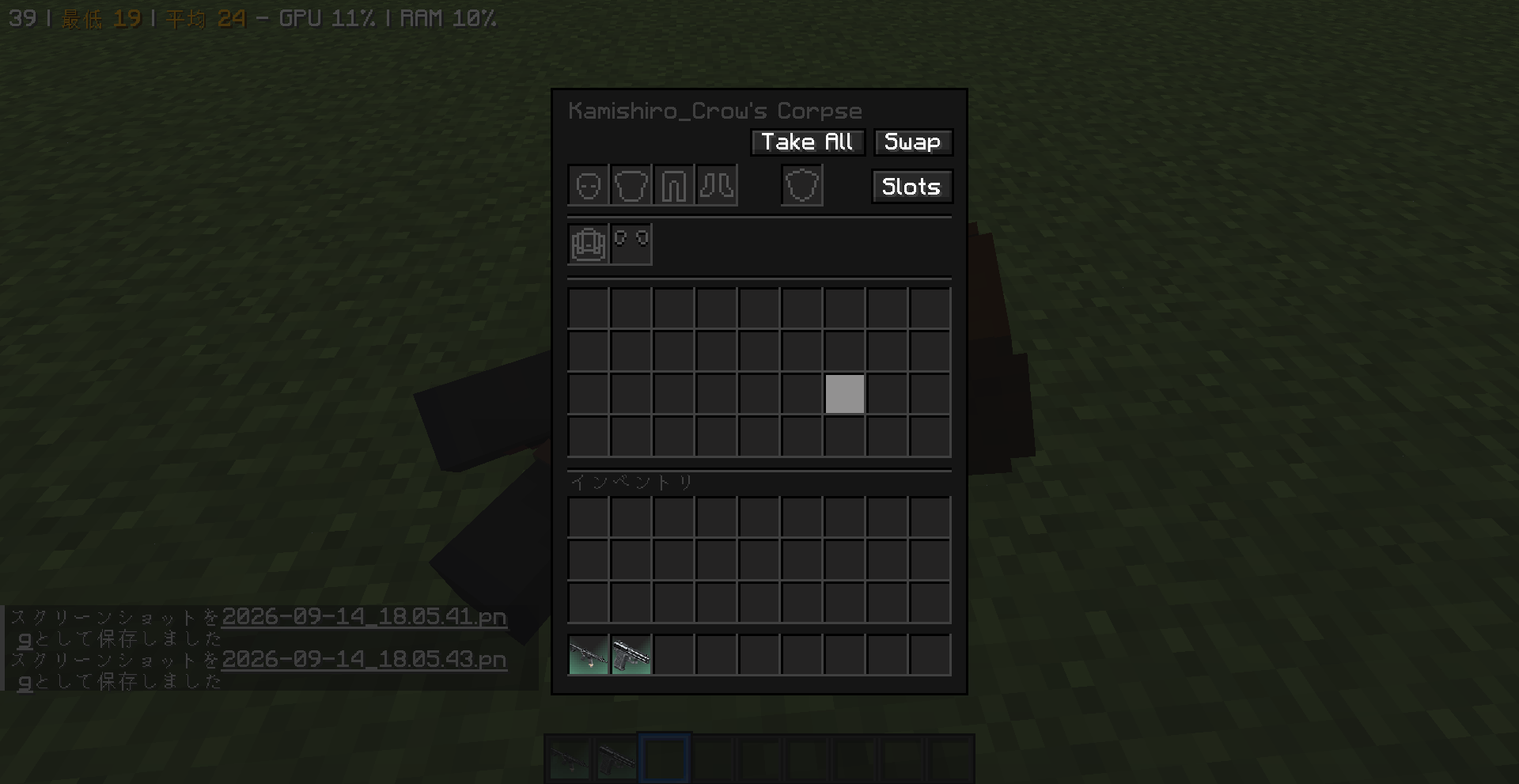
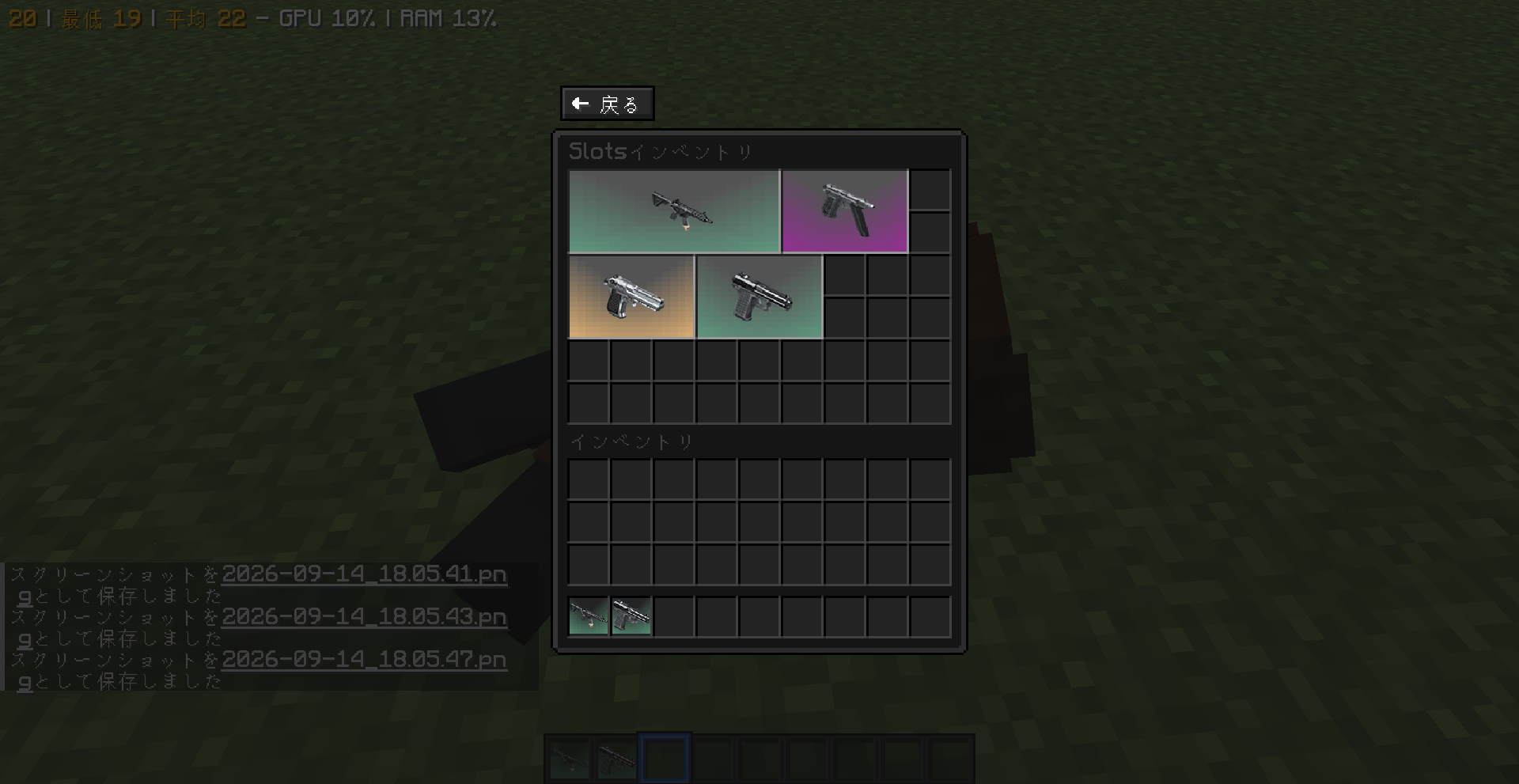
- **Adds a "Slots" button** to the corpse screen that opens a dedicated inventory view for
those items, plus a "Back" button to return to the corpse's own screen.
- **Always shows a full 9×6 (54-slot) grid**, no matter how many slots you actually had
unlocked when you died — nothing is hidden.
- **No extra textures.** The bridge screen reuses vanilla's large chest texture
(`generic_54.png`), so it looks and feels exactly like a vanilla double chest.
- **No Mixin.** The corpse-screen button is added through Forge's standard `ScreenEvent`
hook, without touching either mod's classes directly — should be resilient to minor
updates on both sides.
## Requirements
- Minecraft 1.20.1
- Forge 47.4.10+
- Ragdollified Player Corpse (required)
- Slots Unofficial (required)
Both are hard dependencies — this addon does nothing on its own.
## Configuration
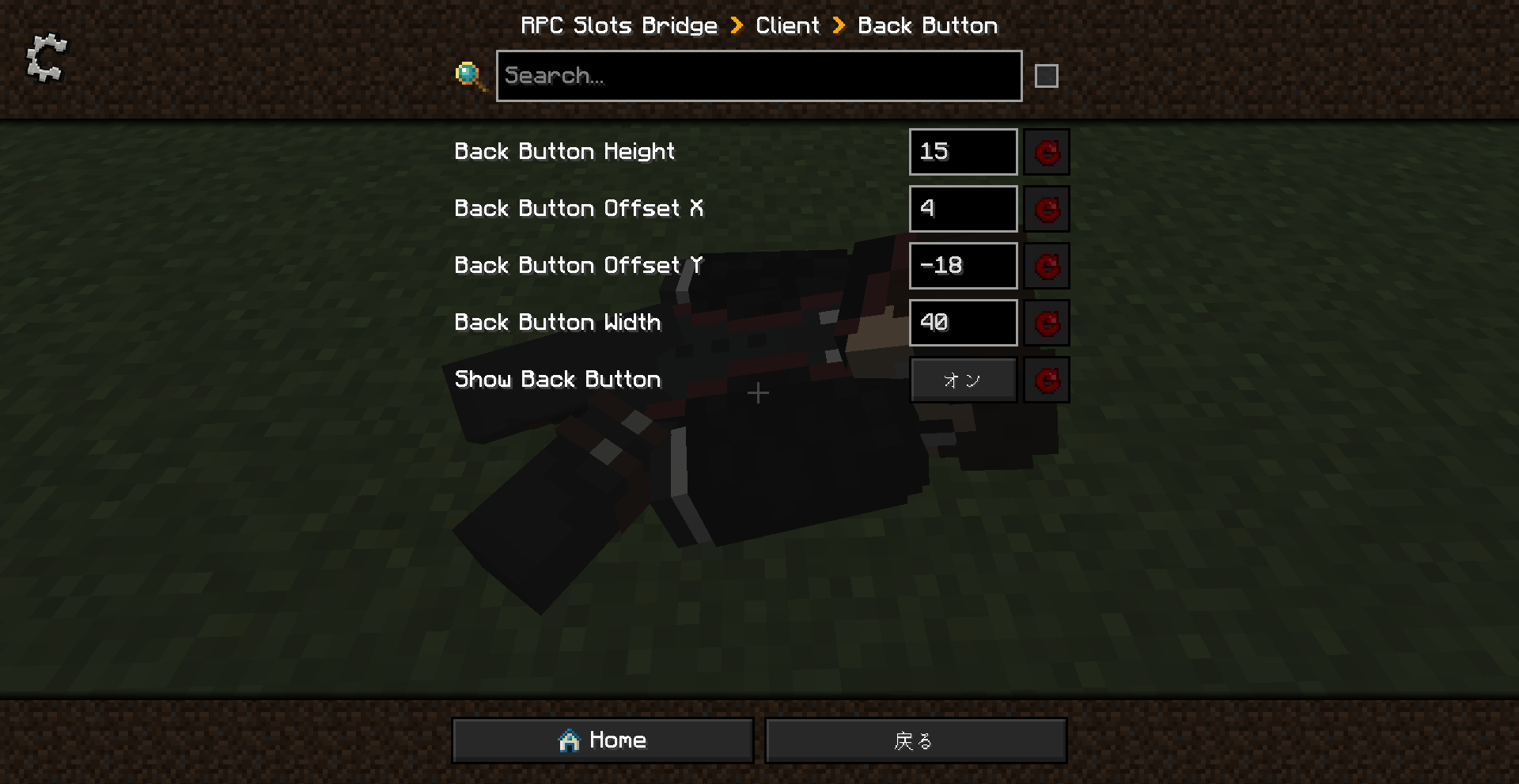
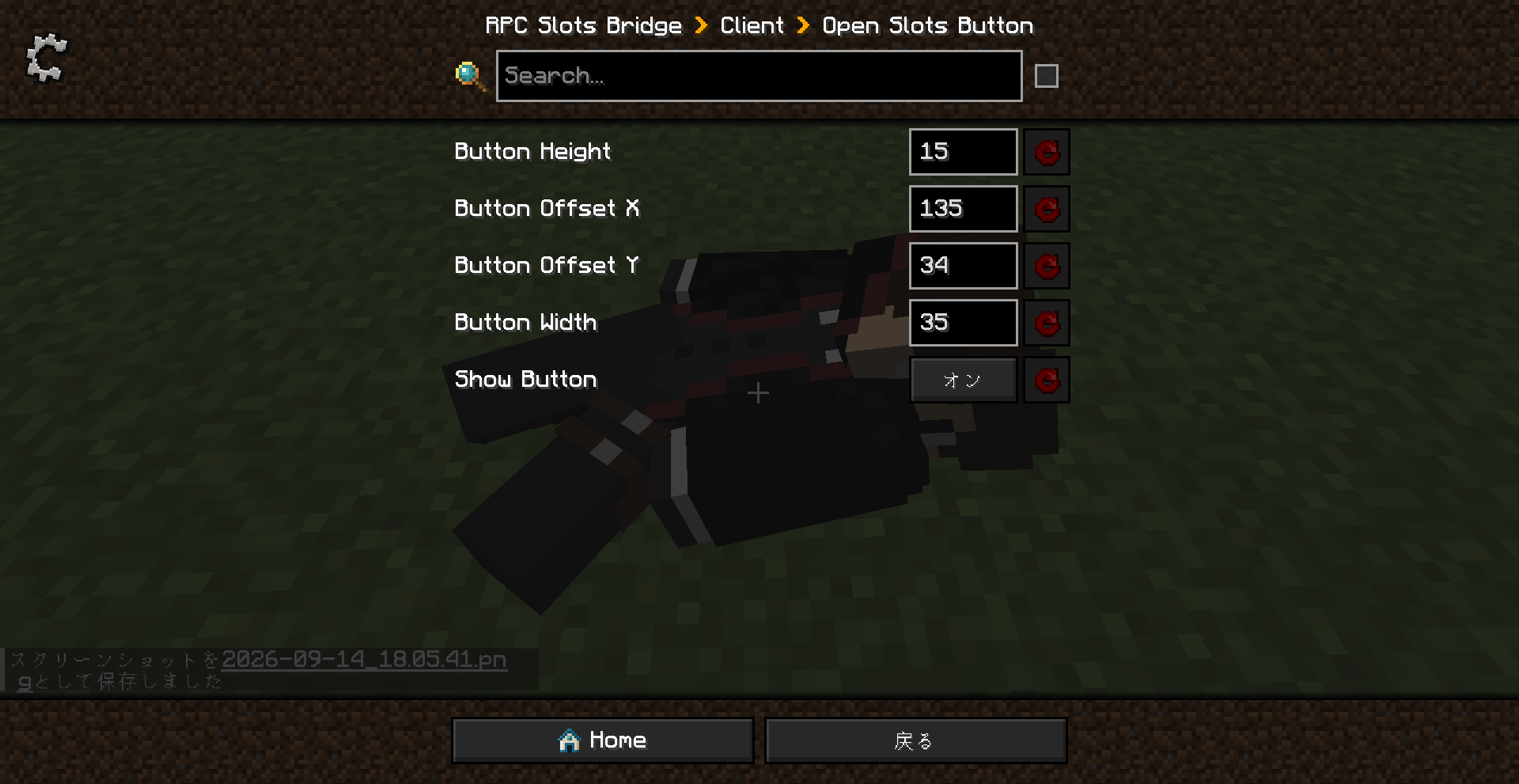
Client-only config (`config/rpcslotsbridge-client.toml`) lets you reposition and resize both
injected buttons, in case they overlap other UI elements in your particular setup:
```toml
[openSlotsButton]
showButton = true
buttonOffsetX = 135
buttonOffsetY = 34
buttonWidth = 35
buttonHeight = 15
[backButton]
showBackButton = true
backButtonOffsetX = 4
backButtonOffsetY = -18
backButtonWidth = 40
backButtonHeight = 15
```
## Localization
Ships with English and Japanese translations out of the box, using the standard vanilla
JSON language file format. Contributions for other languages are welcome.
## Known Limitations
- If `keepInventory` is enabled, neither mod drops or captures anything, so this addon simply
does nothing on death (as expected).
- The captured Slots Unofficial items live in their own save data keyed to the corpse's ID —
if the corpse itself is deleted/expired by Ragdollified Player Corpse, the bridged items go
with it.
## Credits
- **Ragdollified Player Corpse** by raiiiden
- **Slots Unofficial** by takapii_kun0717 (unofficial fork of the original Slots mod)
This add-on is an unofficial compatible MOD not affiliated with the author of Ragdollified Player Corpse.
# RPC Slots Bridge
**Ragdollified Player Corpse × Slots Unofficial 互換アドオンMOD**
## このアドオンがやること##
- **地面へのばら撒きを防止**:死亡した瞬間に、地面に落ちる前にSlots Unofficialの
インベントリの中身をキャプチャします。
- **死体に紐付け**:キャプチャした中身はその死体専用のデータとして保存されるので、
複数回死んでも死体ごとに別々の中身を保持できます。
- **死体画面に「Slots」ボタンを追加**:専用インベントリ画面が開き、
中身を確認・取り出しできます。「戻る」ボタンで死体本来の画面にも戻れます。
- **常に9列×6行(54マス)固定表示**:死亡時に実際に解放していたスロット数に関係なく、
常に全マスを表示するので、何も隠れません。
- **追加テクスチャ無し**:バニラのラージチェスト用テクスチャ(`generic_54.png`)を
そのまま間借りしているので、見た目も操作感もバニラのダブルチェストそのものです。
- **Mixin不使用**:死体画面へのボタン追加はForge標準の`ScreenEvent`フックを使っていて、
どちらのMOD側のクラスも一切書き換えていません。両MODの細かいアップデートに対して
比較的壊れにくい作りです。
## 必要なもの
- Minecraft 1.20.1
- Forge 47.4.10 以上
- Ragdollified Player Corpse(必須)
- Slots Unofficial(必須)
両方とも必須依存です。このアドオン単体では何もしません。
## 設定
クライアント側の設定ファイル(`config/rpcslotsbridge-client.toml`)から、
2種類のボタンの位置・サイズをそれぞれ調整できます。環境によってはUIが
被ってしまうこともあるので、その場合はここを書き換えてください:
```toml
[openSlotsButton]
showButton = true
buttonOffsetX = 135
buttonOffsetY = 34
buttonWidth = 35
buttonHeight = 15
[backButton]
showBackButton = true
backButtonOffsetX = 4
backButtonOffsetY = -18
backButtonWidth = 40
backButtonHeight = 15
```
## クレジット
- **Ragdollified Player Corpse** by raiiiden
- **Slots Unofficial** by takapii_kun0717(オリジナルSlots modの非公式フォーク)
このアドオンは、Ragdollified Player Corpse作者様と関係のない非公式の互換MODです。
RPC Slots Bridge Team