Capture1.PNG
Capture2.PNG
Description
Chest Router
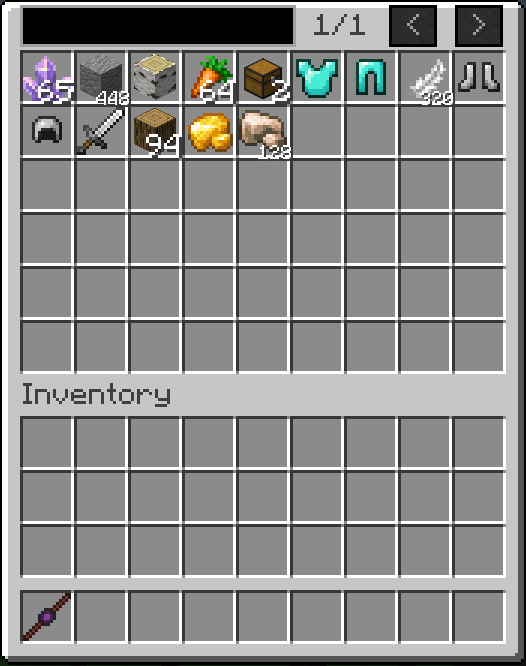
Overview Chest Router is a highly optimized, unified network storage and routing mod. Moving away from tedious category management, it introduces a streamlined "Terminal Grid" system. A single Router Chest acts as a central hub, automatically distributing inserted items via Smart Stacking while providing a paginated, searchable interface to view and extract from all connected chests within a 128-block radius. FULLY COMPATIBLE WITH MODDED ITEMS AND MODDED STORAGE UNITS.
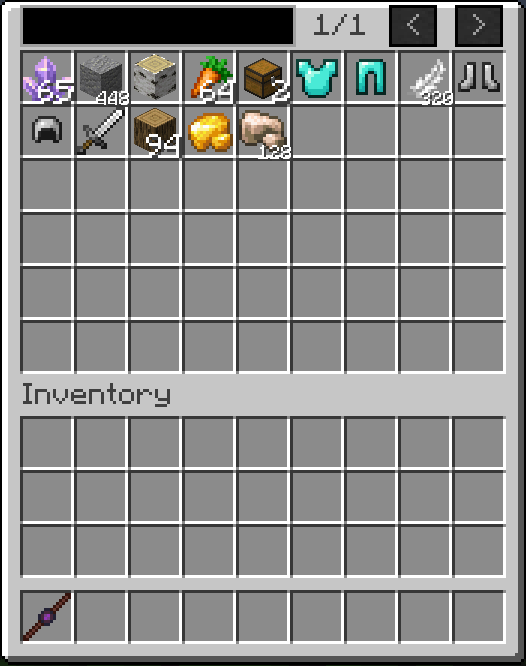
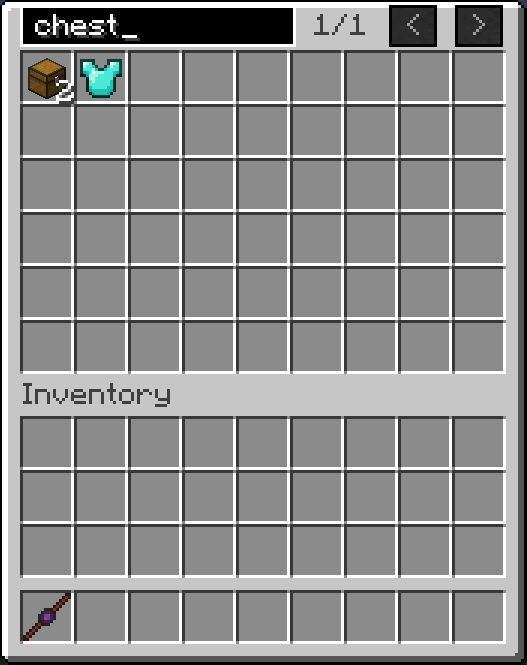
Core Features
-
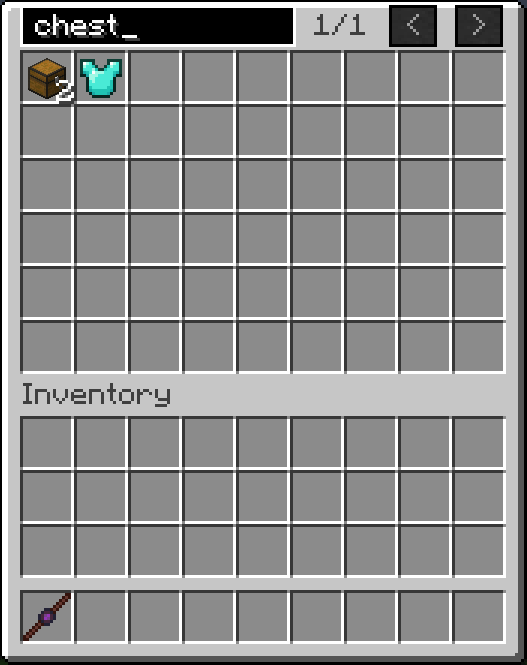
Unified Storage Terminal: Access the inventories of all linked chests from a single Router Chest interface. The GUI features infinite pagination and a built-in search bar to find items instantly.
-
Smart Stacking (Auto-Routing): Items placed into the Router Chest are automatically transported to linked chests that already contain the exact same item. If no matching item is found or the stacks are full, it deposits the item into the first available empty slot.
-
Deep Storage Visualization: The Router Chest interface bypasses standard vanilla visual limits. If you have thousands of an item across your network, it condenses them into a single slot visually, displaying customized quantity formats (e.g., "1.5k", "2.1M") while safely maintaining vanilla 64-stack limits upon extraction.
-
Bulletproof Stability: Engineered with strict recursion breakers and thread-safe operations. The network prevents infinite loops, block-update crashes, and chunk-boundary deadlocks, isolating the server from crashes even if a connected modded storage block malfunctions.
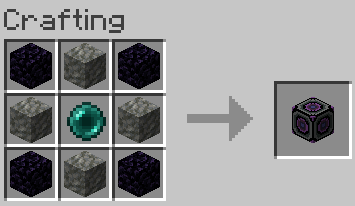
Items and Blocks 1. Router Chest The central hub and terminal of the network. It provides the search UI and handles all insertion logic. Crafting Recipe: 4x Obsidian (corners), 4x Tuff (edges), 1x Ender Pearl (center).
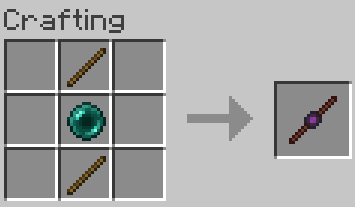
2. Linker Wand The configuration tool used to connect or disconnect standard chests to your Router Chest network. Crafting Recipe: 2x Stick (top-middle and bottom-middle), 1x Ender Pearl (center).
Usage Guide
-
Synchronizing the Wand: Hold the Linker Wand and Shift + Right-Click a Router Chest. The wand will memorize this Router's coordinates and dimension.
-
Linking Chests: With a synchronized wand, Right-Click any standard storage chest. A sound effect will play, and the chest is now part of the network (must be within 128 blocks of the Router).
-
Unlinking Chests: To remove a chest from the network, Shift + Right-Click it with the synchronized wand.
Router Chest Team