Rotten To Leather
- By
2026-03-29_17.12.32.png
Description
Rotten Flesh to Leather – Survival Expansion Mod
Tired of useless drops piling up in your inventory? This mod transforms one of Minecraft’s most overlooked items into a valuable survival resource. Rotten Flesh to Leather introduces a simple yet immersive mechanic that allows players to convert rotten flesh into leather through a realistic cooking process.
In vanilla Minecraft, rotten flesh is often considered nearly useless, mainly serving as emergency food with negative side effects or as trading material in limited situations. This mod changes that by giving players a meaningful reason to collect and use it.
🔥 Core Feature
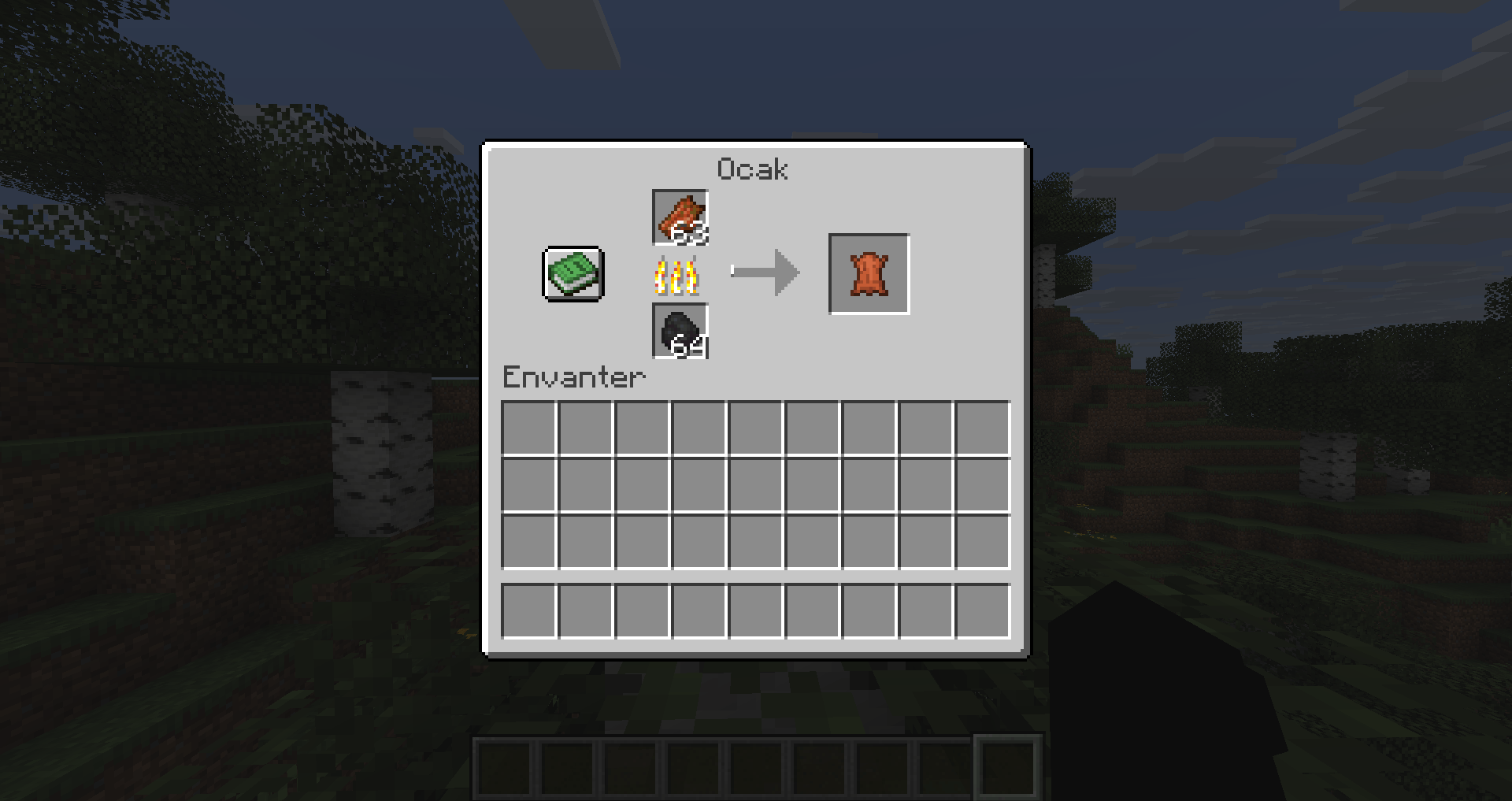
When you place rotten flesh into a furnace, smoker, or blast furnace, it can be cooked into leather. This process simulates drying and treating the material, making it usable for crafting purposes.
⚙️ How It Works
- Place Rotten Flesh into any compatible furnace.
- Add fuel as usual (coal, wood, etc.).
- After cooking, receive Leather as the output.
- Balanced cooking time ensures it doesn’t feel overpowered.
🎮 Why This Mod?
This mod is designed to:
- Improve early-game survival by providing easier access to leather.
- Reduce waste by giving rotten flesh a practical use.
- Enhance immersion with a logical transformation system.
- Keep the experience vanilla-friendly while adding depth.
🧰 Use Cases
With easier access to leather, players can:
- Craft books for enchanting setups
- Create item frames and armor
- Progress faster without relying heavily on cows or horses
⚖️ Balance & Compatibility
The conversion rate and cooking time are carefully balanced to avoid breaking progression. This mod works seamlessly with most other mods and does not replace existing mechanics—only enhances them.
Turn your trash into treasure and make every zombie encounter more rewarding. Whether you're a survival expert or just starting your journey, this mod adds a small but impactful improvement to your Minecraft experience.
<textarea id="BFI_DATA" style="width: 1px; height: 1px; display: none;"></textarea>
Rotten To Leather Team