RootApp Menu
- By
A RootApp-style interface for Minecraft: server sidebar with live status, singleplayer, multiplayer, mods, options, pause menu, loading screen, notifications and a messenger-style chat with avatars. Client-side only. NeoForge 26.2.
01_main_menu.png
02_singleplayer.png
05_create_world.png
Description
RootApp Menu
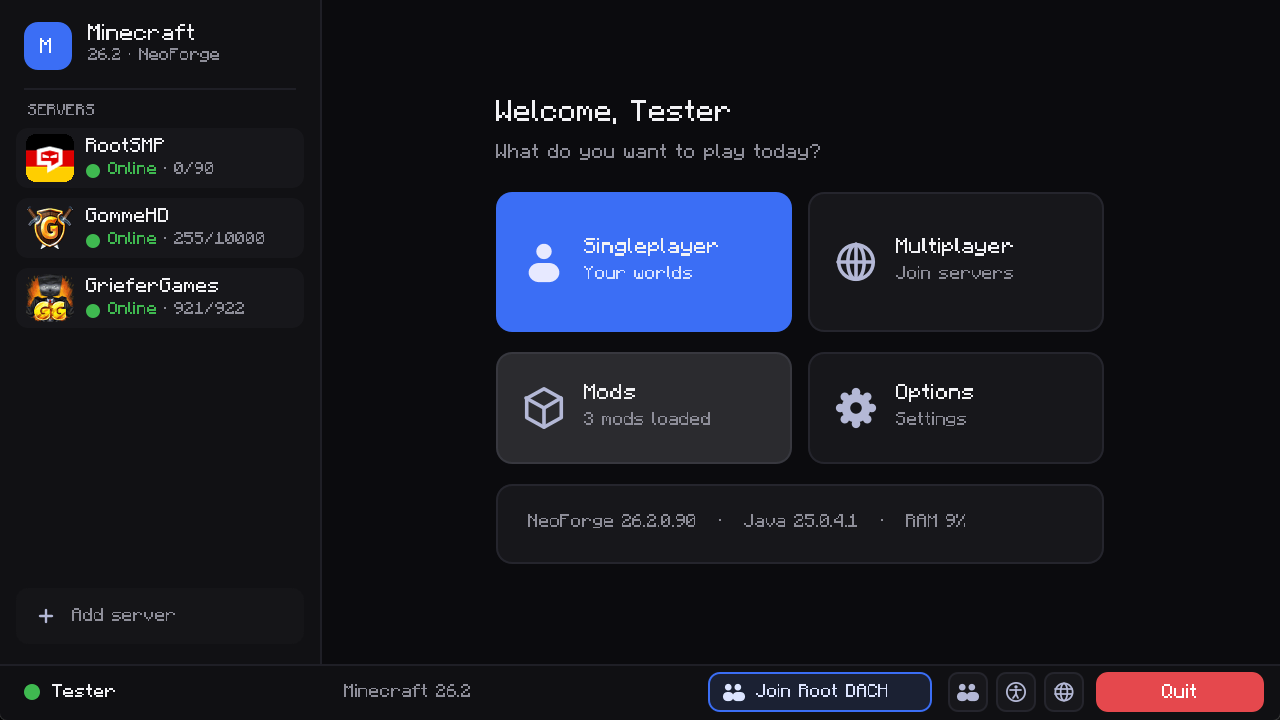
A complete chat-app style interface for Minecraft. Dark, rounded, fast, and it works without any other mod. Server list in the sidebar, big cards for everything else, notifications in the bottom right corner and a chat that looks like a modern messenger.
Client side only · NeoForge 26.2 · no dependencies
Features
Main menu
- Your saved servers in a sidebar, with live status (online, players, offline). One click joins.
- Big cards for Singleplayer, Multiplayer, Mods and Options.
- A Continue card with your last played world or server: one click and you are back in.
- Quick buttons for Friends, Language and Accessibility.
- Join Root DACH button in the bottom bar (opens an invite link after a confirmation).
- Add a server straight from the main menu.
Singleplayer
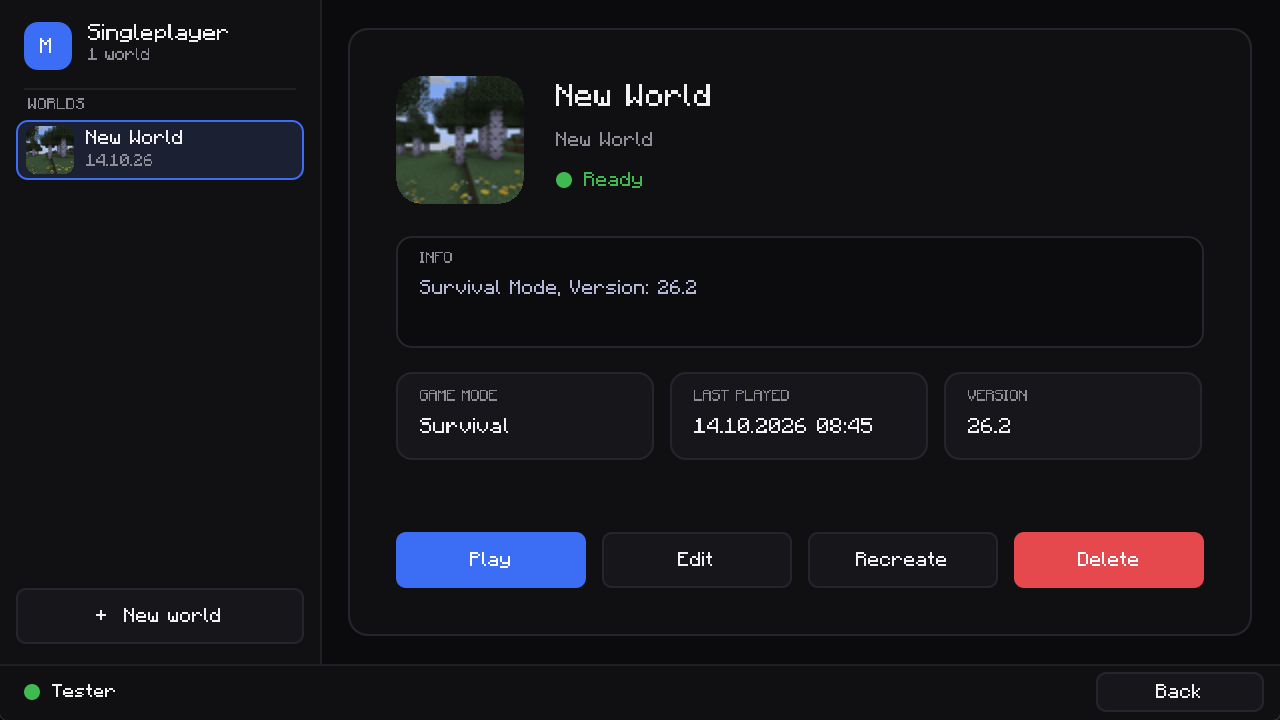
- All worlds in a list with icon and last played date.
- Details, game mode and version on the right. Play, Edit, Recreate and Delete with Minecraft's original safety dialogs (backups, conversion, …).
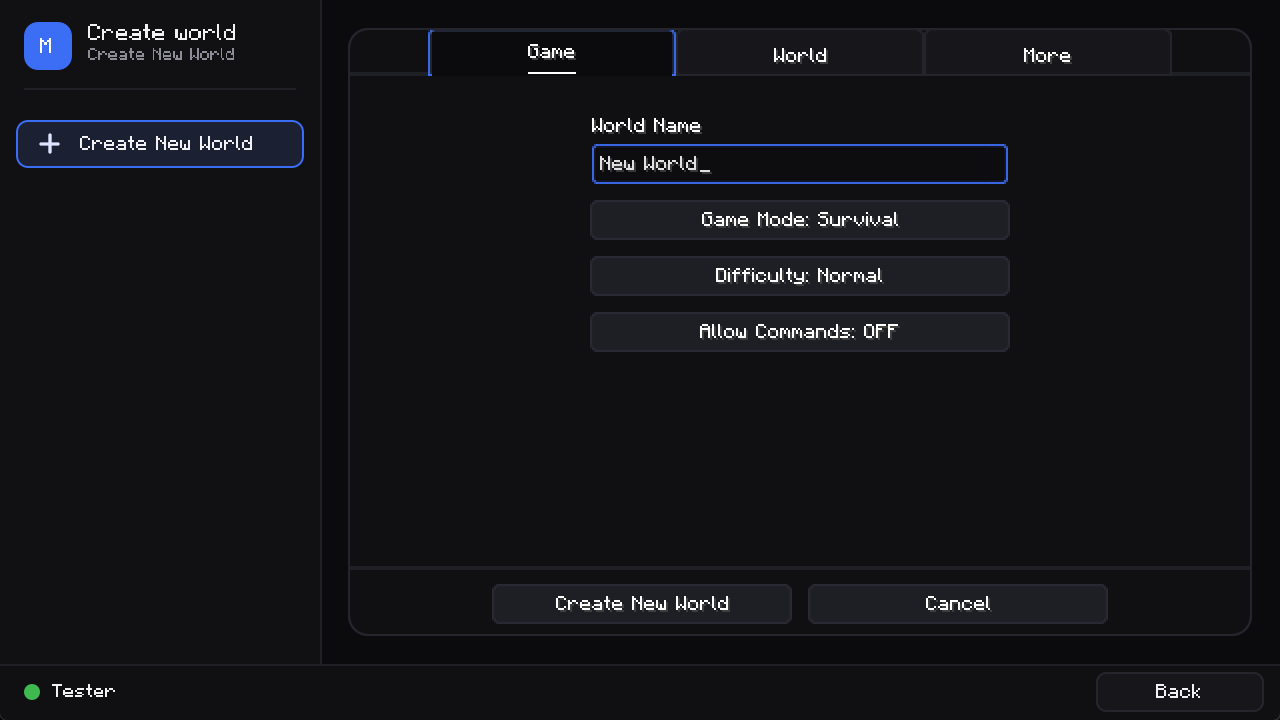
- Creating and editing a world opens inside the same window.
Multiplayer
- All servers in the sidebar with ping, player count, version and the server message.
- Add, edit, delete and re-order servers. Direct connect.
- Favourites are pinned to the top, with a search box and sorting by name or player count.
- LAN worlds are found automatically, also on setups where Minecraft's own LAN search fails.
Options
- Categories on the left, the original settings pages on the right. That means pages added by other mods (for example Sodium and Iris) still work.
- Sub pages such as key binds stay inside the window. Done saves your settings.
Mods
- Searchable mod list with logos, version, author, license and description, plus buttons for the mod's configuration and website.
Pause menu, loading and dialogs
- The pause menu lists all of Minecraft's (and other mods') buttons and shows world, game mode, difficulty, position and ping.
- A new loading screen with progress while a world loads.
- Connecting, disconnected, confirm and message screens as clean cards.
Notifications
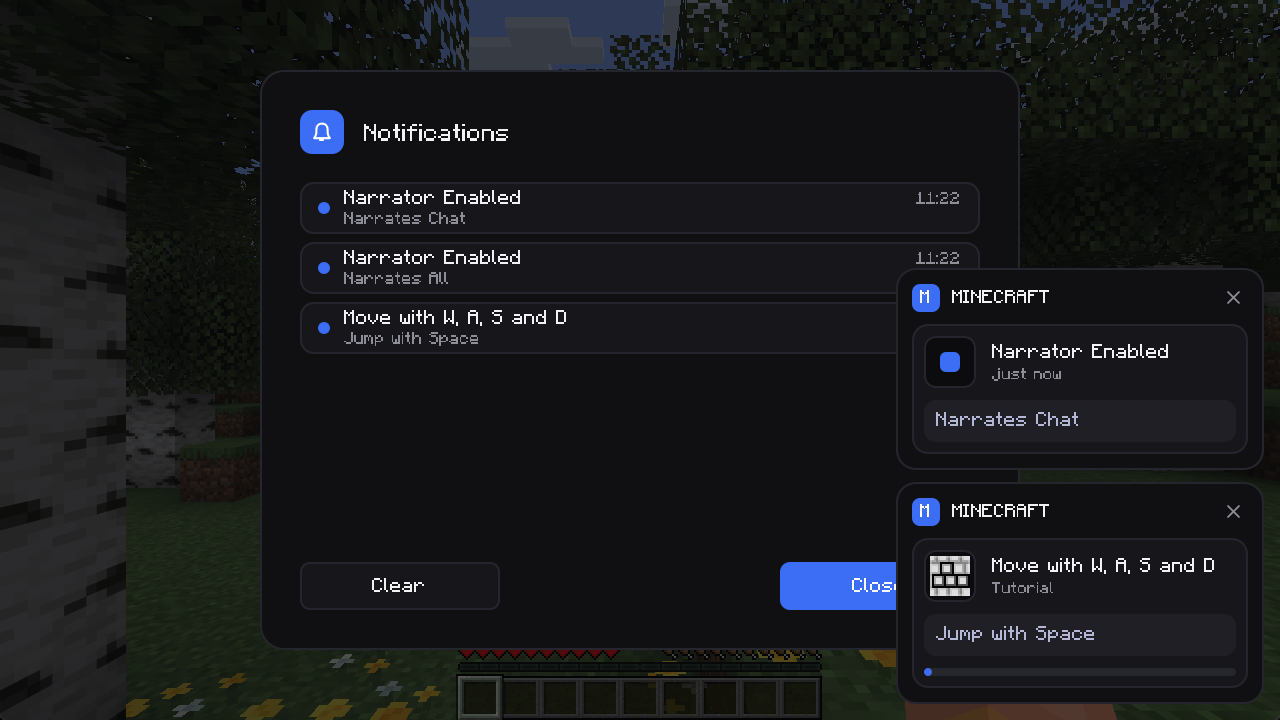
- Advancements, recipes, tutorial hints, friend messages and system messages appear as cards in the bottom right corner with a close button. Up to two at once, the rest waits in a queue.
Chat
- Every message is a card with the player's head, coloured name and the time ("Today at 09:38").
- Fully compatible with Minecraft's chat: wrapping, links, hover texts, commands and suggestions work as before.
- Mentions: messages that contain your name get a highlighted card and a short sound.
- Emojis from your system:
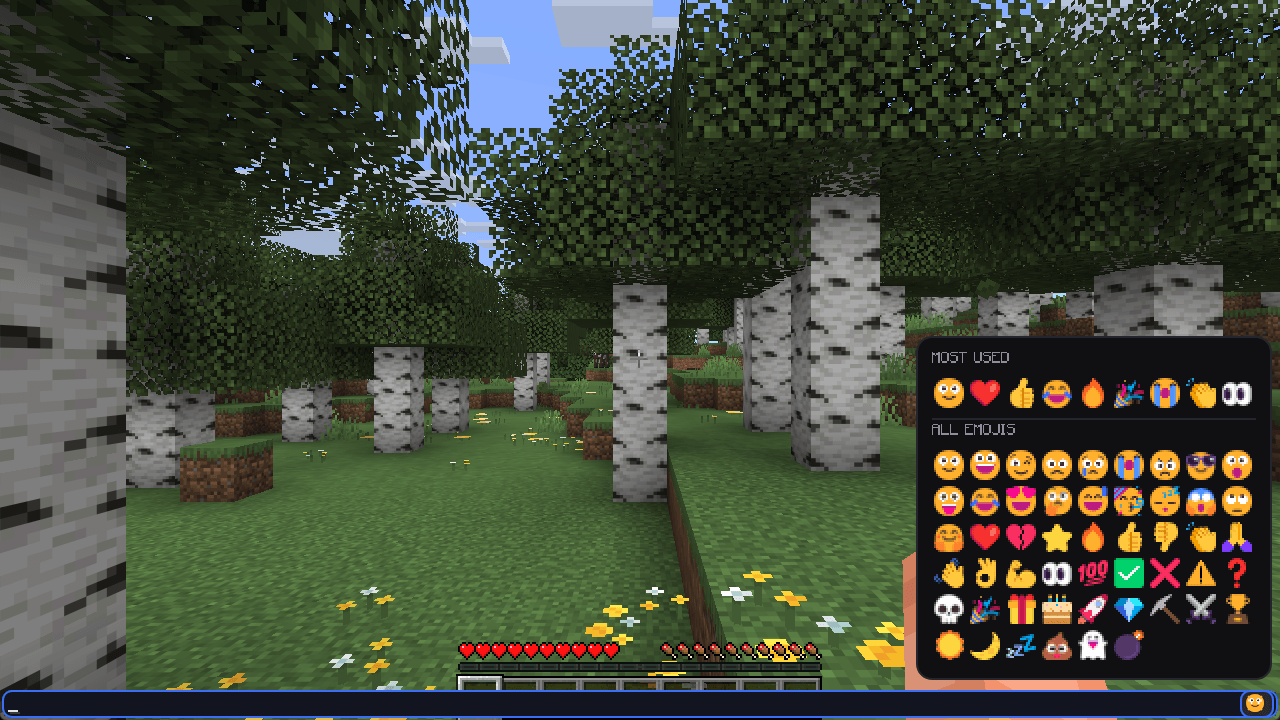
:smile::heart:<3:fire::thumbsup:and about 50 more codes (and real emoji characters) are shown with the emoji font of your operating system (colour Segoe UI Emoji on Windows). - Emoji menu: a button at the end of the chat input opens a panel with your most used emojis on top and all others below. A click inserts the emoji.
- Commands and system messages use a slim, compact style.
- Settings: switch the RootApp style off to get the original chat layout back, and set the background opacity of the message cards.
Notification history
- Missed a notification? Press N in game or use the bell button in the main menu to read the latest ones again.
- The music hint ("Now playing") also uses the card style.
Colours
- Choose an accent colour (blue, green, violet, orange, pink, red) and a design (dark, graphite, black).
Language
English, German, French, Spanish, Polish, Italian, Portuguese (Brazil), Dutch and Russian are included and follow your game language.
Settings
Options → RootApp Menu (or Mods → RootApp Menu → Configuration):
| Setting | Description |
|---|---|
| RootApp chat style | On: messages as cards with avatars. Off: the original Minecraft chat. Applies to new messages. |
| Highlight mentions / Mention sound | Coloured card and a sound when your name is mentioned. |
| Emojis | Show :smile: codes and emoji characters with the system emoji font. |
| Chat background opacity | How solid the message cards are. |
| Accent colour / Design | Colours of all RootApp screens. Applied with "Done". |
| Check for updates | Tell me when a newer release is on CurseForge (only the project id is sent). |
Settings are stored in config/rootappmenu-client.toml.
Compatibility
- NeoForge 26.2 (Minecraft 26.2), client side only. Do not install it on a server.
- Tested together with 27 mods (including Sodium, Iris, JEI, Xaero's maps, Simple Voice Chat): start-up, main menu, options and mod list.
- The chat styling switches itself off automatically if another mod changes Minecraft's chat in an incompatible way, and the normal chat appears. The same goes for the settings screens of other mods: they are shown as they are, inside the window.
Links
- Join Root DACH: https://rootapp.gg/ADHbBMTjhgqbtLId54dNMQ
- Website: https://rootapp.gg/just-gaming
Credits
Made by TitanEcho / BSoftware. MIT license. Minecraft is a trademark of Mojang Studios. This is a fan made interface mod.
RootApp Menu Team