Roleplay Status
- By
Share roleplay statuses in Tab and roll dice with nearby players. Includes accessible indicators and a customizable dice HUD.
Minecraft 1.21.1 · Fabric and NeoForge · Java 21 · Client and server
Source · Issues · Configuration · Discord
Roleplay Status
Share your roleplay status in Tab and roll dice with nearby players. Created by pokesmells / Bare Minimum Studios. Version 2 is standalone.
Choose your status
Press U (rebindable) to choose In Character, Out of Character, Open to RP, Busy / AFK, Event, New, Recording, or Streaming. Your indicator appears beside your name in Tab. Selections persist across server restarts. The No Sleep toggle excludes you from the players required to skip the night, respecting the server's sleeping percentage rule.
Nearby dice rolls
/rollor/roll d20rolls one twenty-sided die./roll 2d6rolls two six-sided dice./roll 1d20+3 Stealth checkadds a modifier and an optional reason.
Roll up to 20 dice with modifiers from −1000 to +1000. Supported dice are d2, d4, d6, d8, d10, d12, d20, and d100. The server shares results in chat within 25 blocks by default in the same dimension.
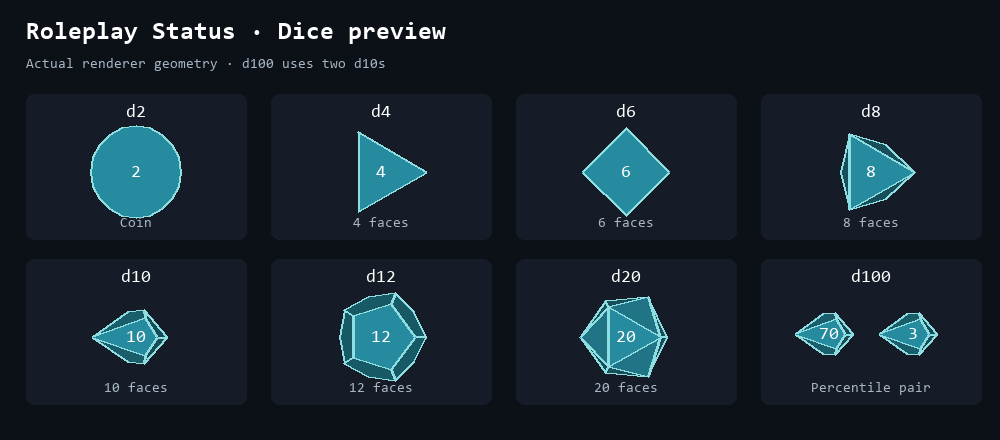
Renderer preview. A d2 is a coin, and a d100 uses two percentile d10s.
Optional dice animations
Nearby rolls can display a short dice animation on your HUD. You can disable animations under U → Configure → Accessibility → Dice animations and still receive results in chat.
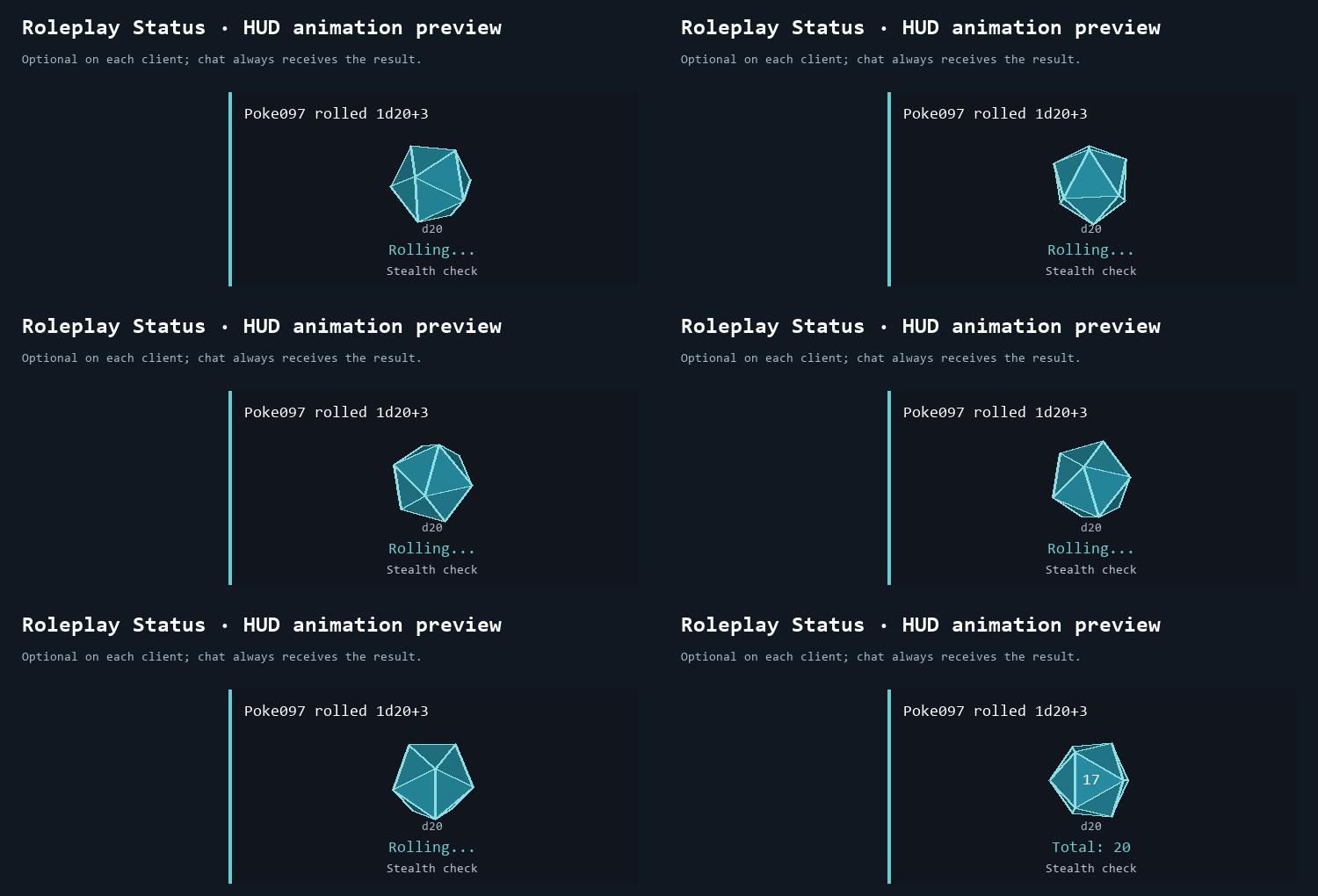
Renderer animation preview.
Move and resize the dice panel
Open U → Position dice, drag the preview, choose a size from 50% to 150%, and select Save. Cancel or Escape discards edits. Reset previews the top-left corner at 100%. The position and size are personal settings and adapt to your GUI scale and resolution.
Colorblind-friendly indicators
Enable Colorblind mode on the U screen or under Configure → Accessibility. Each status gets a distinct shape. Show status labels independently adds the status name beside players in Tab and is off by default.
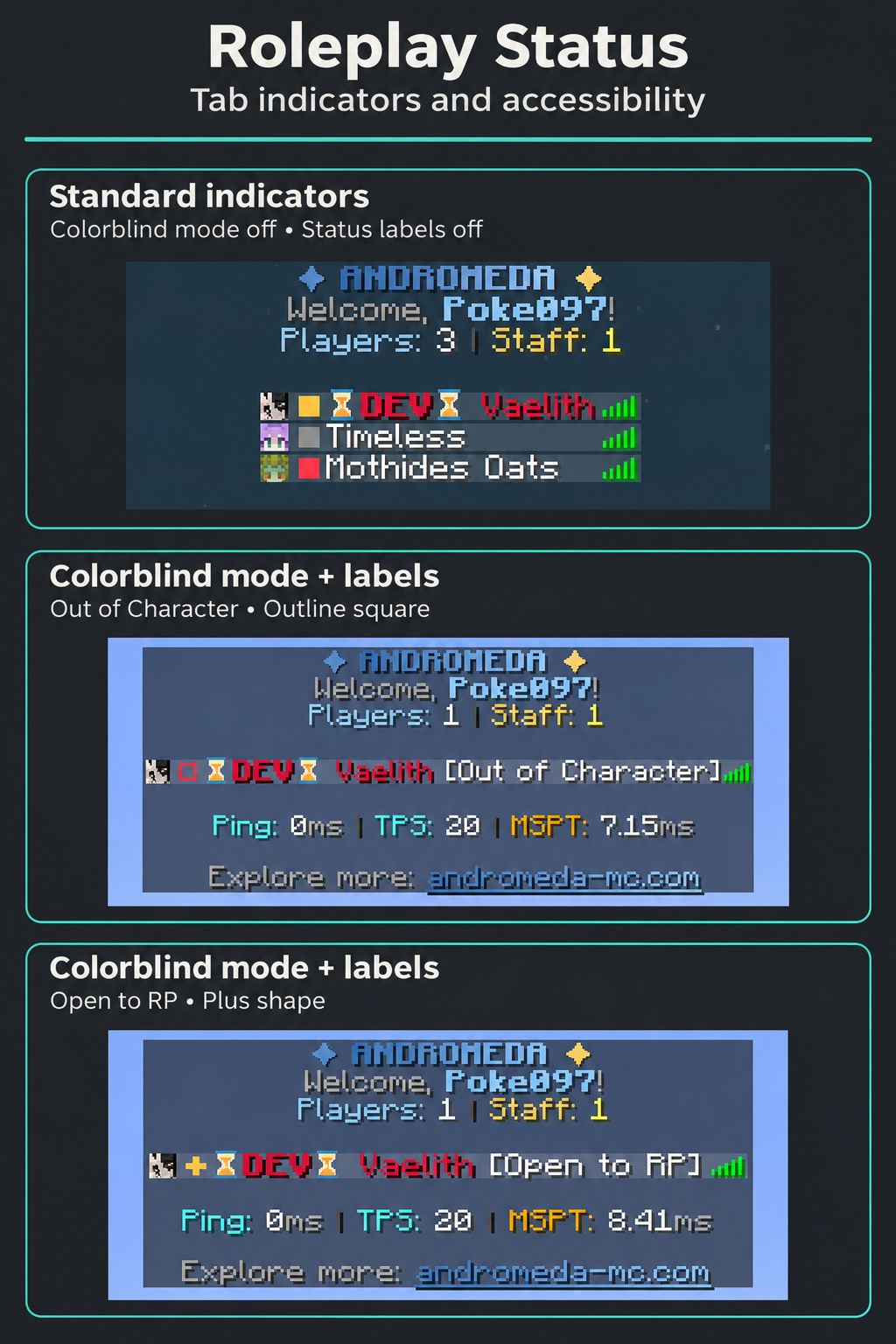
Comparison based on Minecraft captures. Both colorblind examples also show optional status labels.
Unedited captures: Standard · Out of Character · Open to RP
Configure
With U → Configure, operators (permission level 2) can rename statuses, change colors in Fzzy Config, enable or disable rolling, adjust the sharing range (1–256 blocks), and change the cooldown (one second by default). Changes apply live. Server settings are stored in config/roleplay_status/statuses.json and config/roleplay_status/dice.json. Personal settings are stored in config/roleplay_status/accessibility.json.
Install
Install the matching loader build and dependencies on the server and each participating client. Use Minecraft 1.21.1 and Java 21.
- Fabric: Fabric Loader 0.19.5+, Fabric API, Fabric Language Kotlin 1.13.7+kotlin.2.2.21+, and Fzzy Config 0.7.7+1.21.
- NeoForge: NeoForge 21.1.266+, Kotlin for Forge 5.11.0+, and Fzzy Config 0.7.7+fix1+1.21+neoforge.
When moving from the original addon, remove the old Roleplay Status or Andromeda Status JAR and keep your configuration files. The standalone mod does not require Status by Max Henkel.
Credits and license
Roleplay Status began as an addon for Status by Max Henkel. Fzzy Config provides the configuration editor and synchronization. Code and artwork use the Bare Minimum License v1.0.
Sponsor

Use code bareminimum for 25% off your first month.
Roleplay Status Team