General use of the mod
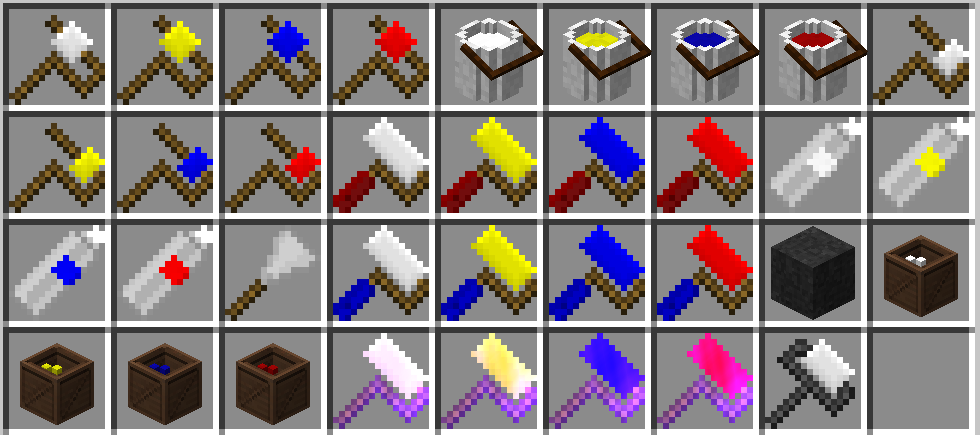
All items in the Roadworks tab
Quick painter
Arrow painter
Stripe painter
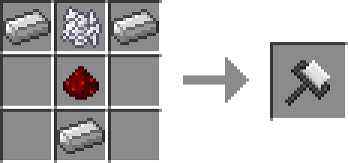
Paint planner
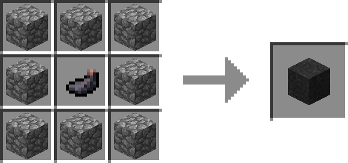
Tar
The planner paint roller
Extra painter
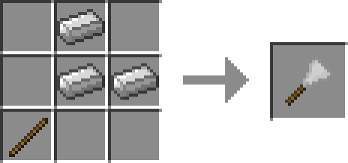
Paint scraper
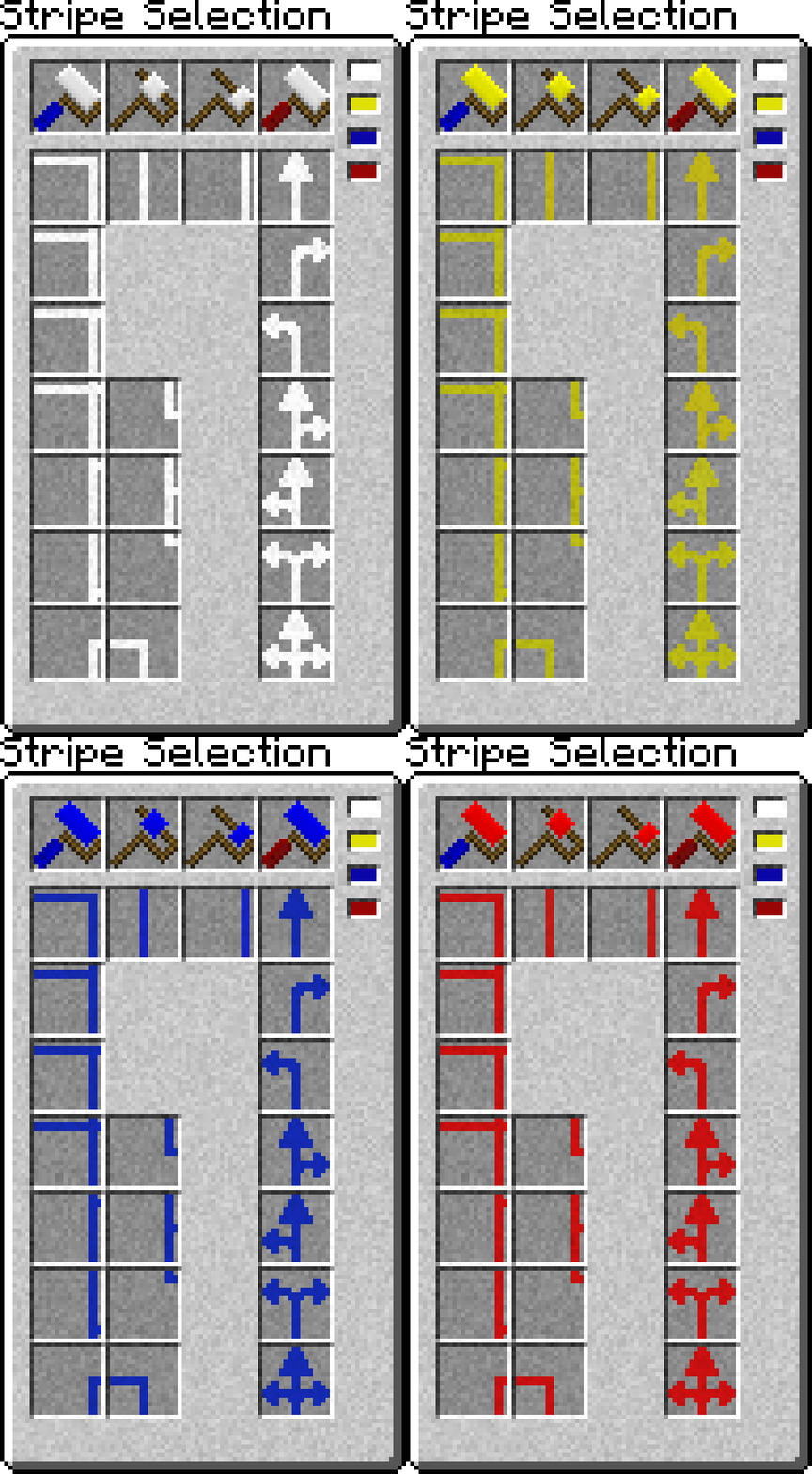
Stripe selection
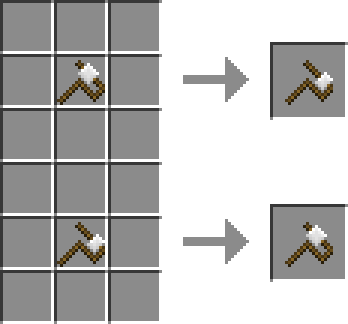
Switching
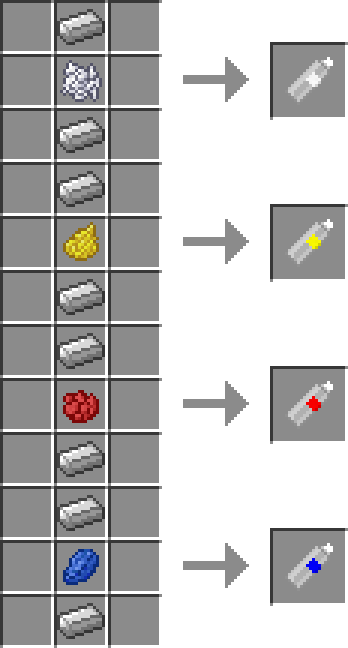
Spraying can
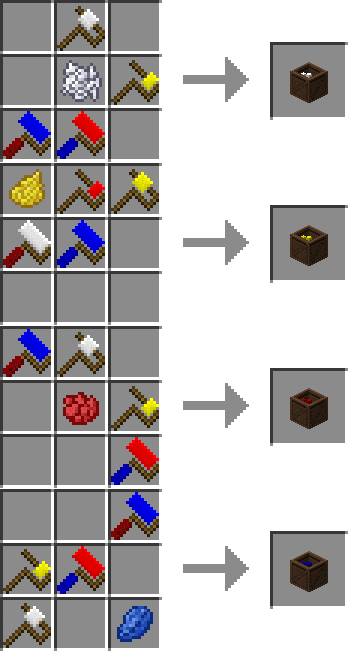
Roller box
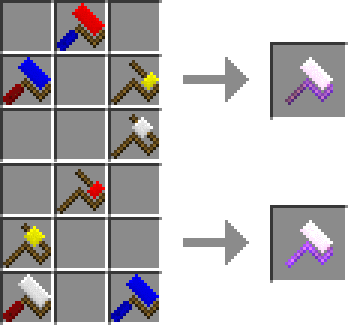
Master painter
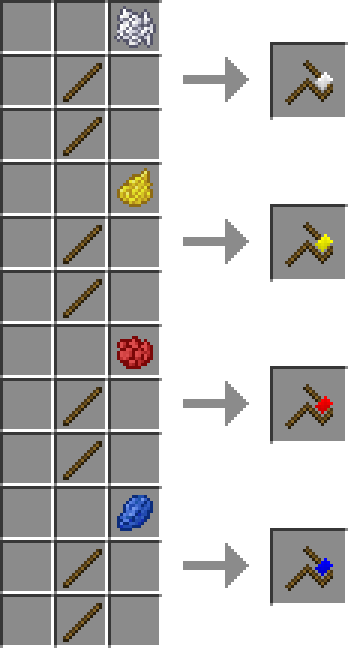
Side stripe painter
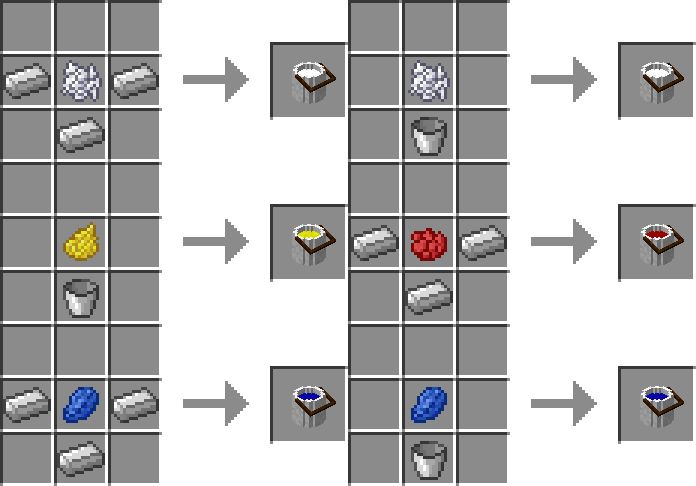
Paint bucket
The master paint roller
Description
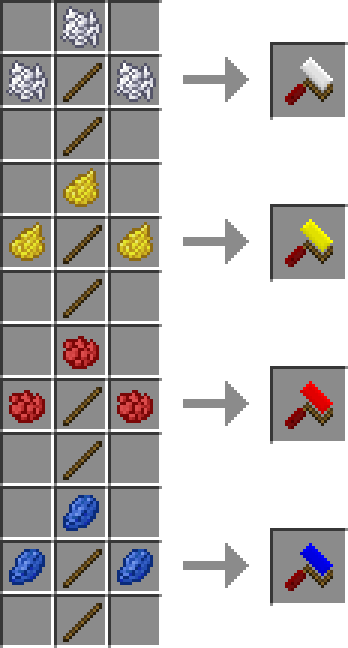
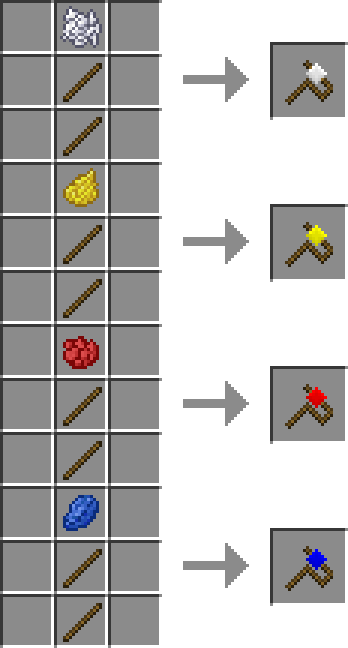
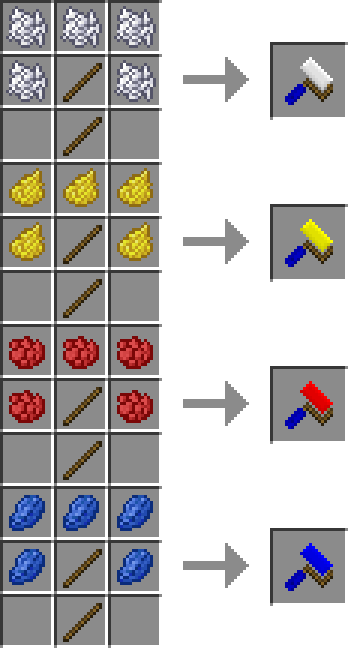
The following items come in White, Yellow, Red and Blue:
Paint roller:
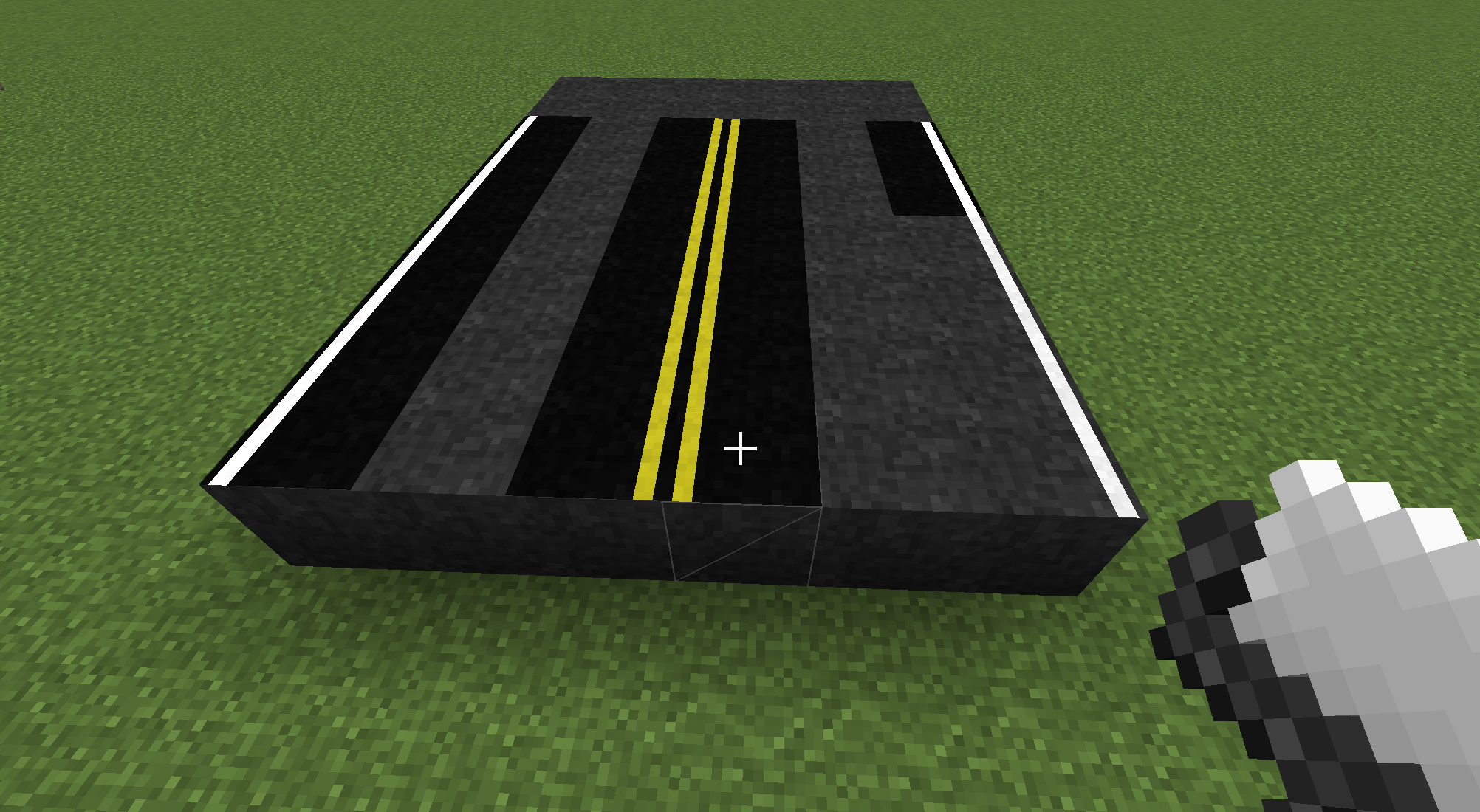
Simple item, using this item will allow you to place simple stripes in the middle of a block.
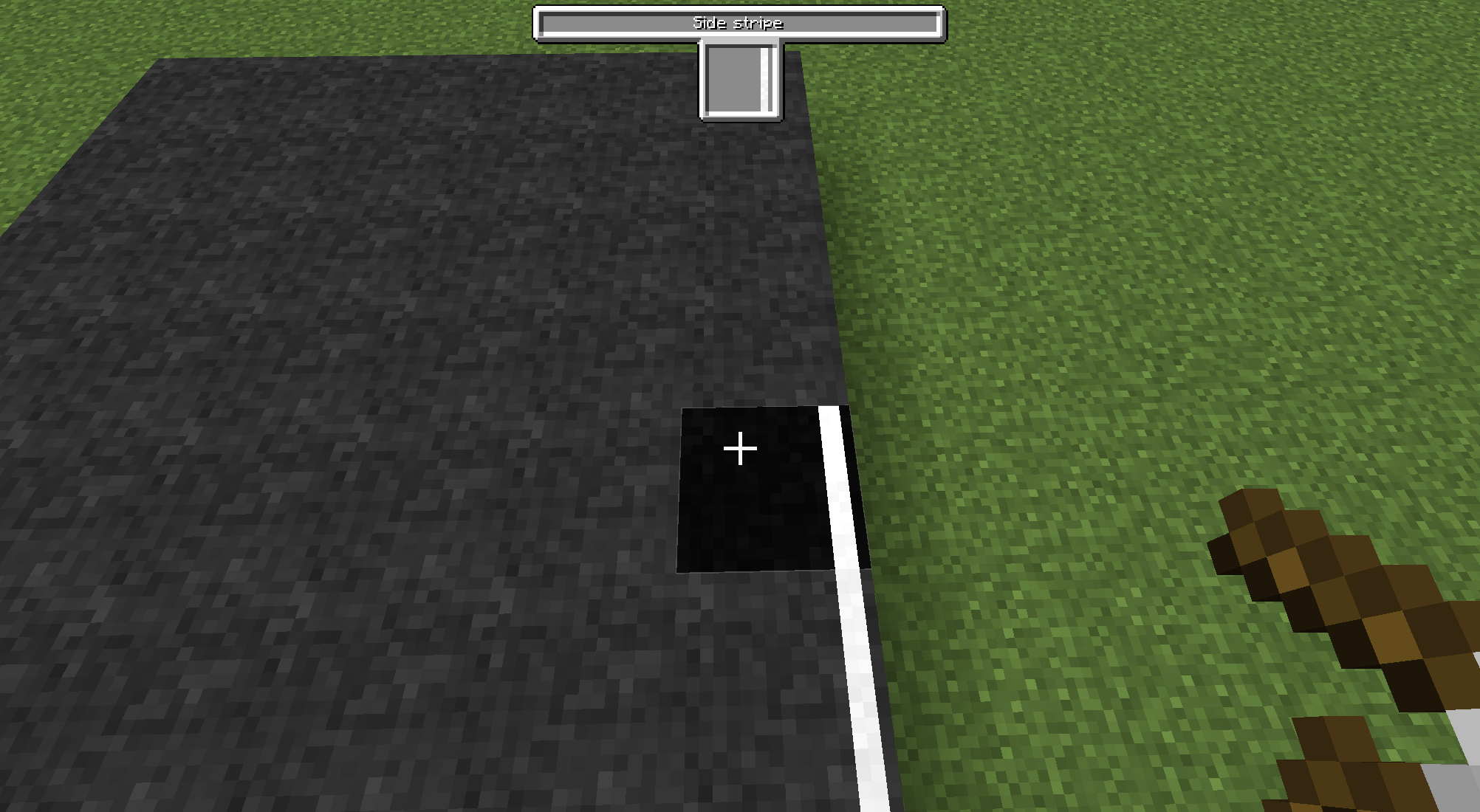
Side paint roller:
Another simple item, using this item will allow you to place simple stripes on the side of a block.
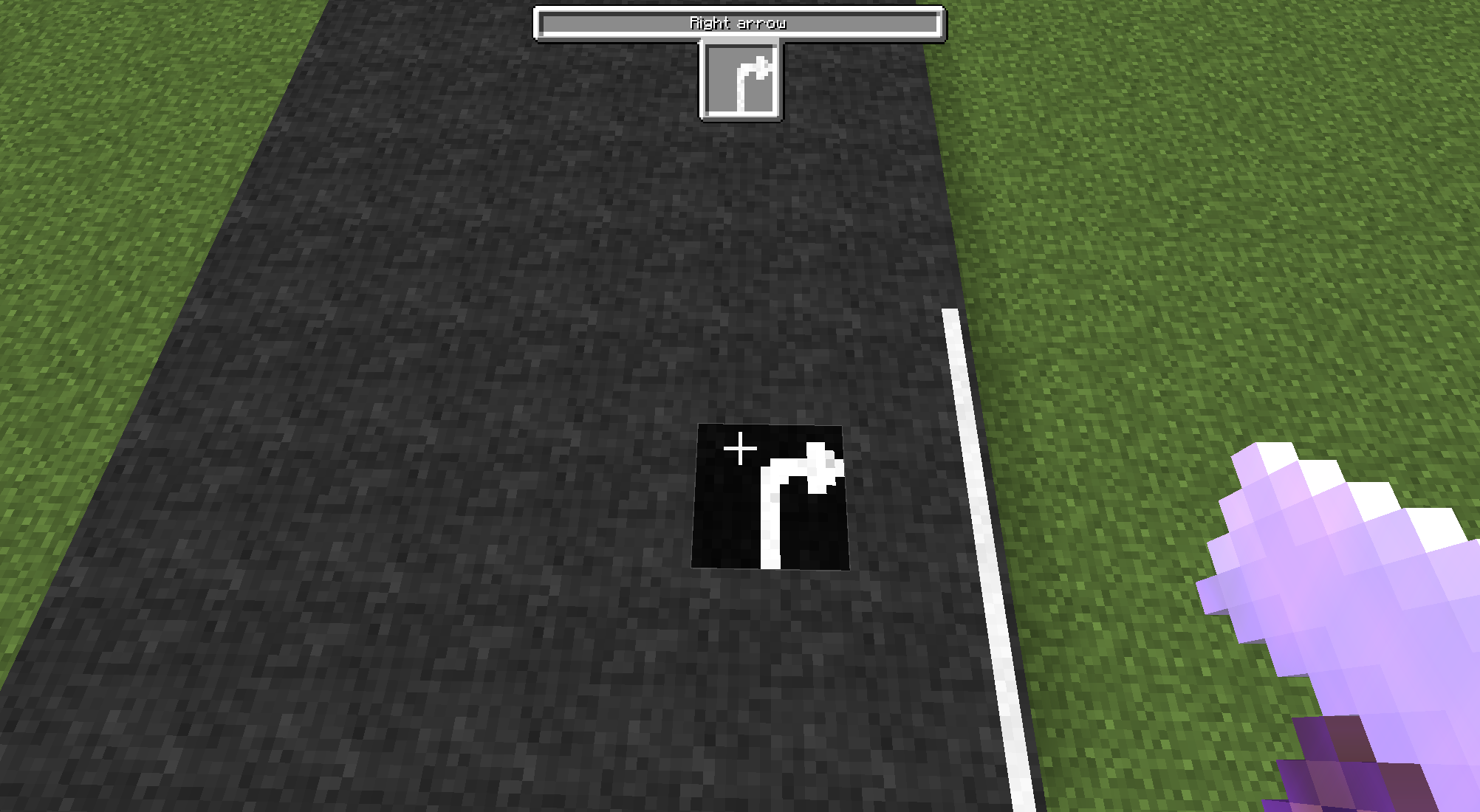
Arrow paint roller:
This item allows you to place 7 arrow patterns on your roads, use [Sneak] + [Use(Right click)]/[Destroy(Left click)] to toggle between arrow patterns to place.
Extra paint roller:
This item allows you to place 11 extra patterns on your roads for adding just that little bit of extra detail, use [Sneak] + [Right click]/[Left click] to toggle between extra patterns to place.
Spraying can:
Not happy with the color of your stripes but you don't want to place them all over again? Craft this item in the color you want them to be and [Use(Right click)] them on your stripes.
Bucket of road paint:
If you frequently change stripe colors but you don't want to keep all items in your hotbar you can craft a bucket of road paint and place it anywhere in the world, then [Use(Right click)] your item on it and paint it in the new color. Using a supported dye on the bucket will change the paint to the dye color.
Box of paint rollers:
If you wish to only carry one roller but you want to switch every now and then, craft this block as it's more than decorative. [Use(Right click)] your item on the box to switch between the 4 basic paint rollers at will.
The following items can be recolored without any dye needed, or only have one color:
Tar:
To make your roads look like actual roads, you can craft some tar with cobblestone and ink.
Paint scrapper:
You cannot remove paint with paint rollers, and paint stripes aren't easy to remove. [Use(Right click)] the paint scrapper on stripes in survival mode to instantly remove them.
Master paint roller:
A combination of all rollers in all colors in one, by [Sneak] + [Using(Right click)] this item you'll open the 'Selection Screen', here you can select a color and any available stripe to set configure your master paint roller to the correct pattern. The quickest and easiest way.
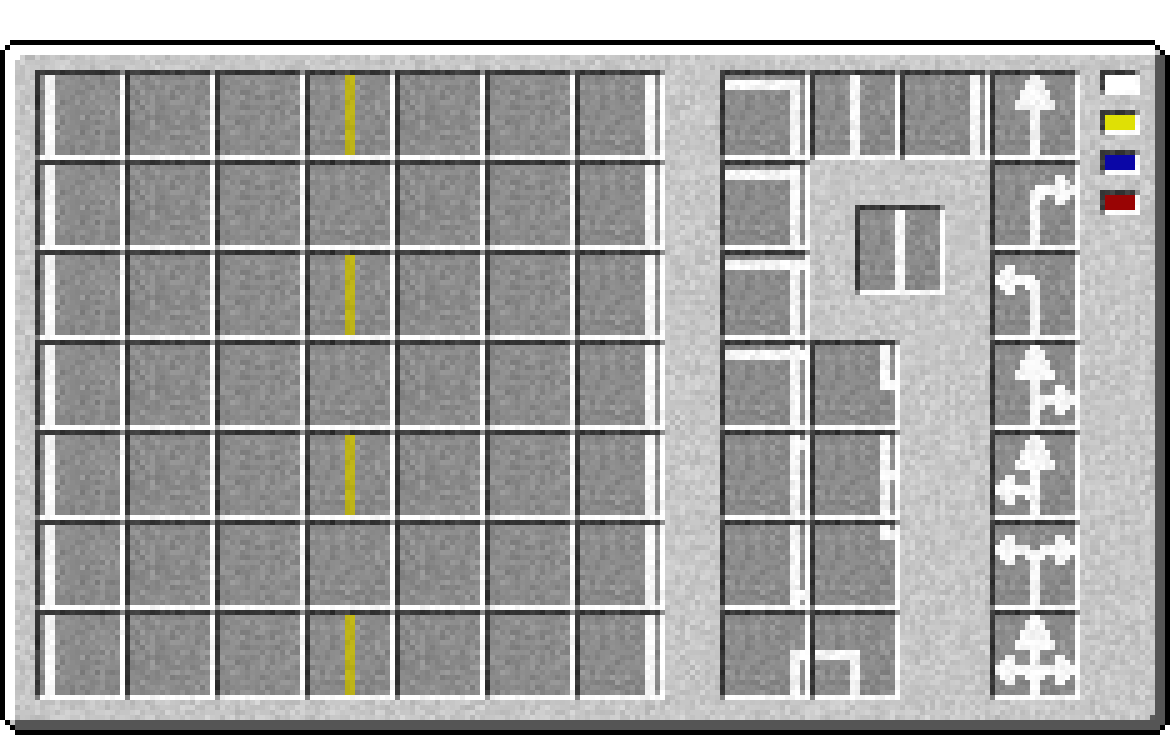
Planner paint roller:
The ultimate tool for painting roads quick and easy is the planner paint roller, by [Sneak] + [Using(Right click)] this item you'll open the 'Quick Building Planner' where you can draw a road plan with any of the available stripes in any of the available colors. Simply click a color and a stripe and then click in an empty spot so set that up. You can turn your stripe around by clicking your selected stripe to the right and you can clear a stripe by clicking it again to the left part of the screen.
After planning your road you can use the planner paint roller to paint a max of 7x7 blocks at once.
More information, including tutorials and pictures, can be found HERE.
Roadworks 2 Team


Owner