RoadWeaver - *Unofficial Port*
- By
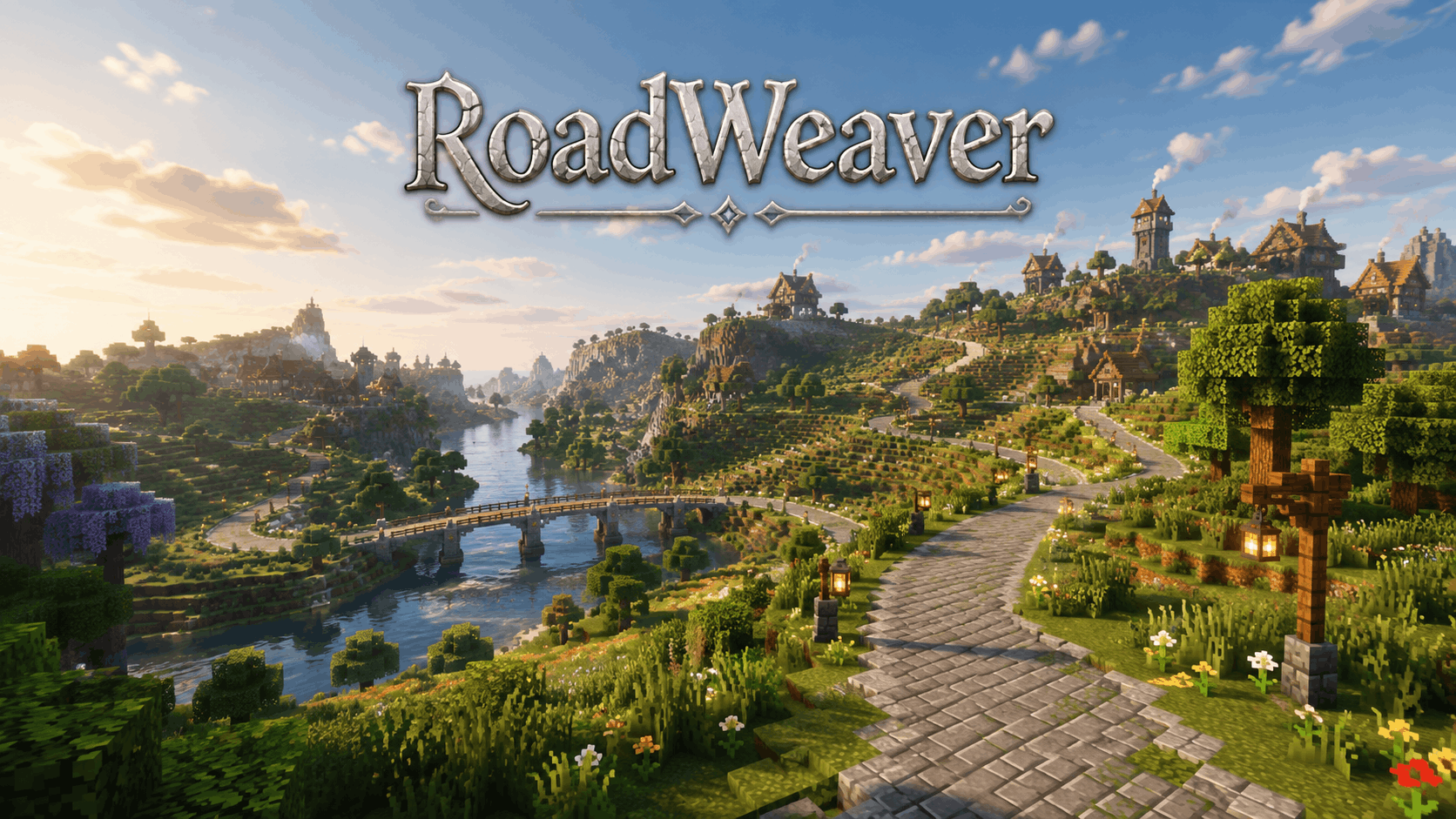
A Minecraft unofficial port mod that automatically generates beautiful roads between villages or custom structures.
ChatGPT Image Aug 24, 2026, 04_47_56 AM (1).png
koastygames | RoadWeaver - *Unoffi...
Create a server, get 25% off your first month

Description
RoadWeaver Unofficial Port
A Minecraft mod that automatically generates beautiful, terrain-aware roads between villages and custom structures.
Key Features
1. Smart Road Generation
RoadWeaver automatically creates road networks while attempting to preserve natural-looking terrain and maintain practical routes between destinations.
Intelligent Pathfinding
RoadWeaver provides multiple pathfinding algorithms designed to:
-
Avoid excessively steep terrain
-
Avoid dangerous or unsuitable areas
-
Adapt routes according to terrain height
-
Account for biome conditions
-
Consider ground stability
-
Find practical paths between supported structures
Bezier Curve Smoothing
Generated polyline paths are smoothed using Bezier curves, helping roads:
-
Look more natural
-
Avoid excessively sharp turns
-
Follow terrain more smoothly
-
Blend into the surrounding landscape
Multiple Road Types
RoadWeaver supports several styles of road generation.
Artificial Roads
Examples include:
-
Stone bricks
-
Stone slabs
-
Dirt
-
Mud bricks
-
Custom block combinations
Additional road styles can be created through the Preset Editor.
Natural Roads
Natural roads automatically select materials that better match the surrounding biome and terrain.
Obstacle Avoidance
Road generation can automatically modify terrain to keep routes usable.
This includes:
-
Cutting through terrain
-
Filling uneven areas
-
Removing obstructing trees
-
Adjusting road elevation
-
Maintaining road passability
Tunnel & Bridge System
RoadWeaver can automatically generate:
-
Tunnels through mountains
-
Bridges over rivers, lakes and other bodies of water
This allows road networks to continue through difficult terrain instead of simply stopping.
Slab System
Slabs can be automatically placed around elevation changes to create smoother and more walkable transitions.
Road Foundation
RoadWeaver smoothly interpolates the surrounding height field based on the road's elevation.
Foundation material is only filled where the road is above the original terrain, creating more natural convex slopes that blend into the landscape.
2. Decoration System
RoadWeaver can decorate generated roads to make them feel like established travel routes rather than simple paths.
Lamp System
Roads can include redstone lamps with automatic day/night control.
Signpost System
Generated roads can include:
-
Directional signs
-
Distance markers
-
Navigation information
Roadside Decorations
Decorative structures can randomly generate alongside roads.
Examples include:
-
Benches
-
Campfires
-
Small roadside structures
-
Other decorative features
3. Configuration Options
RoadWeaver provides extensive configuration options for balancing world generation quality, road density and performance.
Performance Optimization
Road generation uses several optimization techniques, including:
-
Multi-threaded asynchronous generation
-
Dedicated generation thread pools
-
Concurrency control
-
Height caching
-
Terrain caching
-
Reduced redundant terrain calculations
This helps prevent expensive road calculations from unnecessarily blocking Minecraft's main game thread.
Road Network Planning Algorithms
RoadWeaver provides multiple algorithms for determining how structures should be connected.
| Algorithm | Network Style |
|---|---|
| KNN | Sparse road network |
| Delaunay | Dense road network |
| RNG | Balanced road network |
Pathfinding Algorithms
Available pathfinding methods include:
-
A*
-
Bidirectional A*
-
Fluid Simulation
Different algorithms may perform better depending on terrain complexity and configuration.
Road Block Customization
Road materials can be customized through the built-in Preset Editor.
Players and modpack creators can mix and match blocks to create road styles suitable for different:
-
Biomes
-
Settlements
-
Modpacks
-
Themes
-
Dimensions
4. Visualization Tools
Road Network Map
Press H in-game to open RoadWeaver's road network/debug map.
The map provides:
-
Planned road visualization
-
Generating road visualization
-
Completed road visualization
-
Failed road visualization
-
Road status colors
-
Road statistics
-
Road length information
-
Dragging
-
Zooming
-
Right-click teleportation
This makes it easier to inspect and debug large road networks.
Manual Link Mode
Road networks can also be planned manually, allowing players or modpack developers to create specific connections between locations.
Compatibility
RoadWeaver 2.0.0+ completely abandons the old /locate-based structure search system.
Structure prediction, road network planning and pathfinding are instead processed using dedicated thread pools.
The Minecraft main thread primarily handles:
-
Driving generation
-
Applying completed results
-
Updating the world
This significantly reduces the possibility of structure searching blocking the game.
Terrain Compatibility
RoadWeaver 2.0.6+ is compatible with:
-
Tectonic V2
-
Epic Terrain
-
Terralith
Important
RoadWeaver is currently incompatible with Tectonic V3.
RoadWeaver relies heavily on vanilla terrain and world-generation mechanics.
Because of this, it may also be incompatible with mods that heavily replace or overhaul vanilla mechanics, such as:
-
TerraFirmaCraft: The Next Generation
Known Compatibility Symptoms
An incompatible terrain or world-generation configuration may cause:
-
Extremely slow road generation
-
Very slow road map loading
-
Completely blank road map data
-
Roads displaying as generated on the map while no physical road appears
-
Roads failing when the player approaches them
If these symptoms occur, check terrain-generation compatibility before increasing RoadWeaver's thread count or generation limits.
Performance
Road generation performance can be affected by several factors.
Terrain Complexity
Highly complex terrain requires additional pathfinding calculations.
Large:
-
Mountains
-
Cliffs
-
Rivers
-
Caves
-
Valleys
-
Height differences
can increase road generation time.
Pathfinding Step Size
Smaller pathfinding steps can produce more precise roads but require significantly more calculations.
Larger steps may improve performance at the cost of path precision.
Pathfinding Weights
Terrain and routing weights affect how aggressively RoadWeaver searches for alternative paths.
Complex weighting configurations may increase pathfinding time.
Concurrent Road Generation
Increasing the number of roads generated simultaneously can improve throughput on powerful CPUs but may negatively affect:
-
Server tick performance
-
Memory usage
-
CPU usage
-
Chunk generation performance
Modpack creators should tune concurrency according to the target hardware.
Thread Pool Size
Larger thread pools can process more road calculations simultaneously.
However, assigning too many threads may reduce overall Minecraft performance, especially on CPUs with a limited number of cores.
Usage
Automatic Generation
Roads automatically begin generating between configured structures after entering the world.
No manual commands are normally required.
Road Network Map
Press:
H
to open the RoadWeaver road network map.
From here you can inspect:
-
Planned roads
-
Active generation
-
Completed roads
-
Failed roads
-
Road statistics
-
Network connections
Configuration
RoadWeaver includes a Cloth Config API-based configuration screen.
Since RoadWeaver 2.0.2, the configuration interface is built into the mod's normal workflow.
Configuration can be accessed from:
-
The World Creation screen
or
-
Press H in-game and select the configuration option in the top-right corner
Modpack Recommendations
When including RoadWeaver in a modpack, consider carefully tuning:
-
Structure search radius
-
Number of structures included in road networks
-
Network planning algorithm
-
Pathfinding algorithm
-
Road generation concurrency
-
Thread pool size
-
Pathfinding step size
-
Terrain weighting
-
Road materials
-
Bridge generation
-
Tunnel generation
Large structure-heavy modpacks may require more conservative settings.
Important World Generation Notes
The more structure types RoadWeaver is configured to locate while loading a world, the longer initial world creation can take.
Adding more structures can create a more complete road network, but it also increases the amount of structure prediction and network planning required.
Avoid Exploring Before Roads Finish
Roads cannot generate correctly inside chunks that have already been loaded.
Do not approach planned road segments before they have finished generating.
Exploring those chunks too early may prevent RoadWeaver from placing the planned road.
For large modpacks or servers, allowing initial road generation to complete before extensively exploring the world is recommended.
Inspiration
RoadWeaver was inspired by:
Countered's Settlement Roads
RoadArchitect
The RoadWeaver map interface was inspired by:
Future Plans
Potential future RoadWeaver features include:
-
More roadside decorations
-
Linking multiple structure types
-
Biome linking
-
More detailed roadside buildings
-
Road events
-
Expanded custom linking
-
Main road systems
-
Improved slab transitions
-
Improved Bezier curve smoothing
-
Summary
RoadWeaver is a Minecraft world-generation mod focused on automatically connecting settlements and structures with intelligent road networks.
Its combination of:
-
Asynchronous pathfinding
-
Terrain-aware routing
-
Bridges
-
Tunnels
-
Bezier smoothing
-
Road foundations
-
Decorations
-
Custom road presets
-
Network planning
-
Visualization and debugging tools
makes it particularly useful for exploration-focused worlds, settlement-based modpacks and large modpacks built around connected villages or colonies.
RoadWeaver - *Unofficial Port* Team