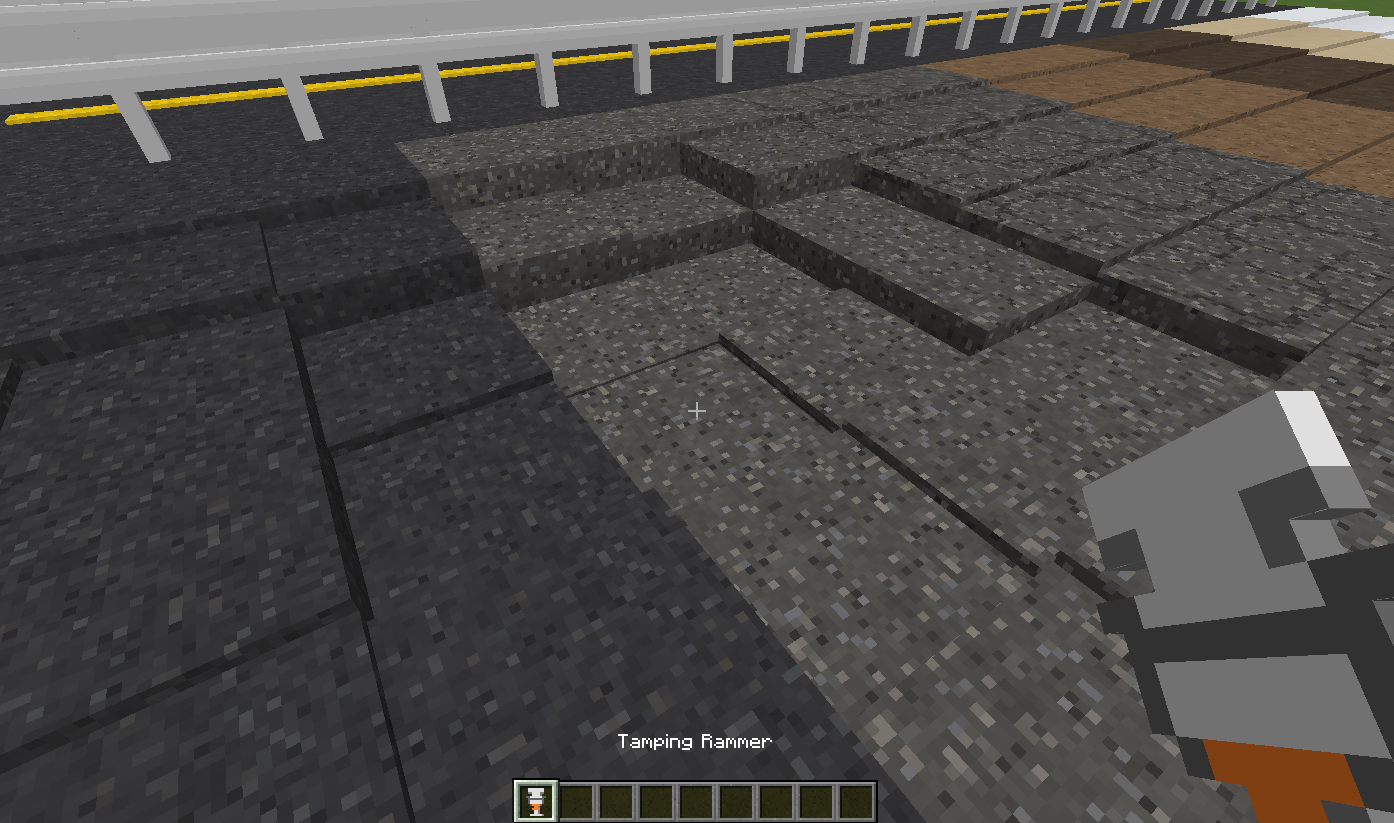
2026-10-18_19.37.48.png
Description
Roads - Layered Road Blocks
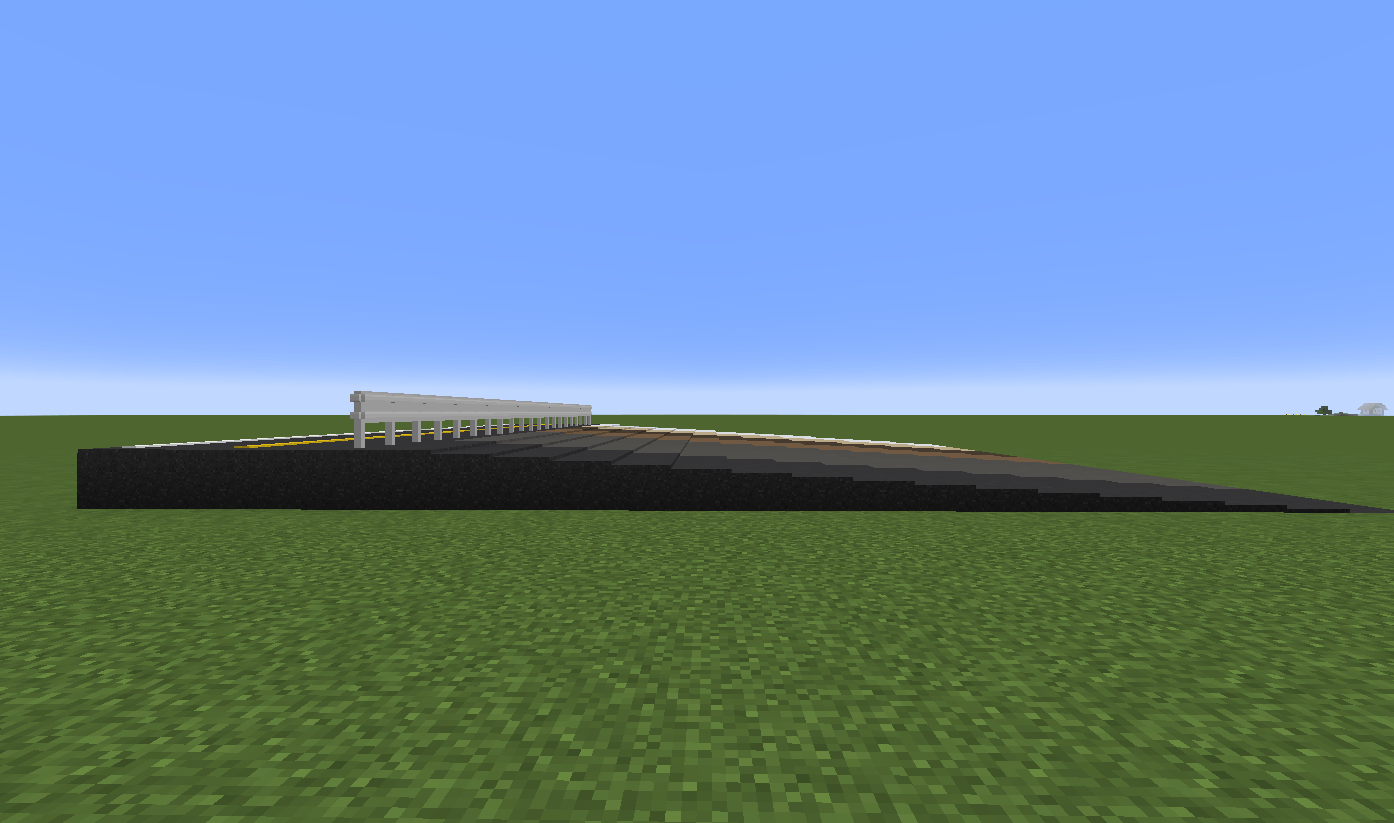
Smooth roads, one sixteenth of a block at a time.
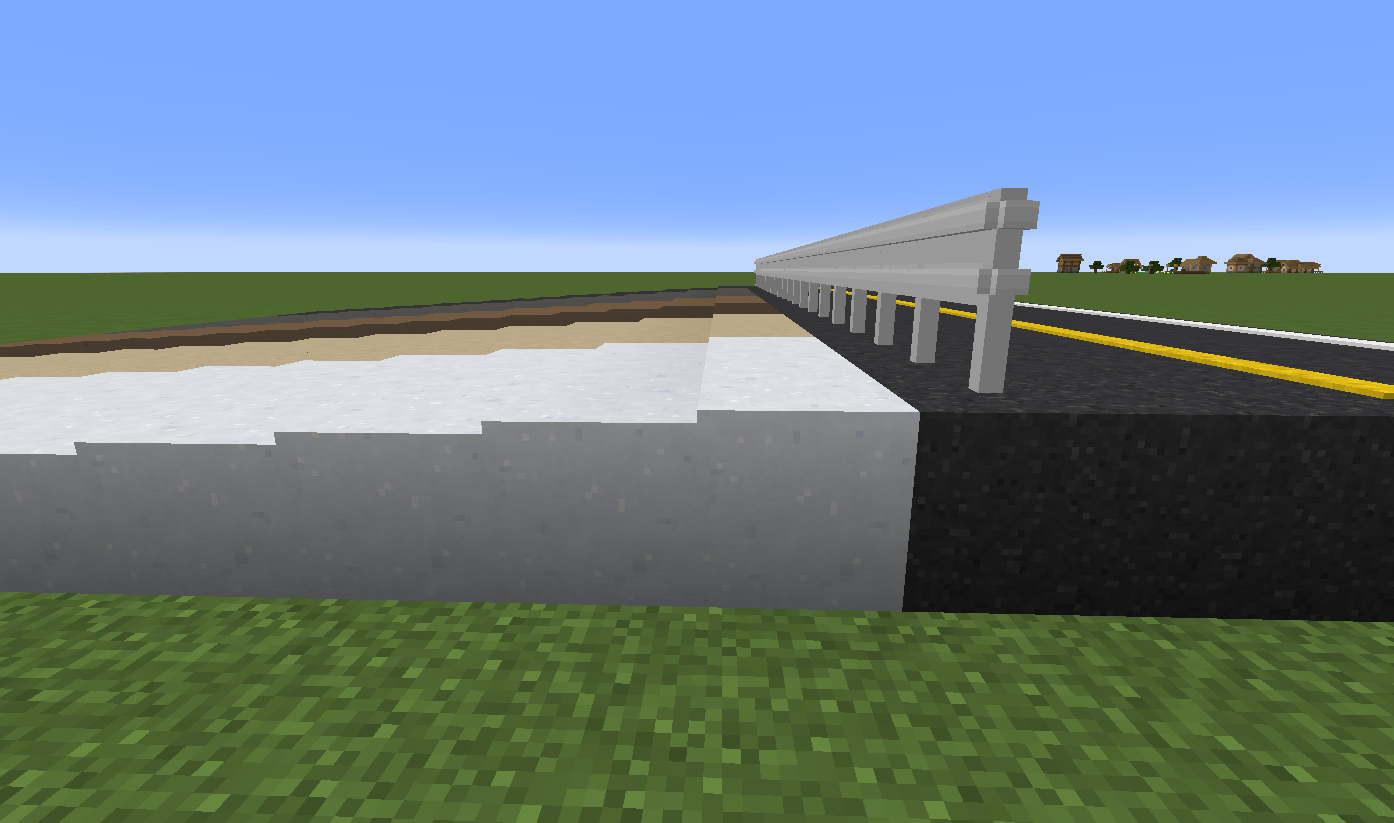
Minecraft roads usually go up hills in full-block steps. Roads splits road blocks into 16 layers — one pixel each, so you can build gentle slopes, smooth ramps and banked curves that look — and feel — like real roads.
Forge 1.20.1 · NeoForge 1.21.1 · No dependencies · Multiplayer
💬 Need a car to drive on your roads? We recommend Kuruma, a driving mod from the same developer.
Features
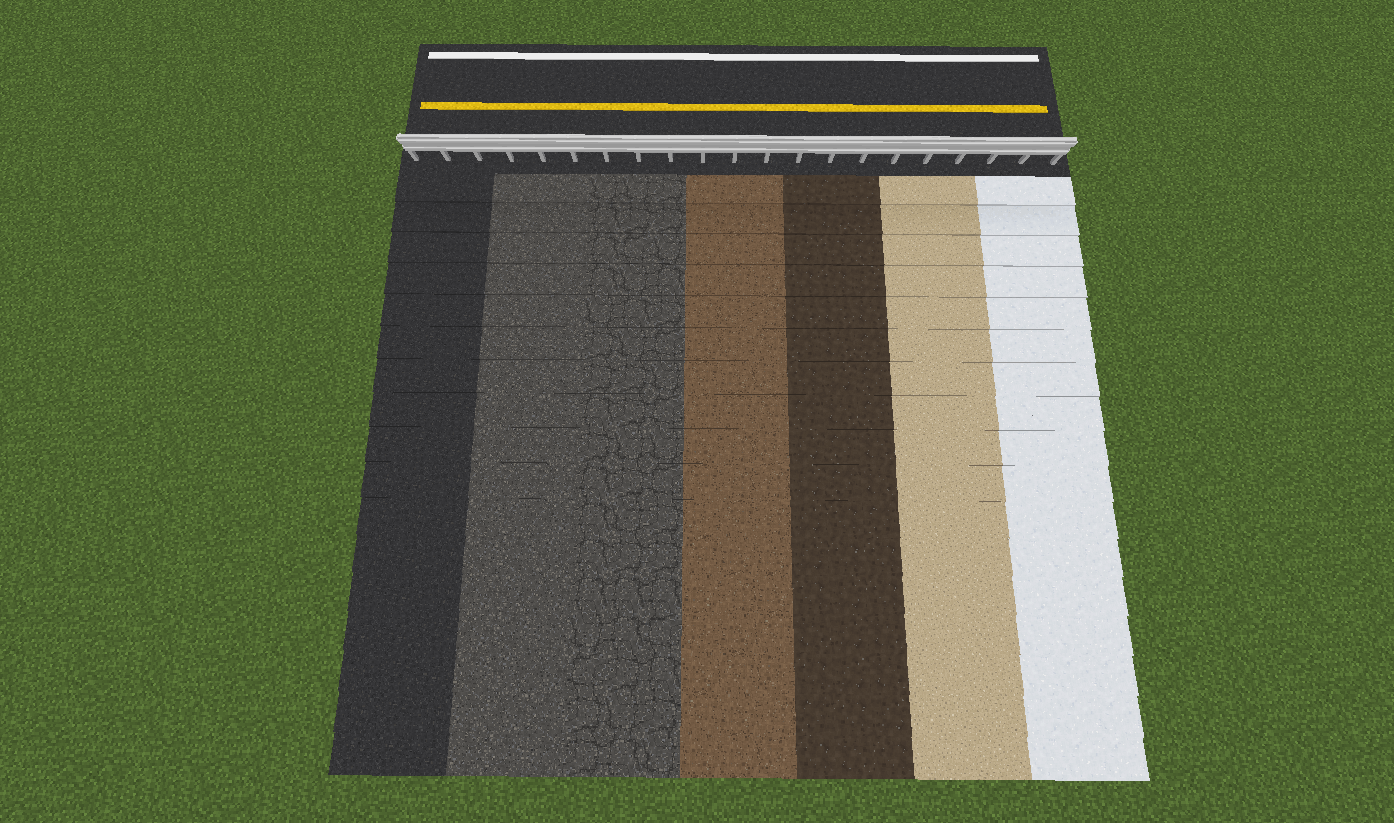
- 16-layer blocks — asphalt (new, worn, damaged), dirt, mud, sand and snow, plus grass, gravel, stone, coarse dirt and podzol with the vanilla textures. Every layer has a matching hitbox, so you walk (and drive) smoothly up the slope instead of jumping
- Tamping Rammer — right-click to shave a block down one layer, Shift + right-click to build it back up. Full blocks turn into layered blocks automatically
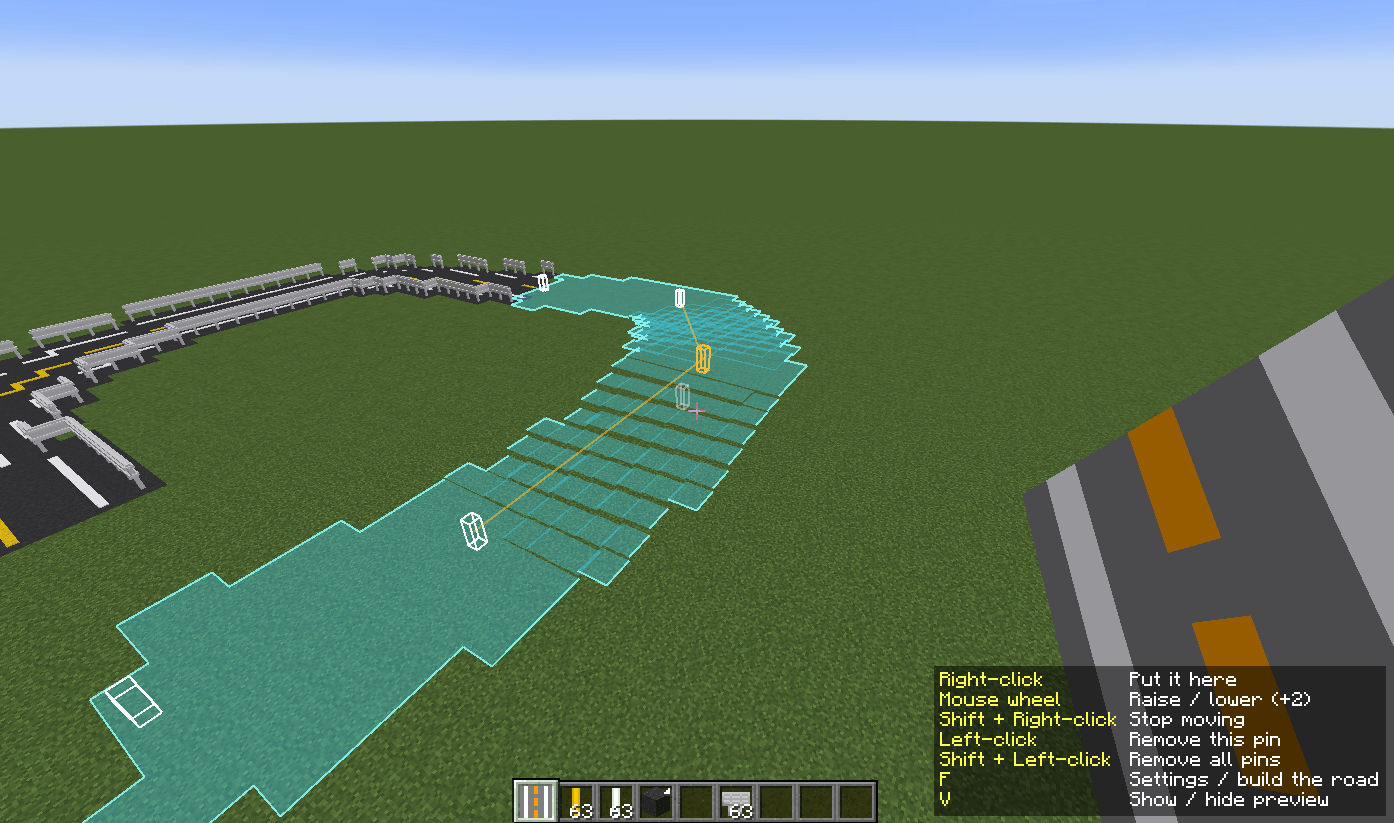
- Road Tool (Creative) — place markers along a route and it builds the whole road for you: smooth curves, automatic slopes, road lines and guardrails (see Road Tool below)
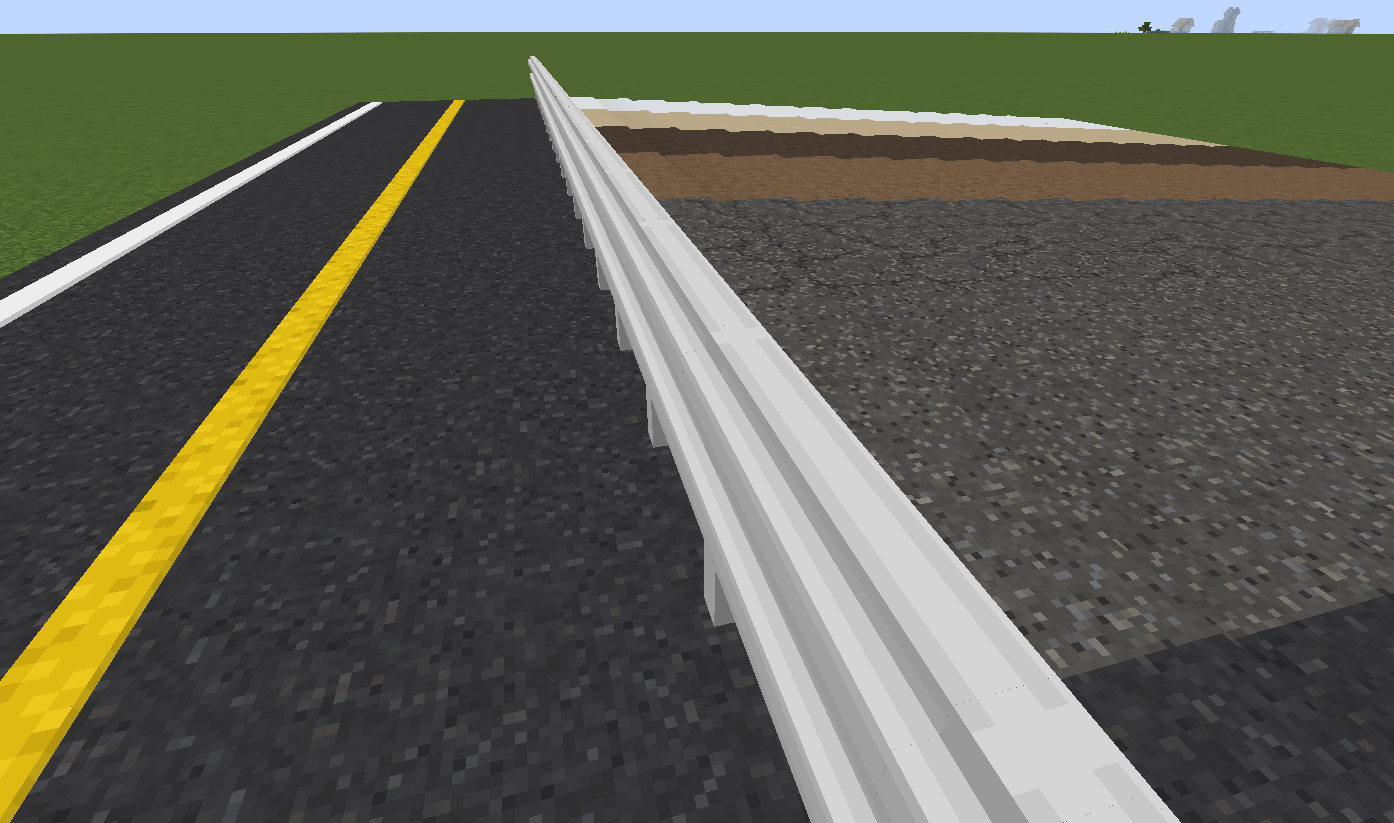
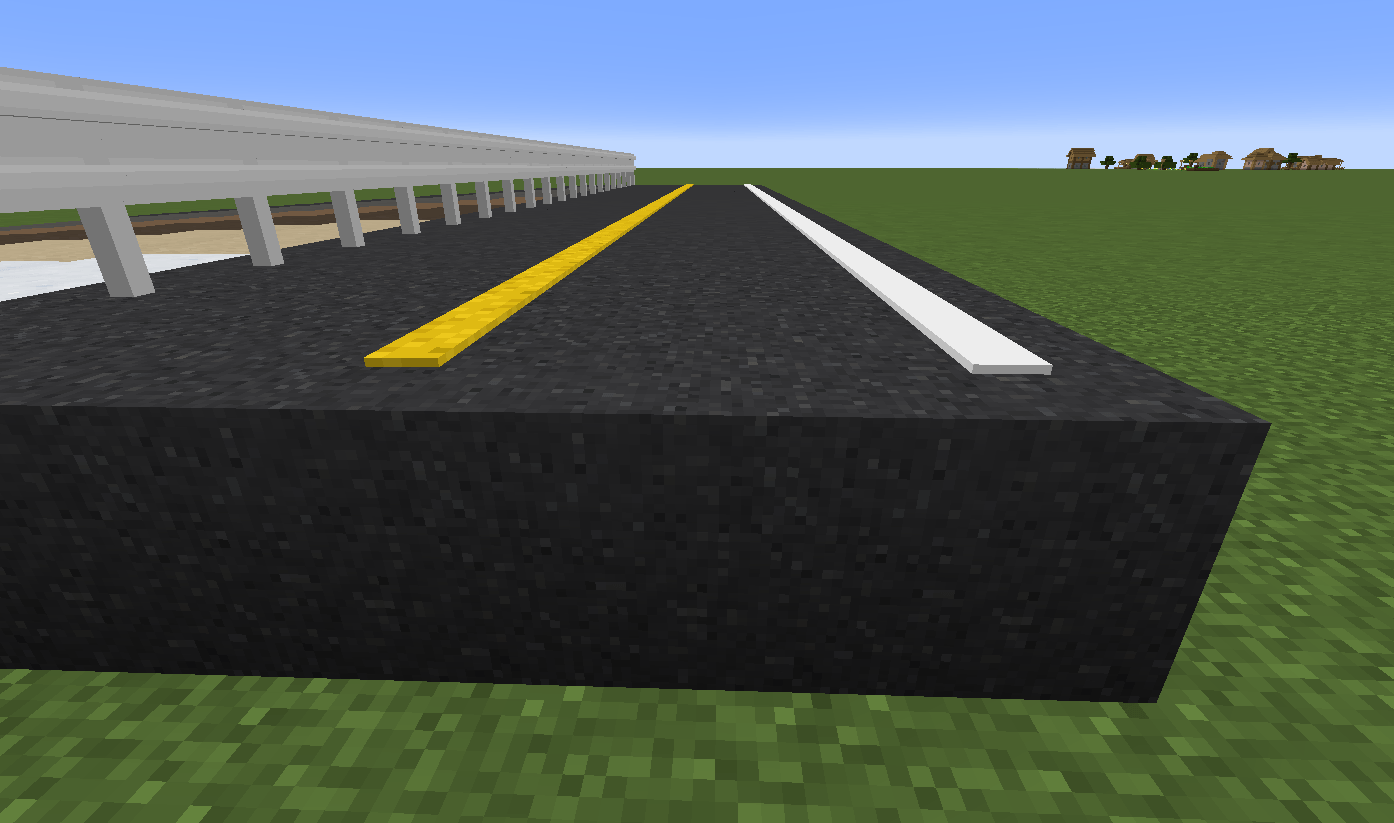
- Road lines — white and yellow lines just one pixel thick. They stick to the top of the layer underneath, connect to each other, and follow the road up and down
- Guardrails — sit on top of layered blocks at the right height and link up into continuous rails
- Plays nicely with vanilla — the blocks carry the vanilla block tags, so shovels and pickaxes mine at the right speed, grass under snow turns snowy, and plants grow on dirt and sand (see Block tags below)
- 16px or 32px — road surfaces are 16×16 like vanilla by default. Turn on the built-in Roads 32px resource pack for sharper 32×32 surfaces (see Texture resolution below)
- Builder friendly — middle-click in creative copies the exact layer height, and textures are randomly rotated so large roads don't look tiled
- Respects protected areas on hybrid servers — on Mohist, Arclight and similar servers, plugins like WorldGuard can block the Tamping Rammer (see Protection plugins below)
Getting started
- Put the mod in
mods/(client and server) - Open the Roads creative tab
- Place a road block, then use the Tamping Rammer to shape it
The road blocks have no crafting recipes yet — they come from the creative tab. (The Tamping Rammer can be crafted. The Road Tool is Creative-only and has no recipe.)
Controls
| Tamping Rammer: right-click | Lower one layer (a 1-layer block disappears) |
| Tamping Rammer: Shift + right-click | Raise one layer (a full block starts a new layer on top — in survival this uses one of that block from your inventory) |
| Middle-click (creative) | Pick the block with its layer height |
Road Tool
The Road Tool (in the Roads creative tab) builds whole roads for you:
- Right-click the ground to place markers along your route. Markers are only drawn on your screen — nothing is placed in the world
- Press F to choose the road material, the fill block underneath, the width, and the upper layer (road lines, guardrails and so on, lane by lane)
- Click Build Road on the same screen to build the road. It follows the markers as a smooth curve and turns height differences into slopes made of layered blocks
A translucent preview shows the road before you build it — including where a moved or inserted marker will go.
| Road Tool | |
|---|---|
| Right-click a block | Place a marker |
| Right-click a marker | Pick it up — the next right-click puts it down somewhere else |
| Mouse wheel while moving a marker | Raise or lower it one block at a time |
| Shift + right-click a block | Insert a marker between the two nearest ones |
| Left-click a marker | Remove it |
| Left-click while moving a marker | Remove the marker you picked up |
| Shift + left-click twice | Remove all markers |
| F (Swap Hands) | Road settings and Build Road |
| V | Show / hide the preview |
/roads undo |
Undo the last road (one step) |
- The Road Tool works in Creative mode only — it builds without using up your blocks. It has no recipe, and a survival player holding one can't use it
- By default only operators can use the Road Tool and
/roads undo. Give other playersroads.tool.use/roads.command.undowith a permission mod such as LuckPerms
Texture resolution
Road surfaces (asphalt ×3, dirt, mud, sand, snow) come in two resolutions. Both are inside the mod jar — nothing extra to download.
| 16×16 (default) | Same pixel size as vanilla, so roads blend in with the terrain around them |
| 32×32 | Finer aggregate, cracks and grains. Turn on Roads 32px in Options → Resource Packs |
- The textures are designed for random rotation: no directional patterns or large blotches, so wide roads don't look tiled. In the 32px pack, the cracks in damaged asphalt join up across neighbouring blocks however they are rotated
- It's a client-side setting. Each player on a server can pick their own; the server doesn't need anything
- Other resource packs can replace
assets/roads/textures/block/*.pngas usual. Model UVs are relative, so any resolution works
Block tags
The layered blocks are added to these vanilla tags, so vanilla mechanics — and other mods that check the same tags — treat them like the real thing.
| Tag | Blocks | What it does |
|---|---|---|
minecraft:mineable/pickaxe |
Asphalt ×3, stone | Mined quickly with a pickaxe (stone needs one to drop) |
minecraft:mineable/shovel |
Dirt, mud, sand, snow, grass, gravel, coarse dirt, podzol | Mined quickly with a shovel |
minecraft:dirt |
Dirt, mud, grass, coarse dirt, podzol | Saplings, flowers, bamboo and other plants can be planted on them |
minecraft:sand |
Sand | Cactus, sugar cane and dead bushes can be planted on it |
minecraft:snow |
Snow | Grass and podzol underneath show their snowy side |
Protection plugins (hybrid servers)
On hybrid servers that run Bukkit plugins on top of Forge/NeoForge (Mohist, Arclight, etc.), the Tamping Rammer asks the plugins before it changes a block.
| Lowering a layer / removing a block | Checked as a block break (BlockBreakEvent) |
| Raising a layer / adding a layer on top | Checked as a block place (BlockPlaceEvent) |
- If a plugin such as WorldGuard, GriefPrevention or Lands cancels the event, the block stays as it is
- Nothing to configure. On normal Forge/NeoForge servers and in single player, nothing changes
- Because these are real events, logging plugins (e.g. CoreProtect) record rammer use as breaking or placing a block
Modpacks and videos
- Videos and streams: feel free. A link to this page in the description is appreciated
- Modpacks: welcome. Please add it as a CurseForge/Modrinth dependency instead of bundling the jar
Roads - Layered Road Blocks(日本語)
1/16 ブロック刻みで、なめらかな道路を。
Minecraft の坂道は、普通は 1 ブロックずつの階段になります。Roads は道路のブロックを 16 段階(1 段 = 1 ピクセル)の階層に分けます。 ゆるやかな坂、なめらかなスロープ、カーブまで、本物の道路のように作れます。
Forge 1.20.1 · NeoForge 1.21.1 · 前提 MOD なし · マルチプレイ対応
💬 道路を走る車が必要ですか? 同じ作者の Kuruma をおすすめします。
できること
- 16 段階の階層ブロック — アスファルト(新品・劣化・損傷)、土、泥、砂、雪。バニラのテクスチャを使った草・砂利・石・荒れた土・ポドゾルもあります。 当たり判定も段ごとに変わるので、坂はジャンプせずになめらかに上れます
- タンピングランマー — 右クリックで 1 段下げ、シフト+右クリックで 1 段上げ。普通のブロックは自動で階層ブロックになります
- ロードツール(クリエイティブ)— ルートに沿ってマーカーを置けば、なめらかなカーブも坂も、道路線やガードレールまで一気に作ります(下の「ロードツール」)
- 道路線 — 厚さ 1 ピクセルの白線・黄線。下の階層の上面に張り付き、隣どうしでつながり、坂にもそのまま沿います
- ガードレール — 階層ブロックの上にちょうどよい高さで乗り、隣どうしでつながります
- バニラと自然になじむ — バニラのブロックタグを付けているので、シャベル・ツルハシで普通に掘れ、雪の下の草は雪の見た目になり、土や砂には植物が植えられます(下の「ブロックタグ」)
- 16px と 32px — 路面は標準でバニラと同じ 16×16。同梱のリソースパック Roads 32px を有効にすると、より細かい 32×32 になります(下の「テクスチャの解像度」)
- 建築しやすい — クリエイティブのミドルクリックで段数ごとコピー。テクスチャはランダムに回転するので、広い道路でも模様が目立ちません
- ハイブリッドサーバーの保護区域を守る — Mohist・Arclight などでは、WorldGuard などのプラグインでタンピングランマーの操作を止められます(下の「保護プラグイン」)
はじめかた
mods/に入れる(クライアントとサーバーの両方)- クリエイティブの 道路 タブを開く
- 道路ブロックを置いて、タンピングランマー で形を整える
道路のブロックにはまだクラフトのレシピがありません。クリエイティブのタブから取り出してください(タンピングランマーはクラフトできます。ロードツールはクリエイティブ専用で、レシピはありません)。
操作
| タンピングランマーで 右クリック | 1 段下げる(1 段のブロックは消える) |
| タンピングランマーで シフト+右クリック | 1 段上げる(16 段=フルのブロックは上に新しい段を作る。サバイバルでは、そのブロックをインベントリから 1 個使う) |
| ミドルクリック(クリエイティブ) | 段数ごとブロックを取る |
ロードツール
ロードツール(クリエイティブの「道路」タブにあります)で、道路をまるごと作れます。
- 地面を右クリックして、ルートに沿ってマーカーを置く。マーカーは画面に描くだけで、ワールドには何も置きません
- F キーで、道路の素材・下を埋めるブロック・幅・上層(道路線やガードレールなどをレーンごとに)を選ぶ
- 同じ画面の 道路を作る を押すと道路ができる。マーカーをなめらかな曲線で結び、高低差は階層ブロックの坂にする
作る前に、できあがる道路が半透明のプレビューで見えます。マーカーを動かしたり挟み込んだりするときも、その後の形が先に見えます。
| ロードツール | |
|---|---|
| ブロックを 右クリック | マーカーを置く |
| マーカーを 右クリック | つかむ(次の右クリックで別の場所に置き直す) |
| マーカーを動かしている間に マウスホイール | 1 ブロックずつ上下させる |
| ブロックを シフト+右クリック | いちばん近い 2 本のマーカーの間に挟み込む |
| マーカーを 左クリック | 消す |
| マーカーを動かしている間に 左クリック | つかんでいるマーカーを消す |
| シフト+左クリック を 2 回 | マーカーを全部消す |
| F(オフハンド切り替え) | 道路の設定と 道路を作る |
| V | プレビューの表示・非表示 |
/roads undo |
最後に作った道路を元に戻す(1 回分) |
- ロードツールは クリエイティブモード専用 です(手持ちのブロックを使わずに道路を作るため)。レシピは無く、サバイバルのプレイヤーが持っていても使えません
- ロードツールと
/roads undoは、標準では OP だけが使えます。ほかのプレイヤーには LuckPerms などの権限 MOD でroads.tool.use/roads.command.undoを与えてください
テクスチャの解像度
路面(アスファルト 3 種・土・泥・砂・雪)は 2 つの解像度を用意しています。どちらも MOD の jar に入っているので、別にダウンロードするものはありません。
| 16×16(標準) | バニラと同じ細かさ。まわりの地形となじみます |
| 32×32 | 骨材の粒やひび、砂粒まで細かく描いた版。設定 → リソースパック で Roads 32px を有効にします |
- テクスチャはランダムに回転して敷かれる前提で作っています。向きのある模様や大きなまだらは入れていないので、広い道路でもマス目が目立ちません。32px 版では、損傷アスファルトのひびがどう回転しても隣のブロックとつながります
- クライアントだけの設定です。同じサーバーでもプレイヤーごとに選べ、サーバーには何も要りません
- ほかのリソースパックで
assets/roads/textures/block/*.pngを差し替えることもできます。モデルの UV は割合で書いてあるので、解像度は問いません
ブロックタグ
階層ブロックはバニラのタグに入っています。バニラの仕組みや、同じタグを見るほかの MOD からも、元のブロックと同じように扱われます。
| タグ | ブロック | 効果 |
|---|---|---|
minecraft:mineable/pickaxe |
アスファルト 3 種・石 | ツルハシで速く掘れる(石はツルハシでないとドロップしない) |
minecraft:mineable/shovel |
土・泥・砂・雪・草・砂利・荒れた土・ポドゾル | シャベルで速く掘れる |
minecraft:dirt |
土・泥・草・荒れた土・ポドゾル | 苗木・花・竹などの植物を植えられる |
minecraft:sand |
砂 | サボテン・サトウキビ・枯れ木を植えられる |
minecraft:snow |
雪 | 下の草・ポドゾルが雪の積もった見た目になる |
保護プラグイン(ハイブリッドサーバー)
Forge/NeoForge の上で Bukkit のプラグインが動くハイブリッドサーバー(Mohist・Arclight など)では、タンピングランマーはブロックを変える前にプラグインに確かめます。
| 1 段下げる・ブロックを消す | ブロックの破壊(BlockBreakEvent)として確かめる |
| 1 段上げる・上に新しい段を作る | ブロックの設置(BlockPlaceEvent)として確かめる |
- WorldGuard・GriefPrevention・Lands などのプラグインが止めた場所では、ブロックは変わりません
- 設定は要りません。普通の Forge/NeoForge のサーバーやシングルプレイでは何も変わりません
- 本物のイベントとして呼ぶので、記録系のプラグイン(CoreProtect など)にはランマーの操作がブロックの破壊・設置として記録されます
MOD パック・動画について
- 動画・配信: ご自由にどうぞ。概要欄にこのページへのリンクがあると嬉しいです
- MOD パック: 歓迎します。jar を同梱せず、CurseForge/Modrinth の依存関係として追加してください
Roads Team