RichardsHomesMod
- By
FORGE/FABRIC Very extensive and flexible homes mod for minecraft 1.17,1.18 and 1.19!
This extensive homes mod is guaranteed to get you around the game fast and efficient!
Also take a look at my new project RichardsPartyPlay! it will make co-op so much more fun!
This mod is server-side only, clients do not need to install
This mod works normally in single player
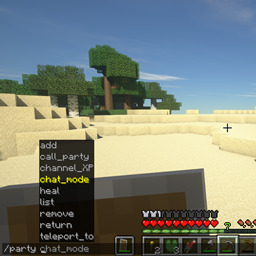
Within the game you gain the following commands when installed:
/h /H /home /HOME - Teleports you to your 'Default' home
/home list - Displays all the homes you have set
/home <name> - Teleports you to the given home
/home new <name> - Sets a new home (the home must NOT exist)
/home move Default - Relocates your 'Default' home
/home move <name> - Relocates the given home (The home must exist)
/home rename <name> <new_name> - Renames the given home (does not relocate the home)
/home delete <name> - Removes the given home
/home allow <permission> <name> <player> - allows another player to visit or move the given home
/back - Teleports the player back to the previous location (if they die Teleports back to death spot)
In addition to that, administrators can do all this for all other players as well!
/home list <player> - lists all homes owned by the given player
/home visit <player> - Teleports you to the given player' 'Default' home
/home visit <player> <name> - Teleports you to the given home owned by the given player
/home new <name> <player> - Sets a new home for the given player (home must NOT exist, player must exist)
/home move Default <player> - relocates the given player' 'Default' home
/home move <name> <player> - relocates the given home owned by the given player (home must exist, player must exist)
/home rename <name> <new_name> <player> - renames the given home owned by the given player (does not relocate the home)
/home delete <name> <player> - Removes the given home owned by the given player
You should set at least 1 administrator in the config file, after that administrators can edit the config file from within
the game(Be careful not to accidently remove the last admin from within the game!):
/homesconfig add_remove_admin <name> - adds a new admin to the list, if the name is already in the list it will be removed
/homesconfig set_max_homes <number> - sets the max homes every player can have (0 or not a number sets the value to 1)
/homesconfig toggle_welcome - toggles displaying the welcome message on each player login
/homesconfig toggle_back - toggles if players can use the back command or not
all 4 values will be displayed every time one of these 4 commands is used
Normal players can only use /home visit, /home list and /home move to visit or move other player' homes
and only if the player has given them permission to do so, also /home list only lists the homes the player
gave any permissions for, the rest stays hidden
Currently every single home can have 25 permissions set
The homes are saved in a binary (Java serializable object) file, they are not readable by text editors but for your convenience a readable
output file is also written in which you can see all the homes the players have set, this is just output the program reads no data from this
file.
Chat about the program or suggest new features or another project, join our Discord Server!
RichardsHomesMod Team