javaw_sNHRQmGNuI.png
Snipaste_2026-08-06_17-32-12.png
Snipaste_2026-08-06_17-32-47.png
å±å¹æªå¾ 2026-08-06 173314.png
Snipaste_2026-08-06_17-37-42.png
Description
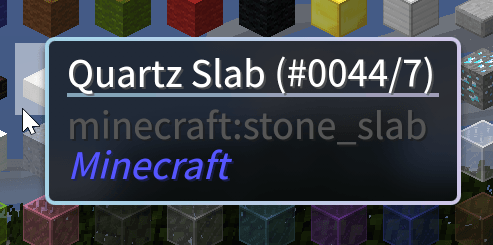
Offers many modern features, such as modern tooltips, smooth scrolling, and more.
This project has backported some Modern UI-related code, so it is licensed under the same LGPL license. In addition to providing the Modern UI background shader, a Mica-inspired shader has been added for a more attractive look; the images in the Gallery use this shader.
This mod is a companion mod for Neo Font Render. Be sure to install the prerequisite mod before activating it.
Revo UI feature modules
| Module | Description |
|---|---|
| Modern Tooltips | Full tooltip replacement with rounded corners, soft shadows, adaptive border colors (rarity/enchantment-based), Mica translucent backdrop, center-titled layout, mod name display. Supports HEI, Obscure Tooltips, and Quark map compat. |
| Smooth Scrolling | Animated wheel scrolling for vanilla GuiSlot lists, Forge scrolling lists, creative inventory grid, and chat history. Configurable duration and step size. |
| Screen Effects | Background Gaussian blur (post-processing shader), four-corner color gradient overlay, and fade-in/fade-out transitions. Per-screen-type control for menus, containers, and chat. |
| HUD Bars | Modern replacement for vanilla health, food, armor, toughness, air, and mount bars. 6 visual themes (modern, flat, glass, segmented, minimal, classic), smooth animated fill, per-stat color customization, numeric/icon display. AppleCore integration. |
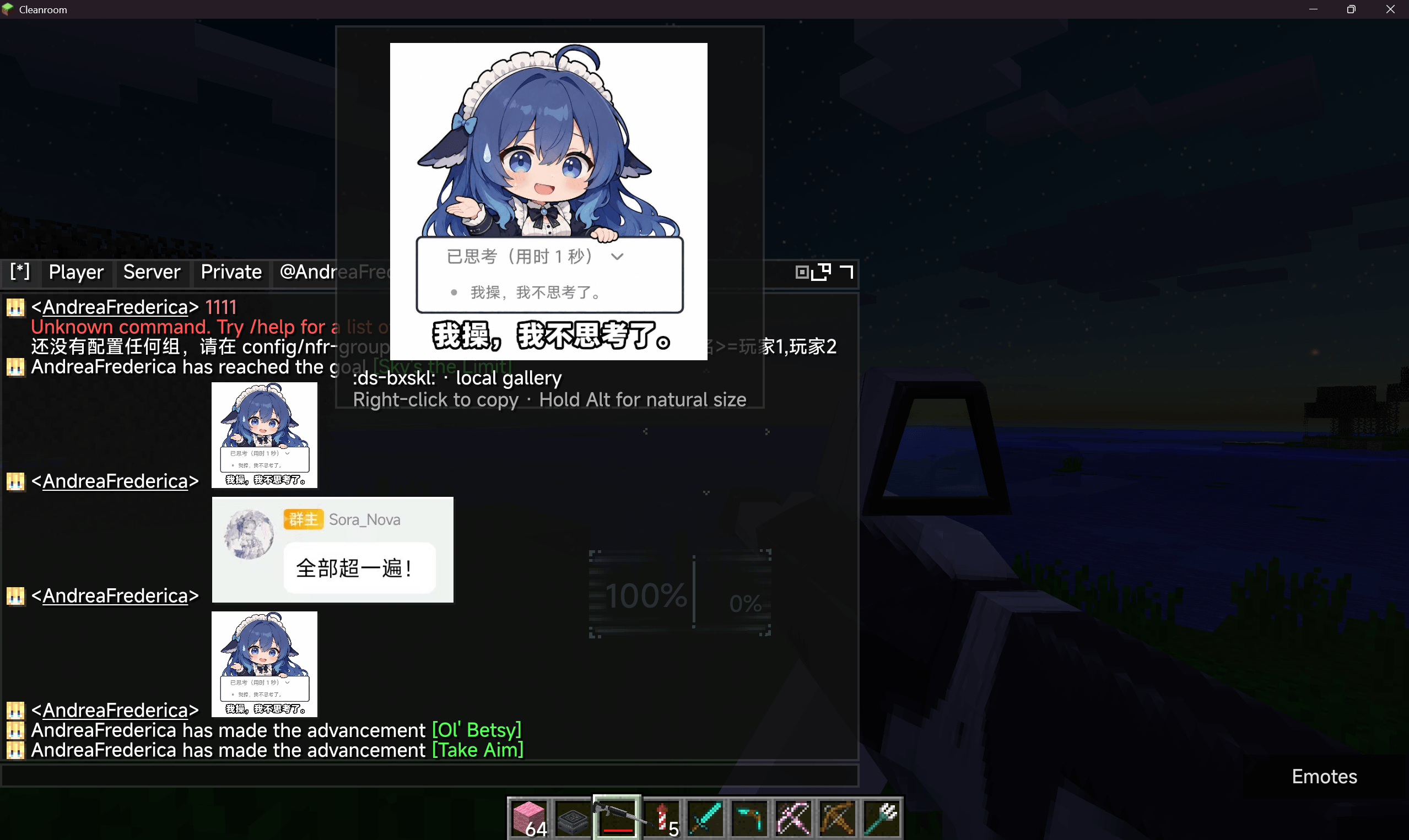
| Enhanced Chat | See sub-features below. Includes inline image glyphs, H2-backed persistence, and group chat. |
| Zoom | Hold-to-zoom keybind with configurable magnification (2–8x), smooth camera, mouse sensitivity adjustment, and animated FOV transitions. |
| Hover Effects | Smooth cross-fade animations for vanilla/Forge buttons, inventory slots, JEI/HEI ingredient grids, and ModularUI slots. |
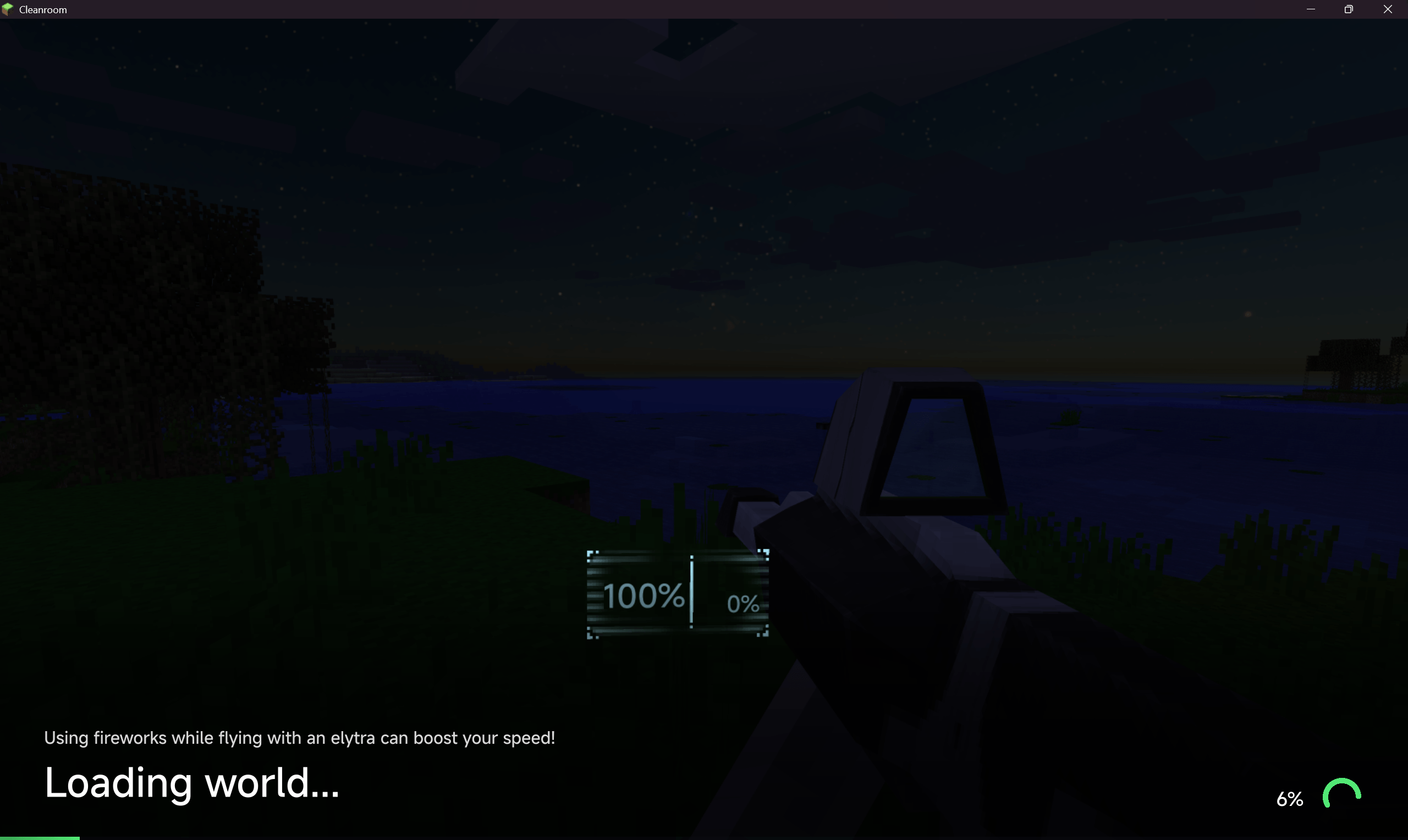
| World Loading | Modern loading overlay for world join and dimension change. Progress bar, percentage, spinner, bottom gradient shade, fade-out transition, last-exit frame snapshot. |
| Resource Reload | Progress overlay during resource pack and language reload with progress bar, percentage, and spinner. |
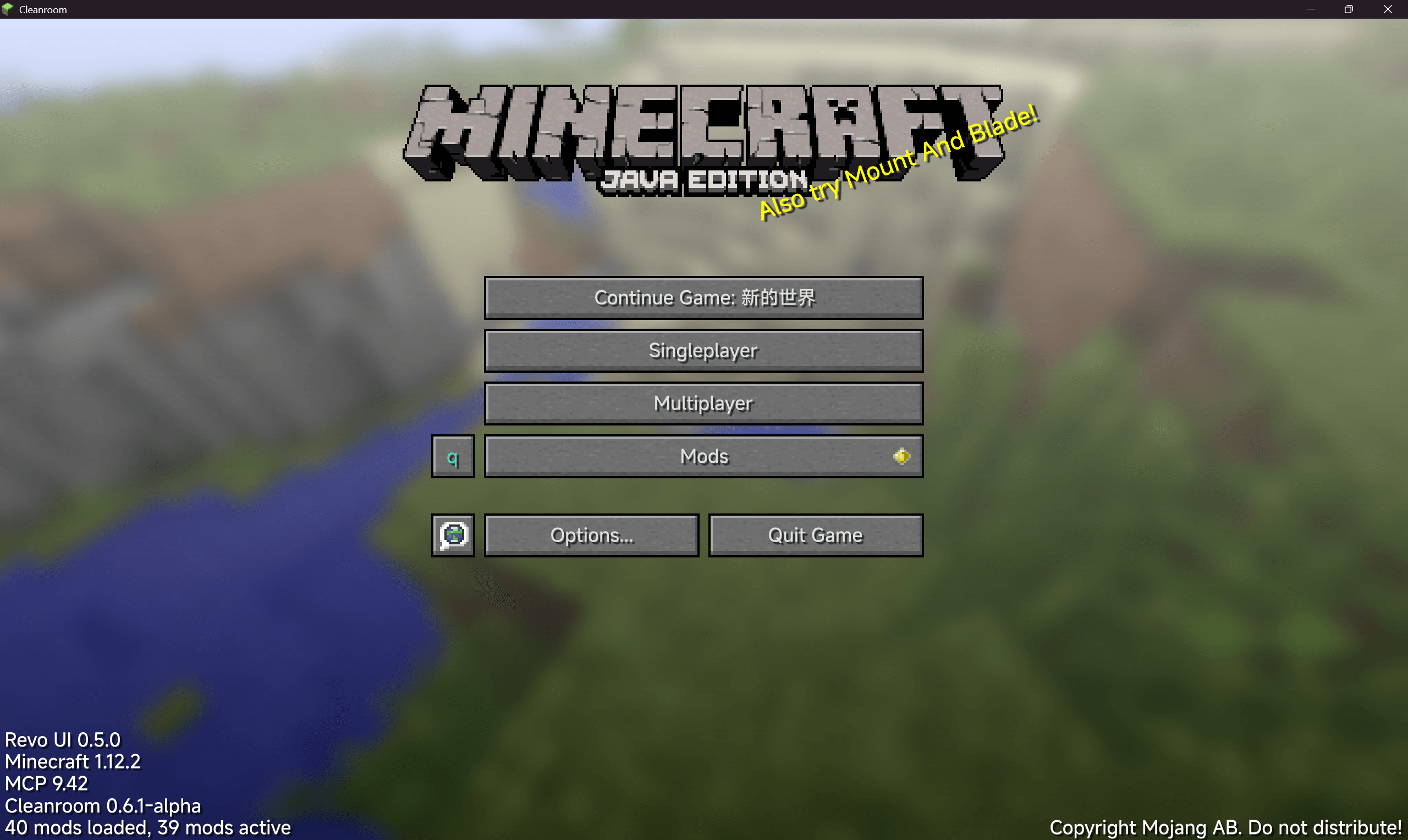
| Main Menu | "Continue Game" button to directly rejoin the last played world or server. |
| Create World | Three layout themes for the create-world screen: vanilla, tabbed, and modernui. |
| Text Input | OS-style I-beam cursor over vanilla and ModularUI text fields. |
| Flight Control | Continuous three-axis Elytra flight with momentum mode, per-axis sensitivity/inversion, controller input API for third-party gamepad mods, third-person pose sync, and barrel rolls. Includes an Arc3D-powered flight HUD with layouts inspired by Airbus, Boeing, and MSFS avionics, plus FPV OSD and cinematic tactical themes. User themes live in neofontrender/flight_hud_themes. |
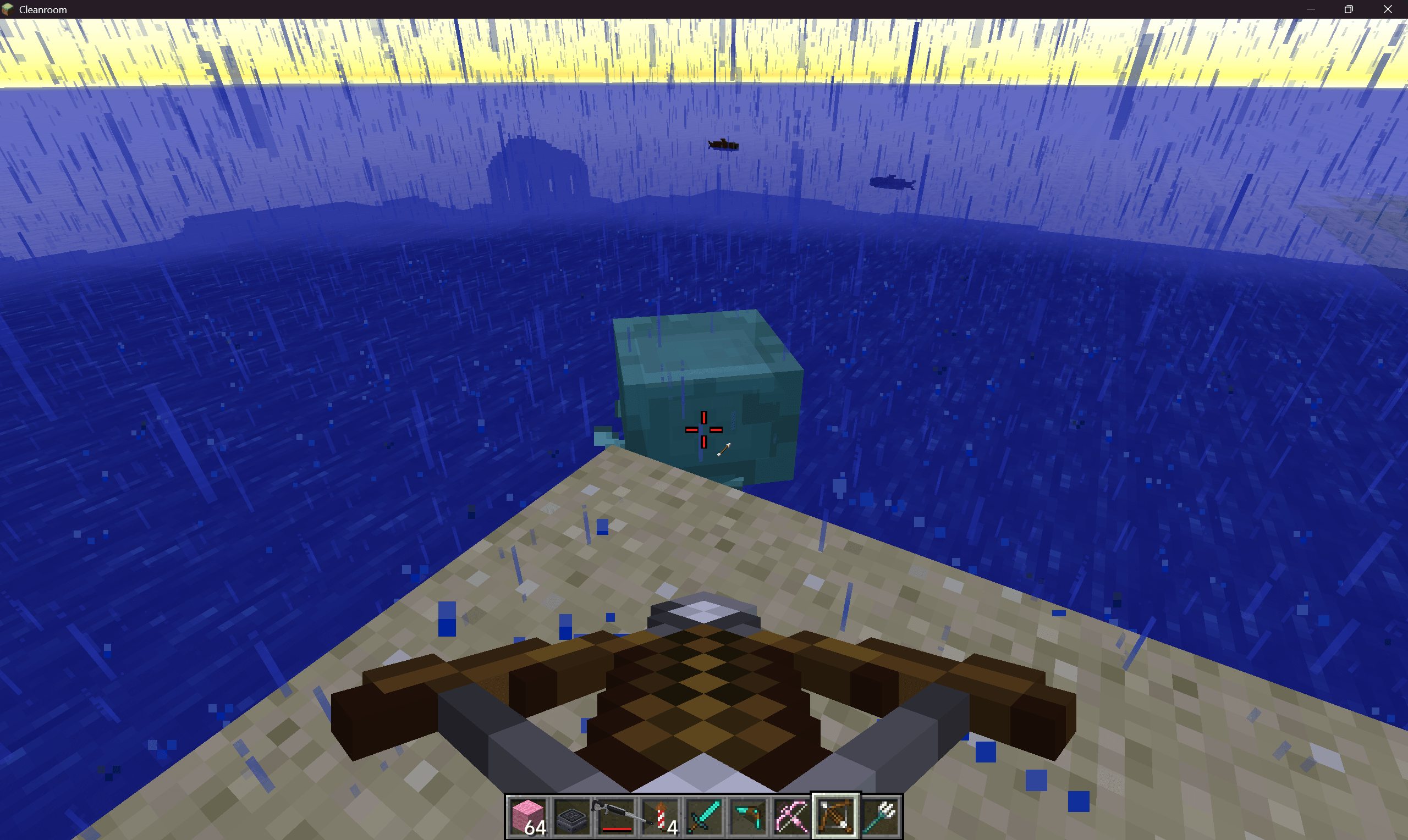
| Crosshair | Custom crosshair with 10 styles (vanilla, cross, dot, circle, square, triangle, arrow, flight-chevron, debug, pixel-drawn), independent sizing/rotation/offsets, adaptive contrast, outlines, center dots, contextual visibility, dynamic attack/bow spread, target colors, rainbow animation, cooldown rings, low-durability warnings, ammunition indicators, and in-game pixel editor. Shoulder Surfing compatibility included. |
Chat sub-features (inside UIE)
| Feature | Description |
|---|---|
| Tabbed chat | Embedded TabbyChat 2 with channel tabs, per-channel history and logging, anti-spam, timestamps, spelling check, unread flashing. |
| Vertical tabs | Edge-style vertical tab layout on the left edge of the chat window. |
| Tab pinning | Pin/unpin/delete channel tabs via right-click context menu. |
| Chat search | Full-text search across chat history with Ctrl+F. Keyboard navigation (↑↓/Enter/Esc), matched-term highlighting, jump-to-message in TabbyChat. |
| Chat history | Ctrl+H opens a dedicated history browser with scope filtering (All/Player/Server/Private/Group) and per-scope management. |
| Group chat | Server-side group channels with /nfrgroup command, automatic source routing, and TabbyChat group tabs. |
| Inline image glyphs | Render Gosling/Emojicord emoji :aliases:, external <img:https://…> images (with allow/blocklist), and local image gallery (neofontrender/images/). Hover preview and right-click copy. |
| Source classification | Regex-based message routing into Player/Server/Private/Group channels. |
| Message filtering | Regex-based message blocking and per-player muting. |
| @mention completion | Live @player suggestions from online player list with notification sound. |
| Command completion | Scrollable tab-completion suggestions while typing. |
| Player links | Clickable player names with double-click interaction, avatar tooltips, and context menu (private message, whisper, copy name, mute). |
| Player heads | Renders cached player head avatars next to chat messages. |
| Item icons | Displays item icons beside SHOW_ITEM chat components. |
| Timestamps | Configurable timestamps prepended to chat messages. |
| Copy & paste | Drag-to-select text copying with formatting code options, Ctrl+C/X/V/A keybindings. |
| Right-click menu | Context menu on chat messages for copy, player actions, and inline image operations. |
| Keep-open policies | Per-source-type control for keeping chat open after sending. |
| HUD window | Floating chat window with compositor support for persistent/detached layout. |
| Persistence | Per-server/world persistent received and sent message history backed by an embedded H2 database with automatic legacy JSON migration. |
| Message animations | Entrance animations for new messages and chat input open/close. |
| Color theme | Full color theme for the chat panel (background, border, input, tray, tabs, scrollbar, text — 11 color slots). |
| Spellcheck | Jazzy (English) + Jieba (Chinese) spell checking. |
The Revo UI Team