2026-10-24_16.01.55.png
2026-10-24_16.02.14.png
2026-10-24_16.02.56.png
2026-10-24_16.03.10.png
Description
📡 Resource Radar
Track your resources. Reach your goals. Keep your eyes on the game.
Resource Radar is a lightweight, client-side Fabric mod that helps you keep track of the items you need in Minecraft. Set a target quantity for any item, and Resource Radar automatically counts how many you have, displays your progress on an in-game HUD, and notifies you when you've collected enough!
Whether you're gathering materials for a massive build, preparing for an adventure, or collecting stacks of resources, Resource Radar keeps your goals in sight.
✨ Features
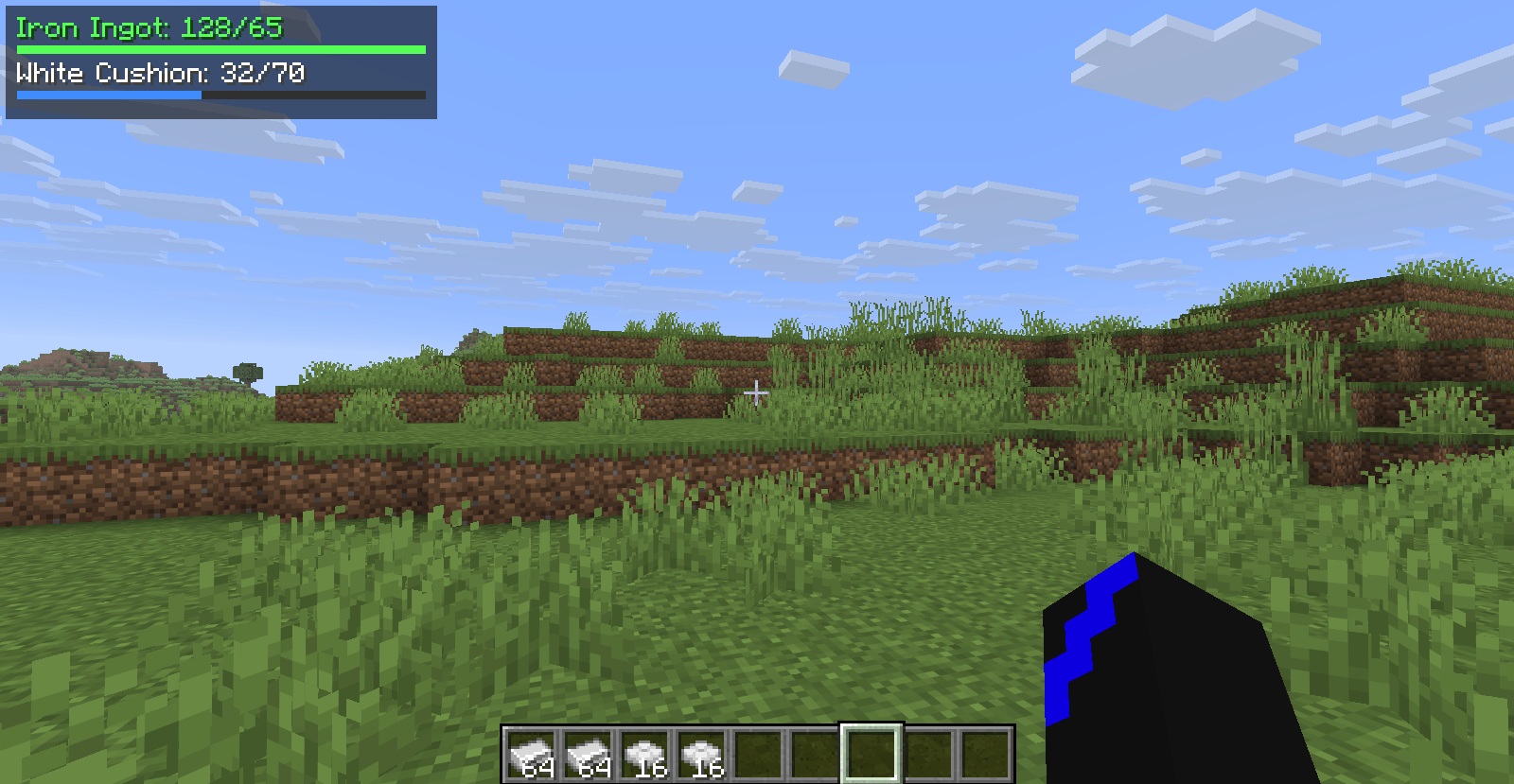
• 📊 Live Resource Tracking: Automatically counts matching items in your inventory and updates your progress.
• 🎯 Custom Collection Goals: Set individual target quantities for the items you want to collect.
• 🖥️ In-Game HUD: View your tracked items, current quantities, targets, and progress bars without opening your inventory.
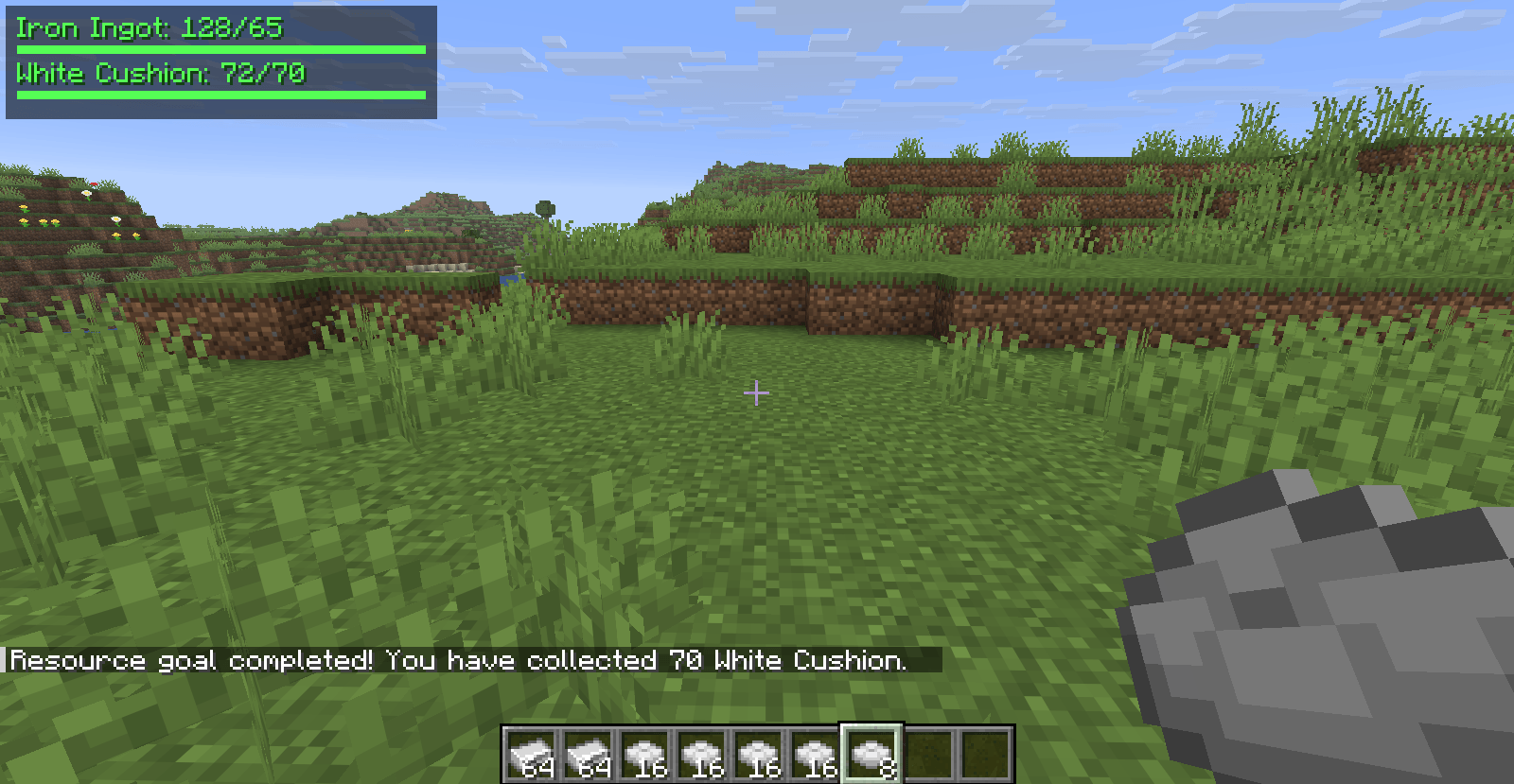
• 🟢 Completion Notifications: Receive a chat message when you reach a resource goal.
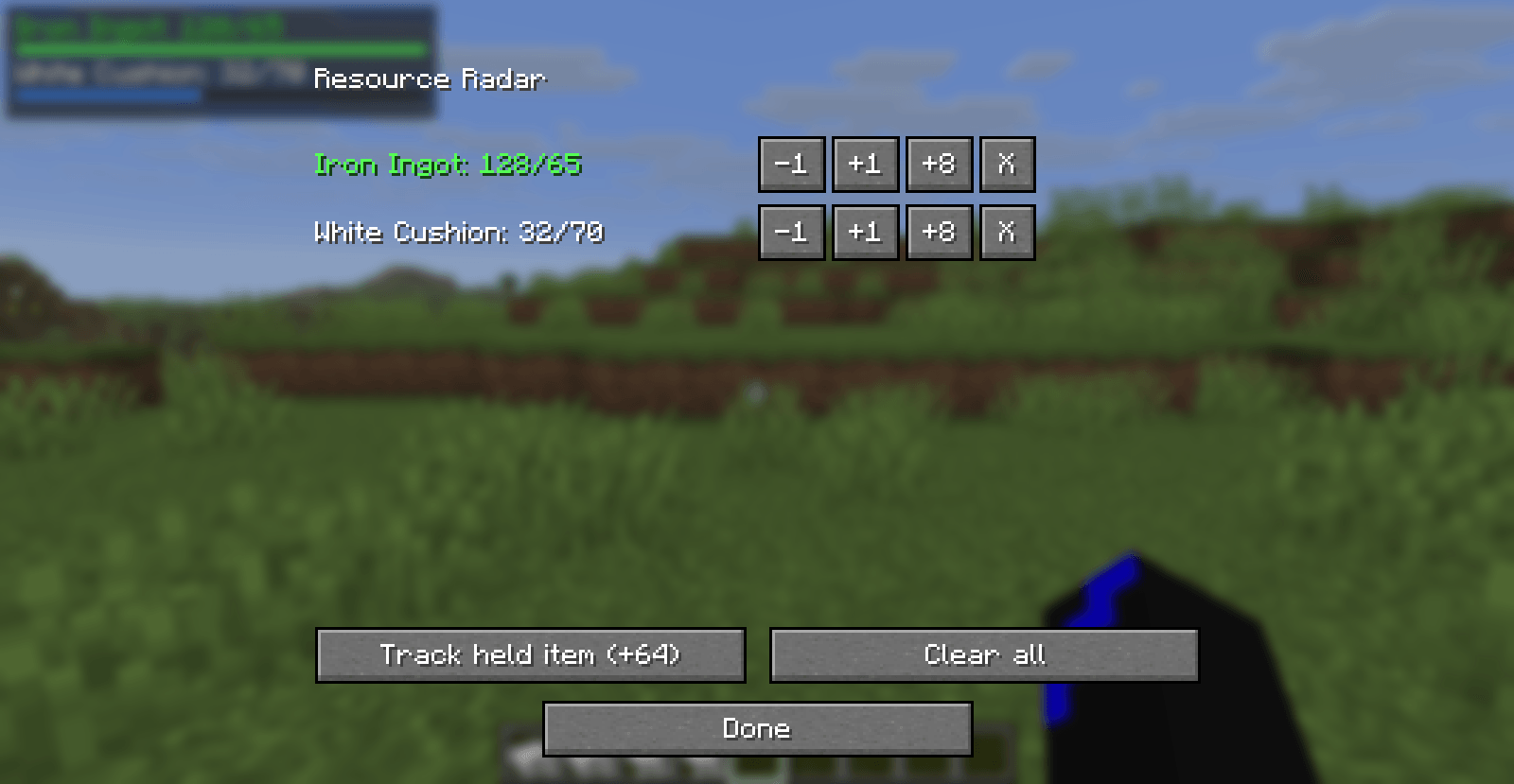
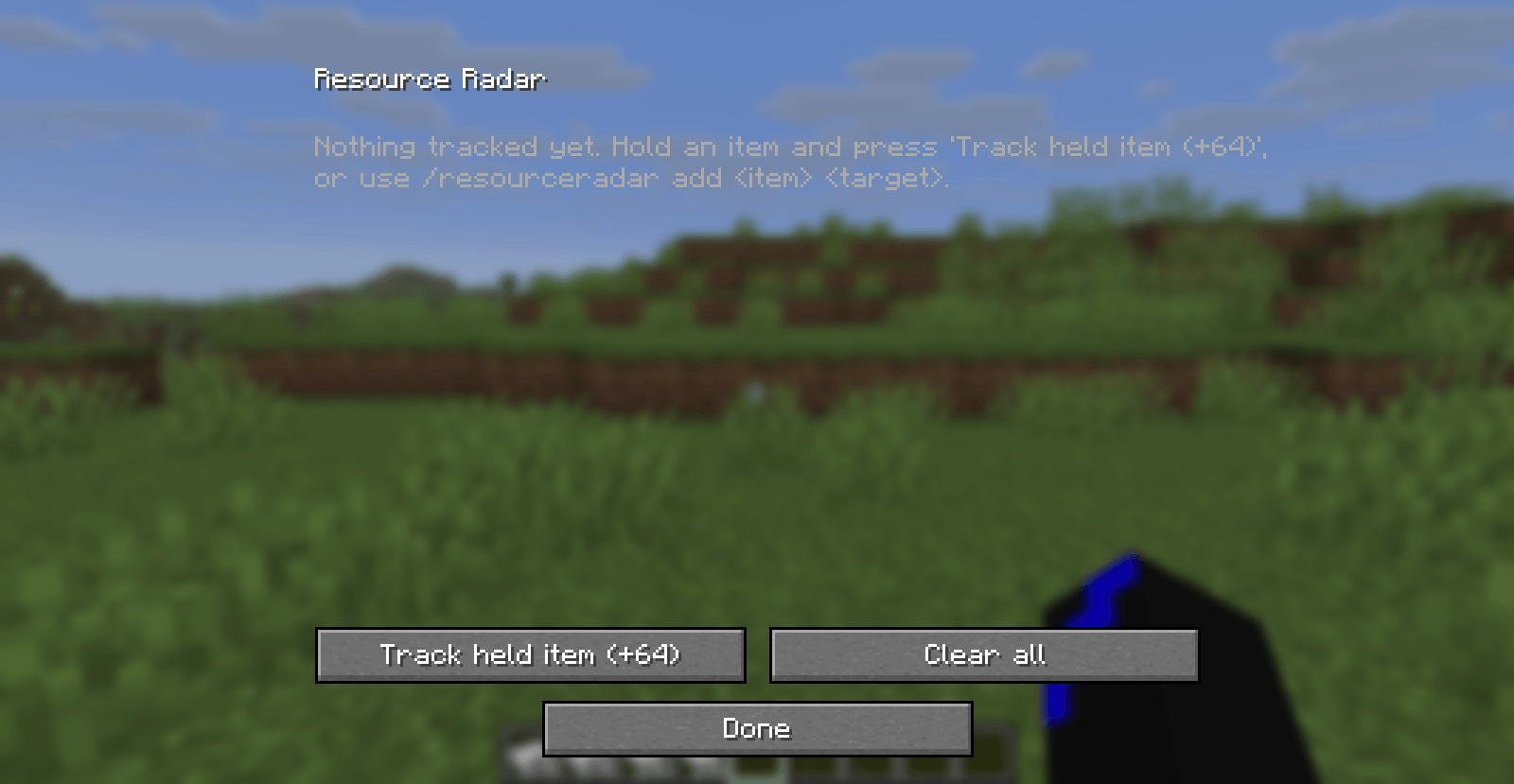
• ⌨️ Quick Configuration: Press R by default to open the configuration screen. The keybind can be changed in Minecraft's Controls menu.
• ➕ Easy Goal Management: Add items, adjust quantities, remove individual goals, or clear all goals.
• 💬 Command Support: Manage your goals with /resourceradar commands.
• 💾 Persistent Configuration: Your goals are saved locally and restored when you launch the game again.
• 🔄 Reusable Goals: If your item count falls below a completed target, the goal can trigger again when you collect enough.
• 🎮 Client-Side: Designed for use on your own client without requiring server-side installation.
🎮 How to Use
-
Install Fabric Loader and the required Fabric API version.
-
Launch Minecraft with Fabric.
-
Press R to open the Resource Radar configuration screen.
-
Add an item and set your target quantity.
-
Close the screen and start collecting!
-
Watch your HUD as your inventory fills up.
You can also use commands:
• /resourceradar add <item> <target> - Add a resource goal.
• /resourceradar remove - Remove a goal using the command's supported arguments.
• /resourceradar list - View your tracked goals.
• /resourceradar clear - Clear all goals.
For example, /resourceradar add diamond 64 sets a target of 64 diamonds.
⚙️ Configuration
Your resource goals are stored in:
config/resource-radar.json
Your current item counts are calculated automatically while playing.
📦 Requirements
• Minecraft Java Edition 26.3
• Fabric Loader 0.19.5
• Fabric API 0.164.0+26.3
This release is built for the versions listed above. Other Minecraft versions are not guaranteed to work.
💡 Feedback & Suggestions
Found a bug or have an idea for a new feature? Leave a comment or report an issue on the project's issue tracker.
Resource Radar: Your next stack is always in sight!
Resource Radar Team