


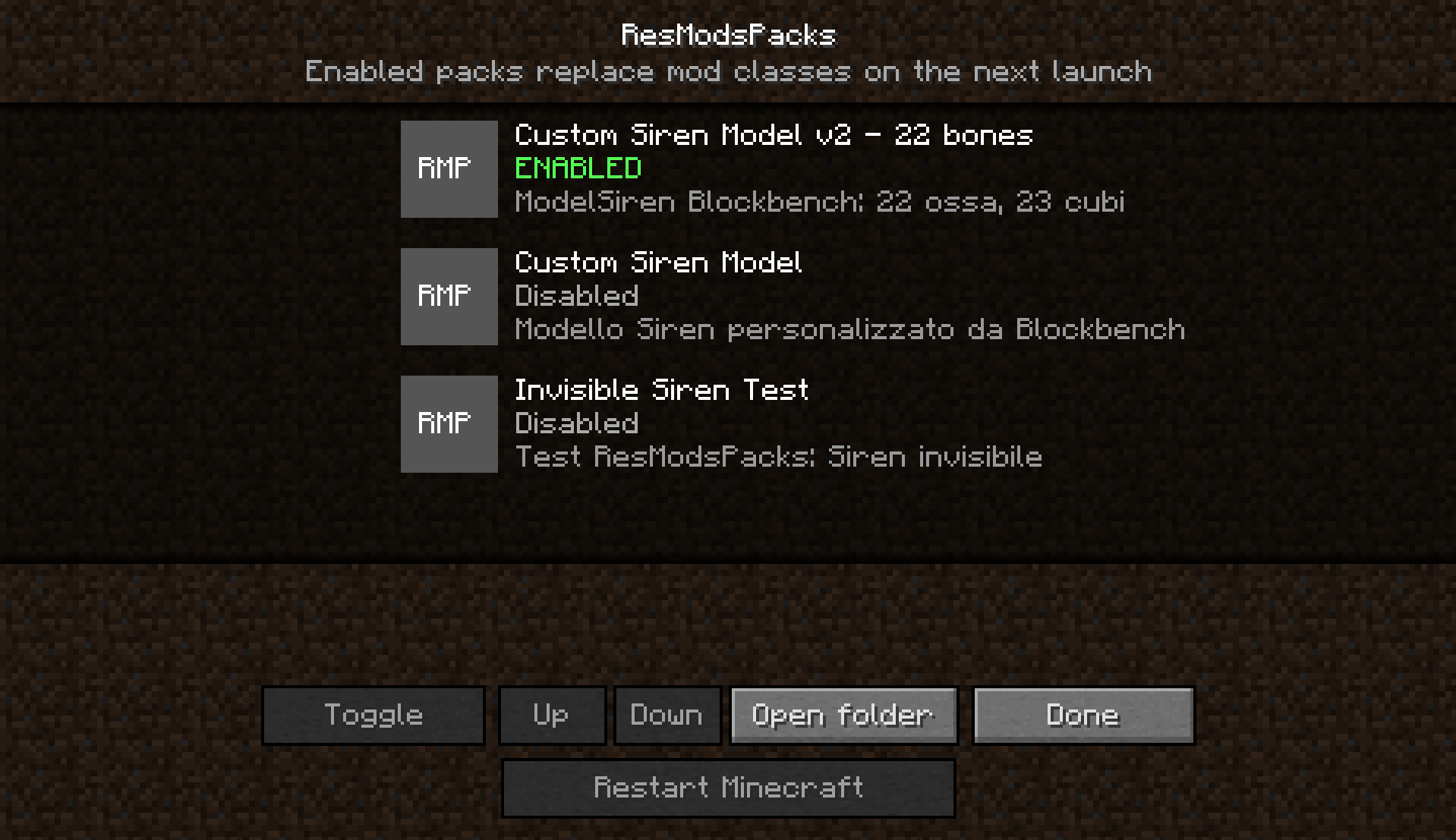
Screenshot 2026-07-13 000502.png
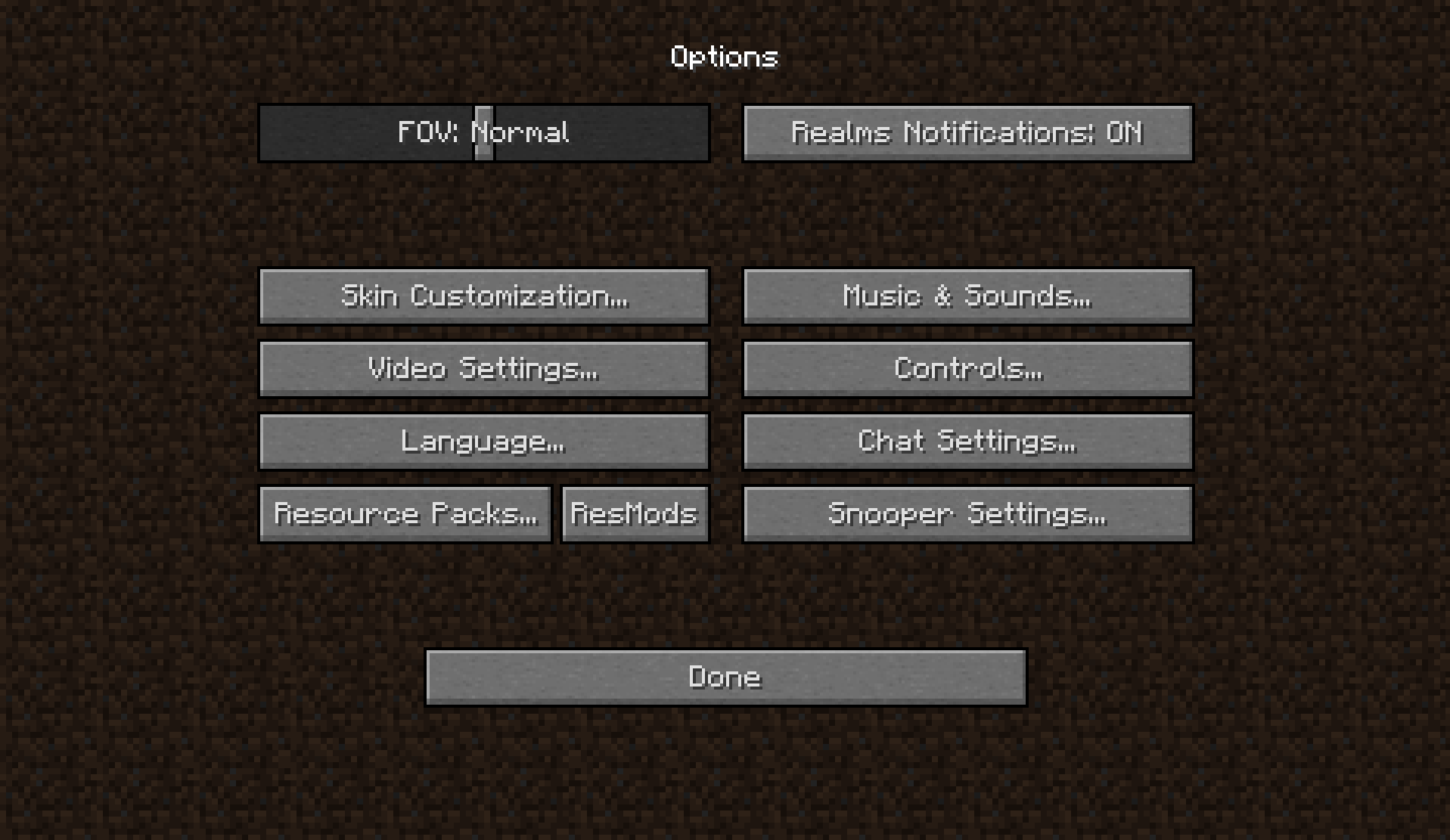
Screenshot 2026-07-13 000443.png
Description
FIND THE GUIDE RIGHT UNDER HERE
I know, I know, temporarly modifying a model, animation... of a mod is really difficult today: you have to create a whole copy of the mod just to change that .class with the asset. But WHY it has to be so diffcult? Well, I asked that to myself, too, so I came up with a solution: with this pack, changing small things has never been easier!
Put your zip file in the "resmodspack" directory, near resourcepacks. Enter in-game and activate it!
Note: this can be really helpful for storage limitations and to organize, but everytime you change something you have to close the game to load it. This are the limits of java itself.
Here is the guide to how to use this mod PLEASE READ IT CAREFULLY:
# ResModsPacks for Forge 1.12.2
ResModsPacks lets you replace individual Java classes from client-side mods without modifying their original JAR files. Packs can be enabled from an in-game screen similar to the Resource Packs menu and are applied the next time Minecraft starts.
## Installation
1. Use Minecraft 1.12.2 with Forge `14.23.5.2860`. Other final Forge 14.23.5.x builds should normally be compatible.
2. Copy `resmodspacks-1.12.2-0.2.3.jar` into the instance's `mods` folder. Remove any older ResModsPacks version first to avoid loading the mod twice.
3. Start Minecraft once. The mod creates a `resmodspacks` folder next to `mods`, `resourcepacks`, and `config`.
4. Open `Options`. A new `ResMods` button appears next to `Resource Packs`.
The mod and its packs are client-side only. They do not need to be installed on the server.
## Pack structure
Each pack must be a ZIP file inside `.minecraft/resmodspacks`:
```text
MyModel.zip
|-- pack.mcmeta
|-- pack.png (optional)
`-- com/
`-- author/
`-- modname/
`-- client/
`-- model/
|-- ModelCreature.class
`-- ModelCreature$1.class (if generated by the compiler)
```
Class files must keep **exactly the same path they have inside the original mod JAR**. Do not add an extra `classes` directory and do not place the Java source project inside the ZIP.
Example `pack.mcmeta`:
```json
{
"pack": {
"pack_format": 3,
"description": "My alternative model"
},
"resmodspack": {
"name": "Alternative model"
}
}
```
`pack_format: 3` is the resource-pack format used by Minecraft 1.11-1.12. The `resmodspack` section is optional; its `name` property controls the name shown in the menu.
## Creating a pack from a recompiled mod
1. Decompile or import the mod into a Forge 1.12.2 workspace while respecting the original author's license.
2. Modify the model class and rebuild the project using its reobfuscation step, usually `gradlew build`.
3. Open the final JAR from `build/libs` with 7-Zip or another archive manager.
4. Extract the modified class while preserving its complete package path. Include files with the same name followed by `$`, if present: these are inner or anonymous classes and may contain part of the model code.
5. Add `pack.mcmeta`, create the ZIP, and copy it into `resmodspacks`.
6. Enable it from the ResMods screen and restart Minecraft completely.
The class must come from the **final reobfuscated JAR**, not from the development `build/classes` directory. It must also be compiled against the same version of the target mod. Different fields or methods may cause a `NoSuchMethodError`, `NoSuchFieldError`, or a crash during startup.
## Priority and disabling packs
Enabled packs are shown first. When multiple packs contain the same class, the pack at the top has priority. Use `Up` and `Down` to change their order. Enabled state and priority are saved in `resmodspacks/enabled.txt`.
The JVM cannot unload a Java class after it has been loaded, so class changes require a complete restart; `F3+T` is not enough. After changing the pack selection, `Restart Minecraft` safely closes the game, waits for the old process to end, and reopens the same instance with the same Forge launch parameters. The restart system is implemented entirely in Java and does not use PowerShell or batch scripts.
## Security and limitations
- A Java class can execute code with the same permissions as Minecraft. Only use packs you created yourself or obtained from a trusted source.
- Replacements inside Java, Minecraft, Forge, LaunchWrapper, and ResModsPacks are blocked. This feature is intended for classes belonging to other mods.
- This version replaces `.class` files only. Textures, sounds, and other files under `assets/` must still be supplied through normal resource packs.
- The loader cannot automatically fix incompatibilities between different versions of the target mod.
- A class loaded before the transformer runs cannot be replaced. This should not normally affect model classes from ordinary mods.
Note: this project was created using my imagination, but all the code is generated by AI. I am not "that" skilled in java, so I had to take a helper. Don't worry, I tested this all and it is NOT ai slop, bad or anything. Don't make this affect your journey.
ResModsPacks Team

