Renovator Building Tools
- By
Renovate buildings with one wand: swap styles by block family, mix palettes, detail suggestions, furnish rooms, copy and import schematics, and build them as ghost projections layer by layer - by hand or automatically.
01_wheel.png
02_selection.png
03_swapscreen.png
04_preview.png
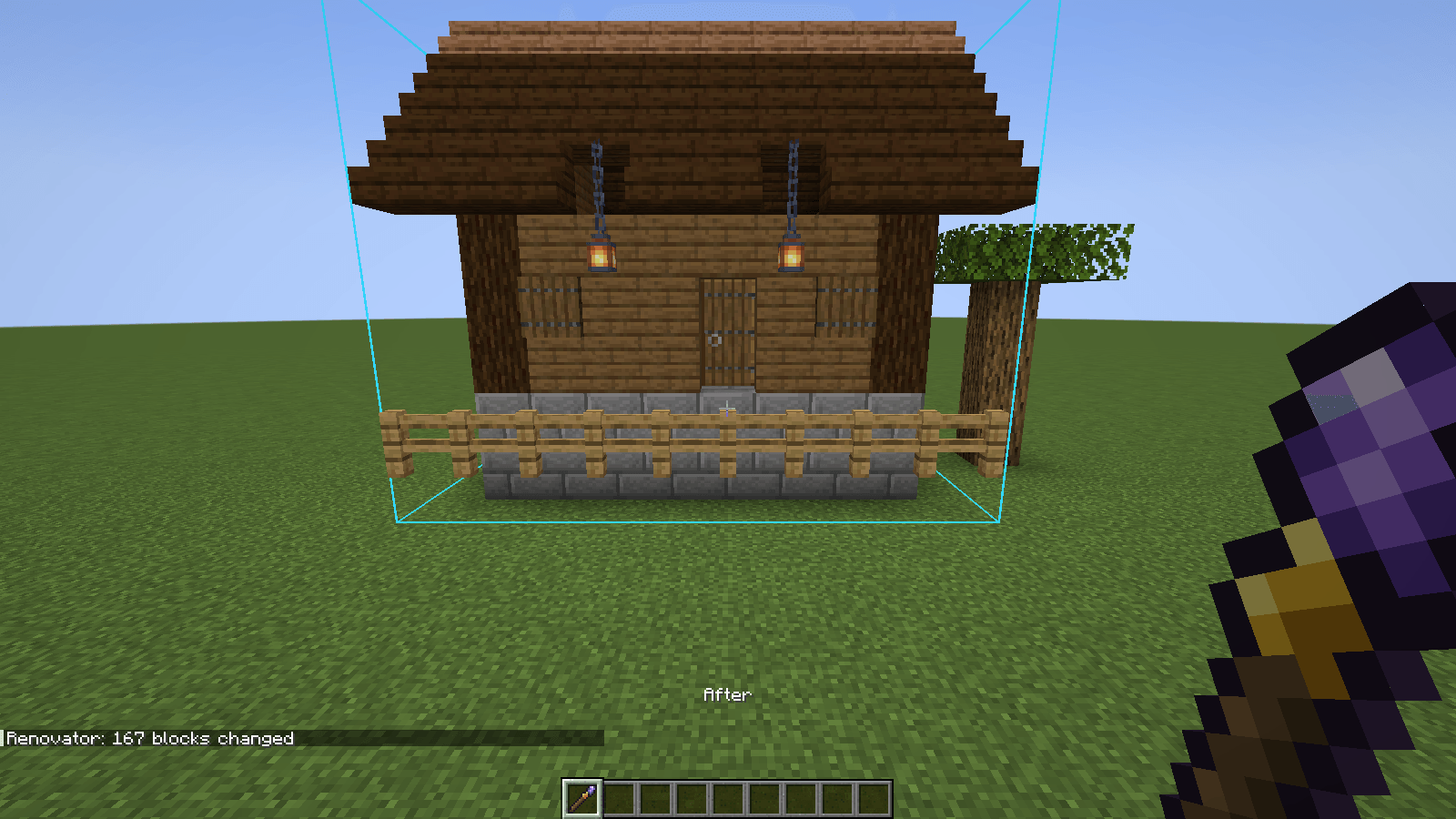
05_after.png
Description
Renovator
Renovate any building with one wand. Swap a whole build to another style in seconds, break up flat walls with mixed palettes, get detail suggestions, furnish rooms, copy buildings or import schematics, and build them as ghost projections layer by layer – by hand or automatically, in creative and survival.
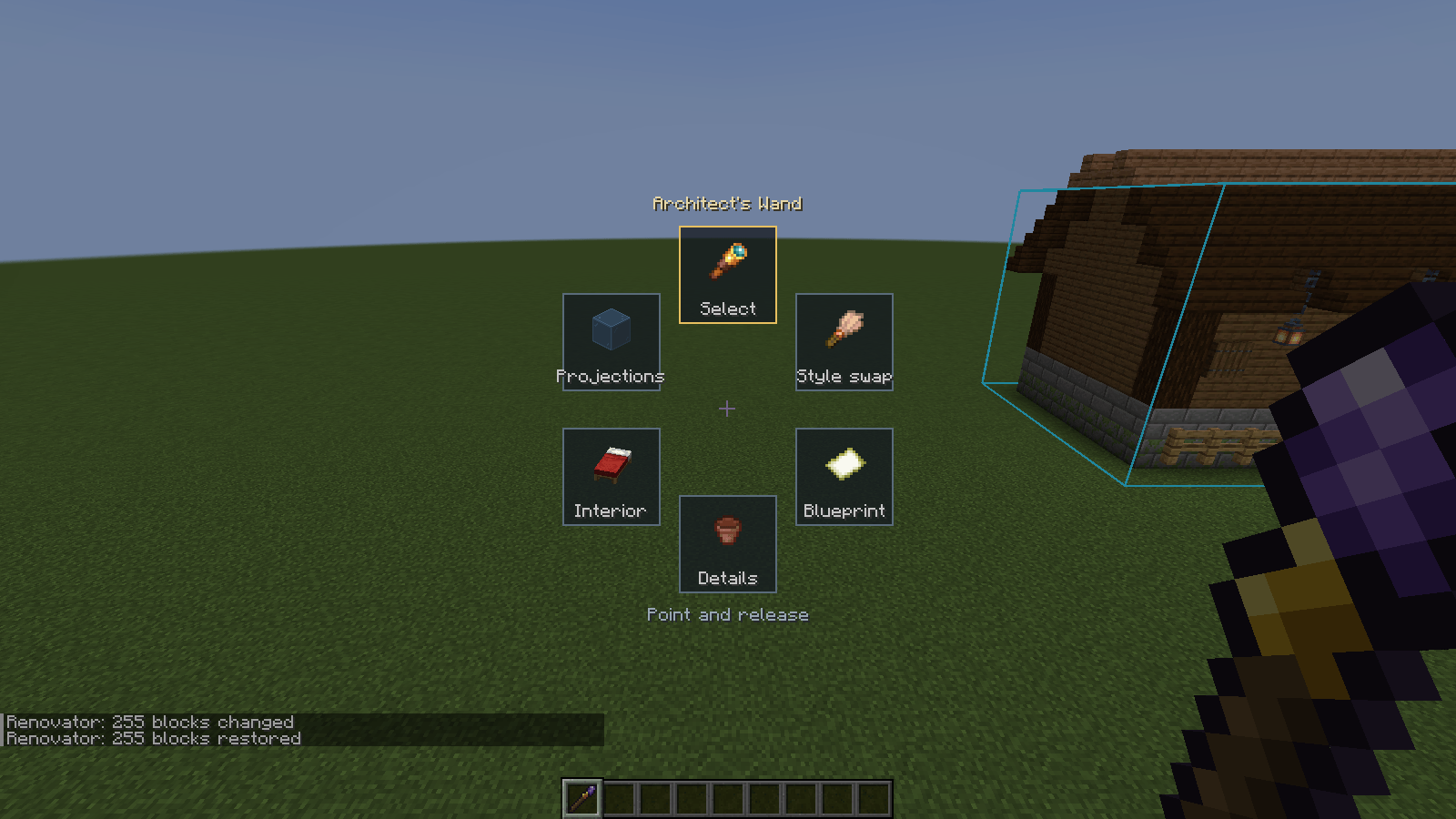
Everything runs through the Architect's Wand (crafted from a stick, a gold ingot and an amethyst shard). Press M to pick a mode on the wheel.
Select a building
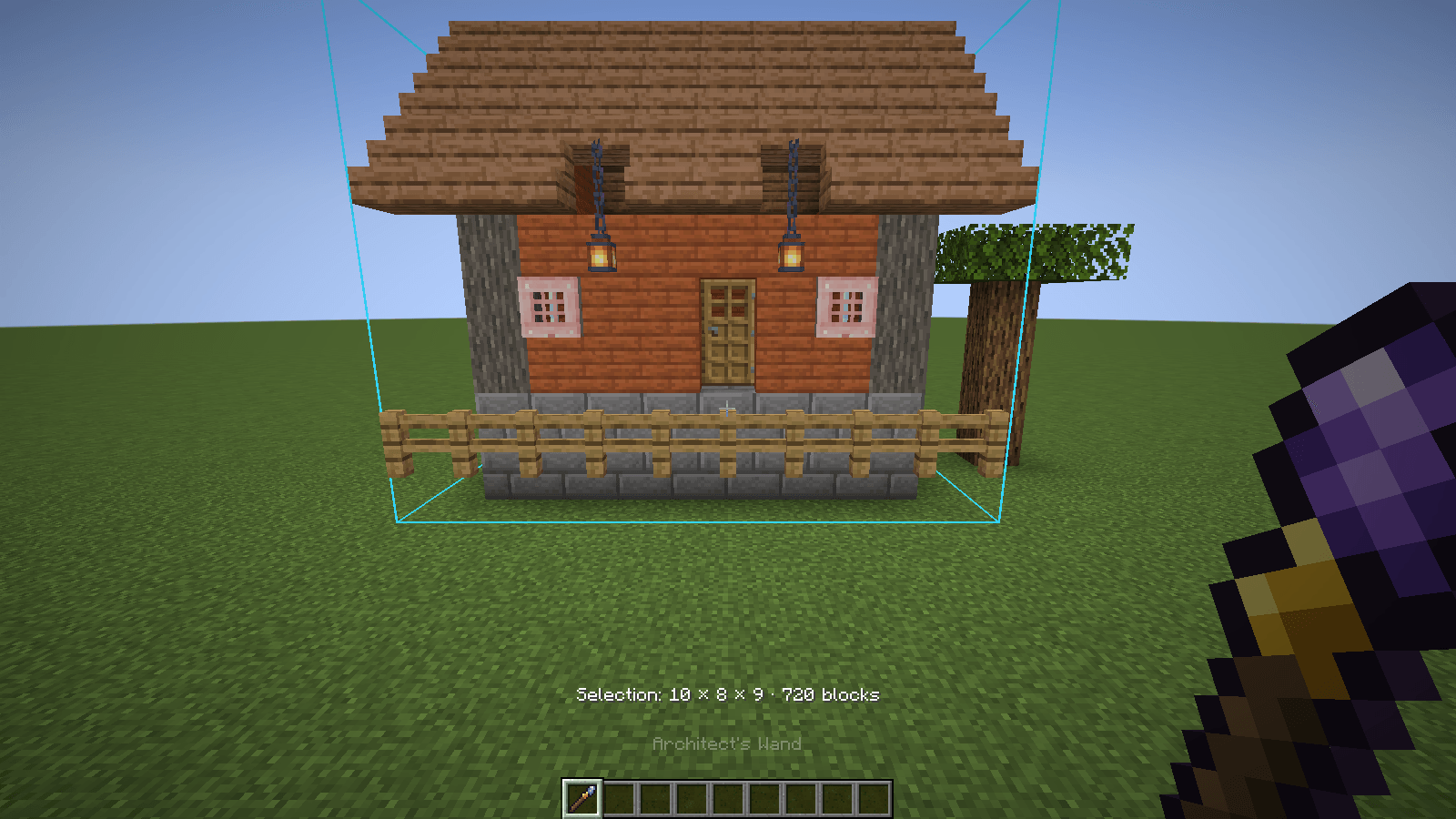
- Box: right-click two corners. Ctrl + mouse wheel pushes the face you look at.
- Whole building: sneak + right-click any wall. Renovator follows the building itself: walls, roof and the floor under the roof, plus things that sit on it (lanterns, windows, shutters, a lamp post at the door). Roads, paths, fields, garden walls and fences that lead away are left out.
Style swap
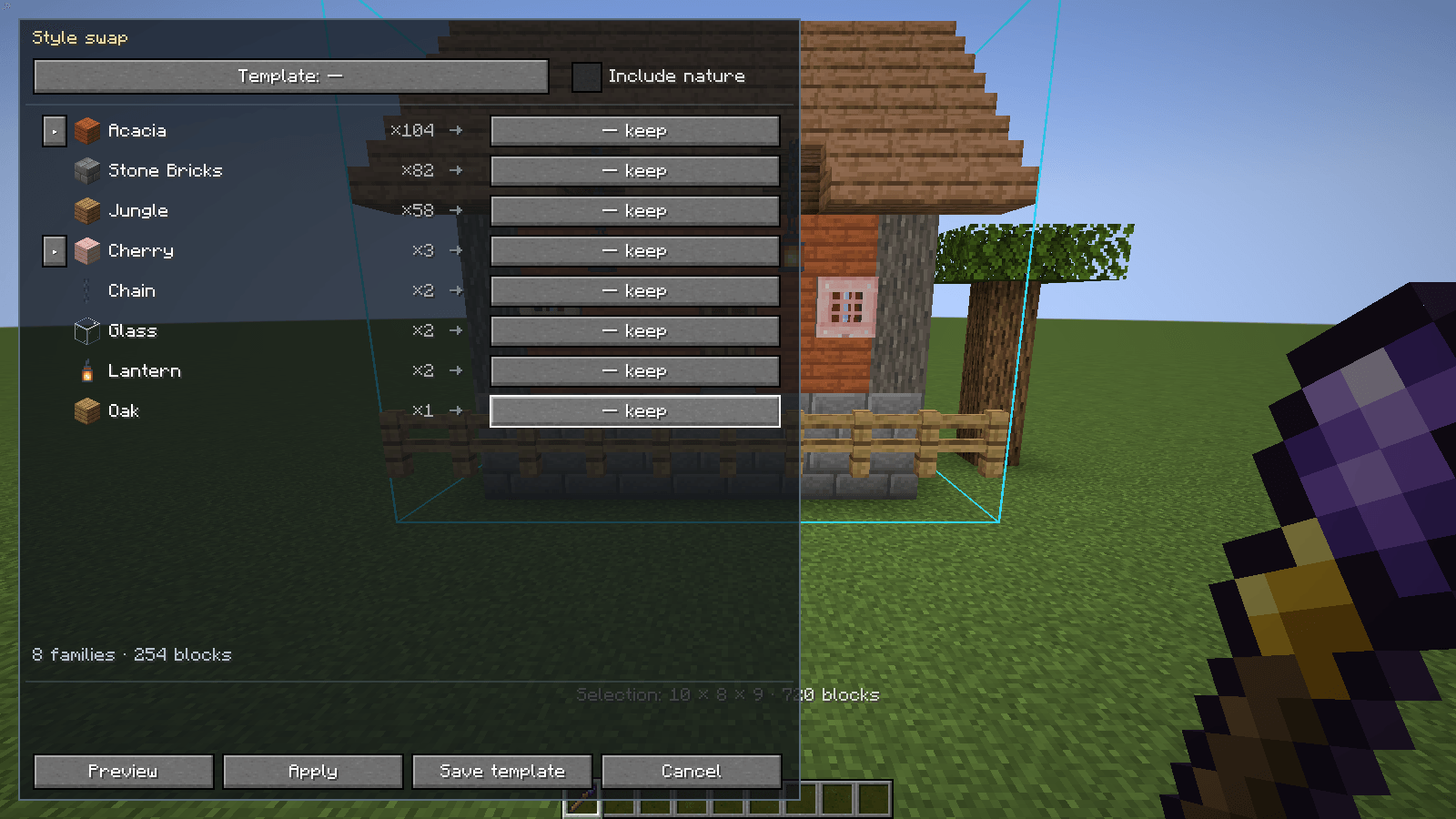
- Lists the block families in the selection (oak, spruce, stone bricks …) with counts. Pick a new family for each one and every shape follows: stairs, slabs, fences, doors, trapdoors, signs, logs …
- Templates for quick restyles (Japanese → Nordic, medieval → dark, darken / lighten wood, everything mossy …), and your own saved templates.
- Mix palettes instead of one flat block: old & mossy, castle wall, weathered wood, rough deepslate and more, or build your own with weights and patterns (scatter, patches, gradient, edges).
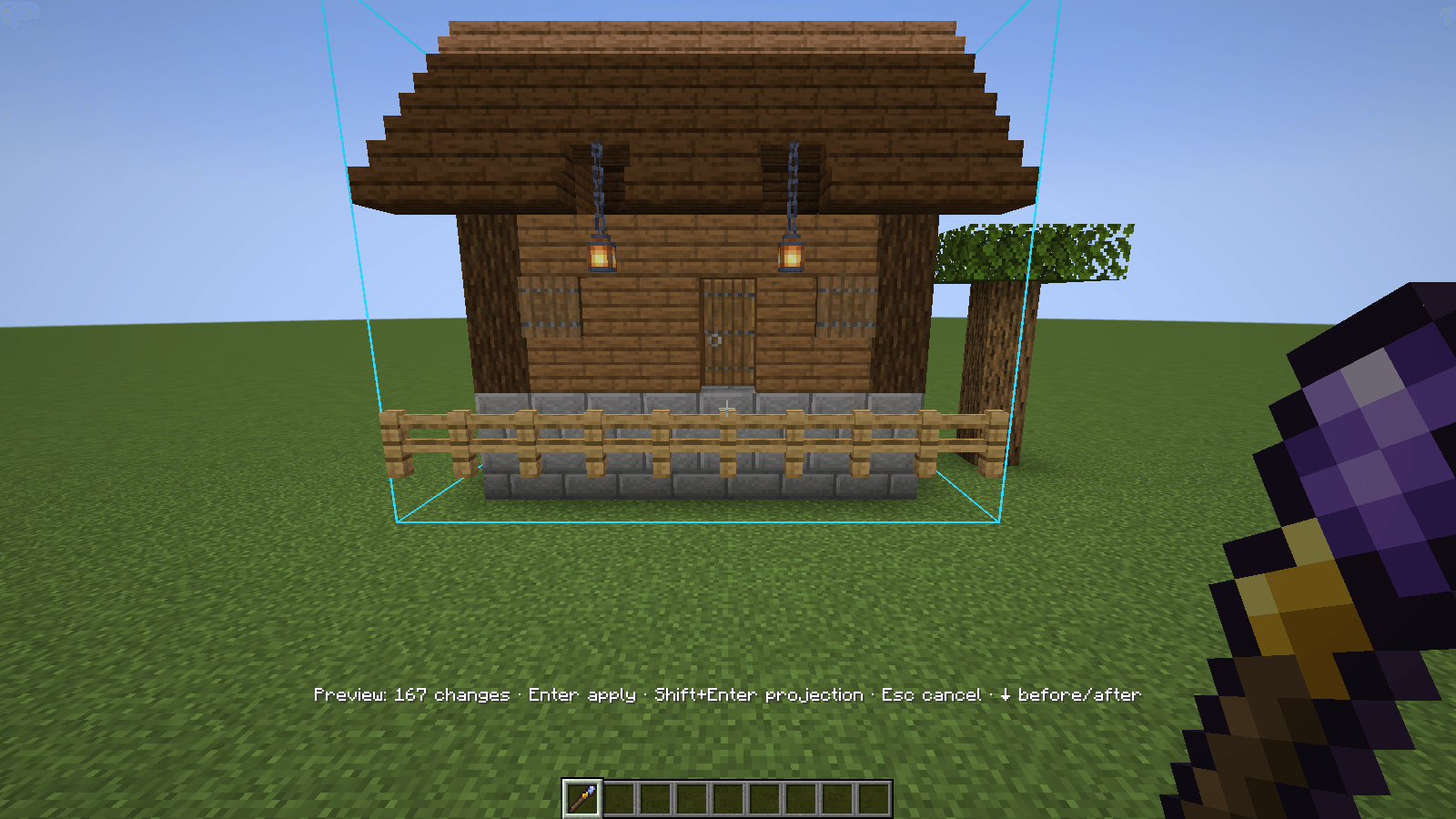
- Preview before you apply, with a before / after toggle (↓).
Detail assistant
Finds spots that would look better and offers 2–3 variants each: stair railings with lanterns, roof edges and overhangs, window shutters, frames and flower boxes, log or stone pillars on long walls, a plinth, corner lanterns, an entrance with lanterns, an awning or steps, and mixes for plain walls. Walk through the suggestions one by one (←/→, variant ↑) or apply them all. A decoration is placed whole or not at all – no lone fence posts.
Interior designer
Right-click the floor of a room, pick a room type (bedroom, living room, kitchen, dining room, library, bathroom, workshop, storage – or automatic) and get a furnished preview that respects doors, windows and walking space. ↑ rerolls, ←/→ changes the room type. Uses Macaw's Furniture and Refurbished Furniture when installed – or switch to vanilla only at any time (↓ in the preview).
Blueprints
- Copy any selection into your blueprint library.
- Import
.schem(Sponge v2/v3),.litematicand vanilla.nbtstructures – just drop the files into the library window. - Place with a live ghost preview: rotate (←/→), mirror (↑), height (Ctrl + wheel), and restyle the blueprint before placing it.
Build projections (survival friendly)
Not enough materials yet, or want to build it yourself? Keep any action as a projection:
- Ghost blocks show what goes where – blue or real textures that gently pulse. Blocks in the way are marked red.
- Layers: Page Up / Page Down steps through the layers, End switches between all layers, this layer only and up to this layer. The view moves on by itself when a layer is done.
- Right-click with the matching block on a ghost places it exactly there, facing the right way. A wrong block tells you what belongs there. Middle-click a ghost to pick the needed block from your inventory.
- Build automatically: this layer, up to this layer or everything – paid from your inventory, then from ProjectE EMC. What you can't afford stays a ghost.
- The info line shows the layer, progress and what's still missing. Projections survive restarts.
Get a projection with "As projection" in the build dialog, or Shift + Enter in any preview. The wand mode Projections lists them with progress, show/hide, build and delete.
Survival & ProjectE
In survival every action shows what it needs and what you have. Materials come from your inventory; replaced blocks go back into it. With ProjectE installed, learned items can be paid with EMC. Build everything, as far as it goes, or keep it as a projection.
Undo
U undoes your last actions (kept across restarts).
Controls
| Key | Action |
|---|---|
| M | Mode wheel |
| Right-click (wand) | Use the current mode |
| Sneak + right-click | Select the whole building |
| Enter / Shift + Enter | Apply / keep as projection |
| ← → ↑ ↓ | Rotate, mirror, variants, room type, before/after, furniture |
| Ctrl + mouse wheel | Box face / placement height |
| U | Undo |
| Page Up / Page Down | Projection layer |
| End / Home | Projection view / style |
| Right-click / middle-click a ghost | Place the block / pick the block |
All keys can be changed in the controls menu.
Compatibility
- Minecraft 1.21.1, NeoForge 21.1.
- Needed on client and server.
- Optional: ProjectE (EMC payment), Macaw's Furniture and Refurbished Furniture (interior designer).
- Works with any modded block that has stairs/slabs/walls … in its family; others simply stay unchanged.
- Languages: English, German.
Server owners
Limits are in renovator-server.toml: blocks per operation (unlimited by default – in survival, materials are the
limit), blocks placed per tick, undo depth, upload size and the building detection radius.
Deutsch (kurz)
Renovator baut Gebäude mit einem Stab um: Stil nach Blockfamilien tauschen, Mischpaletten statt einfarbiger Wände, Detail-Vorschläge, Räume einrichten (Vanilla oder Macaw's/Refurbished), Gebäude kopieren und Schematics importieren – und alles als Geister-Projektion Schicht für Schicht bauen, von Hand oder automatisch mit Inventar oder ProjectE-EMC. Die Mod ist komplett auf Deutsch und Englisch.
Renovator Building Tools Team